
1. Introduction
This manual provides instructions for the SZYTF Dual USB Fast Charge Step-down Module. This module is designed to convert a higher DC input voltage (6-32V) into a lower, regulated output voltage for fast charging various devices via its dual USB ports. Each port supports up to 24W output and is compatible with multiple fast charging protocols.

2. Safety Precautions
- Ensure the input voltage is within the specified range (DC 6-32V) to prevent damage to the module and connected devices.
- Observe correct polarity when connecting the input power. Incorrect connections can cause irreversible damage.
- Avoid short-circuiting the output ports.
- Do not expose the module to moisture, extreme temperatures, or corrosive environments.
- Handle the module with care to avoid electrostatic discharge, which can damage electronic components.
- If the module is used without the protective shell, ensure it is installed in an enclosure that prevents accidental contact with live components.
3. Package Contents
The package typically includes:
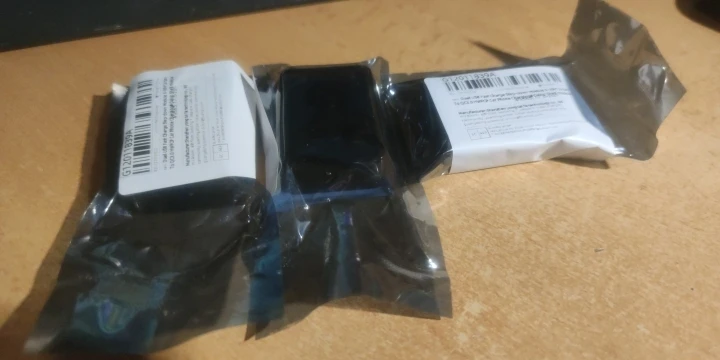
- 1 x Dual USB Fast Charge Step-down Module
- (Optional) 1 x Transparent Protective Shell (if ordered with shell)
4. Specifications
| Feature | Specification |
|---|---|
| Brand Name | SZYTF |
| Type | Module |
| Application | Computer (General purpose charging) |
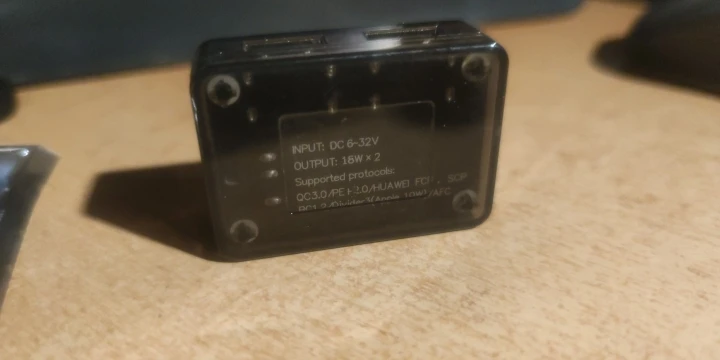
| Input Voltage | DC 6V ~ 32V (DC jack: outer diameter 5.5mm, inner diameter 2.1mm) |
| Output Voltage | Default 5V; adjustable range 3V ~ 12V (according to fast charging protocol) |
| Output Capacity (Single Port) | Rated current 2.4A, Rated power 24W |
| Supported Protocols | QC2.0, QC3.0, MTK PE1.1/2.0, Apple, Samsung AFC, Huawei FCP, Spreadtrum SFCP |
| Protection Measures | Output over-voltage protection (limits output to max 13V in case of chip failure), Input with fuse. |
| Line Compensation | 5V output features line compensation to counter voltage drop at higher currents. |
| Module Dimensions | 46.8mm x 31.8mm |
| Module Weight | 14g |
| Shell Dimensions | 51mm x 36mm x 16.4mm |
| Weight with Shell | 27g |
| Condition | New |
| Origin | Mainland China |


5. Setup Instructions
- Power Source Selection: Choose a DC power source that provides a voltage between 6V and 32V. Ensure the power source can supply sufficient current for your charging needs (e.g., at least 2.4A per port if using both simultaneously at full power).
- Connect Input Power: Connect the DC power source to the module's input jack. The input jack has an outer diameter of 5.5mm and an inner diameter of 2.1mm. Ensure the positive and negative terminals are connected correctly.
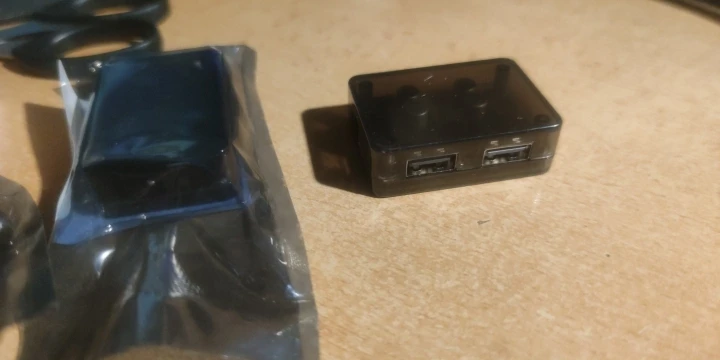
- Mounting (Optional): If using the protective shell, place the module inside the shell. The shell provides protection and can be mounted using the screw holes.
- Verify Power: Once connected, the module may have an indicator light (e.g., blue LED) to show it is powered on.
6. Operating Instructions
- Connect Device: Plug your USB charging cable into one of the module's USB output ports and connect the other end to your device.
- Automatic Protocol Detection: The module will automatically detect the fast charging protocol supported by your connected device (e.g., QC2.0, QC3.0, Apple, Samsung AFC, Huawei FCP, Spreadtrum SFCP).
- Adjustable Output Voltage: Based on the detected protocol, the module will adjust its output voltage between 3V and 12V to optimize charging speed. For devices not supporting fast charging protocols, the output will default to 5V.
- Simultaneous Charging: You can charge two devices simultaneously using both USB ports. Each port can deliver up to 24W independently.
7. Maintenance
- Keep the module clean and free from dust. Use a dry, soft cloth for cleaning.
- Do not use liquid cleaners or solvents.
- Ensure adequate ventilation around the module, especially during prolonged use, to prevent overheating.
- Regularly check input and output connections for any signs of wear or damage.
8. Troubleshooting
- No Power/No Charging:
-
- Check if the input power source is correctly connected and providing voltage within the 6-32V range.
- Ensure the input DC jack (5.5mm outer, 2.1mm inner) is securely plugged in.
- Verify the power source is functional.
- Check the fuse on the input for continuity.
- Slow Charging/No Fast Charge:
-
- Ensure your device and charging cable support one of the fast charging protocols (QC2.0, QC3.0, etc.).
- Try a different USB cable, as some cables may not support fast charging.
- Confirm the input power source can deliver enough current for fast charging.
- Module Overheating:
-
- Reduce the load by charging fewer devices or using lower power devices.
- Ensure the module has adequate ventilation and is not enclosed in a confined space without airflow.
- Verify the input voltage is not excessively high, causing unnecessary heat dissipation.
9. User Tips
- This module works effectively with 12V batteries and 3S (3-cell series) lithium-ion battery assemblies, where the discharge voltage is around 7.5V.
- For optimal performance, ensure you use a stable 12V voltage adapter for the input.
- The fast charging functionality has been reported to work reliably across various setups.
10. Warranty and Support
For any issues or questions regarding the SZYTF Dual USB Fast Charge Step-down Module, please contact your retailer or the manufacturer's customer support. Keep your purchase receipt for warranty claims.
A user manual in PDF format is available for download. You can reference it for additional details: View User Manual (PDF)