
1. Introduction
Thank you for purchasing the Warsun CP36 Rechargeable LED Camping Light. This versatile and portable lighting solution is designed for various outdoor activities, work, and emergency situations. It features multiple lighting modes, a rechargeable battery, solar charging capability, and can also function as a power bank. Please read this manual carefully before use to ensure proper operation and to maximize the product's lifespan.
2. Safety Information
- The product uses a rechargeable lithium-ion battery. Charge only with a 5V phone charger. Charging with other voltages is strictly prohibited to prevent damage to the light and battery.
- Do not violently throw or hit the light, as this may cause internal damage to the components or battery.
- The operating temperature range for the light is -10°C to 40°C (14°F to 104°F). Using it beyond this temperature range may cause damage or malfunction.
- Always fully charge the light before long-term storage to prevent self-discharge and potential over-discharge damage to the battery.
- Do not charge the light near flammable materials or in areas with a risk of fire.
- Avoid staring directly at the LED light source, as the intense brightness may cause temporary eye discomfort or damage.
- Parts of the light, especially the LED panel, may become warm after prolonged use at high brightness settings. Handle with care.
- Keep this product out of reach of children.
3. Package Contents
Please check the package for the following items:
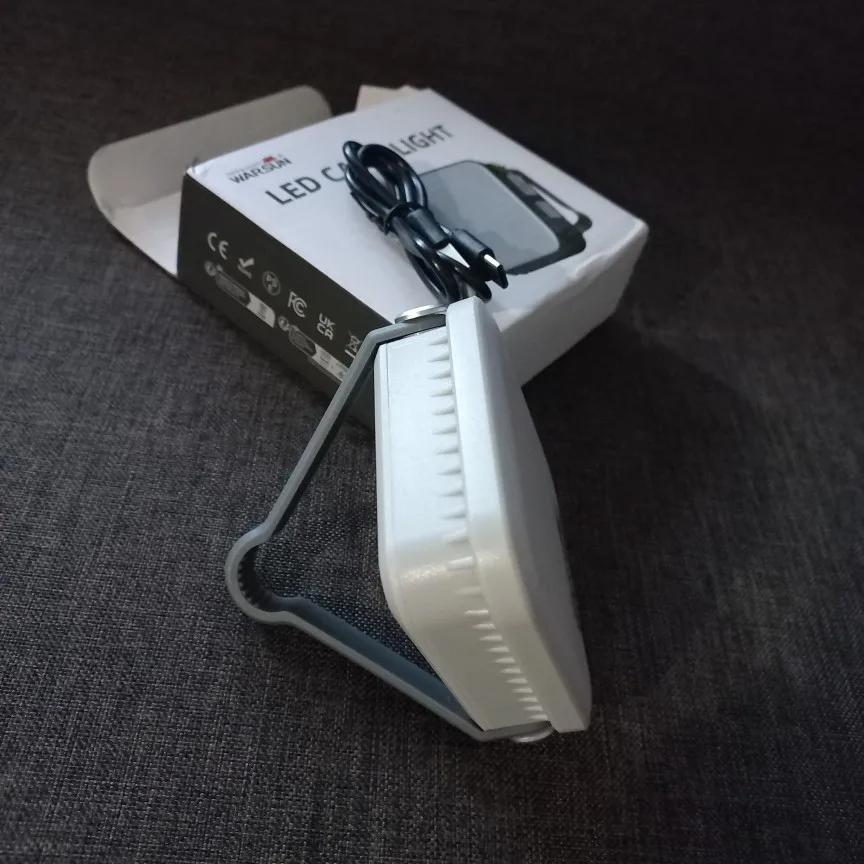
- Warsun CP36 LED Camping Light
- USB Charging Cable
- User Manual (this document)
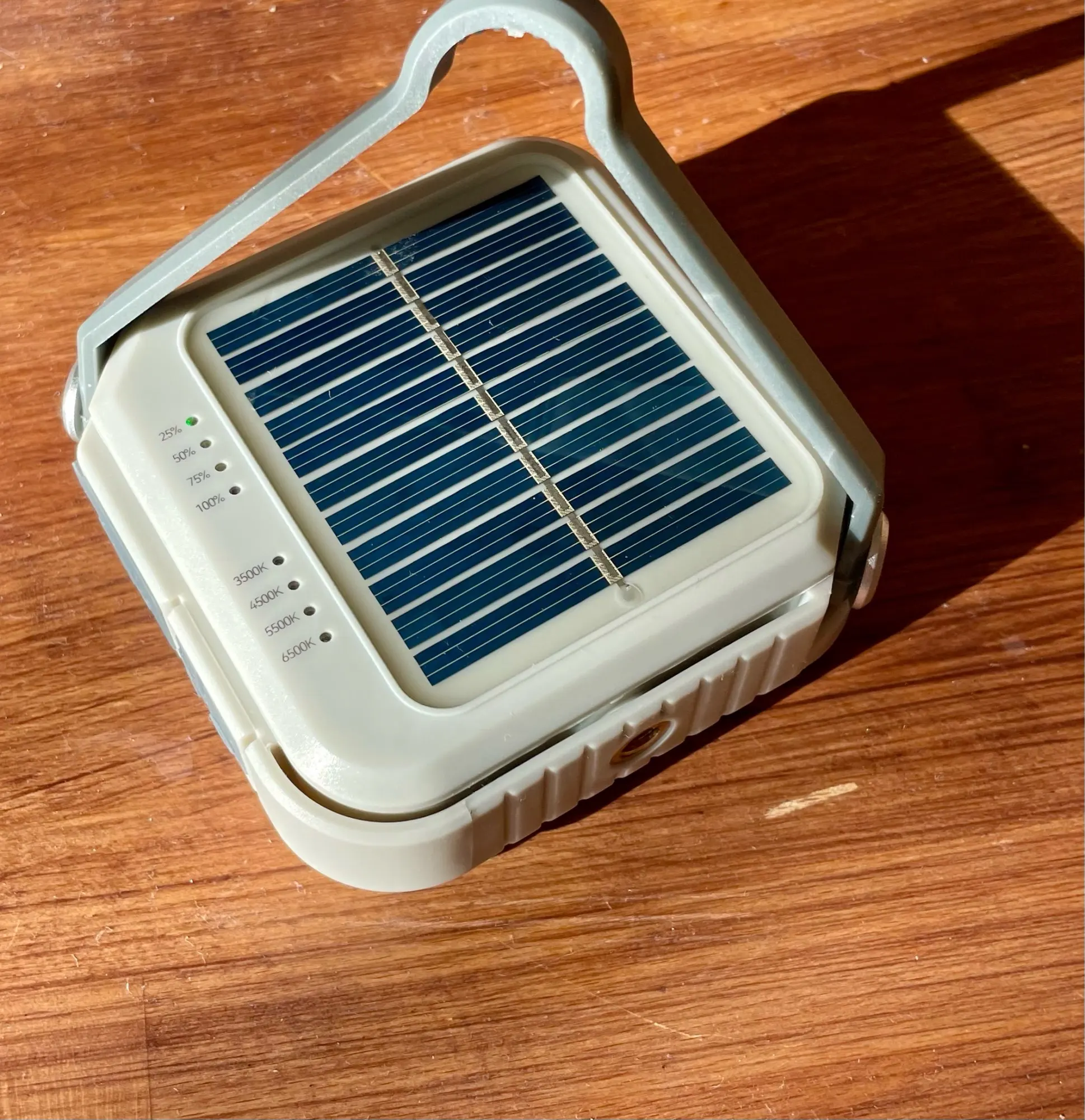
4. Product Overview
Familiarize yourself with the different parts of your Warsun CP36 camping light:
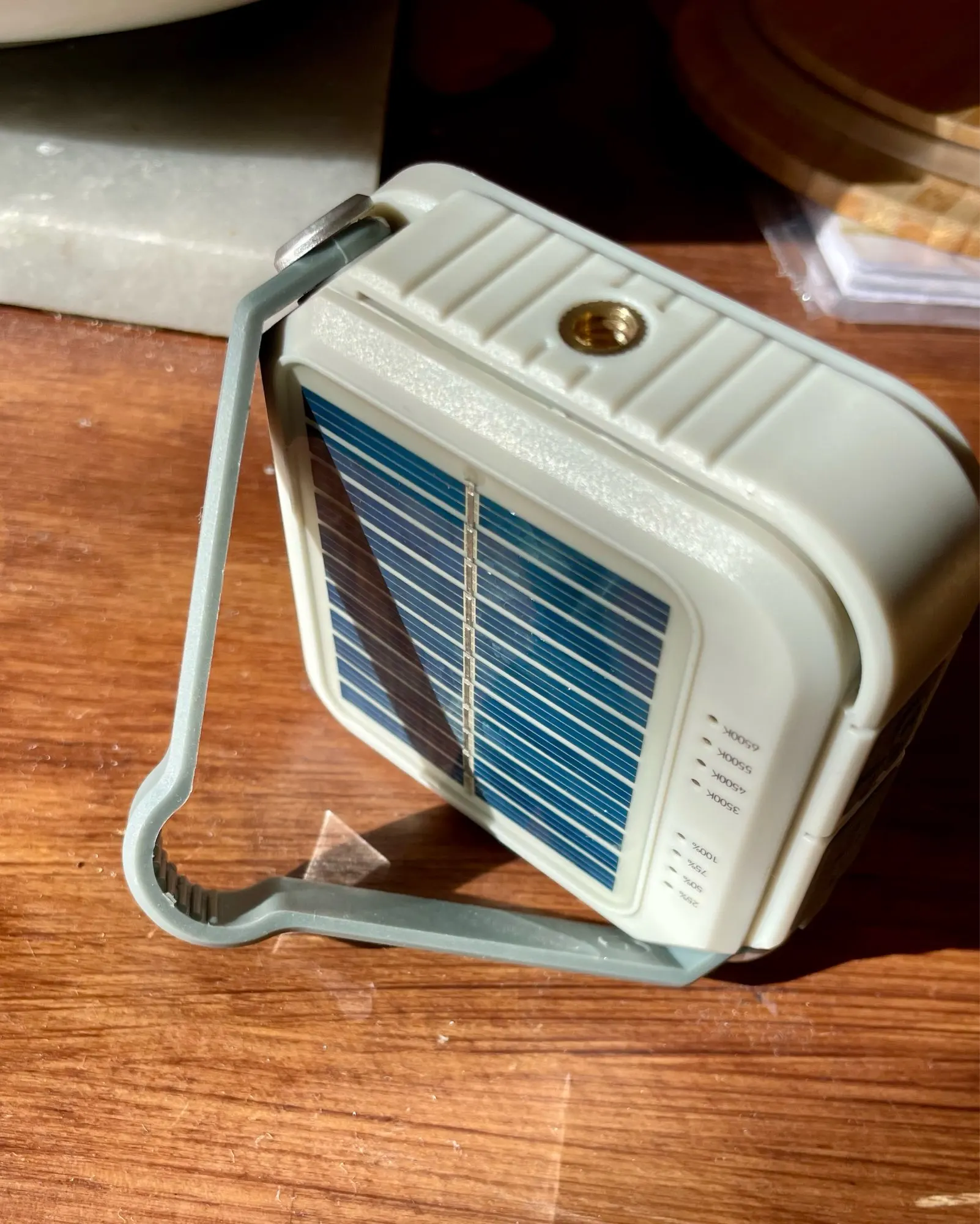
- Charging Port: USB Type-C input for charging the device.
- USB Output Port: USB-A output for charging external devices (power bank function).
- Switch: Power on/off and mode selection button.
- Battery Indicator: LEDs indicating remaining battery charge (e.g., 25%, 50%, 75%, 100%).
- Color Temperature Indicators: LEDs indicating the selected color temperature (e.g., 2700K, 4000K, 5500K, 6500K).
- Hook: Integrated hook for hanging the light.
- Adjustable Stand: Allows for various positioning and angling of the light.
- Solar Panel: Located on the back, provides supplementary charging.
- Tripod Mount: Standard screw thread for mounting on camera tripods or other compatible stands.
5. Specifications
| Feature | Detail |
|---|---|
| Model Number | CP36 |
| Brand Name | Warsun |
| Item Type | Portable Lanterns |
| Light Source | LED bulbs |
| Power Source | Rechargeable Battery |
| Battery Type | LITHIUM ION (2x 18650 cells, 4800mAh total) |
| Is Batteries Included | Yes |
| Is Batteries Required | No |
| Body Material | ABS |
| Certification | CE, ROHS, EMC |
| Origin | Mainland China |
| Product Dimensions (approx.) | 12 cm (L) x 11 cm (W) x 3 cm (H) |
| Product Weight (approx.) | 0.212 kg |
6. Setup
6.1 Initial Charging
Before first use, it is recommended to fully charge the Warsun CP36. Connect the provided USB charging cable to the Type-C input port on the light and plug the other end into a 5V USB power adapter (e.g., a phone charger). The battery indicator LEDs will show the charging progress. Once all indicator LEDs are solid, the device is fully charged.
6.2 Mounting Options
- Hanging: Use the integrated hook to hang the light from branches, tent loops, or other suitable fixtures.
- Standing: Adjust the integrated stand to position the light on a flat surface.
- Tripod Mounting: The light features a standard tripod screw thread, allowing it to be mounted on camera tripods or other compatible stands for precise positioning.

7. Operating Instructions
7.1 Power On/Off and Lighting Modes
- Power On: Press and hold the power button for a few seconds to turn on the light.
- Change Brightness/Color Temperature: Short press the power button to cycle through different brightness levels and color temperatures (e.g., warm white, neutral white, cool white). The color temperature indicator LEDs will illuminate accordingly.
- Power Off: Press and hold the power button again for a few seconds to turn off the light.
7.2 Solar Charging
The Warsun CP36 features a built-in solar panel for supplementary charging. Place the light with the solar panel facing direct sunlight. The battery indicator LEDs may show a slow charging progress. Note that solar charging is slower than USB charging and is primarily intended to extend battery life or provide a trickle charge in emergencies.
7.3 Power Bank Function
The CP36 can be used as a power bank to charge other small electronic devices. Connect your device to the USB-A output port on the light using an appropriate charging cable. The light will begin charging your device. This feature is useful for charging phones or other gadgets in outdoor or emergency situations.
8. Maintenance
- Cleaning: Wipe the light with a soft, damp cloth. Do not use abrasive cleaners or solvents. Ensure all ports are dry before charging or using.
- Storage: When storing for extended periods, ensure the battery is fully charged. Store in a cool, dry place away from direct sunlight and extreme temperatures. Recharge every 3-6 months to maintain battery health.
- Battery Care: The built-in lithium-ion battery is not user-replaceable. Do not attempt to open the device.
9. Troubleshooting
| Problem | Possible Cause / Solution |
|---|---|
| Light does not turn on. | Battery may be depleted. Charge the device fully. Ensure the power button is pressed and held for a few seconds. |
| Light does not charge via USB. | Check the USB cable and power adapter. Ensure the adapter is 5V. Try a different cable or adapter. Ensure the Type-C port is clean and free of debris. |
| Solar charging is slow or ineffective. | Solar charging is supplementary and inherently slower. Ensure the solar panel is in direct, unobstructed sunlight. Clean the solar panel surface. |
| Cannot charge external devices (power bank function). | Ensure the CP36 has sufficient battery charge. Check the charging cable for the external device. Some devices may draw too much power or be incompatible. |
| Light gets warm during use. | This is normal, especially at higher brightness settings. If it becomes excessively hot or emits smoke/odor, discontinue use immediately and contact support. |
10. User Tips
- The CP36 can be used while it is charging, providing continuous illumination.
- Take advantage of the adjustable color temperature settings to match your environment or mood, from warm ambient light to bright cool white for tasks.
- The standard tripod mount offers great flexibility for positioning the light, making it ideal for photography, video calls, or hands-free work.
- While solar charging is a convenient feature, rely on USB-C charging for faster and more consistent power replenishment.
- The power bank function is excellent for topping up small devices like smartphones or headlamps during camping trips or power outages.
- For optimal battery life, avoid completely draining the battery frequently.
11. Warranty and Support
Warsun products are manufactured to high-quality standards. For detailed warranty information and support, please refer to the official Warsun website or contact your retailer. Please note that the battery is typically not covered under warranty due to its consumable nature.
For further assistance, you may also refer to the official user manual PDF available at: Warsun CP36 User Manual (PDF)