
Introduction
Thank you for choosing the FreedConn EVS100 Motorcycle Intercom Earphone Accessory. This high-quality headset is designed to provide clear audio communication and music playback when paired with compatible FreedConn Bluetooth helmet intercom systems, specifically the T-COM VB and T-COM SC models. It features a versatile 2-in-1 microphone design to suit various helmet types and riding preferences.

Image: FreedConn Earphone Accessory for T-COM Intercoms. Shows the complete earphone unit with speakers and microphone.
Package Contents
Please check the package for the following items:
- 1 x Earphone unit with integrated speakers and main cable
- 1 x Hard boom microphone (detachable)
- 1 x Soft wire microphone (detachable)
- 1 x Mounting bracket for intercom unit (intercom unit not included)
- Velcro pads for speaker and microphone attachment

Image: Detachable Microphone System. Shows the earphone unit with both hard and soft microphones, emphasizing their detachable nature and suitability for different helmet styles.
Specifications
| Feature | Description |
|---|---|
| Item Type | Helmet Headset |
| Brand Name | FreedConn |
| Model Name | EVS100 |
| Origin | Mainland China |
| Certification | CE, RoHS, UL, FCC |
| Maximum Number of Speakers | 2 (integrated into headset) |
| Applicable Helmet Type | Half Helmet, MODULAR, MOTOCROSS, Open face, Full Face, Flip Up Helmet, Universal |
| Battery Included | No (powered by intercom unit) |
| Support Intercom | No (this is an accessory for an intercom unit) |
| Item Weight | Approx. 60g (Note: Original data indicated 60kg, which is a likely typo) |
| High-concerned chemical | None |

Image: Helmet Compatibility Diagram. Shows the headset suitable for various helmet types including half, modular, motocross, open face, full face, and flip-up helmets.
Setup Instructions
Follow these steps to install the earphone accessory in your helmet:
-
Choose Microphone Type: Select either the hard boom microphone (suitable for open-face or flip-up helmets) or the soft wire microphone (suitable for full-face helmets). Connect your chosen microphone to the main earphone cable. Ensure it clicks securely into place.

Image: Soft and Hard Microphone Types. Displays the two microphone options: a soft wire microphone and a hard boom microphone.
- Install Speakers: Attach the two speaker pads inside your helmet, positioning them over your ears. Use the provided Velcro pads to secure them firmly. Ensure they are comfortable and do not obstruct your vision or helmet fit.
-
Position Microphone: Route the microphone cable to your mouth area. For the hard boom mic, position it approximately 1-2 cm from your mouth. For the soft wire mic, secure it inside the helmet lining near your mouth. Use Velcro if necessary.

Image: Hard and Soft Cable Microphone Connection. Illustrates how the detachable microphone connects to the main earphone cable, and shows the headset installed in a helmet.
-
Connect to Intercom Unit: Locate the 5-pin port on your FreedConn T-COM VB or T-COM SC intercom unit. Carefully align the 5-pin connector from the earphone accessory with the port and push it in until it is fully seated. Ensure the connection is firm.

Image: Detail of the 5-Pin Interface. Close-up view of the 5-pin connector on the earphone cable and the corresponding port on an intercom unit.
-
Mount Intercom Unit (if not already done): Use the provided bracket holder to securely attach your FreedConn intercom unit to the side of your helmet. Refer to your intercom unit's manual for specific mounting instructions.
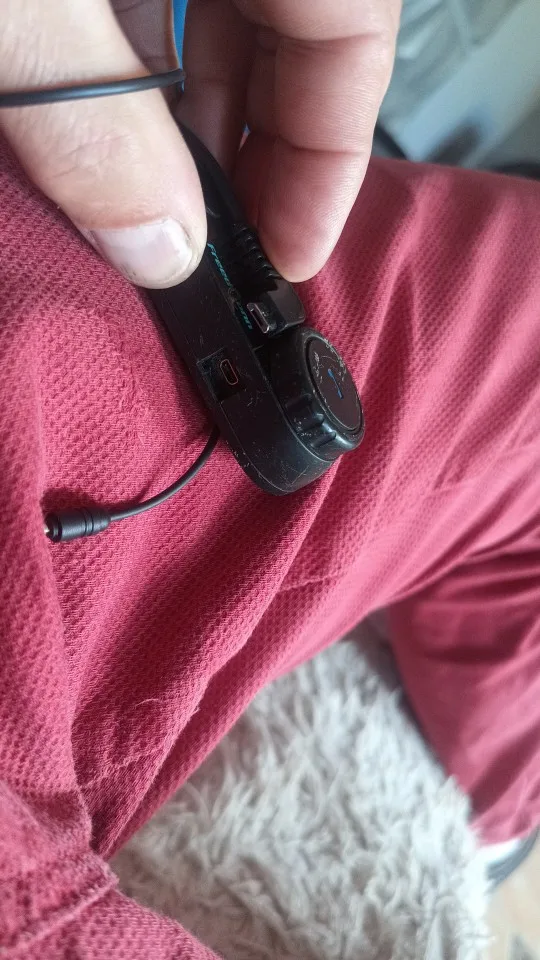
Image: Bracket Holder for Intercom Unit. Displays the mounting bracket for the FreedConn T-COM OS/VB and T-COM SC Bluetooth intercom units, noting that the intercom itself is not included.
Operating Instructions
The EVS100 earphone accessory functions as the audio input/output for your FreedConn T-COM VB or T-COM SC intercom unit. All primary operations, such as power on/off, volume control, pairing, and intercom functions, are controlled directly from your intercom unit. Ensure the earphone accessory is correctly connected to the intercom unit for proper functionality.
- Volume Control: Adjust volume using the controls on your FreedConn intercom unit.
- Microphone Usage: Speak clearly into the microphone for communication.
- Audio Playback: Audio from your intercom unit (e.g., music, GPS, intercom communication) will be played through the helmet speakers.
Maintenance and Care
- Cleaning: Wipe the speakers and microphone foam with a soft, dry cloth. Do not use harsh chemicals or abrasive cleaners.
- Storage: When not in use, store the earphone accessory in a dry, cool place, away from direct sunlight and extreme temperatures.
- Cable Care: Avoid sharp bends or excessive pulling on the cables to prevent damage.
- Detaching Microphones: When detaching the microphone, pull gently from the connector, not the cable.
Troubleshooting
- No Sound from Speakers:
- Ensure the 5-pin connector is fully and correctly inserted into the intercom unit. Check if the intercom unit is powered on and paired correctly. Adjust the volume on your intercom unit.
- Microphone Not Working:
- Verify that the chosen microphone (hard or soft) is securely connected to the earphone cable. Check your intercom unit's settings to ensure the microphone is enabled and not muted.
- Poor Audio Quality:
- Ensure speakers are positioned directly over your ears inside the helmet. Check for any kinks or damage in the cables. Ensure the microphone is positioned correctly and not obstructed by helmet padding or wind noise.
- Connector Does Not Fit:
- This earphone accessory uses a 5-pin connector. Older FreedConn intercom models may use an 8-pin connector. Verify your intercom unit's port type before purchase. This accessory is specifically designed for 5-pin interfaces (often referred to as V8 type).
User Tips
- Compatibility Check: Always confirm your FreedConn intercom model requires a 5-pin earphone accessory. This accessory is NOT compatible with FreedConn R3 and R3 PRO models, which typically use an 8-pin connector. It is compatible with models like the R1 Pro or Plus if they share the same 5-pin input.
- Microphone Choice: The detachable hard and soft microphones offer flexibility. Use the hard boom mic for open-face or modular helmets where it can be easily positioned, and the soft wire mic for full-face helmets where it can be tucked into the lining.
- Secure Connection: Ensure all connections, especially the 5-pin plug to the intercom, are firm to avoid intermittent audio or microphone issues.
Warranty and Support
For detailed warranty information, technical support, or further assistance, please refer to the official FreedConn documentation or contact FreedConn customer service. A user manual in PDF format is available for download, which may contain additional information:
Safety Warnings
WARNING: CHOKING HAZARD
Small Parts. Not for children under 3 years old. Keep out of reach of infants and young children to prevent accidental ingestion.
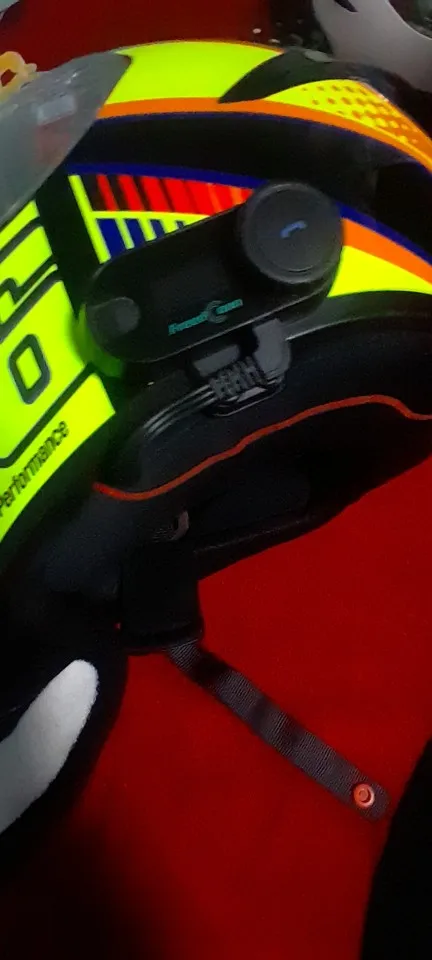
Image: Product Information and Warning Label. Contains product ID, dimensions, material, and multi-language choking hazard warnings.