
Product Overview
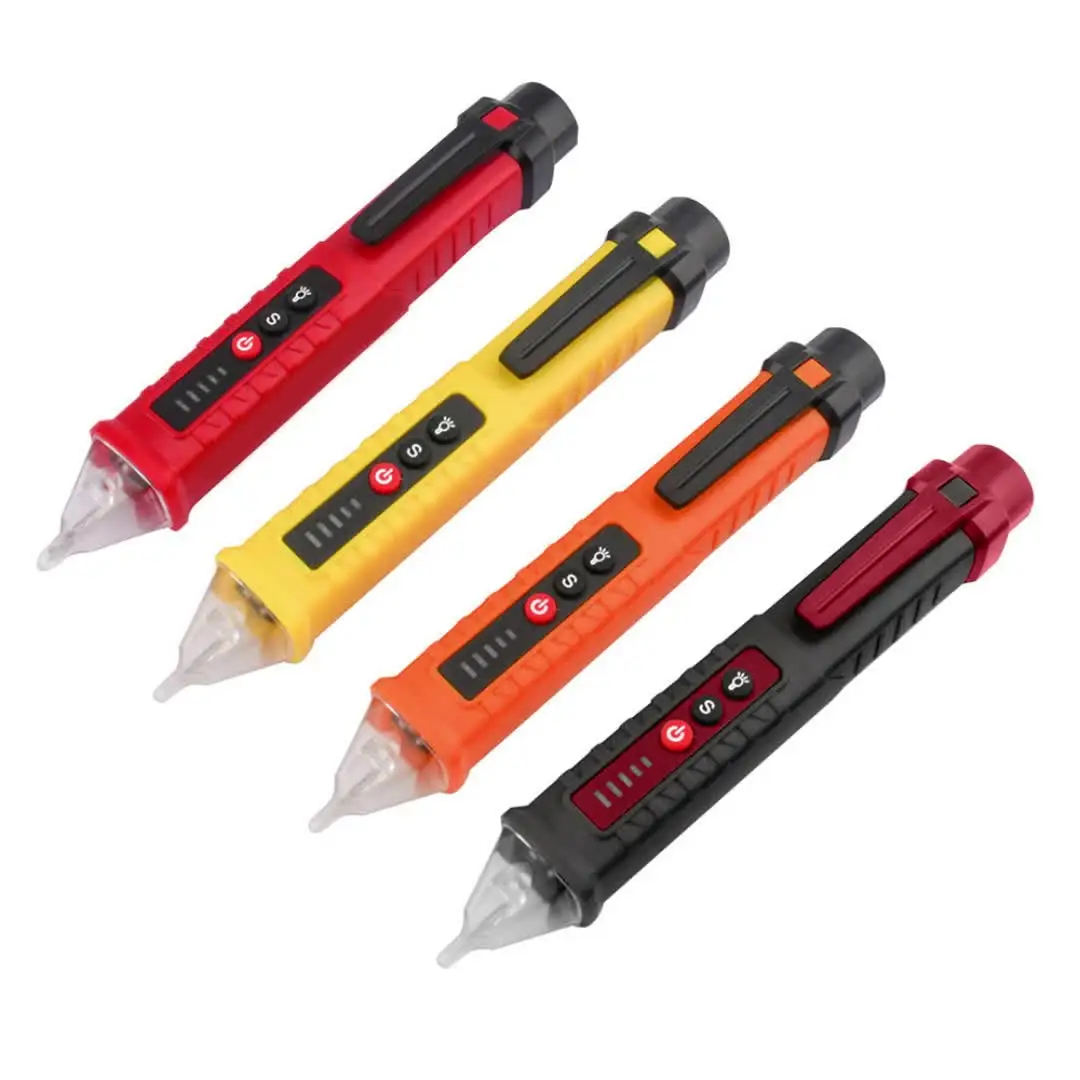
The Aideepen Non-Contact Voltage Detector Pen is a versatile and essential tool for electricians, DIY enthusiasts, and anyone working with electrical systems. It provides a safe and convenient way to detect AC voltage without direct contact, featuring intelligent recognition of live/zero lines, line breakpoint search, and a built-in LED flashlight for dark environments.


Setup
-
Battery Installation
The device requires 2x1.5V AAA batteries (not included). To install, locate the battery cover combination at the top of the pen (as shown in the Product Overview diagram). Twist or slide to open the compartment, insert the batteries according to the polarity markings, and securely close the cover.
-
Initial Power On
Press the 'Tester power switch key' (power button) to turn on the device. The indicator lights should briefly illuminate, indicating it is ready for use.
Operating Instructions
-
Power On/Off
Press the power button to turn the device on. To turn off, press and hold the power button, or the device will automatically shut down after 3 minutes of no operation without detecting AC power.
-
Non-Contact Voltage (NCV) Detection
Position the NCV sensing head near the wire or electrical outlet you wish to test. The device will detect AC voltage in the range of approximately 12-1000V. Signal strength indicator lights will illuminate, and an audible alarm will sound, indicating the presence and strength of voltage.

The NCV sensing head provides sensitive voltage detection. -
Sensitivity Adjustment
Press the 'Sensitivity adjustment key' (S button) to cycle through different sensitivity levels (High, Medium, Low). Different frequency alarm sounds and LED colors will indicate the current sensitivity setting. Higher sensitivity is useful for detecting voltage from a greater distance or through insulation.
-
Zero Line and Live Line Judgment
When testing, the device can distinguish between the zero line and the live line. The stronger signal strength, indicated by more illuminated lights and a more rapid alarm, corresponds to the live line.
-
Line Breakpoint Search
To find a breakpoint in a wire, move the electric pen along the line. The device will emit a buzzing alarm when voltage is detected. The alarm will stop at the position of the breakpoint, indicating where the circuit is interrupted.

Detecting a line breakpoint with the voltage detector pen. -
Flashlight Function
Press the 'Flashlight on key' (light bulb icon) to activate the white LED flashlight. This feature is particularly useful for operating in dark environments, making electrical work safer and easier.

The built-in LED flashlight assists in dark working conditions.
Product Demonstration Video
Maintenance
- Cleaning: Wipe the device with a dry, soft cloth. Do not use abrasive cleaners or solvents.
- Battery Replacement: Replace batteries when the low battery indicator appears or if the device does not power on. Always use new 2x1.5V AAA batteries.
- Storage: Store the device in a cool, dry place, away from direct sunlight and extreme temperatures. The recommended storage temperature is 10-50 degrees Celsius. If storing for extended periods, remove the batteries to prevent leakage.
- Durability: The exterior is made of durable ABS material, designed to withstand minor impacts. However, avoid dropping the device from significant heights to prevent damage.
Troubleshooting
- Device does not power on: Check if the batteries are correctly installed and have sufficient charge. Replace with new batteries if necessary.
- No voltage detection: Ensure the NCV sensing head is close enough to the conductor. Adjust the sensitivity using the 'S' button. Verify the circuit is live.
- False alarms or inconsistent readings: This can occur due to strong electromagnetic interference. Try testing in a different location or adjusting sensitivity.
- Automatic shutdown: The device features an automatic shutdown function after 3 minutes of inactivity without detecting AC power to conserve battery life. This is normal operation.
Specifications
| Feature | Specification |
|---|---|
| AC Voltage Range | Approximately 12-1000V |
| Frequency | 50Hz/60Hz |
| Alarm Method | Sound and light alarm |
| Flashlight | White LED lighting |
| Safety Level | CE CAT II 1000V/CATIV 600V |
| Power Supply | 2x1.5V AAA battery (not included) |
| Product Dimensions | 155mm * 50mm * 24mm |
| Product Weight | 70g |
| Operating Temperature | 10-50 degrees Celsius |
| Altitude | <2000m |
| Automatic Shutdown | Yes (after 3 minutes of inactivity without AC power detection) |
| Material | ABS |
User Tips
- Always test the voltage detector on a known live circuit before use to ensure it is functioning correctly.
- When performing breakpoint searches, move the pen slowly along the wire for more accurate detection.
- Utilize the sensitivity adjustment feature to adapt to different testing scenarios, such as detecting voltage through thicker insulation or in areas with potential interference.
- The built-in flashlight is excellent for illuminating dimly lit work areas, enhancing safety and visibility.
Warranty and Support
This product is designed for durability and reliability. For detailed warranty information and support, please refer to the official product documentation. A comprehensive user manual in PDF format is available for download:
For further assistance, please contact your retailer or the manufacturer's customer support.
Frequently Asked Questions (FAQ)
- Q: What is the maximum voltage this detector can safely measure?
- A: The detector can safely measure AC voltage in the range of approximately 12-1000V.
- Q: Does this device require batteries?
- A: Yes, it requires 2x1.5V AAA batteries, which are not included in the package.
- Q: How do I know if the battery is low?
- A: The device will typically have a low battery indicator, or its performance (light/sound intensity) may diminish.
- Q: Can it detect DC voltage?
- A: No, this is a Non-Contact AC Voltage Detector and is designed for AC voltage detection only.
- Q: Is it safe to use?
- A: Yes, it is designed with safety in mind, featuring non-contact detection and a CE CAT II 1000V/CATIV 600V safety rating. Always follow safety precautions when working with electricity.