

Introduction
The Magene H303 Heart Rate Sensor is designed to monitor your heart rate accurately during various sports activities. It supports both ANT+ and Bluetooth wireless protocols, allowing seamless connection to a wide range of mobile applications, bike computers, sports watches, and other smart devices. By providing precise heart rate data, the H303 helps you optimize your training for better performance and a more enjoyable experience.
Safety Warnings and Product Information
⚠ WARNING: THIS PRODUCT CONTAINS A BUTTON BATTERY
If swallowed, a lithium button battery can cause severe or fatal injuries within 2 hours. Keep batteries out of reach of children. If you think batteries may have been swallowed or placed inside any part of the body, seek immediate medical attention.
Battery-Related Warnings
The product uses a CR2032 button cell battery. Failure to follow the instructions below may shorten the battery's shelf life, damage the device, or cause fire, chemical burns, battery leakage, or the risk of injury.
- Do not disassemble, modify, puncture, or damage the device or the battery.
- Do not expose the device or the battery to fire, explosion, or other hazards.
- Do not place or store the device near a dryer, in a car under direct sunlight, or in other high-temperature environments.
- Do not immerse the battery in water or other liquids.
- Do not use any sharp object when removing the button cell battery.
- Keep the battery out of reach of children. Swallowing the battery may cause chemical burns, soft tissue perforation, or even death. Seek immediate medical help if the battery is swallowed.
- Risk of explosion if the battery is replaced by an incorrect type.
- Dispose of your batteries in a designated disposal area. Only use the battery type indicated in this manual.
- Batteries should not be exposed to excessive heat, such as sunshine, heat registers, or fire.
- Battery chemicals can cause a rash. If the batteries leak, clean the battery compartment with a cloth. If chemicals touch your skin, wash immediately.
- Risk of explosion if the device is placed near fire, is left in an environment with high temperature of extremely low air pressure or is mechanically crushed or cut.
Health-Related Warnings
- If you are implanted with electronic devices in your body, such as a pacemaker, consult your physician before using the heart rate sensor.
- Data on the heart rate sensor is for reference only and cannot be used for medical diagnosis, monitoring, treatment, or prevention of any disease. Magene is not responsible for the consequences of any data error.
Package Contents
The package includes the following items:
- Heart Rate Sensor (x1)
- Adjustable Elastic Strap (x1)
- CR2032 Battery (x1)
Image: Contents of the Magene H303 Heart Rate Sensor package, showing the sensor module, elastic chest strap, and a CR2032 battery.
Setup
Wearing the Heart Rate Sensor
To avoid errors in collected heart rate data, ensure the heart rate sensor is placed in the proper direction. Wear the heart rate monitor directly on your skin, just below your chest. It should be snug enough to stay in place during your activity.
- **Wet the Electrode Areas:** Kindly wet the electrode area on the reverse side of the chest strap with a few drops of water.
- **Attach the Sensor:** Align the heart rate module with the chest strap. Press the snap studs on the sensor into the snap sockets on the strap, respectively. Ensure the sensor is placed in the proper direction (Left/Right markings).
- **Secure the Strap:** Wrap the strap around your chest and attach the hook to the other end of the strap. Adjust the length of the chest strap so it fits comfortably under your chest muscle.
- **Position the Sensor:** Adjust the sensor to the center of the heart with the Magene logo facing up and make sure the electrode is close to the skin. The monitor should be worn under your chest and firmly against your skin.
Image: Illustration demonstrating the wetting of the electrode areas on the heart rate chest strap.
Image: Diagram illustrating the correct attachment of the heart rate sensor to the chest strap, indicating left and right positions.
Image: Illustration of securing the heart rate chest strap around the body.
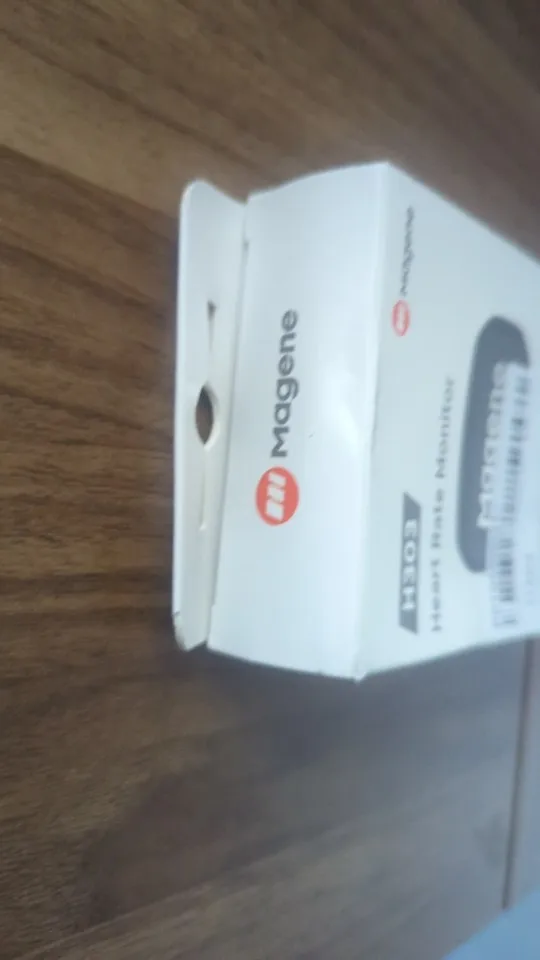
Image: Diagrams illustrating the proper placement of the heart rate sensor for both men and women.
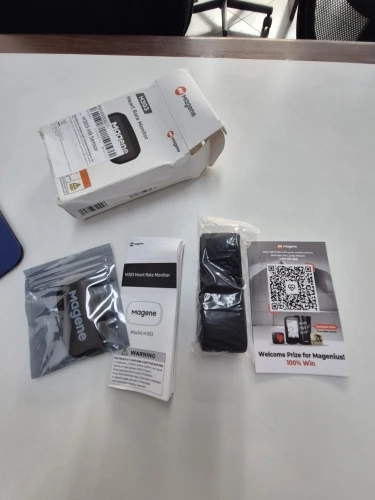
Image: A person demonstrating the correct way to wear the Magene heart rate sensor.
Pairing and Settings
Once the sensor is properly worn, it will automatically turn on. The front LED will flash (and turn off after 10 flashes). You can then pair it with a compatible device.
Pairing with an ANT+ Device
- Wear the heart rate sensor before attempting to pair.
- Keep the sensor within 3 meters of the device to be paired.
- Ensure you are over 10 meters away from other ANT+ devices to avoid interference.
- After the initial pairing is complete, the compatible device will automatically identify the enabled sensor in subsequent uses.
Pairing with a Bluetooth Device
- Wear the heart rate sensor before attempting to pair.
- Keep the sensor within 3 meters of the device to be paired.
- Ensure you are over 10 meters away from other Bluetooth devices.
- The sensor cannot be found by directly using Bluetooth on a phone's system settings. It can only be connected to one Bluetooth device or one app at the same time.
- After the initial pairing is complete, the compatible device will automatically identify the enabled sensor in subsequent uses.
Operating
The Magene H303 Heart Rate Sensor operates by continuously monitoring your heart rate and transmitting this data via ANT+ and Bluetooth protocols. Once paired with your chosen device (bike computer, sports watch, or mobile app), your heart rate data will be displayed and recorded in real-time.
- **Automatic Activation:** The sensor automatically turns on when worn correctly and detects a heart rate signal.
- **LED Indicator:** A red LED light on the sensor indicates it is ready to use. This LED will flash approximately 10 times upon activation and then turn off to conserve battery.
- **Data Transmission:** Heart rate data is transmitted wirelessly to your paired device. Ensure your device is configured to receive data from the correct ANT ID or Bluetooth ID of your sensor.
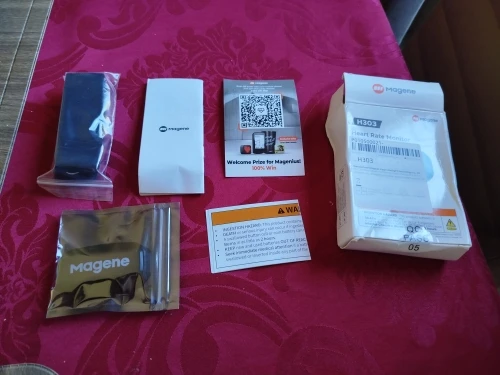
Image: Close-up of the Magene heart rate sensor showing the red LED light, indicating the sensor is ready for use.
Maintenance
Chest Strap Cleaning
Rinse the strap under running water after every use and hang to dry. Cleaning of the strap in a washing machine or dryer is strongly prohibited.
Battery Replacement
The Magene H303 uses a CR2032 button cell battery. When the battery needs replacement:
- Use the special tool provided to snap into the groove on the battery cover. Turn it counterclockwise from the locking position to the open position to open the battery holder.
- Remove the old battery.
- Place a new CR2032 battery into the battery holder. Align the position mark on the battery cover to the opening position and press down firmly.
- After ensuring the cover is fully pressed into the battery holder, use the special tool to hold the groove and rotate the position mark clockwise to the locking position.
*You may need to re-pair the heart rate sensor after battery replacement.
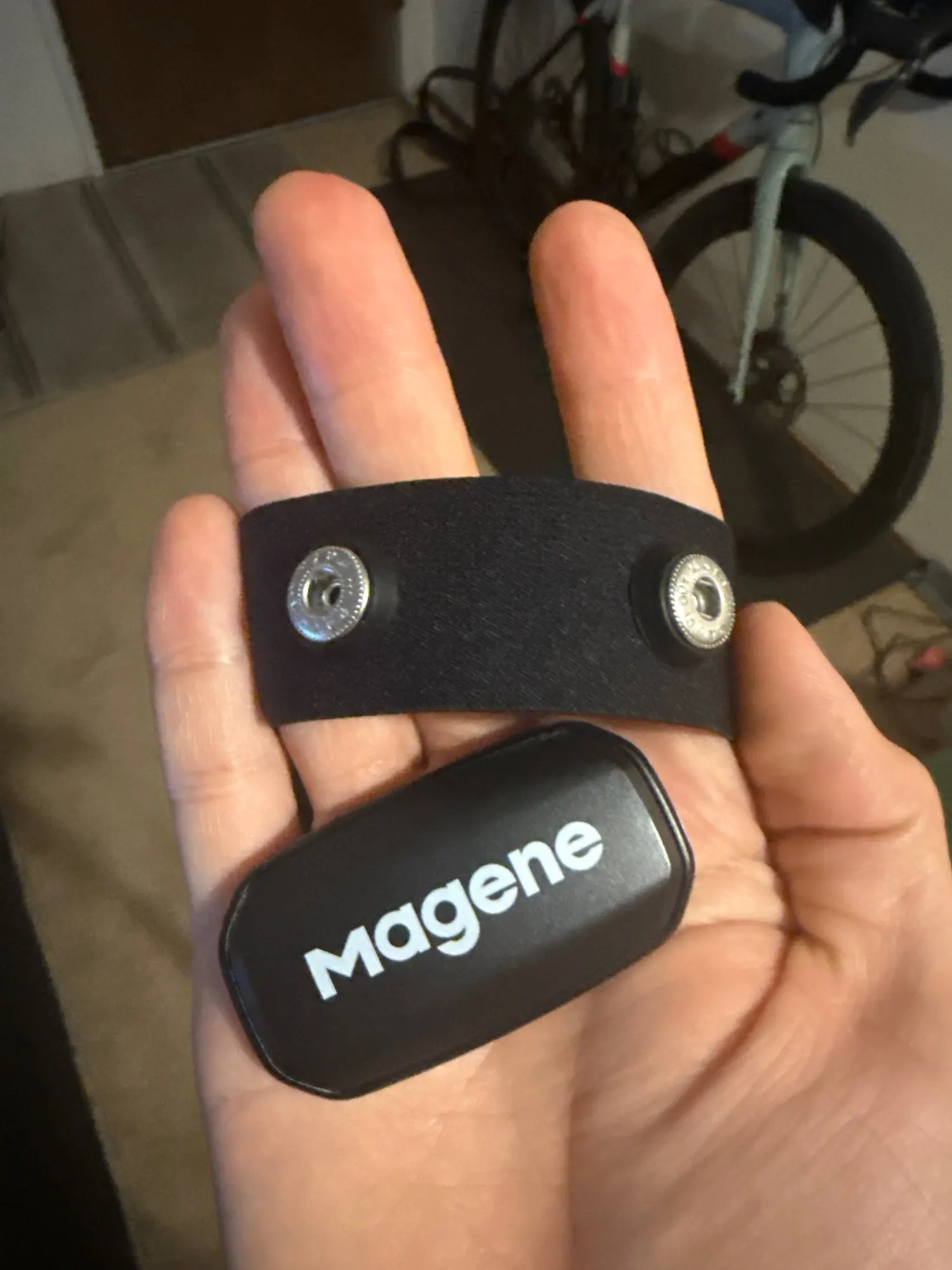
Image: Diagram illustrating the battery compartment with opening and locking positions.
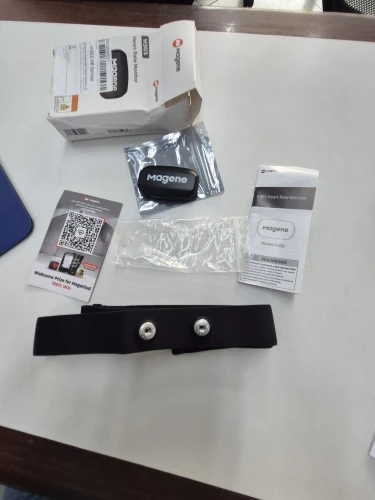
Image: Illustration of the battery replacement procedure for the heart rate sensor.
User Tips
- **Extend Battery Life:** To help preserve battery life, consider removing the sensor module from the chest strap after each use. Some users report that the unit may not fully power down while attached, leading to faster battery drain.
- **Optimal Comfort:** The chest strap is designed for comfort. To ensure it stays in place during intense activity, make sure it is snug but not overly tight. Many users find it comfortable enough to barely notice during long rides or workouts.
- **Wide Compatibility:** The H303 sensor is highly compatible with a broad range of devices and applications. It connects easily with popular platforms like Wahoo Elemnt Bolt, Garmin, Bryton, IGPSport, XOSS, Polar, Suunto, Apple Watch, Huawei GT2/GT3, Strava, Garmin Connect, Zwift, Kinomap, MyWhoosh, and Adidas Running via both ANT+ and Bluetooth.
- **No Internal Storage:** Please note that this model does not have internal memory. Heart rate data is transmitted in real-time, so it needs to be connected to a recording device (smartphone, watch, or bike computer) to save your training data.
- **Troubleshooting Pairing:** If you encounter difficulties pairing, ensure the sensor is correctly worn with wet electrodes. Try to perform pairing within 3 meters of your target device and at least 10 meters away from other ANT+ or Bluetooth devices to minimize interference. Re-pairing may be necessary after replacing the battery.
Troubleshooting
- **Sensor Not Turning On:**
- Ensure the electrodes on the strap are wet and the sensor is worn correctly against your skin.
- Check the battery. Replace it if it's old or depleted.
- Verify the battery is inserted with the correct polarity.
- **Difficulty Pairing:**
- Make sure the sensor is worn and active (LED flashes).
- Keep the sensor within 3 meters of the device you are trying to pair with.
- Move at least 10 meters away from other ANT+ or Bluetooth devices to avoid signal interference.
- For Bluetooth, remember the sensor connects to only one device/app at a time and cannot be found directly through phone system Bluetooth settings. Pair it within the app or device.
- If you recently replaced the battery, you may need to re-pair the sensor.
- **Inaccurate Heart Rate Readings:**
- Ensure the electrodes are sufficiently wet.
- Check that the strap is snug and the sensor is positioned correctly on your chest, firmly against the skin.
- Verify that the left and right sides of the sensor are correctly aligned with the strap.
- **Intermittent Connection:**
- Ensure there are no obstructions between the sensor and your receiving device.
- Check for other strong wireless signals nearby that might cause interference.
- Ensure the battery has sufficient charge.
Specifications
| Feature | Detail |
|---|---|
| Model | H303 |
| Nominal Voltage | 3V (CR2032) |
| Nominal Capacity | 240mAh (CR2032) |
| Reference Weight | 3.0g (CR2032) |
| Weight (Sensor only) | 16g |
| Frequency Range | 2402 to 2480 MHz |
| Output Power (Max.) | 4 dBm |
| Bluetooth (2402-2480MHz) MAX EIRP | +4 dBm |
| ANT+ (2457MHz) MAX EIRP | +4 dBm |
| Manufacturer | Qingdao Magene Intelligence Technology Co., Ltd. |
| Address | No.126 Shuyu Road, Chengyang District, Qingdao, China |
| Certification | CE |
Warranty and Support
Warranty Information
This product has passed strict quality inspections. Any failure caused by product quality problems under normal use will be covered by a free warranty within the warranty period.
- Within 7 days (inclusive) from the date of purchase, if there is a quality problem of the product itself, it will be returned unconditionally.
- The product warranty period is 12 months, subject to the warranty period stated on the warranty card.
- Product warranty repairs require the use of original factory packaging and selection of designated logistics transportation. Otherwise, the user will bear the freight or transportation losses.
Situations Not Covered by Warranty:
- Exceeding the validity period of the warranty.
- Any damage caused by improper use, maintenance, and storage.
- Product damage caused by use or installation not in accordance with the instructions.
- Unauthorized maintenance, misuse, collision, negligence, abuse, liquid ingress, accident, alteration, and unclear use of non-product accessories.
- Unauthorized alteration of warranty cards.
- No warranty card or valid invoice.
- The product number or code on the warranty card does not match the actual product.
- Other failures and damages not caused by the design, manufacturing, and quality of the product itself.
- Wear and dirt caused by normal use, such as scratches, and damage caused by human factors such as contact with chemical reagents, sharp objects, falling, and squeezing.
- Damage caused by irresistible factors.
After-Sales Service Period
- The company provides lifelong after-sales service for the products.
- After the product exceeds the warranty period, only the cost of product fault maintenance will be charged, and only the cost of labor and parts will be charged for artificial damage maintenance.
- The Company reserves the right to modify and interpret the above content.
Regulatory Compliance
FCC Statement
Any changes or modifications not expressly approved by the party responsible for compliance could void the user's authority to operate the equipment. This device complies with part 15 of the FCC Rules. Operation is subject to the following two conditions: (1) This device may not cause harmful interference, and (2) This device must accept any interference received, including interference that may cause undesired operation.
NOTE: This equipment has been tested and found to comply with the limits for a Class B digital device, pursuant to part 15 of the FCC Rules. These limits are designed to provide reasonable protection against harmful interference in a residential installation. This equipment generates uses and can radiate radio frequency energy and, if not installed and used in accordance with the instructions, may cause harmful interference to radio communications. However, there is no guarantee that interference will not occur in a particular installation. If this equipment does cause harmful interference to radio or television reception, which can be determined by turning the equipment off and on, the user is encouraged to try to correct the interference by one or more of the following measures: Reorient or relocate the receiving antenna; Increase the separation between the equipment and receiver; Connect the equipment into an outlet on a circuit different from that to which the receiver is connected; Consult the dealer or an experienced radio/TV technician for help.
RF warning: The device has been evaluated to meet general RF exposure requirement. The device can be used in portable exposure condition without restriction.
UK Declaration of Conformity
Hereby, Qingdao Magene Intelligence Technology Co., Ltd. declares that this product is in compliance with The Radio Equipment Regulations 2017. The full text of the declaration of conformity is available at: https://magenefitness.com/certificate.html
CE Declaration of Conformity
Hereby, Qingdao Magene Intelligence Technology Co., Ltd. declares that this product is in compliance with the Directive 2014/53/EU. The full text of the EU declaration of conformity is available at: https://magenefitness.com/certificate.html
Recycling and Disposal
This symbol on the product or on its packaging indicates that this product must not be disposed of with your household waste. Instead, it is your responsibility to dispose of your waste equipment by handing it over to a designated collection point for the recycling of waste electrical and electronic equipment. The separate collection and recycling of your waste equipment at the time of disposal will help to conserve natural resources and ensure that it is recycled in a manner that protects human health and the environment. For more information about where you can drop off your waste equipment for recycling, please contact your local city office, your household waste disposal service or the shop where you purchased the product.
Image: Universal recycling symbols for Waste Electrical and Electronic Equipment (WEEE) and batteries.
In accordance with the Battery Directive, used batteries should not be disposed of in domestic waste. Dispose of your batteries in the collection containers specific for this purpose in retail stores.
Contact Information
- **Website:** www.magene.com
- **Contact:** support@magene.com