
1. Product Introduction
The Magene S3+ is a versatile 2-in-1 sensor designed to accurately measure either speed or cadence for your bicycle. It supports both ANT+ and Bluetooth protocols, ensuring broad compatibility with various bike computers, sports watches, and cycling applications. This sensor helps you track your performance scientifically and enhance your cycling experience.
The sensor's mode (speed or cadence) is switched by reinstalling the battery. A blinking green light indicates speed mode, while a blinking red light indicates cadence mode.

Key Components:
- LED indicator (visible only during battery installation and mode switching)
- Battery compartment rotation position mark
- Installation position of silicone pad
2. Safety & Product Information
WARNING: THIS PRODUCT CONTAINS A BUTTON BATTERY
If swallowed, a lithium button battery can cause severe or fatal injuries within 2 hours. Keep batteries out of reach of children. If you suspect a battery has been swallowed or placed inside any part of the body, seek immediate medical attention.
CAUTION
- Risk of explosion if the battery is replaced by an incorrect type.
- Dispose of batteries in a designated disposal area.
- Only use the battery type indicated in this manual (CR2032).
- Batteries should not be exposed to excessive heat (sunshine, heat registers, fire).
- Battery chemicals can cause a rash. If batteries leak, clean the compartment with a cloth. If chemicals touch skin, wash immediately.
- Risk of explosion if the device is placed near fire, in high temperature/low air pressure environments, or is mechanically crushed/cut.
- Do not disassemble, transform, puncture, or violently destroy the device or battery.
- Do not immerse the battery in water or other liquids.
Riding Warning:
- Always use your best attention and judgment to ride in the safest way possible.
- Ensure your bike and its components are well maintained and all parts are properly installed.
3. Specifications
| Feature | Magene S3+ |
|---|---|
| Sensor Type | Geomagnetic Sensor |
| Data Functions | Cadence, Speed |
| Size (Only sensor) | 38.3*29.8*8.85mm |
| Weight (with battery) | 9g |
| Battery Endurance | 400h Speed / 500h Cadence (Actual life depends on operating environment) |
| Cadence Range | 30-180rpm |
| Speed Range | 5-85km/h |
| Battery Type | CR2032 |
| Wireless Interface | Bluetooth 4.2, ANT+ |
| Support Mode Switching | Reinstall the Battery |
| Working Temperature | -20-50℃ |
| Waterproof Rating | IP66 |
Bluetooth (2402-2480MHz) MAX EIRP is +4dbm
ANT+ (2457MHz) MAX EIRP is +4dbm

4. Setup and Installation
Note:
- The sensor can only operate in one mode (speed or cadence) at a time. Switching modes requires reinstalling the battery.
- Use the provided silicone ring and silicone pad according to your specific installation needs.
- After installation, ensure the sensor and silicone ring do not rub against your shoes or bicycle parts to prevent damage or loss.
- The S3+ sensor has an insulating sheet in the battery compartment. This must be removed before first use to supply power.
4.1. Battery Installation and Mode Switching
The sensor's mode is determined by how the battery is reinstalled:
- **Remove the insulating sheet:** Gently open the battery compartment, remove the insulating sheet, and then reinstall the battery.
- **Speed Mode:** Reinstall the battery until the **green indicator** flashes.
- **Cadence Mode:** Reinstall the battery until the **red indicator** flashes.

4.2. Physical Installation
Speed Mode Installation:
- Reinstall the battery to activate speed mode (green indicator blinks).
- Install the silicone pad on the bottom of the sensor.
- Use the silicone ring to install the sensor on the front wheel hub.
- Turn the wheel to activate the sensor and allow it to be detected by your device.
Cadence Mode Installation:
- Reinstall the battery to activate cadence mode (red indicator blinks).
- Install the silicone pad on the bottom of the sensor.
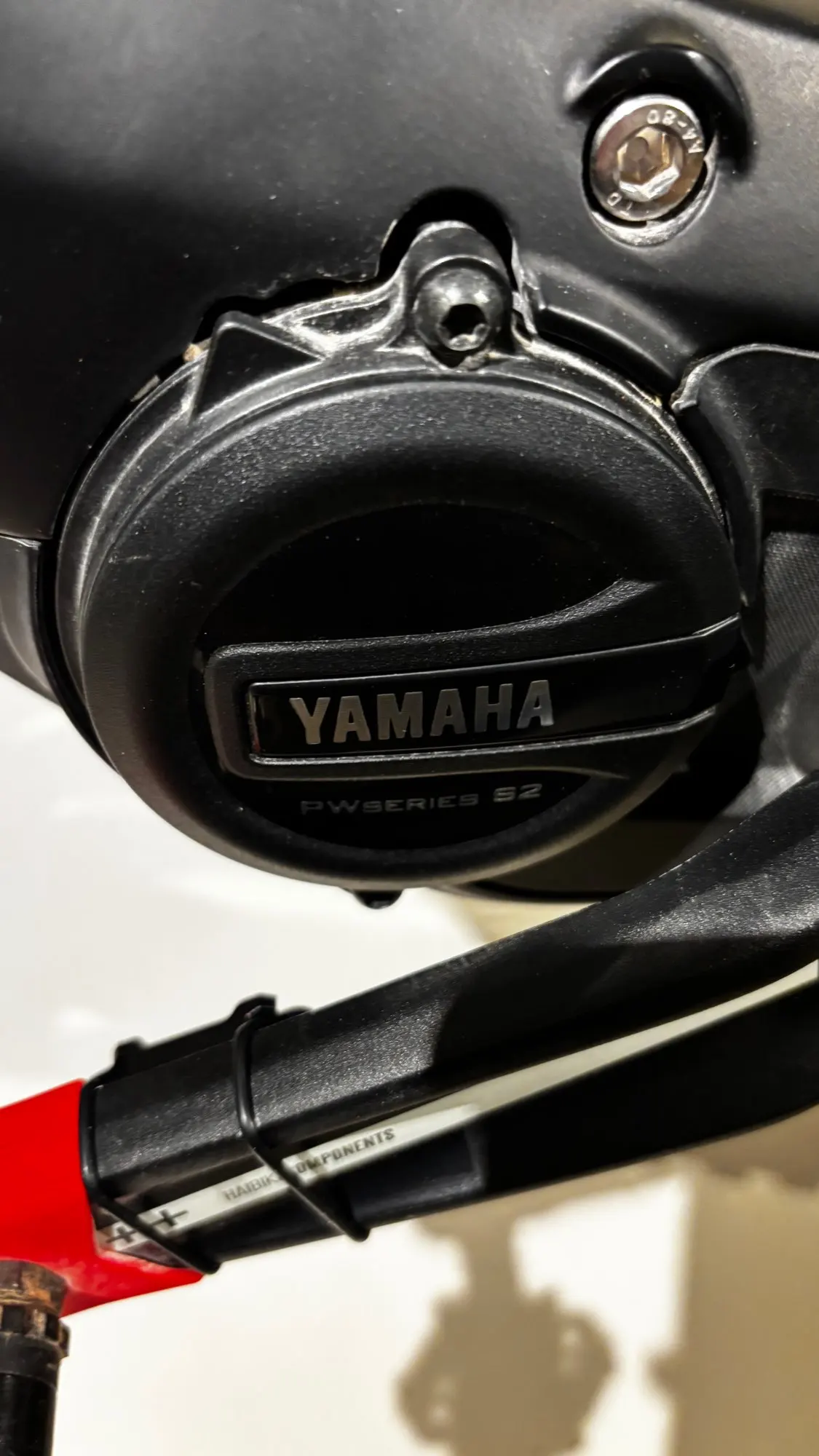
- Use the silicone ring to install the sensor on the inside of the left crank.
- Turn the crank to activate the sensor and allow it to be detected by your device.
5. Operating and Connectivity
The sensor will begin broadcasting ANT+ and Bluetooth signals only after it is properly installed and activated (by turning the wheel for speed or crank for cadence). At this point, it can be searched and connected by compatible devices or applications.
5.1. Pairing and Status Indicators
| Indicator Light | Sensor Status |
|---|---|
| Green indicator blinks | Speed mode |
| Red indicator blinks | Cadence mode |
| Alternating red and green indicator lights | The sensor battery is low |
5.2. Connecting to Devices
The Magene S3+ sensor is compatible with a wide range of devices and applications that support ANT+ and Bluetooth protocols. This includes:
- **ANT+ Devices:** Garmin Sports Watches, Head Units (Bike Computers like Bryton, iGPSPORT), Zwift, Onelap, Bkool, Tacx & Virtual Cycling Training Software.
- **BLE 4.0 Devices:** Endomondo, Wahoo Fitness, RuntasticPro, Sports Tracker, Runkeeper, Nike+, Strava, Moofit, Suunto Bluetooth Sports Watches.

Important Connectivity Notes:
- When using Bluetooth, only one device or app can be connected at a time. Disconnect any existing Bluetooth connection before pairing with a new device or app.
- When using ANT+ protocol, multiple devices can be connected simultaneously.
- When using a mobile app, you must search for the sensor within the app itself. Searching through your phone's system Bluetooth settings will not work.
- If the sensor is removed and left unused for 1 minute, it automatically enters hibernation mode to save power. It will wake up and transmit data when you start riding.
6. Maintenance
6.1. Battery Replacement
When the sensor's indicator lights alternate red and green, the battery is low and needs replacement.
- Turn the position mark on the battery cover counter-clockwise from the locked position to the open position to open the battery compartment.
- Place the new CR2032 battery into the compartment.
- Align the battery cover position mark with the open position and press it in firmly.
- Ensure the battery cover is fully pressed in, then turn the battery cover mark clockwise to the locked position.
7. Troubleshooting (FAQ)
7.1. Common Issues & Solutions
- Why can't I search for a newly purchased sensor?
- Check if the battery is installed and the insulating sheet is removed.
- Verify that the app you are using is compatible (e.g., Magene Utility app settings).
- Reinstall the battery and confirm if the indicator light is blinking (green for speed, red for cadence). - Why can't I search for the sensor after it's been unused for a while?
- To save power, the sensor enters hibernation mode if it doesn't detect speed or cadence data for 1 minute. It will automatically wake up and transmit data when you start riding. - Why is the indicator light off after reinstalling the battery?
- Wait 10 seconds before reinstalling the battery.
- Check if the electrode shrapnel in the battery compartment is depressed. Gently lift it to ensure proper contact.
- If the battery is dead, replace it with a new CR2032-3V battery. - Why does the battery drain so quickly?
- The sensor typically provides 500 hours of use, but this can vary with temperature and operating conditions.
- Avoid installing the sensor without an active connection, as frequent waking without use can accelerate power consumption.
7.2. Compatibility Questions (from Q&A)
- Garmin Devices: Many users confirm successful pairing and reliable performance with various Garmin devices, including Edge 530, 1030, 1040, 970, Fenix series, and Edge Explorer 2.
- Wahoo, Zwift, Bryton: The sensor connects quickly and reliably with Wahoo, Zwift, and Bryton devices/apps. Bryton R15 is confirmed to work for speed measurement.
- Apple Watch: Some users report successful pairing and operation with Apple Watch Series 8 via Bluetooth.
- MyWhoosh: Some users report successful pairing with MyWhoosh, though connectivity issues can occur depending on device setup.
- iGPSPORT: Multiple users confirm successful pairing and reliable performance with iGPSPORT models like BSC300, BiNavi, and 50E, suggesting general compatibility.
- Polar Devices: Some buyers confirm successful pairing with Polar devices via Bluetooth or ANT+.
- Samsung Devices: Some users report successful pairing with Samsung devices via Bluetooth cycling apps.
- iPhone: The sensor connects reliably to iPhones and pairs quickly with cycling apps like Cadence and Strava.
- COOSPO: Buyers report successful pairing with various COOSPO bike computers, indicating likely compatibility with models like BC107.
- Sigma/Meilan: Compatibility with Sigma Rox 4.0 and Meilan devices is generally expected due to ANT+/Bluetooth support, but specific model confirmation may vary.
8. User Tips
- Secure Installation: For added security, especially on rough terrain, consider using a plastic cable tie in addition to the provided rubber band to secure the sensor to the crankset or hub.
- Clearance Check: Always check the distance between the crank and the frame strap after installation to ensure there is no rubbing, which could damage the sensor or bike.
- Awaken Sensor for Pairing: Before attempting to pair, ensure the sensor is 'awakened' by turning the wheel (for speed mode) or crank (for cadence mode) to activate it.
- Dual Functionality: If you need to track both speed and cadence simultaneously, you will need to use two separate S3+ sensors, configuring one for speed and the other for cadence.
- Mode Switching: Remember that switching between speed and cadence modes is done by simply reinstalling the battery; there is no dedicated button for this.
9. Warranty & Support
9.1. Warranty Policy
This product undergoes strict quality inspections. Any failure due to product quality problems under normal use is covered by a free warranty within the warranty period.
- Return Period: Within 7 days from the date of purchase, if there is a quality problem with the product itself, it can be returned unconditionally.
- Warranty Period: The product warranty period is 12 months, subject to the warranty period specified on the warranty card.
- Warranty Repairs: For warranty repairs, the original factory packaging must be used, and specified logistics transportation selected. Otherwise, the user will be responsible for shipping costs or transportation losses.
Situations Not Covered by Warranty:
- Exceeding the validity period of the warranty.
- Damage caused by improper use, maintenance, or storage.
- Product damage caused by use or installation not in accordance with instructions.
- Unauthorized maintenance, misuse, collision, negligence, abuse, liquid ingress, accidents, alterations, or unknown use of non-product accessories.
- No warranty card or valid invoice.
- Unauthorized alteration of warranty cards.
- Product number or code on the warranty card does not match the actual product.
- Other failures or damages not caused by the design, manufacturing, or quality of the product itself.
- Wear and dirt from normal use (e.g., scratches), and damage caused by human factors (e.g., contact with chemicals, sharp objects, falls, pressure).
- Damage caused by irresistible factors.
9.2. After-Sales Service
- The company provides lifelong after-sales service for its products.
- After the warranty period, only the cost of product fault maintenance will be charged. For artificial damage maintenance, only the cost of labor and parts will be charged.
- The Company reserves the right to modify and interpret the above content.
10. Regulatory Information
10.1. FCC Statements
This device complies with part 15 of the FCC rules. Operation is subject to the following two conditions: (1) this device may not cause harmful interference, and (2) this device must accept any interference received, including interference that may cause undesired operation.
NOTE: The manufacturer is not responsible for any radio or TV interference caused by unauthorized modifications or changes to this equipment. Such modifications or changes could void the user's authority to operate the equipment.
This equipment has been tested and found to comply with the limits for a Class B digital device, pursuant to part 15 of the FCC Rules. These limits are designed to provide reasonable protection against harmful interference in a residential installation. This equipment generates uses and can radiate radio frequency energy and, if not installed and used in accordance with the instructions, may cause harmful interference to radio communications. However, there is no guarantee that interference will not occur in a particular installation.
If this equipment does cause harmful interference to radio or television reception, which can be determined by turning the equipment off and on, the user is encouraged to try to correct the interference by one or more of the following measures:
- Reorient or relocate the receiving antenna.
- Increase the separation between the equipment and receiver.
- Connect the equipment into an outlet on a circuit different from that to which the receiver is connected.
- Consult the dealer or an experienced radio/TV technician for help.
RF Warning:
The device has been evaluated to meet general RF exposure requirements. The device can be used in portable exposure conditions without restriction. Federal Communication Commission (FCC) Radiation Exposure Statement Power is so low that no RF exposure calculation is needed.
10.2. UK Declaration of Conformity
Hereby, Qingdao Magene Intelligence Technology Co., Ltd. declares that this product is in compliance with The Radio Equipment Regulations 2017. The full text of the declaration of conformity is available at: https://magenefitness.com/certificate.html
10.3. CE Declaration of Conformity
Hereby, Qingdao Magene Intelligence Technology Co., Ltd. declares that this product is in compliance with the Directive 2014/53/EU. The full text of the EU declaration of conformity is available at: https://magenefitness.com/certificate.html
10.4. Recycling/Licenses (WEEE & Batteries)
The WEEE (Waste Electrical and Electronic Equipment) symbol on the product or its packaging indicates that this product must not be disposed of with household waste. It is your responsibility to hand it over to a designated collection point for the recycling of electrical and electronic equipment. Separate collection and recycling help conserve natural resources and protect human health and the environment. For more information, contact your local city office, household waste disposal service, or the shop where you purchased the product.
Used batteries should not be disposed of in domestic waste. Dispose of your batteries in designated collection containers available in retail stores, in accordance with the Battery Directive.