
1. Introduction
This manual provides detailed instructions for the Aideepen DC5-30V 2-8S Battery Capacity Indicator LED Display. This device is designed to test the capacity of various battery types, including 18650 Li-ion, Lipo Lithium, LiFePO4, and Lead-Acid batteries, within a voltage range of DC5V-30V.

2. Specifications
| Parameter | Value |
|---|---|
| Brand Name | Aideepen |
| Model Number | 4615 |
| Working Voltage | DC5V-30V |
| Working Current | <10mA |
| Display Mode | LED indicator |
| Refresh Rate | 500ms/time |
| Dimensions (Appearance size) | 46mm*15mm*3mm |
| DIY Supplies | Electrical |
| Power Supply | DC |
| Certification | CE |
| Origin | Mainland China |

3. Setup
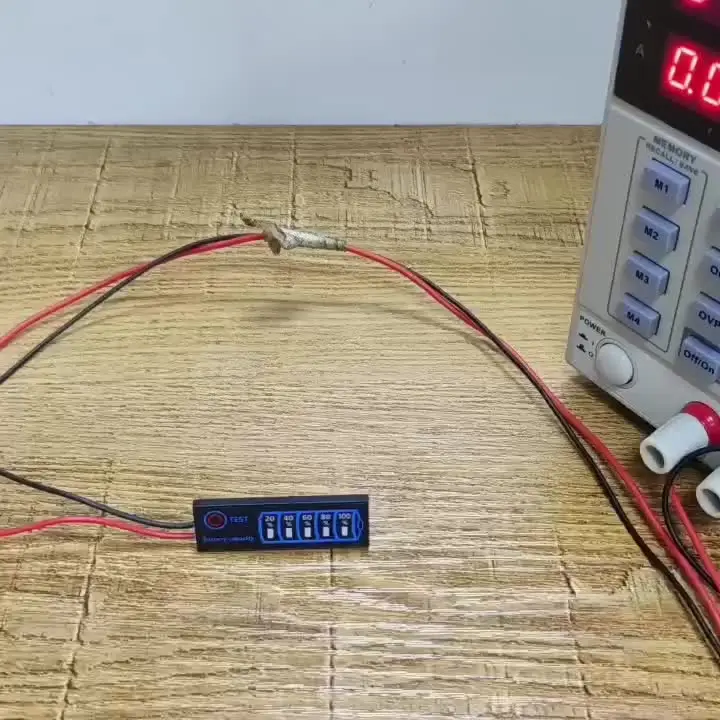
The battery capacity indicator is designed for simple integration. Connect the red wire to the positive (+) terminal of your battery or power source and the black wire to the negative (-) terminal. Ensure the voltage is within the DC5V-30V operating range.
Upon initial power-on, the device defaults to displaying the voltage for a 3-string ternary lithium battery.

4. Operating Instructions
4.1. Basic Operation
- Power On/Off: When the product is powered on, it will display the battery capacity. In the normal display state, if there is no button operation within 10 seconds, the display will automatically turn off to save power. Short press the 'TEST' button to manually turn off the display. When the product is off, short press the 'TEST' button to turn it on and display the power.
4.2. Function Setting Description
The device allows configuration of battery type and number of strings/voltage. Follow these steps:
- Enter Setting State: Press and hold the 'TEST' button for 2 seconds. The 'Mode light' (indicating battery type) will flash, and the 'string number light' will remain on.
- Select Battery Type: While in the setting state, short press the 'TEST' button to cycle through and select the desired battery type (Red for Ternary Lithium, Green for Lithium Iron Phosphate, Yellow for Lead-Acid).
- Enter Serial Number/Voltage Setting: After confirming the battery type, press and hold the 'TEST' button again for 2 seconds. The 'Mode light' will remain on, and the 'serial number/voltage light' will flash.
- Set Number of Strings/Voltage: Short press the 'TEST' button to adjust the number of strings or voltage for the selected battery type. Refer to the table below for specific options.
- Save Settings and Exit: After making your selections, press and hold the 'TEST' button for 2 seconds to save the data. The device will then return to the normal display battery status. Alternatively, if no operation occurs within 5 seconds in the setting state, it will automatically save and return to the normal display.
4.3. LED Indication Display Panel in Setting Mode
| Mode Light | L1 | L2 | L3 | L4 | Number of strings/voltage |
|---|---|---|---|---|---|
| Bright | 2 strings | ||||
| Red light (Ternary Lithium battery) | Bright | 3 strings | |||
| Bright | 4 strings | ||||
| Bright | 5 strings | ||||
| Green light (Lithium Iron Phosphate) | Bright | Bright | 6 strings | ||
| Bright | Bright | 7 strings | |||
| Bright | Bright | Bright | Bright | 8 strings | |
| Yellow light (Lead-acid batteries) | Bright | 12V | |||
| Bright | 24V |
5. Maintenance and Care
- Keep the device clean and dry.
- Avoid exposing the device to extreme temperatures or direct sunlight.
- Do not attempt to disassemble or modify the device, as this may void any potential warranty and cause damage.
6. Troubleshooting
- No Display: Ensure the device is correctly wired to a power source within the DC5V-30V range. Check for loose connections.
- Incorrect Reading: Verify that the correct battery type and number of strings/voltage have been set according to the operating instructions.
- Display Turns Off: This is normal behavior for power saving. Short press the 'TEST' button to reactivate the display.
7. User Tips
No specific user tips were available from reviews or Q&A for this product.
8. Warranty and Support
For warranty information and technical support, please refer to the seller's policies or contact the manufacturer directly. This product has an appearance patent.
A PDF user manual is available for download: View User Manual (PDF)
9. Important Notes
- Please do not exceed the operating voltage of DC5V-30V. Exceeding this range will damage the product.
- Ensure you select the correct version (high or low voltage) that matches your application's voltage range.
- This product is not waterproof. Do not use it outdoors or in wet environments.