
Introduction
Congratulations on your purchase of the BioloMix 5th Generation Stainless Steel WiFi Sous Vide Cooker. This device is designed to bring professional-quality cooking to your home kitchen, allowing for precise temperature control and consistent results. This manual provides essential information for the safe and effective use of your new sous vide cooker.

Safety Information
Please read all safety instructions carefully before using the appliance. Failure to follow these instructions may result in electric shock, fire, or serious injury.
- Always ensure the appliance is properly grounded.
- Do not immerse the main body of the appliance (above the water line) in water. The device is IPX7 waterproof, meaning it can be submerged in water up to 1 meter for 30 minutes, but care should still be taken with electrical components.
- Keep hands and utensils out of the cooking bath while the appliance is operating.
- Do not operate the appliance if the power cord or plug is damaged.
- Always unplug the appliance when not in use and before cleaning.
- Keep out of reach of children.
- The appliance features overheating and low water level protection, automatically stopping operation if conditions are unsafe.
Product Features
- Precision Temperature Control: Maintains temperature accuracy to ±0.1°C for perfect cooking results.
- Wide Temperature Range: 0-90°C.
- Timer Control: Up to 59 hours and 59 minutes.
- Two Operation Methods: Touch button control with 4 presets (Steak, Fish, Chicken, Vegetables) or remote control via the “Tuya Smart” mobile application.
- 360° Fast Heat Circulation: Stainless steel pump ensures efficient heat transfer and constant water temperature.
- IPX7 Waterproof Certified: Designed for safe immersion in water.
- Delay Start Function: Allows for convenient scheduling of cooking.
- Protection & Safety Design: Includes overheating and low water level protection.
- Quiet Operation: Benefit from a high-quality brushless DC motor.

Specifications
| Attribute | Value |
|---|---|
| Brand Name | Biolomix |
| Model Number | SV-9008 |
| Power (W) | 1300W |
| Voltage | 220-240V/50-60Hz |
| Temperature Range | 0-90°C |
| Timer | 0-99:59 min |
| Control Mode | Microcomputer Control |
| LCD Display | Yes |
| Reservation Function | Yes |
| Capacity (Water Bath) | >6L |
| Certification | CE, RoHS |
| Housing Material | Stainless Steel |

Setup
- Choose a Container: Select a heat-safe pot or container large enough to hold the food and the sous vide cooker, ensuring the water level will be between the MIN and MAX marks on the device.
- Attach the Cooker: Securely attach the BioloMix SV-9008 to the side of your chosen container using the integrated clamp.
- Add Water: Fill the container with water. Ensure the water level is above the MIN mark and below the MAX mark on the sous vide cooker.
- Prepare Food: Season your food as desired. Place the food in a vacuum-sealable bag. For best results, use a vacuum sealer to remove air from the bag.


Operating Instructions
Manual Control
- Power On: Press and hold the power button for more than 3 seconds to turn on the device.
- Set Temperature and Time: Use the '+' and '-' buttons to adjust the desired cooking temperature and time.
- Select Preset (Optional): The control panel features 4 presets for common foods (Steak, Fish, Chicken, Vegetables). Press the corresponding icon to select a preset.
- Start Cooking: Once temperature and time are set, press the 'Set' button to confirm and start the cooking process.

WiFi Smart App Control
- Download App: Download the “Tuya Smart” app from Google Play or the App Store.
- Connect to WiFi: Hold the power button and the '-' button simultaneously for 2 seconds to activate the WiFi indicator. The device is compatible with 2.4 GHz WiFi networks only.
- Pair Device: Follow the in-app instructions to pair your BioloMix SV-9008 with your smartphone.
- Control Cooking: Use the app to set precise temperatures and times, select from built-in recipes, and monitor your cook remotely.

Cooking Process
- Place the vacuum-sealed food bag into the water bath. Ensure the bag is fully submerged.
- The device will heat the water to the set temperature and maintain it for the programmed time.
- Once cooking is complete, carefully remove the food bag from the water bath.
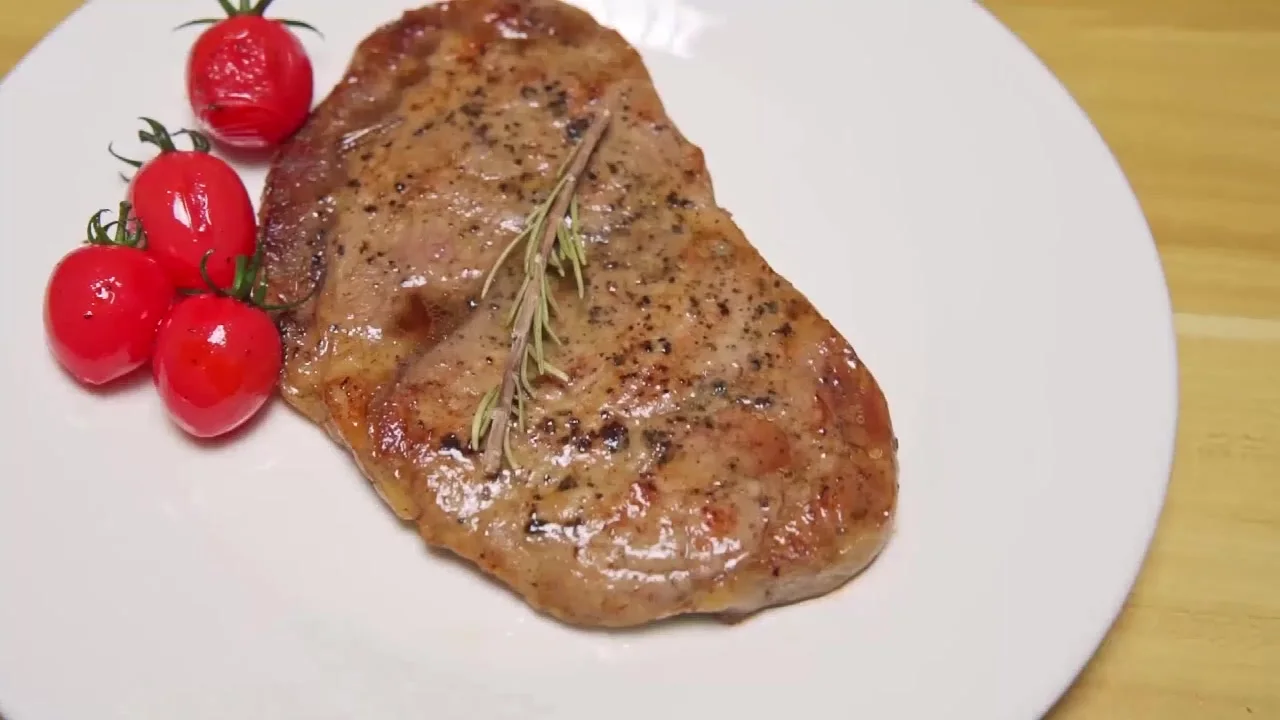
- For a crispy exterior, you may choose to sear the cooked food in a pan or on a grill after sous vide cooking.
Maintenance
- Cleaning: After each use, unplug the device and allow it to cool completely. Wipe the exterior with a damp cloth.
- Immersion Part: The stainless steel immersion part can be cleaned by wiping it down or rinsing it under running water. Ensure the top control panel remains dry.
- Descaling: If mineral deposits build up on the heating element, descale the unit by running it in a water bath with a descaling solution (e.g., white vinegar and water) for 30 minutes at 60°C.
- Storage: Store the sous vide cooker in a dry place when not in use.
Troubleshooting
| Problem | Possible Cause | Solution |
|---|---|---|
| Device does not turn on | Power button not held long enough. | Hold the power button for more than 3 seconds. |
| WiFi connection fails | Incorrect WiFi frequency or pairing mode not active. | Ensure your WiFi is 2.4 GHz. Hold the power button and '-' button for 2 seconds to activate WiFi pairing mode. |
| Water not circulating or heating | Low water level or device malfunction. | Check water level; ensure it's between MIN and MAX. If the issue persists, contact customer support. |
| Device stops unexpectedly | Overheating or low water level protection activated. | Check water level and ensure proper ventilation around the device. |
User Tips
- Pre-heat Water: For faster cooking, you can start with warm tap water, but ensure it's not too hot for the desired final temperature.
- Use a Lid: Covering your water bath with a lid or plastic wrap can help reduce water evaporation during long cooking times and maintain temperature more efficiently.
- Submerge Completely: Ensure your vacuum-sealed food is fully submerged in the water bath for even cooking. You can use clips or weights if needed.
- Experiment with Recipes: The Tuya Smart app offers various recipes. Don't hesitate to explore and experiment with different foods and settings to find your favorites.
Warranty and Support
For any product inquiries, technical support, or warranty claims, please contact BioloMix customer service through the official store or your point of purchase. Keep your purchase receipt as proof of purchase.