
1. Important Safety Information
Please read all safety warnings and instructions carefully before using this product. Keep this manual for future reference.
1.1 General Warnings
- This product is an electronic device. Handle it with care to prevent scratches or damage.
- Do not bend, twist, or forcefully disassemble any components.
- Keep away from high temperatures, direct sunlight, and water sources.
- This product is not suitable for children under 3 years due to small parts which may present a choking hazard.
- Always ensure children are supervised when using or near the product.
1.2 Battery Warnings
WARNING: KEEP BATTERIES OUT OF REACH OF CHILDREN.
Swallowing batteries can lead to chemical burns, perforation of soft tissue, and death. Severe burns can occur within 2 hours of ingestion. Seek immediate medical attention if a battery is swallowed.
Please mind potential fire risk and strictly follow the instruction manual for charging and storage. For disposal, please check your local authority's website for more information and dispose of the lithium-ion battery safely in accordance with the applicable legal requirements.

Symbol indicating a warning related to batteries.
2. Product Overview
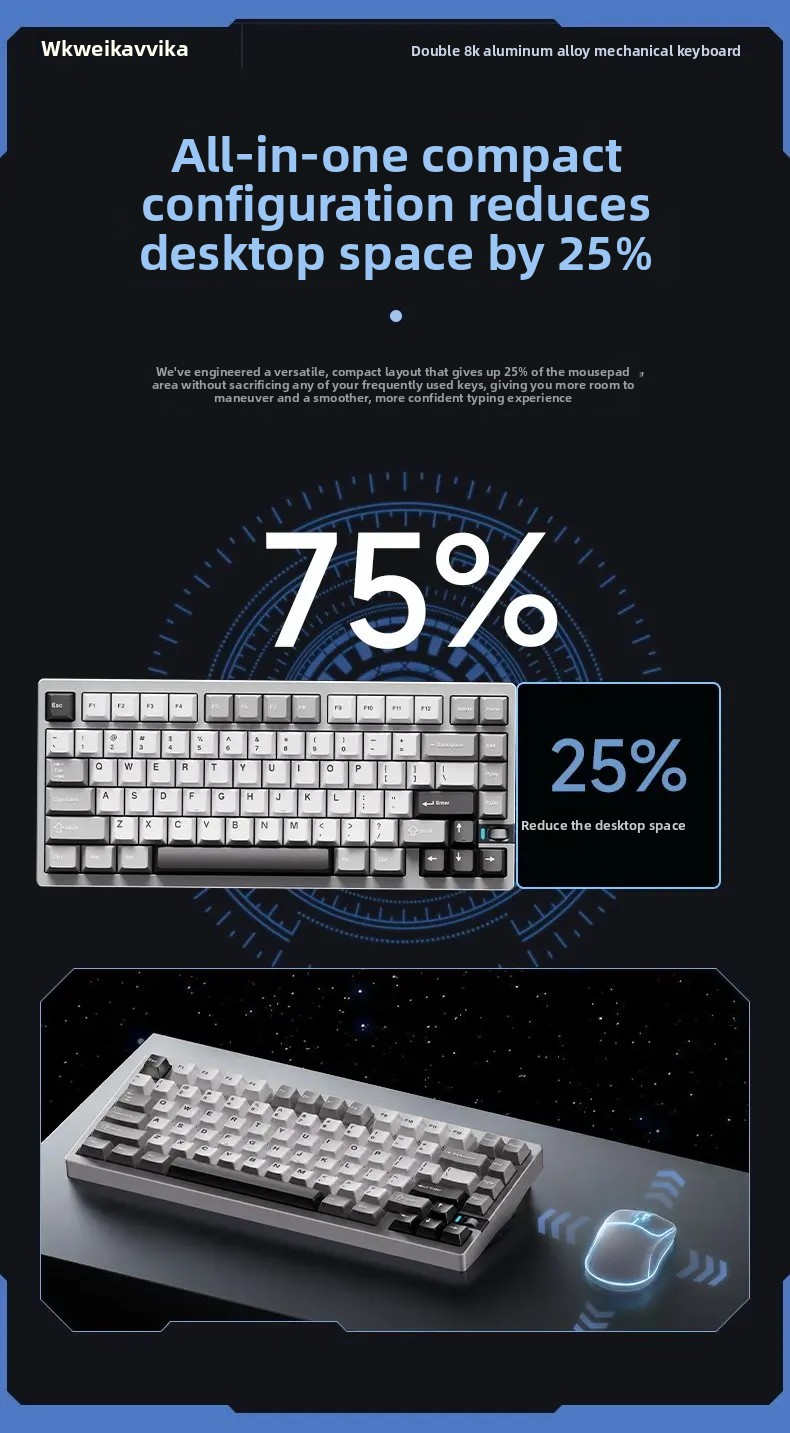
The WEIKAV NUT75 is a high-performance mechanical keyboard kit featuring a durable aluminum alloy construction, versatile 3-mode connectivity, and an ultra-low latency 8K report rate. Designed for e-sports gaming and custom keyboard enthusiasts, it offers a premium typing experience with customizable switches and vibrant RGB lighting.

The WEIKAV NUT75 Mechanical Keyboard in an orange finish, showcasing its compact layout and design.
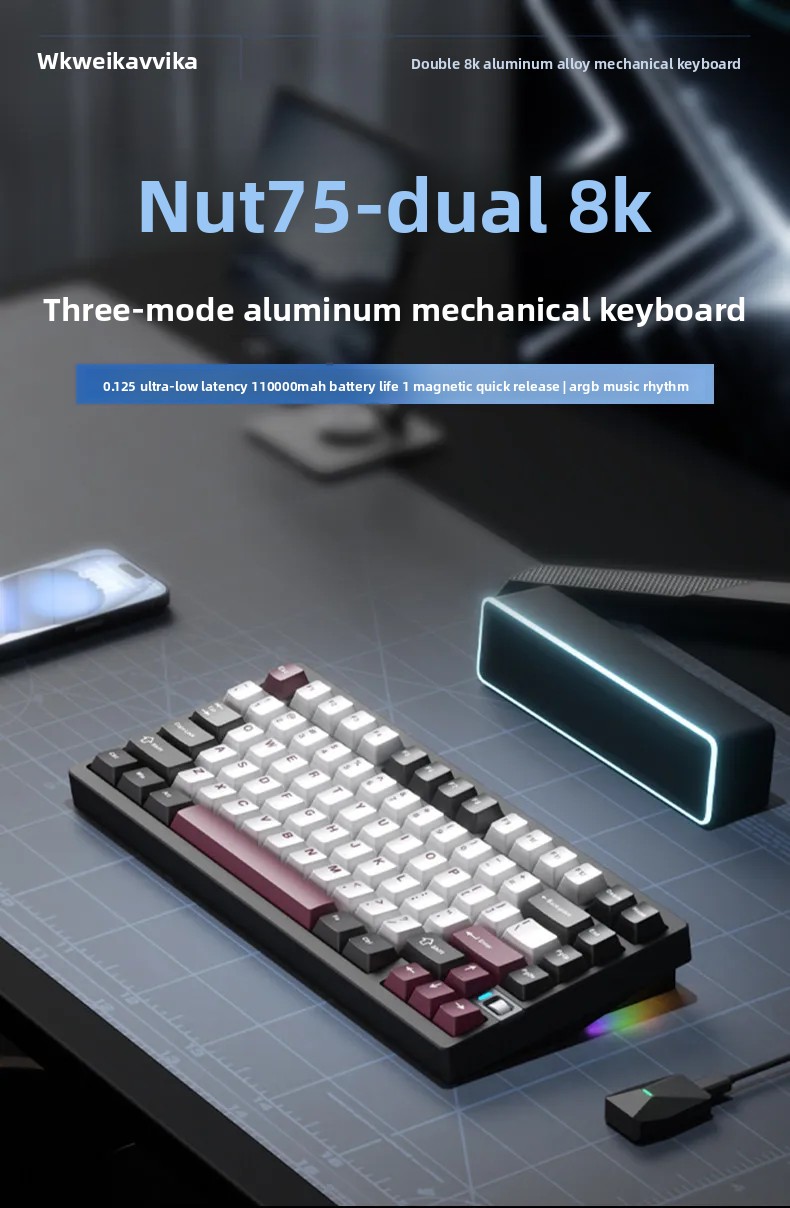
Overview of the NUT75 keyboard highlighting its dual 8K, tri-mode, aluminum mechanical features.
3. Package Contents
The WEIKAV NUT75 Mechanical Keyboard package typically includes:
- WEIKAV NUT75 Mechanical Keyboard
- 2.4G Wireless Receiver
- USB Cable (Type-C)
- 2-in-1 Key Puller and Shaft Puller
- User Manual (this document and a PDF version)

The keyboard shown with its included 2.4G receiver and USB cable.
4. Setup
4.1 Initial Inspection
Before first use, carefully remove all packaging materials. Place any plastic bags in a safe place away from children to prevent suffocation. Inspect the product for any damage. If the product appears damaged, do not use it and contact customer support.
4.2 Connecting the Keyboard
The NUT75 supports three connection modes: Wired, 2.4G Wireless, and Bluetooth.

Icons representing wired, 2.4G wireless, and Bluetooth connection modes.
4.2.1 Wired Connection
- Connect the provided USB Type-C cable to the keyboard's port.
- Connect the other end of the USB cable to an available USB port on your computer.
- The keyboard will be automatically recognized and ready for use.
4.2.2 2.4G Wireless Connection
- Insert the 2.4G wireless receiver into an available USB port on your computer.
- Ensure the keyboard's mode switch is set to 2.4G wireless mode (refer to the keyboard's physical switch or indicator).
- The keyboard should connect automatically.
4.2.3 Bluetooth Connection
- Ensure the keyboard's mode switch is set to Bluetooth mode.
- On your device (computer, laptop, etc.), enable Bluetooth and search for new devices.
- Select "WEIKAV NUT75" (or similar name) from the list of available devices to pair.
- Follow any on-screen prompts to complete the pairing process.
4.3 Battery Charging
The keyboard is equipped with a 10000mAh high-capacity battery. Connect the keyboard via the USB Type-C cable to a power source (computer USB port or USB wall adapter) to charge. An indicator light on the keyboard will show the charging status.

Illustration of the keyboard's 10000mAh battery with NTC temperature control protection.
5. Operating Instructions
5.1 8K Report Rate
The NUT75 features an 8000Hz report rate, providing a rapid response with a latency as low as 0.125ms. This is 8 times faster than standard 1000Hz keyboards, virtually eliminating input lag for a competitive edge in gaming.

Diagram illustrating the 8000Hz report rate and 0.125ms latency compared to a 1000Hz keyboard.
5.2 Key Customization and Lighting
Leverage the self-developed web driver for installation-free, on-the-fly macro programming and lighting customization. This allows for full personalization of key functions and RGB effects.
Screenshot of the web driver interface, showing options for custom key orders and lighting effect settings.
5.3 Volume Wheel Interaction
The keyboard includes a millimeter-precise volume wheel for soundstage control. Every degree of rotation offers a meticulous adjustment to audio levels, from silence to thunder, with a tactile feel from the metal roller.
Close-up of the volume wheel on the keyboard, indicating precise sound control.
5.4 Toggle Switch
A dedicated toggle switch is integrated into the keyboard design, serving as a visual anchor and functional control element on your desk.
Detail of the toggle switch located on the keyboard's side.
5.5 ARGB Music Rhythm 3.0
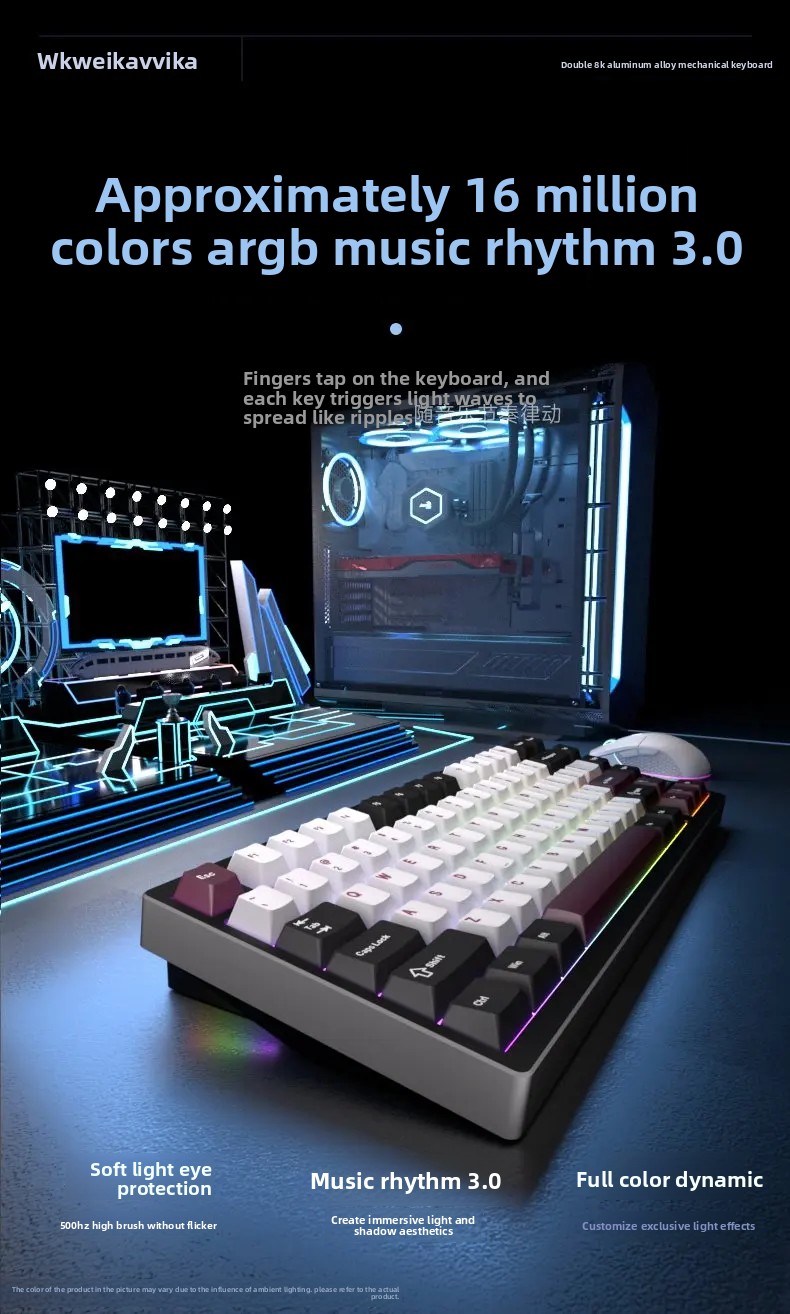
Experience approximately 16 million colors with ARGB Music Rhythm 3.0. Fingers tapping on the keyboard trigger light waves that spread like ripples, creating immersive light and shadow aesthetics with full color dynamic and customizable exclusive light effects.
The keyboard displaying dynamic ARGB lighting effects, reacting to key presses.
6. Maintenance
6.1 Cleaning
To clean the keyboard, use a soft, dry cloth. For deeper cleaning, you may use a slightly damp cloth with a mild cleaning solution, ensuring no liquid enters the keyboard. Avoid abrasive cleaners or solvents.
6.2 Storage
After use, store this product in a dry place, away from dust and direct light. Keep it in the original packaging box or display box to maintain its condition. Ensure it is placed where children cannot reach it.
7. Troubleshooting
7.1 Connectivity Issues
- Wireless connection unstable: Ensure the keyboard is within range of the receiver/Bluetooth device. Check for interference from other wireless devices.
- Keyboard not recognized: For wired connection, try a different USB port or cable. For wireless, re-pair the device or try a different USB port for the receiver. Ensure the keyboard is in the correct mode (wired, 2.4G, or Bluetooth).
7.2 Input Lag
- While the keyboard boasts ultra-low latency, ensure your computer's drivers are up to date.
- For wireless modes, ensure a clear line of sight between the keyboard and receiver/device to minimize potential signal degradation.
7.3 Battery Not Charging / Low Battery Life
- Ensure the USB cable is securely connected to both the keyboard and the power source.
- Try a different USB cable or power adapter.
- If battery life seems unusually short, ensure all RGB lighting is not set to maximum brightness or complex effects, as this can consume more power.
8. Specifications

Detailed configuration overview of the WEIKAV NUT75 Mechanical Keyboard.
| Feature | Description |
|---|---|
| Product Name | Vika NUT75 Double 8K Aluminum Alloy Mechanical Keyboard |
| Color Options | Anode black, Anode silver, Anode ice blue, Anode orange, Electrophoresis cold white |
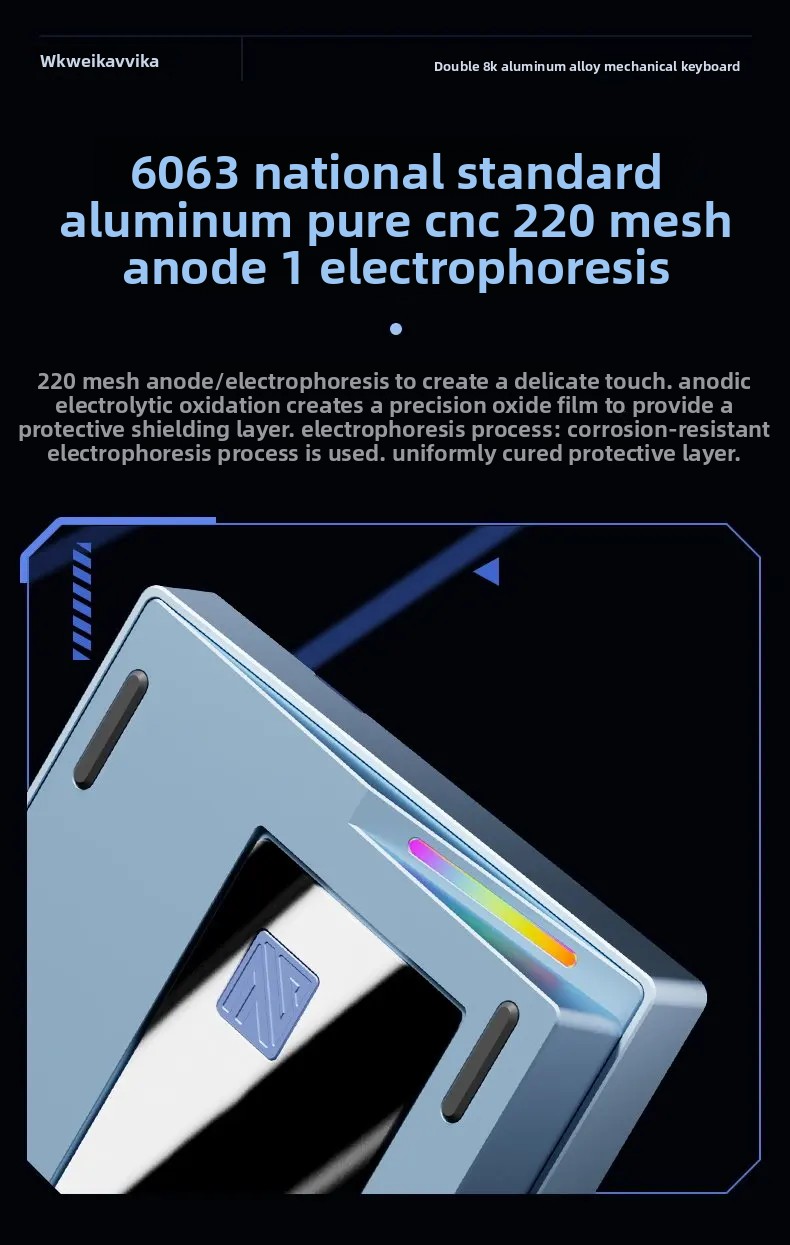
| Craft | 220 mesh anodized / 220 mesh electrophoresis |
| Shell Material | National standard 6063 aluminum alloy |
| Quick Release | Quick release of bump beads + magnetic pogopin |
| Structure | Gasket + PC positioning plate |
| Connection Method | Wired 8K / 2.4G Wireless / Bluetooth |
| Light | 16 million colors colorful ARGB light music rhythm |
| PCB | 1.2mm single button slotting |
| Solution | SOC low power consumption and low latency dual 8K three-mode solution |
| Battery Capacity | 10000 mA (support NTC protection) |
| Five Layers of Filling | PO sandwich cotton + IXPE shaft pad + PCB coating + (PO shaft seat cotton + insulation pad) package |
| Keycap | PBT two-color injection molding |
| Switch Features | Red (default, customizable HMX Lingyu/Custard axis) |
| Driver | Self-developed web driver |
| Accessories | 2-in-1 key puller and shaft puller, 8K Type-C data cable, 2.4G receiver, manual |
| Shaft Body | HMX Lingyu shaft, HMX Custard shaft (options) |
| Size | Length 314.8 * Width 136.8 * Rear Height 37.2 * Front Height 19.0mm |
| Weight | Finished product: 1830 + 10g |
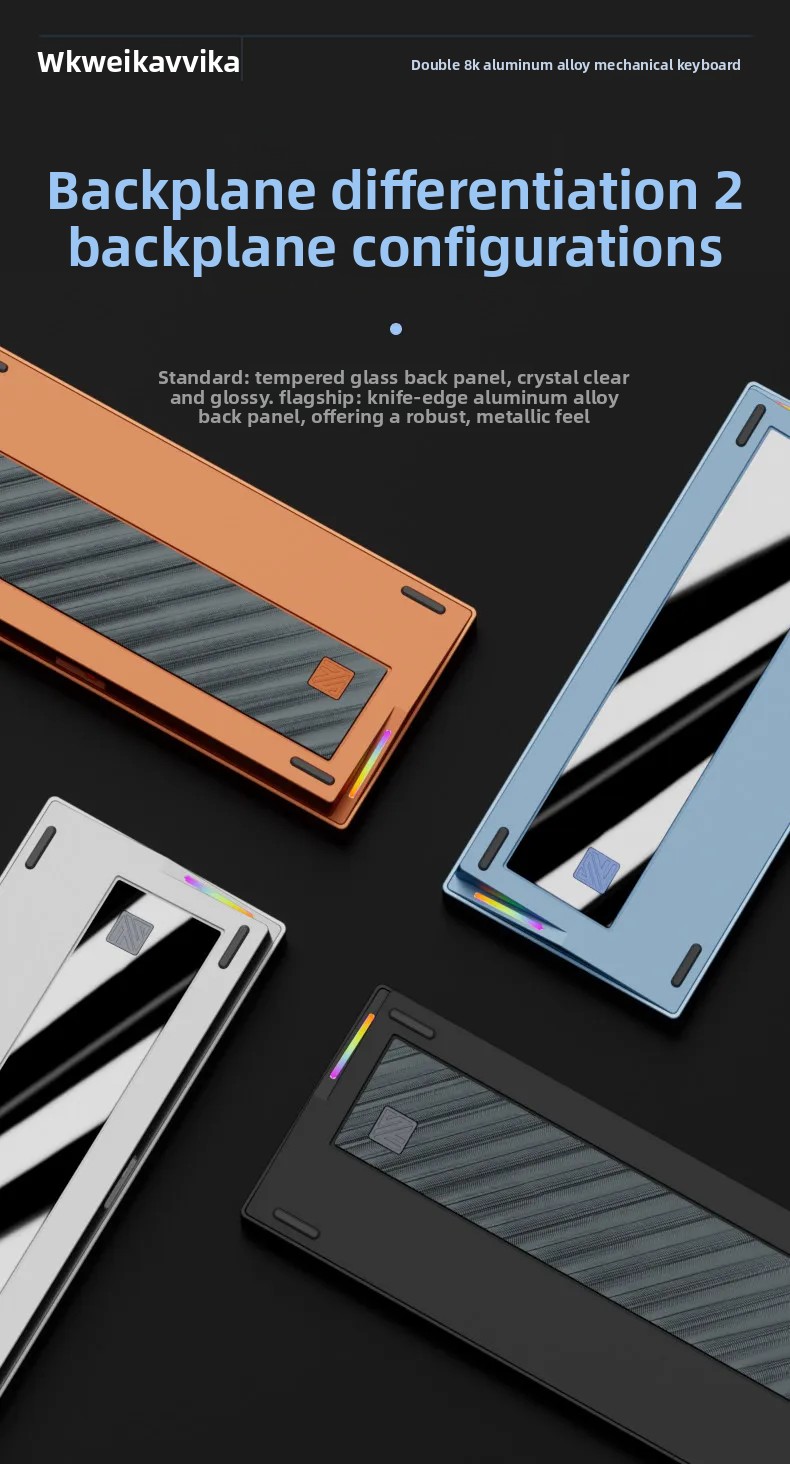
| Back Panel | Standard: tempered glass / Flagship: brushed aluminum |
| Operation Style | Mechanical |
| Keyboard Standard | 82 Key |
| Type | 2.4Ghz Wireless |
| Battery Included | Yes |
| Package Length | 45 cm |
| Package Width | 20 cm |
| Package Height | 8 cm |
| Package Weight | 2.4 kg |

Detailed specifications for HMX Lingyu and HMX Custard Axis switches, including itinerary, contact force, operational power, shaft type, and life span.

Illustration of the keyboard's comfortable 19mm low front and high back ergonomic design.

Image highlighting the 6063 national standard aluminum alloy construction with 220 mesh anodizing/electrophoresis.

Image showing the two backplane configurations: standard tempered glass and flagship brushed aluminum.

Illustration of the quick-release design featuring magnetic detent pins for easy assembly/disassembly.

Exploded view showing the five layers of filling (PBT keycaps, Spirit Jade axis, top cover, roller, PC positioning board, Poron sound-absorbing cotton, IXPE shaft pad, PCB lamination, 1.2mm slotted PCB, Poron shaft seat cotton, insulation pad, bottom shell) designed to eliminate cavity sound.
9. User Tips
- Receiver Size: The 2.4G receiver for this keyboard is noted to be larger than some standard receivers, likely due to its 8K report rate capability. This is normal operation.
- Keycap Replacement: If you plan to customize your keycaps, be aware that some keys, such as the 'Alt' key, might require specific sizing or profiles.
10. Warranty and Support
For product support, warranty claims, or further inquiries, please contact the manufacturer or their authorized representative:
Manufacturer Information:
- Company Name: Chongqing Mengya Rabbit Network Technology Co., Ltd.
- Full Address: CN Chongqing, Chongqing City, Jiulongpo District, Yuzhou Road Sub-district, No. 200, Qiyuan 1st Road, Building 15-5, #15-5-319
- Phone Number: 86-18723183702
- Email: 913331165@qq.com
EU Authorized Representative:
- Company Name: MJCM SARL
- Address: 78 avenue des Champs Elysees Bureau 326, PARIS, FR
- Email: mjcm190928@gmail.com
A detailed user manual in PDF format is also available for download: View User Manual (PDF)