
Introduction
Thank you for purchasing the WinAPEX LCR101A Digital Bridge Tweezers. This manual provides essential information for the safe and effective use of your device. It is designed to be a universal guide applicable to instrumentation series products. For detailed technical specifications, specific manuals, or software for this model, please refer to the contact information in the "Warranty and Support" section.

Product Overview and Features
The WinAPEX LCR101A is a high-precision intelligent digital bridge tweezers designed for testing various electronic components. It automatically identifies the component type and provides accurate measurements.
Key Features:
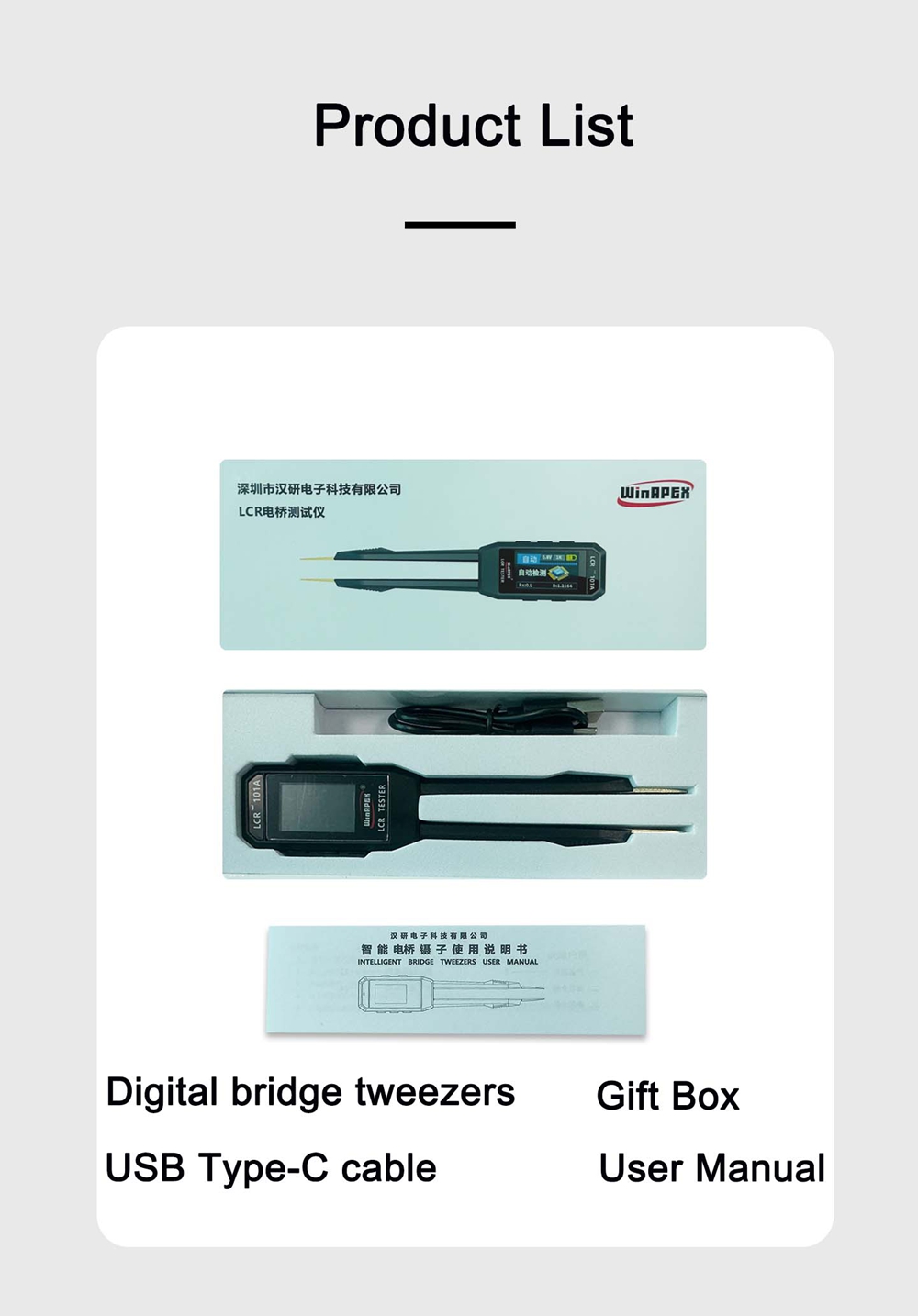
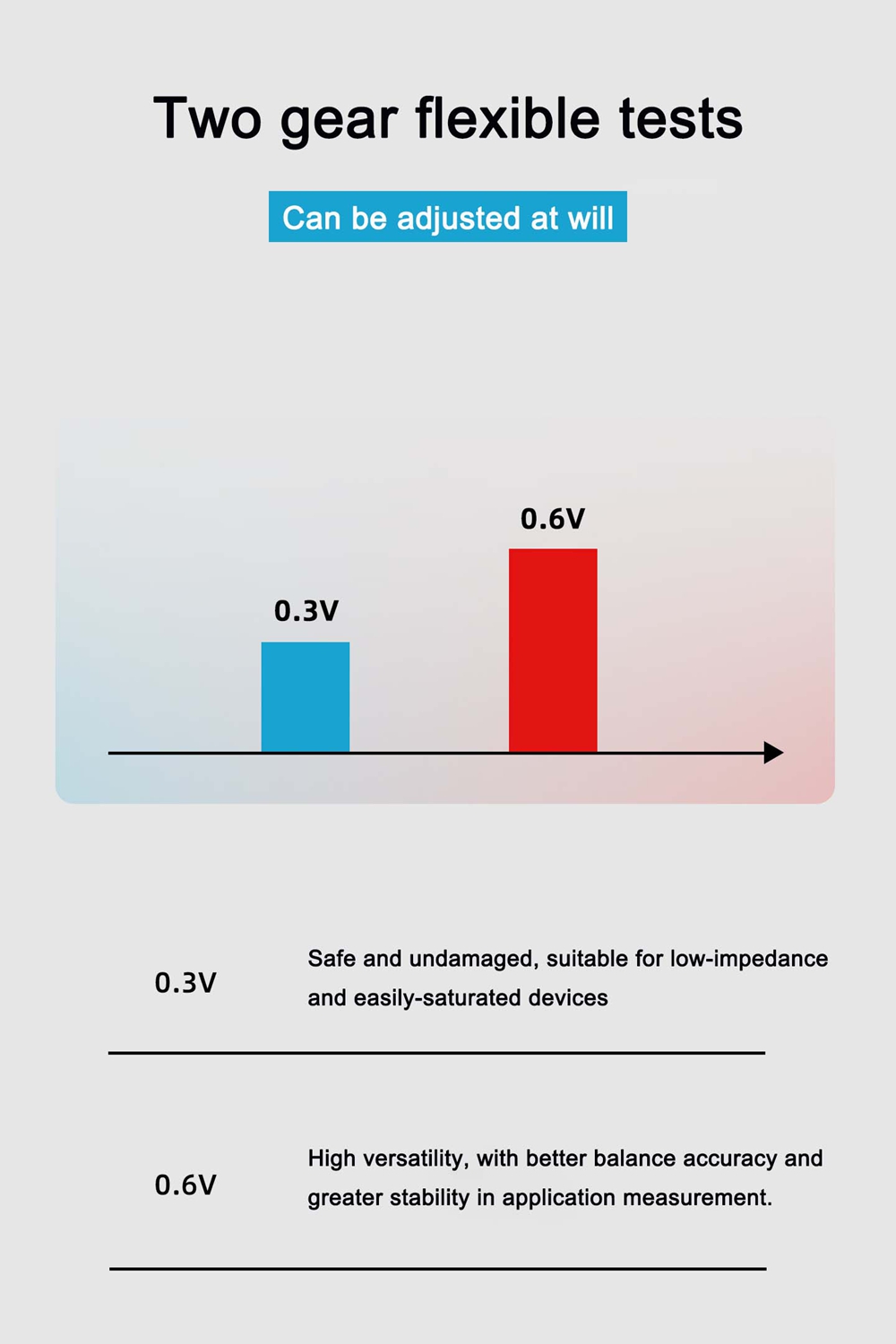
- Automatic Identification: Automatically identifies component types (Resistor, Capacitor, Inductor, Diode, Continuity).
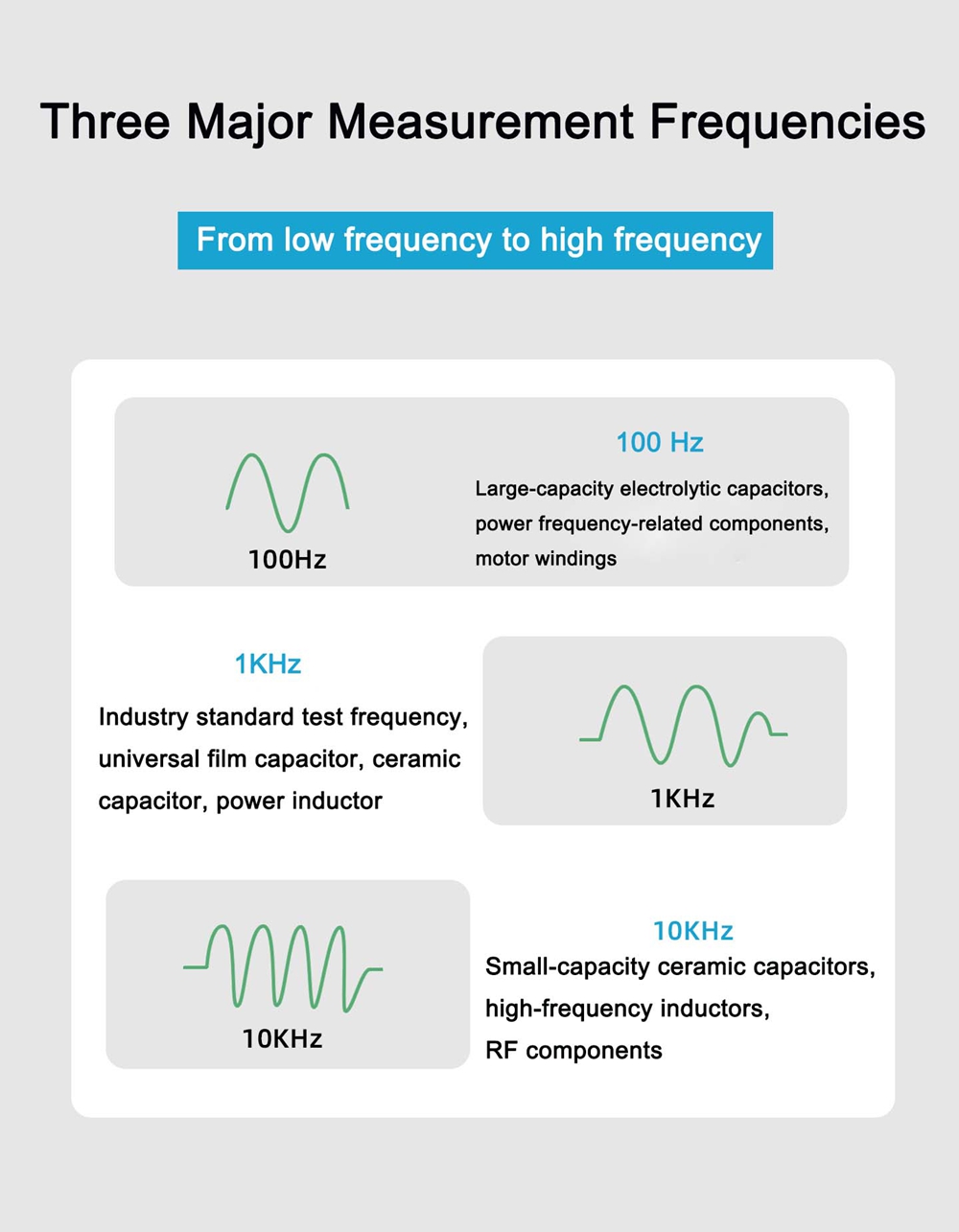
- Adjustable Frequency: Offers 100Hz, 1KHz, and 10KHz test frequencies.
- Color Screen Display: Features a 1.14-inch color screen for clear readings.
- Rechargeable Battery: Equipped with a 250mAh Lithium battery.
- Bilingual Support: Switch between Chinese and English interfaces.
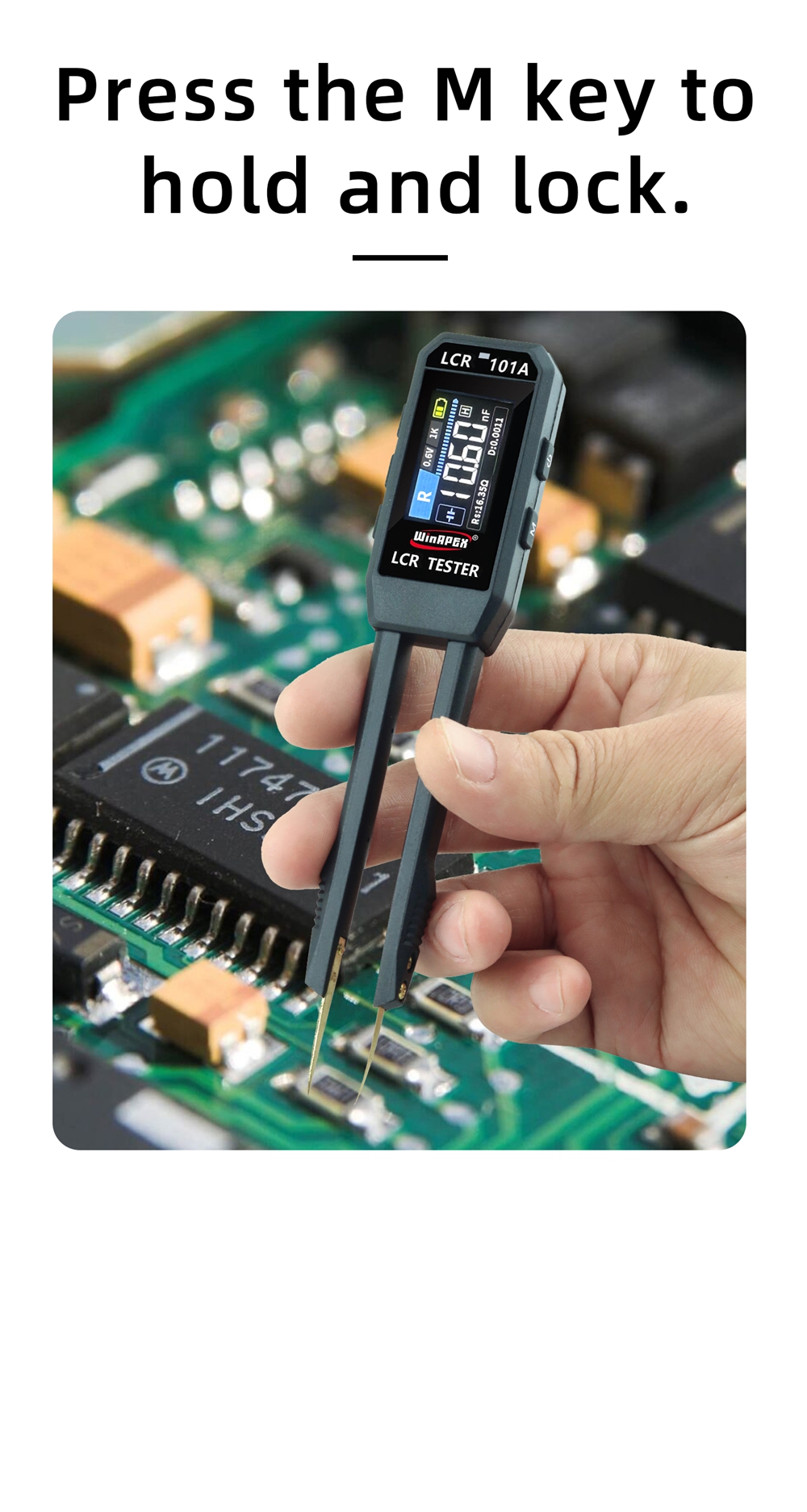
- Data Hold: Function to hold and lock measurement data.
- Type-C Charging: Convenient USB Type-C charging port.
- Automatic Shutdown: Power-saving feature.
Versatile Measurement Capabilities:
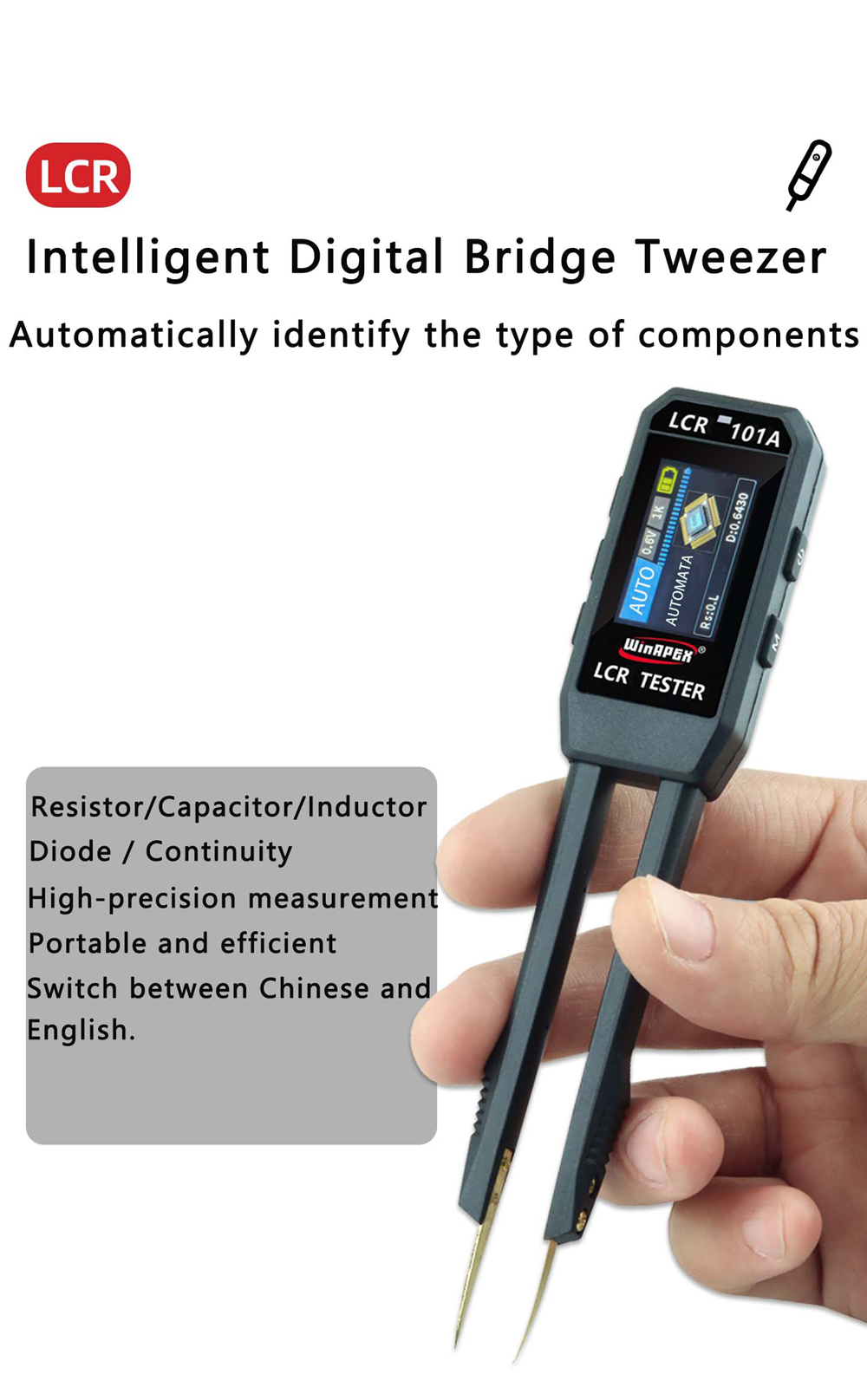
- Resistance measurement
- Capacitance measurement
- Inductance measurement
- Diode test
Package Contents
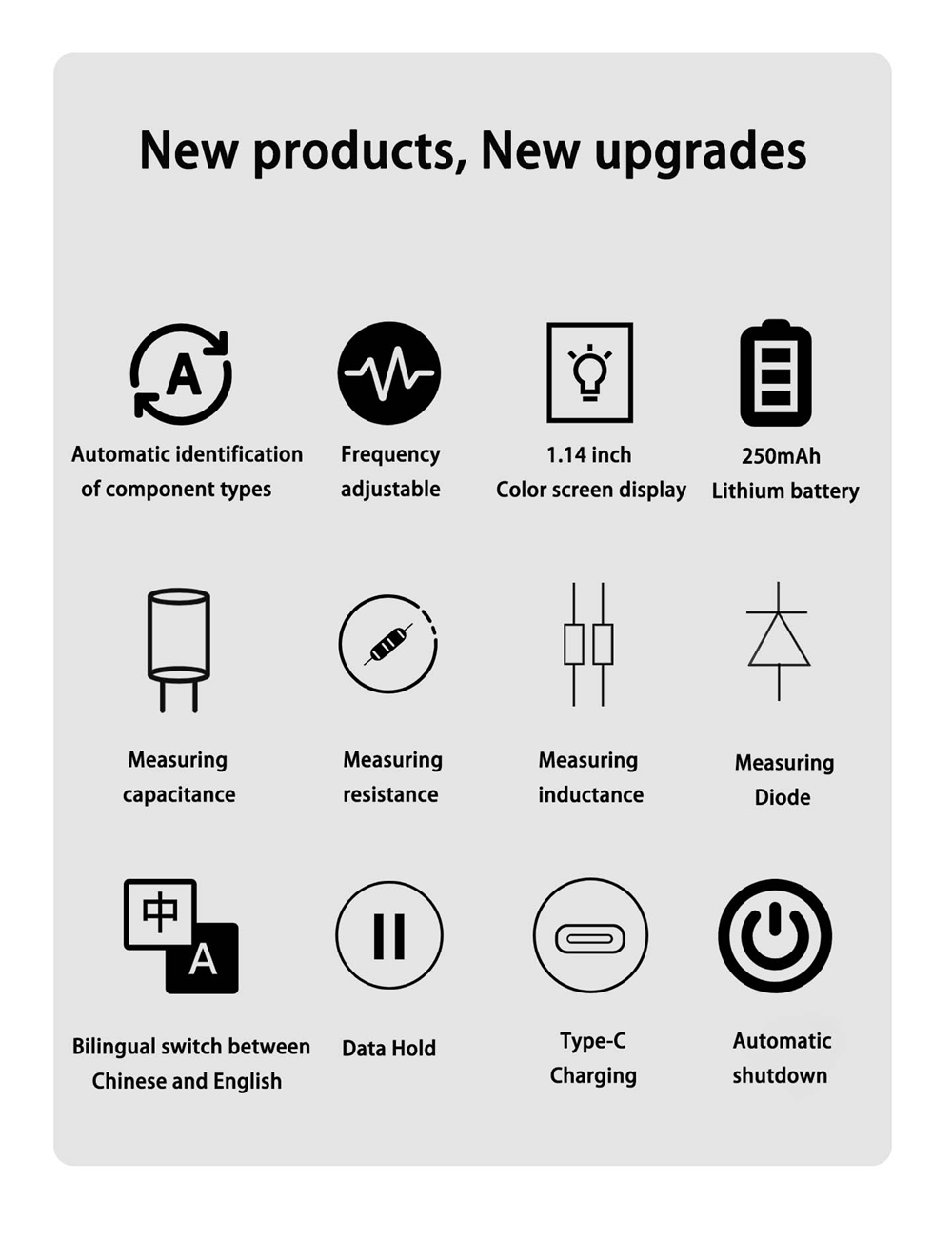
- 1 x Digital Bridge Tweezers (LCR101A)
- 1 x USB Type-C Cable
- 1 x User Manual (this document, also available as PDF: User Manual PDF)
- 1 x Gift Box
Safety Warnings
2.1 Electrical Safety
- Use only the power adapter provided with the product or a compliant power supply.
- Do not use in humid environments unless the product specifically states a waterproof rating.
- If the power cord is damaged, discontinue use immediately and contact us for a replacement.
- Always disconnect the power before cleaning.
2.2 Usage Environment
- Operating temperature range: -10°C to 40°C (subject to model specifications).
- Avoid direct sunlight, high temperatures, and dusty environments.
- Keep the ventilation good and do not block heat dissipation holes.
2.3 Operational Safety
- Do not disassemble or modify the product yourself; there are no user-repairable parts inside.
- Prevent liquid from entering the product interior.
- If the product emits smoke, unusual odors, or abnormal noise, immediately disconnect the power and contact after-sales service.
Setup
3.1 Unpacking Inspection
- After opening the package, verify that all items listed in "Package Contents" are present and undamaged.
- If any items are missing or damaged, please contact customer service immediately.
3.2 First Use
- Ensure the device is fully charged before initial use (if applicable).
- Check that the power supply voltage is consistent with the product specifications (AC100-240V, 50/60Hz, applicable worldwide).
Operating Instructions
3.2 Basic Operations
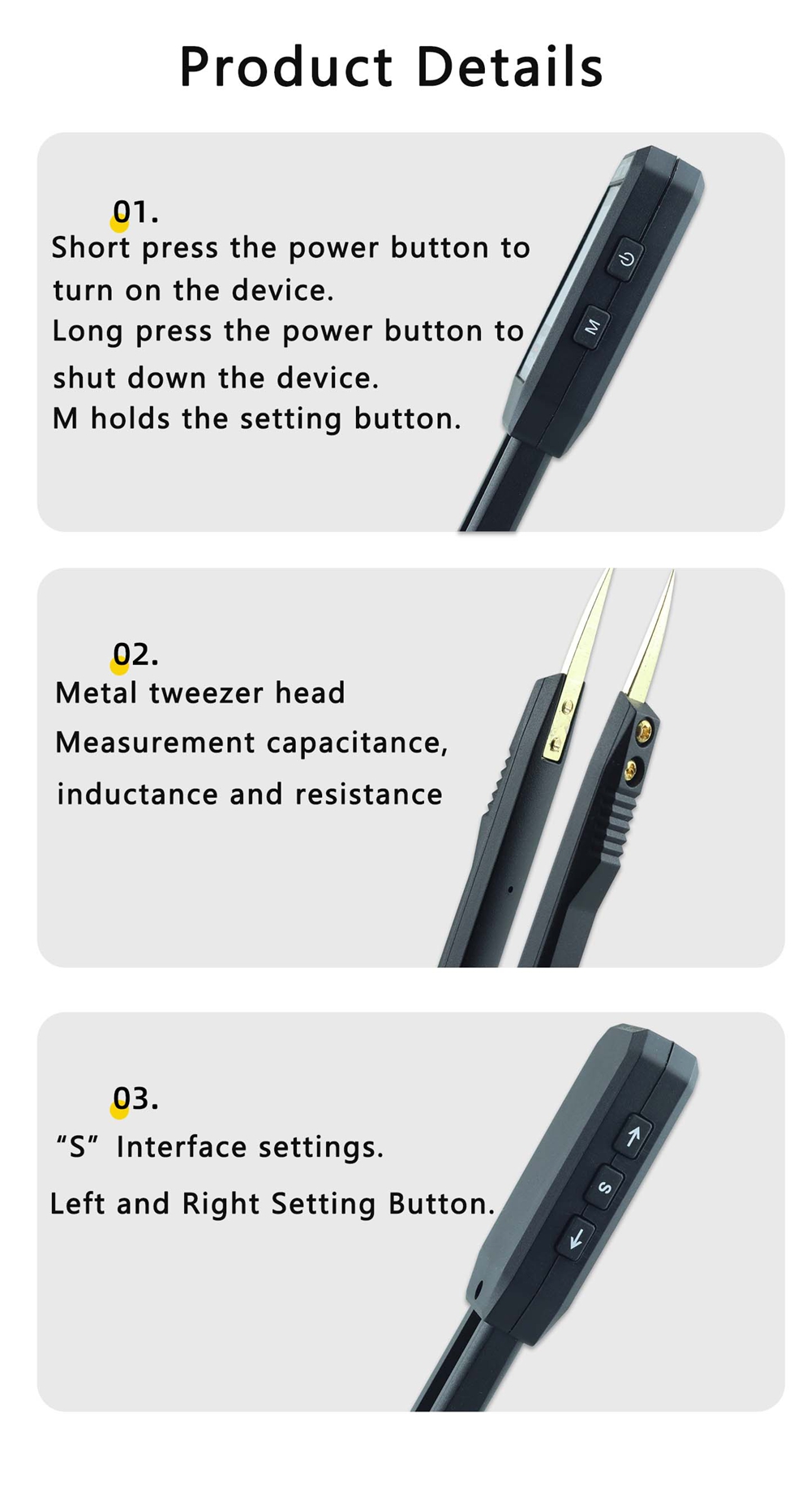
- Power On/Off: Short press the power button (
 ) to turn on the device. Long press the power button for 3 seconds to shut down the device.
- Function Selection: Short press the 'M' button (
 ) to switch between measurement functions.
- Display Screen: The display screen shows the current measurement value, status, and parameters.
Auto-Identification and Measurement
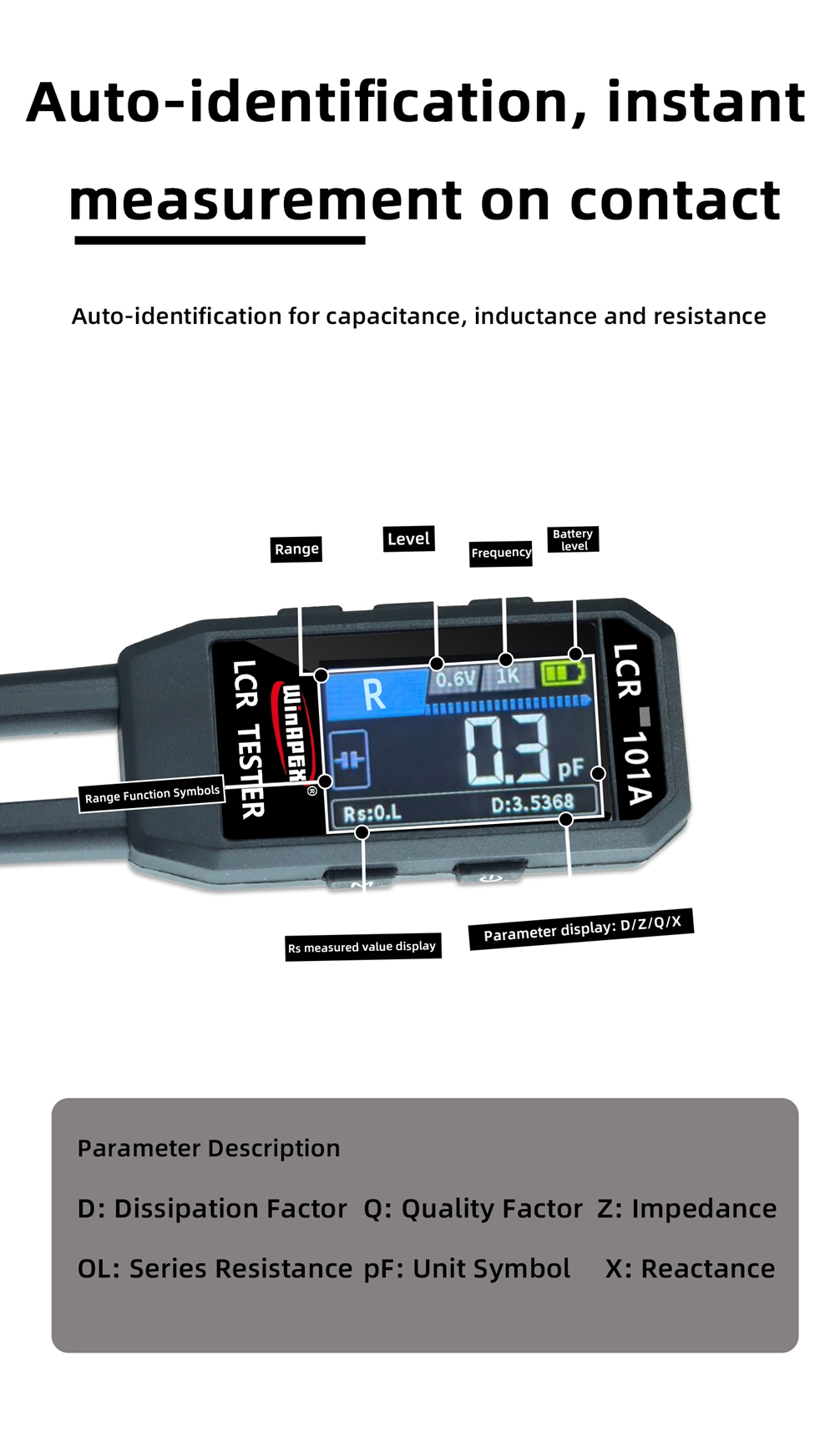
The LCR101A automatically identifies the type of component (resistance, capacitance, inductance) upon contact, providing instant measurements.
Parameter Description:
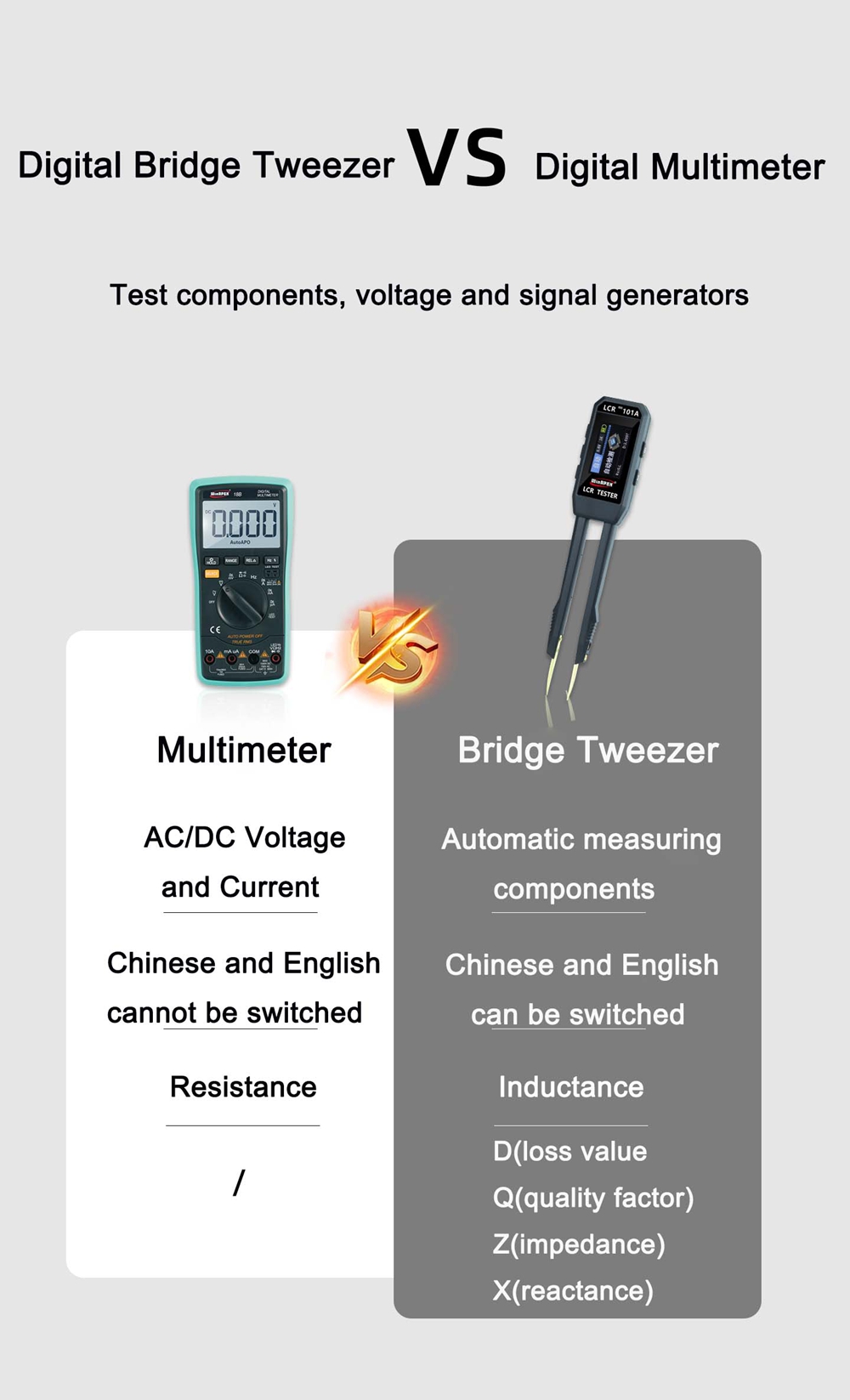
- D: Dissipation Factor
- Q: Quality Factor
- Z: Impedance
- OL: Series Resistance
- pF: Unit Symbol (PicoFarad)
- X: Reactance
Measurement Frequencies and Test Levels
- 100Hz: Suitable for large-capacity electrolytic capacitors, power frequency-related components, and motor windings.
- 1KHz: Industry standard test frequency, ideal for universal film capacitors, ceramic capacitors, and power inductors.
- 10KHz: Best for small-capacity ceramic capacitors, high-frequency inductors, and RF components.
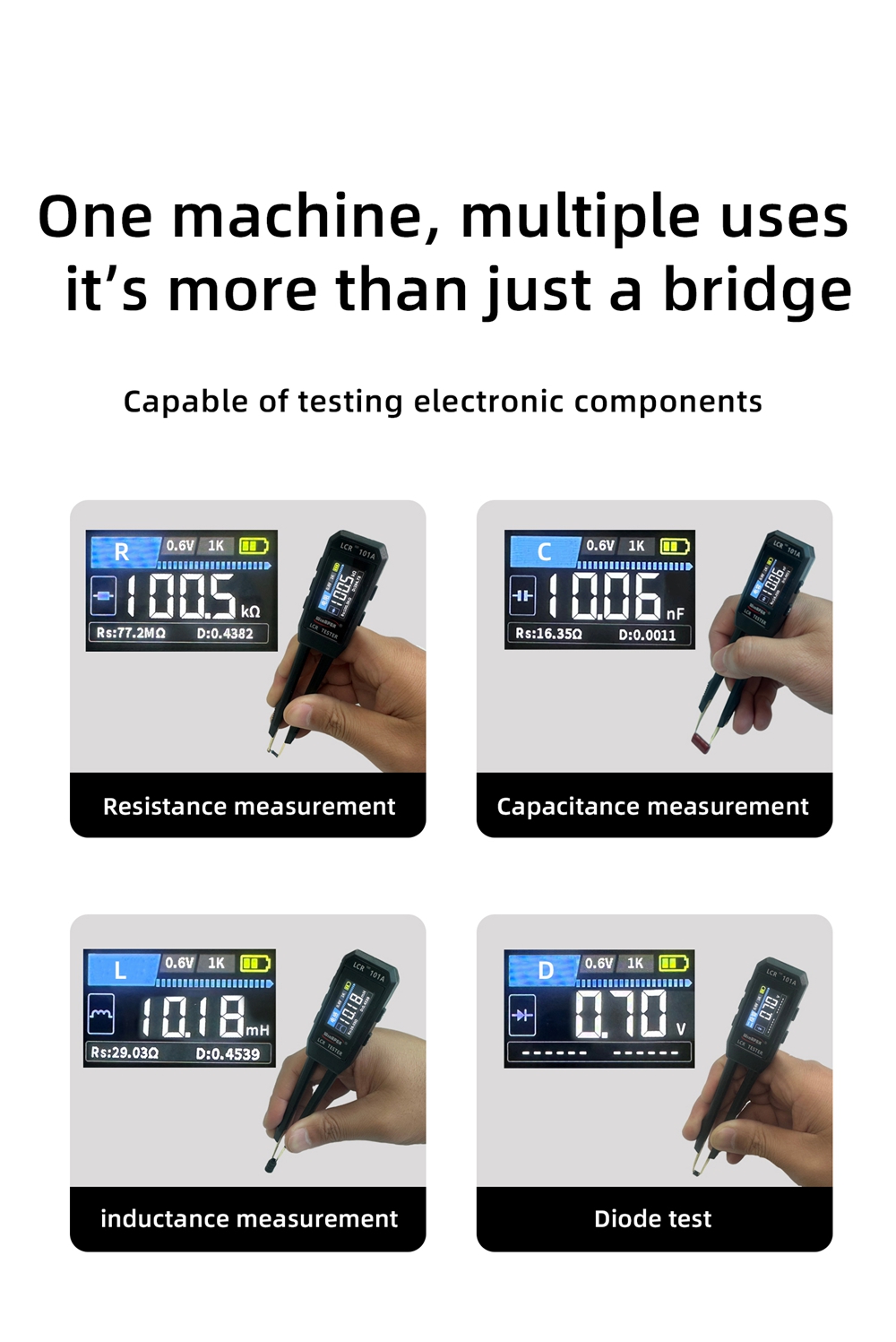
- 0.3V: Safe and undamaged, suitable for low-impedance and easily-saturated devices.
- 0.6V: High versatility, with better balance accuracy and greater stability in application measurement.
Data Hold Function
- Short press the 'M' key to enable data hold, locking the current measurement on the display.
Interface Settings
- The 'S' button and arrow keys (
 ) are used for interface settings, including language selection (Chinese/English).
Technical Specifications
| Parameter Category | General Scope | Remark |
|---|---|---|
| Input Power | AC100-240V, 50/60Hz or DC5V/9V/12V | Please refer to the product label. |
| Operating Temperature | -10℃ ~ 40℃ | |
| Storage Temperature | -20℃ ~ 60℃ | |
| Protection Level | IP20 (for indoor use) | Except for waterproof models. |
| Authentication Information | CE, RoHS | Compliant with EU directives. |
Measurement Ranges and Accuracy:
| Type | Range | 100Hz | 1KHz | 10KHz |
|---|---|---|---|---|
| Capacitance | 1pF-1nF | --- | 5%±5 | 5%±5 |
| 1nF-1uF | 2%±5 | 0.5%±5 | 0.5%±5 | |
| 1mF-22mF | 5%±5 | 5%±5 | --- | |
| Inductance | 1uH-10uH | --- | --- | 2%±3 |
| 10uH-1mH | 2%±3 | 0.5%±3 | 0.5%±3 | |
| 1mH-100H | 2%±3 | 2%±3 | --- | |
| Resistance | 10mΩ-1Ω | 3%±5 | 3%±5 | 2%±5 |
| 1Ω-1KΩ | 1%±3 | 0.5%±5 | 0.5%±5 | |
| 1KΩ-1MΩ | 1%±5 | 0.5%±5 | 1%±5 | |
| 1MΩ-10MΩ | 5%±3 | 5%±3 | --- | |
| Diode | Direction Identification | |||
| Test Frequency | 100Hz / 1KHz / 10KHz | |||
| Test Level | 0.3V / 0.6V | |||
| Data Hold | Short press to enable data hold | |||
| Continuity | In Diode mode, the continuity beeper will activate when the measured resistance is less than 50Ω. | |||
| Power On/Off Button | Short press to power on, long press to power off | |||
Maintenance and Care
- Cleaning: Wipe the outer casing with a soft, dry cloth. Do not use chemical solvents.
- Storage: When not in use for an extended period, clean and store in a cool, dry place.
- Battery: If not used for an extended period, please remove the battery to prevent leakage (if applicable, for built-in batteries, ensure regular charging to maintain health).
Calibration and Maintenance
- It is recommended to calibrate annually to ensure measurement accuracy.
- For calibration services, please contact a professional organization or consult our customer service.
Troubleshooting
| Problem | Possible Reasons | Solution |
|---|---|---|
| Unable to power on | Power not connected/battery depleted | Check the power connection, charge the device, and try again. |
| No display/Display error | Poor connection/Incorrect settings | Restart the device and check the connection. |
| Inaccurate measurement values (instrument-related) | Range error/calibration required | Confirm the measurement range and contact calibration services. |
| Other faults | --- | Contact customer service for technical support. |
User Tips
While no specific user reviews or Q&A were provided, general tips for using precision measurement tools include:
- Always ensure the probes are clean and make good contact with the component for accurate readings.
- For very small components, use steady hands or a fixture to prevent movement during measurement.
- Familiarize yourself with the different test frequencies (100Hz, 1KHz, 10KHz) and test levels (0.3V, 0.6V) to select the most appropriate setting for the component being tested.
- Regularly check the battery level to avoid interruptions during critical measurements.
Compliance Information
8.1 CE Declaration of Conformity
This product complies with the essential requirements of the following EU directives:
- Low Voltage Directive (LVD) 2014/35/EU
- Electromagnetic Compatibility Directive (EMC) 2014/30/EU
- RoHS Directive 2011/65/EU
8.2 Waste Electrical and Electronic Equipment (WEEE)

The wheeled bin symbol marked with an X on the product indicates that, according to EU Directive 2012/19/EU, this product must not be disposed of as unsorted municipal waste. It must be collected and recycled separately.
Warranty and Support
Warranty Policy
The product comes with a 12/24 month warranty from the date of purchase (subject to store announcement).
Technical Support
For detailed technical documentation, calibration certificates, or hard copies of the manual, please contact us via:
- AliExpress internal message (click "Contact Seller" on the order page).
- Email: Miyeetool@outlook.com
- Email: wishcolor@126.com
Response time for email inquiries is typically within 24 hours (working days).
Disclaimer
This instruction manual is a general version; the actual product functions and parameters shall prevail. The manufacturer reserves the right to change product designs and specifications without prior notice.