
Introduction
This manual provides detailed instructions for the safe and effective use of your MINISO MS130 Wireless Bluetooth Earphones. Please read this manual thoroughly before using the product and retain it for future reference.
WARNING: Please mind potential fire risk and strictly follow the instruction manual for charging and storage. For disposal, please check your local authority's website for more information and dispose of the lithium-ion battery safely in accordance with the applicable legal requirements.
The object of the declaration is in conformity with the relevant legislation: (EU) 2023/1542 Batteries and Waste Batteries, 2014/53/EU Radio equipment, 2011/65/EU ROHS.
Package Contents
Ensure all items are present in the package:
- MINISO MS130 Wireless Bluetooth Earphones (Left and Right earbuds)
- Charging Case
- Charging Cable (Type-C)
- User Manual (this document)

Image: Product packaging and available colors (White, Black, Blue, Orange).
Product Overview
The MINISO MS130 Wireless Bluetooth Earphones offer a high-quality audio experience with features designed for convenience and performance.

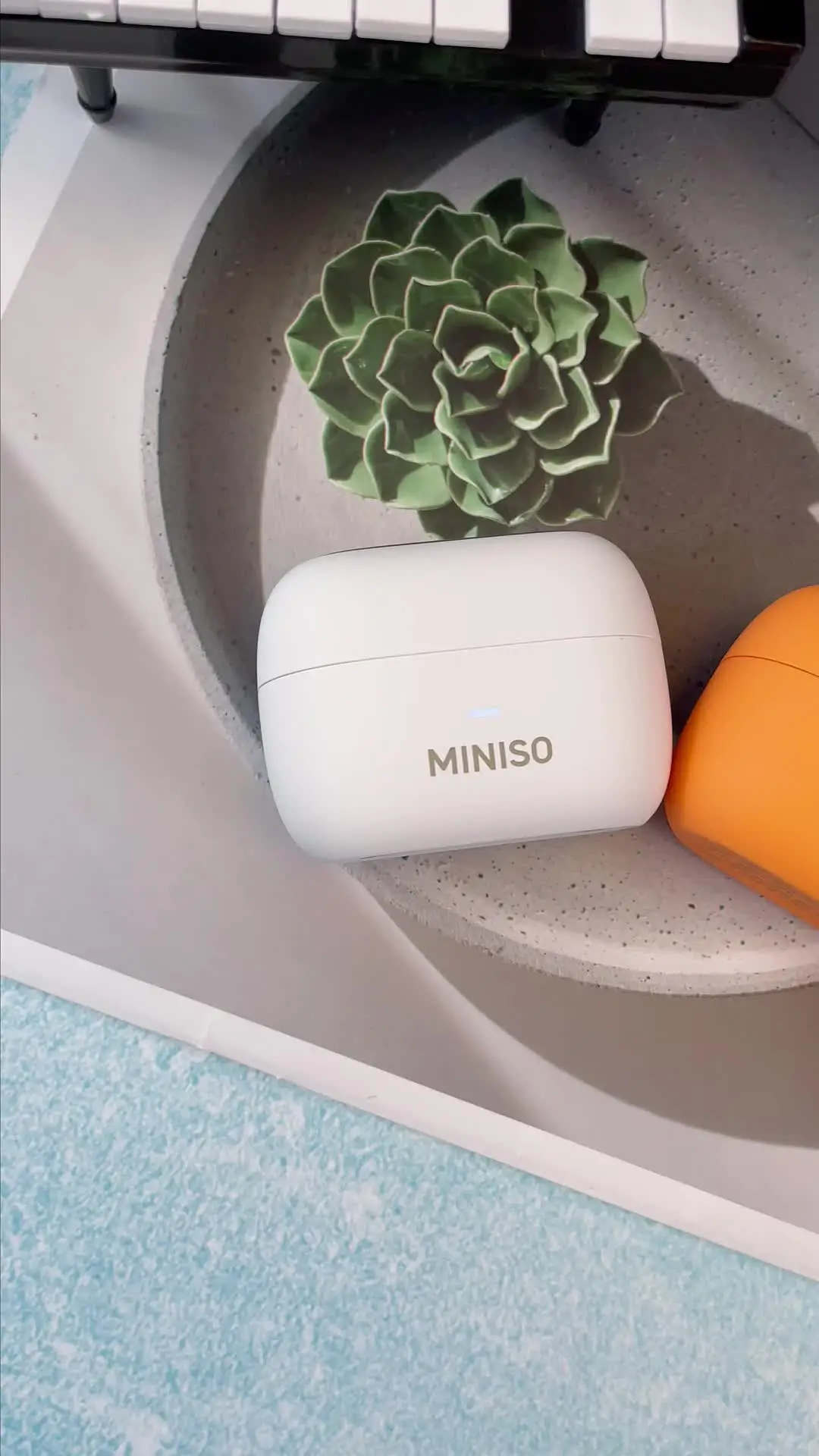
Image: MINISO MS130 Wireless Earphones in various colors.
Key Features:
- Custom driver for rich bass surround sound
- Bluetooth V6.0 for stable and fast connection
- Type-C quick charge and long battery life (up to 30 hours with charging case)
- Ergonomic in-ear fit, anti-drop design
- Sensitive touch control for easy operation
- ENC (Environmental Noise Cancellation) microphone for crisp calls
- Low audio latency for mobile gaming
- Instant auto-pairing upon opening the charging case lid
- Voice assistant built-in
Video: A short demonstration of the MINISO MS130 Wireless Earphones features, including design, touch controls, and water resistance.
Setup and First Use
1. Wearing the Earphones
For optimal sound quality and comfort, ensure the earphones are properly seated in your ears.

Image: Illustration of proper earbud placement for ergonomic and secure wearing.
The earphones feature thinner and softer ear tips for ultra comfort, reducing ear pressure and swelling for all-day wear, along with enhanced noise cancellation.
2. Power On and Off
- Power On: Taking the earphones out of the charging case will automatically turn them on. To manually turn on each earphone, press and hold the touchpad for three seconds.
- Power Off: Placing the earphones in the charging case will automatically turn them off. To manually turn off each earphone, press and hold the touchpad for five seconds.
Note: If the earphones are not paired with a Bluetooth device within three minutes after powering on, they will automatically power off. They will also power off after three minutes if the paired Bluetooth device moves out of the effective connection range and has not reconnected.

Image: Visual guide for powering the earphones on and off, and how to wear them.
3. Initial Pairing (Wireless Pairing Mode)
- When there is no pairing record for the left and right earphones, they will automatically pair with each other after they are turned on. After successful pairing, there will be two beeps.
- When the left and right earphones have pairing records, they will automatically connect back when they are turned on, and the prompt will sound "beep".
The earphones feature QuickConnect for instant pairing and fast reconnection. They auto power on and pair upon removal from the case, and auto power off and disconnect when returned to the case.

Image: QuickConnect feature for instant pairing.
Operating Instructions
1. Indicator Light Description
| Status | Indicator Light Behavior |
|---|---|
| Headset Power On | White light flashes |
| Headset Power Off | Red light stays on for 2 seconds, then turns off |
| Pairing Status | White light flashing |
| Connection Successful | No light |
| Headphone Charging | Red light stays on for a long time. After being fully charged, the red light goes off. |
| Charging Case Display | Shows battery level. When fully charged, shows 100%. (Note: Display turns off after ~30 seconds of inactivity. Sliding can re-enter display.) |

Image: Indicator Light Description and component locations.
2. Touch Controls
The earphones feature high-sensitivity on-the-go smart touch control. The multi-function key/touch position is located on the outer surface of each earbud.
| Function | Action |
|---|---|
| Power On/Off (Manual) | Press and hold touchpad for 3 seconds (On) / 5 seconds (Off) |
| Answer/End Call | Tap 1 time (x1) |
| Reject Call | Press and hold for 2 seconds (2s) |
| Play/Pause Music | Tap 1 time (x1) |
| Next Track | Tap 3 times (x3) on Right earbud (R) |
| Previous Track | Tap 3 times (x3) on Left earbud (L) |
| Volume Up | Tap 2 times (x2) on Right earbud (R) |
| Volume Down | Tap 2 times (x2) on Left earbud (L) |
| Activate Voice Assistant | Press and hold for 2 seconds (2s) on either earbud |

Image: Touch control functions for phone and music modes.
Maintenance and Care
1. Charging the Earphones and Case
The charging case uses a Type-C interface for charging. Connect the provided Type-C charging cable to the charging port on the case and a suitable power source.
- Earbuds: Place the earbuds into the charging case. The red light on the earbuds will indicate charging and turn off when fully charged.
- Charging Case: The display screen on the charging case will show the battery level. It will indicate 100% when fully charged. The display will automatically turn off after about 30 seconds of inactivity.
The earphones and case offer a composite battery life of up to 30 hours, with the charging case having a 230mAh capacity and each earbud having a 28mAh capacity. Charging time is approximately 1.5 hours.

Image: Battery life and charging case capacity.
2. Cleaning
Gently wipe the earphones and charging case with a soft, dry cloth. Avoid using harsh chemicals or abrasive materials. While the product is IPX5 waterproof, avoid submerging it in water or exposing it to strong jets of water.

Image: Earbud being rinsed under water, demonstrating IPX5 water resistance.
3. Storage
When not in use, store the earphones in their charging case to protect them and ensure they remain charged. Store in a cool, dry place away from direct sunlight and extreme temperatures.
Troubleshooting
1. Earphones Not Pairing or Connecting
If the earphones fail to pair with each other or reconnect to your device:
- Clear Bluetooth Pairing History: When both earbuds cannot be paired, you need to clear all connected devices from your phone's Bluetooth settings. Then, tap both the left and right earphones 5 times simultaneously.
- Reset Earphones: If the earphones fail to pair or reconnect to each other, reset them by tapping both earphones five times simultaneously. Resetting the earphones will clear the Bluetooth pairing history.
Image: Instructions for clearing Bluetooth pairing history and resetting earphones.
2. No Sound or Low Volume
- Ensure the earphones are properly paired and connected to your device.
- Check the volume level on both your device and the earphones.
- Make sure the earphones are charged.
- Try resetting the earphones as described above.
3. Earbuds Not Charging
- Ensure the charging cable is securely connected to both the case and the power source.
- Verify that the charging case has power (check its display).
- Make sure the earbuds are correctly seated in the charging case, and the charging contacts are clean.
Specifications
| Feature | Detail |
|---|---|
| Product Name | MINISO True Wireless Bluetooth Earbuds |
| Model | MS130 |
| Color Options | Black, White, Orange, Blue |
| Material | Metal, Plastic, Silica Gel (ABS+PC) |
| Total Weight | Approx. 33.7 g |
| Single Earbud Weight | Approx. 3.6 g |
| Bluetooth Version | V6.0 |
| Communication Range | 10 meters in open area (<10m) |
| Compatibility | Devices with Bluetooth function (Supports Major OS and Multiple Devices/Software) |
| Music Playback Time | Approx. 4-5 hours |
| Charging Port | Type-C |
| Charging Time | Approx. 1.5 hours |
| Earbud Battery Capacity | 28 mAh |
| Charging Case Battery Capacity | 230 mAh |
| Frequency Response Range | 20 - 20000Hz |
| Sensitivity | 97dB |
| Impedance Range | up to 32 Ω |
| Resistance | 32 Ω |
| Driver Diameter | 13mm |
| Number Of Drivers | 2 |
| Sound Isolating | Yes |
| Active Noise-Cancellation | No (Features ENC for calls) |
| Waterproof | No (Features IPX5 water resistance) |
| Voice Assistant Built-in | Yes |
| Volume Control | Yes |
| Control Button | No (Touch controls) |
| Support APP | Yes |
| Certification | CE, FCC |
| Origin | Mainland China |

Image: Detailed product specifications.
User Tips
- For the best audio experience and effective noise cancellation, ensure the earbuds fit snugly in your ears. Experiment with different ear tip sizes if available (though not explicitly mentioned in package contents, it's a common earbud feature).
- Always fully charge your earphones and charging case before the first use to maximize battery life.
- If you experience any connection issues, try resetting the earphones and clearing the Bluetooth history on your device before attempting to re-pair.
- Keep the charging contacts on both the earbuds and the case clean to ensure efficient charging.
- Take advantage of the low latency feature for gaming by ensuring your device's Bluetooth connection is stable.
Warranty and Support
For detailed warranty information and customer support, please refer to the official MINISO website or contact the seller directly.
A digital version of this user manual is available for download: