
1. Introduction
Thank you for choosing the Niwalker G09 Penlight Mini Rechargeable Flashlight. This compact and powerful EDC (Everyday Carry) light is designed for reliability and convenience. This manual provides essential information for the safe and efficient use, maintenance, and troubleshooting of your new flashlight. Please read it thoroughly before operation.
2. Key Features
- Light Source: Cool white 6500K CCT Luminus SST20 LED.
- Output: Up to 450 lumens.
- Beam Distance: Maximum illumination distance of 50 meters.
- Optics: Integrated molding high reflection coating technology with a toughened ultra-clear glass lens.
- Modes: Two constant brightness modes (High, Low) plus Strobe.
- Power: Rechargeable 10440 Li-ion battery (included).
- Charging: USB Type-C port for convenient recharging.
- Control: Responsive tail switch for effortless control.
- Design: Dual-direction clip for versatile carrying options.
- Durability: Aviation aluminum alloy body with anti-abrasive anodized finish.
- Waterproof: IPX-6 rated (underwater 1 meter).
- Impact Resistance: 1.5 meters drop test.
- Safety: New IC circuit design with double protection for LED and battery.
- Certifications: CE, EMC, ROHS.
3. Package Contents
Please check the package for the following items:
- Niwalker G09 Flashlight x1
- USB Type-C charging cable x1
- Instruction manual x1

4. Technical Specifications
| Parameter | High Mode | Low Mode | Strobe Mode |
|---|---|---|---|
| Output | 450 Lumens | 40 Lumens | 400 Lumens |
| Runtime | 45 minutes | 4 Hours | N/A |
| Battery | Rechargeable 10440 (Included) |
| Beam Distance | 50 Meters |
| Intensity | 625cd |
| LED | 1xSST20 |
| Waterproof | IPX6 |
| Impact Resistance | 1.5 Meters |
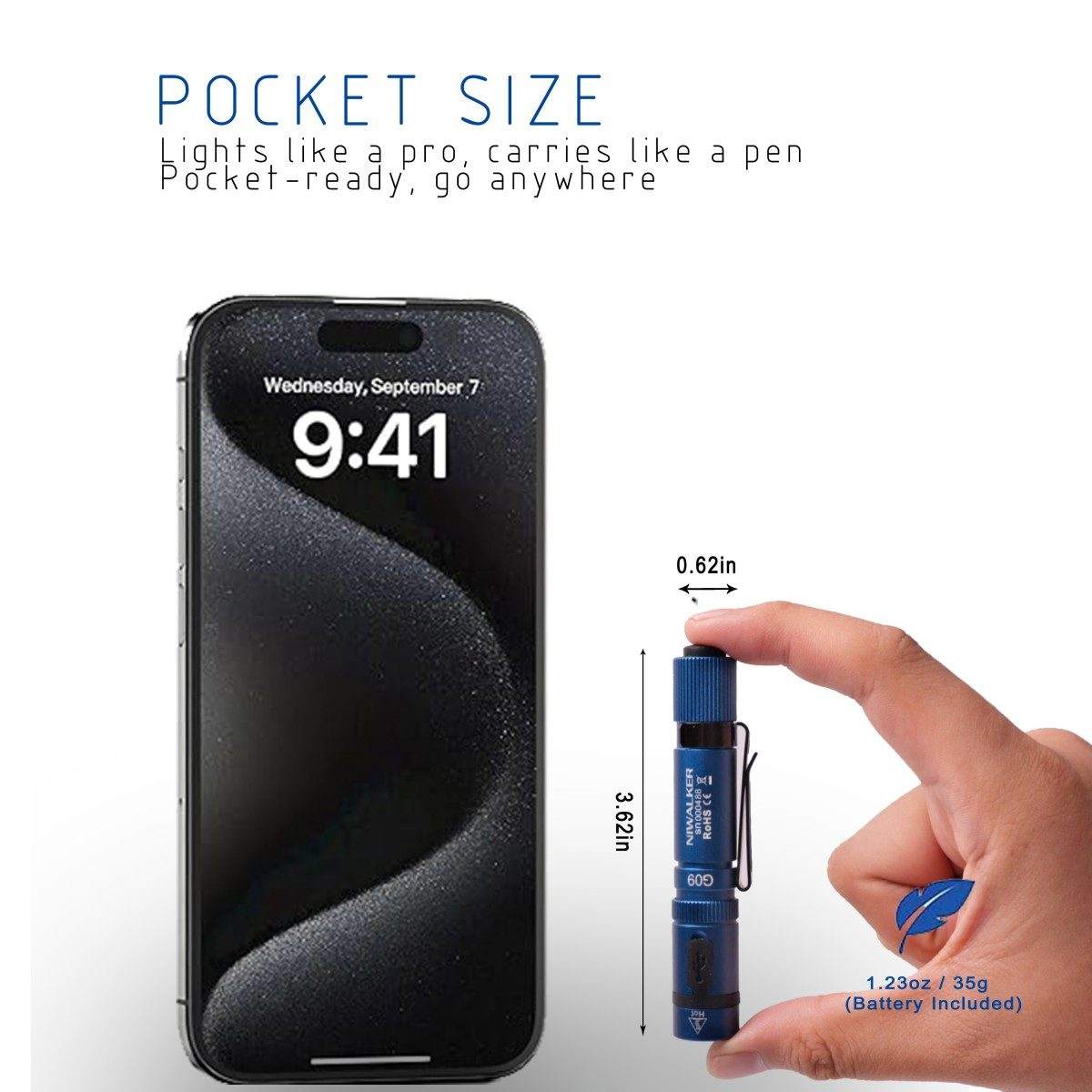
| Weight | 0.95 oz (without battery); 1.23 oz (with battery) |
| Dimensions (LxD) | 3.62 in x 0.62 in |
| Body Material | Aluminum alloy |
| Wattage | 10W |
5. Initial Setup
Before using your Niwalker G09 flashlight for the first time, please follow these steps:
- Remove Battery Insulating Sheet: Unscrew the tail cap and remove the small plastic insulating sheet located between the battery and the contact point. This prevents battery drain during storage.
- Check Battery Orientation: Ensure the 10440 Li-ion battery is inserted with the positive (+) end facing towards the flashlight head.
- Initial Charge: It is recommended to fully charge the flashlight's battery before its first use to ensure optimal performance. Refer to the 'Charging' section for detailed instructions.

6. Operating Instructions
The Niwalker G09 features an effortless tail tactical switch for control:
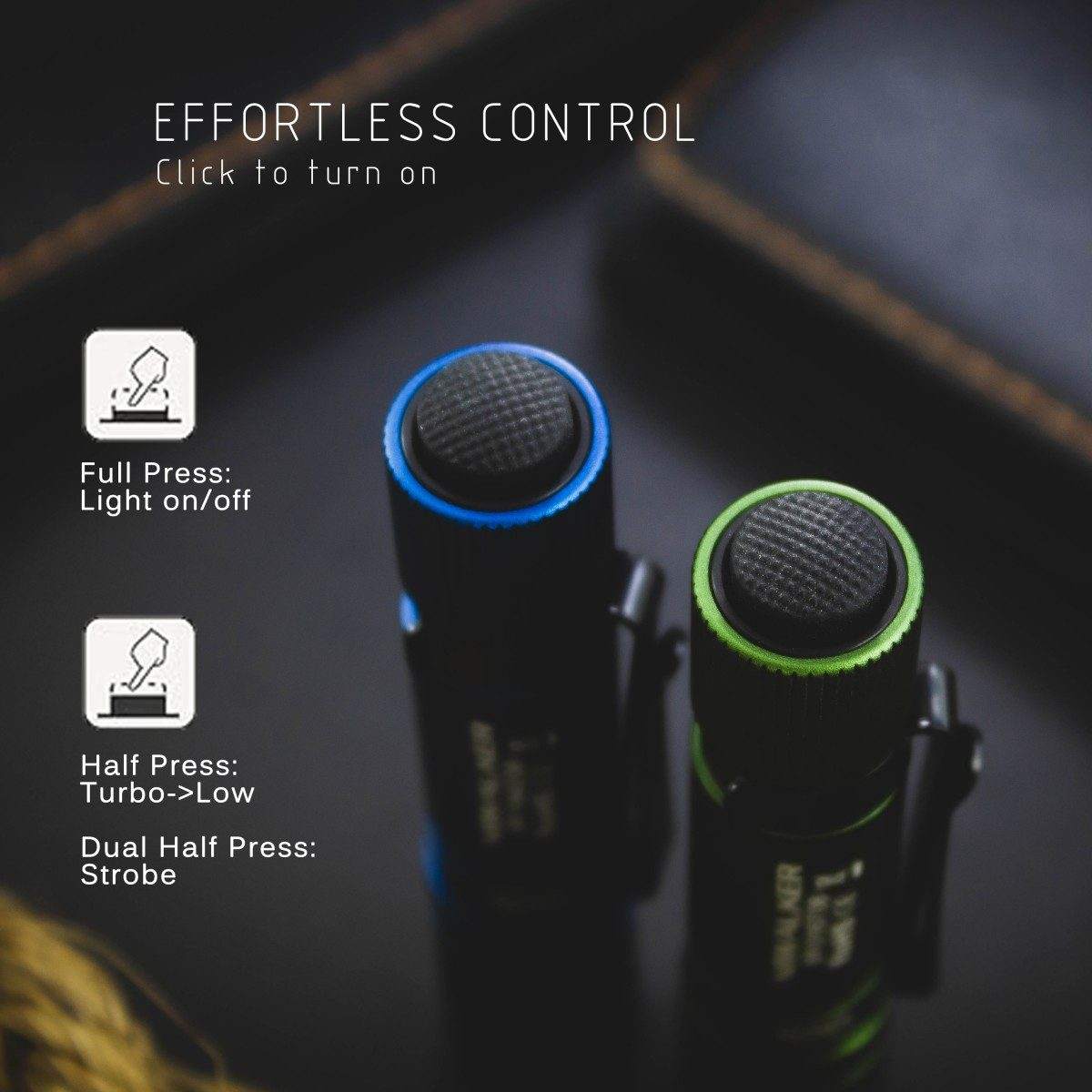
- Power On/Off: Single-click the tail switch to turn the light on or off.
- Momentary On: Soft press (without fully clicking) the button for momentary illumination. Release the button to turn off.
- Change Modes (High-Low): When the flashlight is on, quickly press and click the switch to cycle through High and Low brightness modes.
- Activate Strobe Mode: Quickly double soft press the button to activate strobe mode. To maintain strobe, fully press and click the button.

7. Charging Function
The Niwalker G09 features a convenient USB Type-C charging port.
- Connect Charger: Plug the provided USB Type-C cable into the flashlight's charging port and connect the other end to a USB power source.
- Initiate Charging: Ensure the flashlight is turned ON to allow charging.
- Indicator Status:
- A red indicator light means the flashlight is currently charging.
- A blue indicator light means the battery is fully charged.
- A purple indicator light suggests the battery has not been detected.
- Completion: Once fully charged (blue indicator), disconnect the charging cable.

8. Maintenance
- Cleaning: Clean the flashlight body with a soft, damp cloth. Do not use harsh chemicals or abrasives.
- Threads: Lubricate the O-rings and threads regularly with silicone grease to maintain water resistance and smooth operation.
- Battery Care: If the flashlight will not be used for an extended period, remove the battery to prevent potential leakage or damage. Store the battery in a cool, dry place.
- Lens: Keep the lens clean to ensure maximum light output. Use a lens cleaning cloth if necessary.
9. Troubleshooting
- Problem: Flashlight does not turn on or operate.
- Solution:
- Check if the battery insulating sheet has been removed.
- Ensure the battery is inserted correctly with the positive (+) end towards the head.
- Charge the battery fully.
- Check if the tail cap is screwed on tightly.
- Problem: Purple indicator light during charging.
- Solution: A purple light indicates that the battery has not been detected. Please check if the flashlight is turned ON or if the battery insulating sheet has been removed already. Ensure the battery is properly seated.
- Problem: Reduced brightness or short runtime.
- Solution: The battery may be low. Recharge the battery fully. If the issue persists, the battery may need to be replaced.
10. User Tips
- The Niwalker G09 is praised for its light weight and sturdy construction, making it an excellent choice for everyday carry.
- Its compact size allows it to be carried like a pen, fitting easily into pockets or bags.
- The dual-direction clip offers flexibility for attaching the flashlight to various items, such as a hat brim for hands-free use.

11. Safety Warnings
WARNING: Do Not Expose light to Human Eyes. The high intensity beam can cause temporary vision impairment or permanent eye damage.
- Keep out of reach of children.
- Do not disassemble the flashlight head as this may damage the LED or battery protection circuit.
- Use only the recommended 10440 Li-ion battery.
- Do not dispose of batteries in fire.
12. Warranty and Support
Warranty Policy:
- 15-Day Free Replacement: We offer free replacement within 15 days of purchase if any problems develop with normal use.
- 5-Year Limited Warranty: For issues beyond the 15-day free replacement period, we provide maintenance service for up to 5 years. The cost of parts and freight will be charged to the customer.
Contact Information:
For warranty claims, technical support, or any inquiries, please contact:
NIWALKER INTERNATIONAL Co., LtdTel: +86-0769-82050520
E-mail: sales@niwalkerlight.com
Web: www.niwalkerlight.com
Address: Building B, Yifeng industrial park, Yifeng road, Baida Industrial Estate, Baiguodong, Zhangmutou Town, Dongguan, China 523623
13. Product Video
Watch this official product video for a visual demonstration of the Niwalker G09 flashlight's features and operation.