
Introduction
Thank you for choosing the MINISO MS218 TWS Earbuds. These wireless headphones are designed to provide a superior audio experience with features like AI translation, HiFi stereo sound, ENC call noise reduction, and a comfortable semi-in-ear design with earhooks. This manual will guide you through the setup, operation, and maintenance of your new earbuds.

Overview of MINISO MS218 TWS Wireless Earphones and their key features.
Package Contents
Please check the box for the following items:
- 1 × Pair of Earbuds
- 1 × Charging Case
- 1 × USB-C Charging Cable
- 1 × Quick Start Guide
- 1 × Silicone Protective Case

What's included in the box.
Specifications
| Feature | Specification |
|---|---|
| Model Product | MS218 |
| Bluetooth Version | 6.0 |
| Effective Distance | Approx. 10m |
| Driver Diameter | 13mm |
| Impedance | 16Ω |
| Battery Life (Earbuds) | Up to 30 hours (with charging case) |
| Battery Capacity (Earbuds) | 300 mAh |
| Charging Time | ≈1.5 hours |
| Earphone Input | 5V 25mA |
| Material | Plastic, Silica Gel |
| Waterproof Rating | IPX5 |
| Microphone | Yes, with ENC Call Noise Reduction |
| Communication | Wireless (Bluetooth) |
| Connectors | Type C |
| Style | TWS Semi-In-Ear Headphones with Earhooks |
| Audio Codecs | AAC, sbc |
| Frequency Response Range | 20 - 20000Hz |
| Sensitivity | 28dB |
| Max Output | 10mW |
| Total Harmonic Distortion | 1% |
| Impedance Range | up to 32 Ω |
| Sound Isolating | No |

Detailed product parameters.
Setup and Installation
1. App Download & Installation
- Search and download the companion app from major app stores.
- Alternatively, scan the QR code provided in the Quick Start Guide or on the product packaging to install the app.
- After your phone connects to the earbuds via Bluetooth, go to the app's "Home" page and tap "Add New Device". Once the app connects successfully, you can start using it.

Wearing methods for comfortable fit.
2. Bluetooth Pairing
Initial Pairing:
- When there is no pairing record for the left and right earphones, they will automatically pair with each other after being turned on. After successful pairing, you will hear two beeps.
Reconnecting:
- When the left and right earphones have pairing records, they will automatically connect back to your device when turned on, and the prompt will sound "beep".
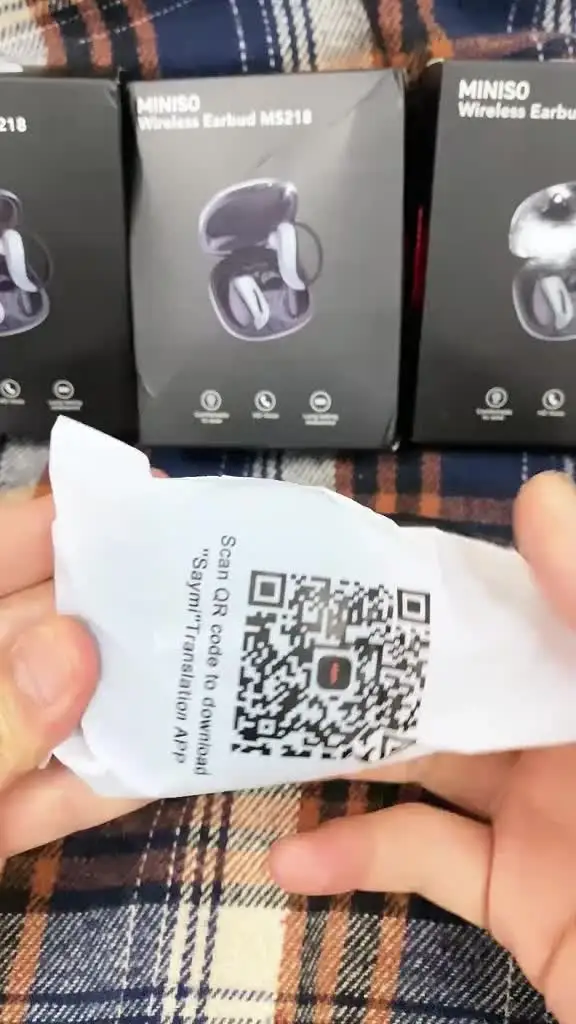
Video demonstrating the unboxing and proper fitting of the earbuds.
Operation
Touch Controls
The earbuds feature intelligent touch control for various functions:
- Power On/Off: Tap and hold for 3/5 seconds.
- Phone Mode: Single tap to answer/hang up calls (x1), double tap to reject (x2).
- Music Mode: Single tap to play/pause (x1), double tap for next track (x2), triple tap for previous track (x3).
- Volume Control: (Not explicitly detailed in provided content, typically involves taps or swipes).
- Voice Assistant: (Not explicitly detailed, but mentioned in description, typically involves a long press or specific tap sequence).
AI Translation Modes
The earbuds support 7 translation modes, adapting to different scenarios:
- Headphone + Phone Mode: Use earbuds for audio and phone for text display.
- Translation Machine Mode: Real-time translation for conversations.
- AI Chat Mode: Engage in AI-powered conversations.
- Free Talk Mode: Natural conversation flow with translation.
- Voice Note Mode: Transcribe spoken words into text.
- Photo Translation: Translate text from images.
- Real-Time Translation: Instantaneous translation during live interactions.

Multiple translation modes for seamless communication.

The app interface for selecting different translation modes.
Audio Features
- 3D Surround & Panoramic Spatial Audio: Experience immersive sound that makes music feel like a live concert.
- AI-controlled Intelligent Call Noise Reduction: Built-in high-definition microphone and ENC algorithm effectively filter out environmental and background noises for clear calls.

Experience immersive 3D Surround & Panoramic Spatial Audio.

AI-controlled intelligent call noise reduction ensures clear conversations.
Indicator Light Description
The earbuds and charging case use LED indicators to communicate status:
- Headset Turned On: White light flashes.
- Headset Turned Off: Red light stays on for 2 seconds, then turns off.
- Pairing Status: White light flashing.
- Connection Successful: No light.
- Headphone Charging: Red light stays on during charging. After being fully charged, the red light goes off.
- Charging Case Charging: The charging case display screen shows the battery level. When fully charged, the screen shows 100%. Note: The display will automatically turn off after about 30 seconds of inactivity. Sliding can re-enter the display screen.
Maintenance
To ensure the longevity and optimal performance of your MINISO MS218 TWS Earbuds, please follow these maintenance guidelines:
- Cleaning: Regularly clean the earbuds and charging case with a soft, dry, lint-free cloth. Avoid using abrasive materials or harsh chemicals.
- Charging Contacts: Ensure the charging contacts on both the earbuds and the case are clean and free of debris to maintain a reliable connection.
- Storage: When not in use, store the earbuds in their charging case to protect them from dust, moisture, and physical damage.
- Temperature: Avoid exposing the earbuds to extreme temperatures (hot or cold) or direct sunlight for extended periods.
- Water Resistance: The earbuds are IPX5 waterproof, meaning they are resistant to splashes and sweat. Do not submerge them in water or expose them to heavy rain. Ensure they are dry before placing them back in the charging case.
Troubleshooting
Clear Bluetooth Pairing History / Reset Earphones
If you experience issues with pairing or reconnection, you may need to clear the Bluetooth pairing history or reset the earphones:
- Clear Device History: On your phone or device, go to Bluetooth settings and "forget" or "unpair" the MINISO MS218 earbuds.
- Reset Earbuds: If the earphones fail to pair or reconnect to each other, reset them by tapping both earphones five times simultaneously. Note: Resetting the earphones will clear the Bluetooth pairing history.
Common Issues & Solutions
- No Sound: Ensure earbuds are charged, connected to your device, and volume is up. Check if media is playing on your device.
- One Earbud Not Working: Try placing both earbuds back in the case, closing it, and then reopening to re-establish connection. If issue persists, perform a reset.
- Connection Drops: Ensure you are within the effective Bluetooth range (approx. 10m) and there are no significant obstructions. Fully charge both earbuds and your device.
- Charging Issues: Clean the charging contacts on both earbuds and the case. Ensure the charging cable is securely connected to a power source.
Warranty and Support
For detailed warranty information and customer support, please refer to the official product documentation. A comprehensive user manual in PDF format is available for download. You can access the PDF manual here.
For further assistance, please contact MINISO customer service or visit their official website.