
1. Introduction
The PARD Leopard 480/640 Thermal Imaging Monocular is a high-performance handheld device designed for observation, hunting, and other outdoor activities. It features advanced thermal imaging technology, allowing users to detect heat signatures in various environments. This manual provides essential information for the safe and effective use of your monocular, including setup, operation, maintenance, and troubleshooting.
2. What's in the Box
Upon opening the product packaging, please verify that all items listed below are present and in good condition:
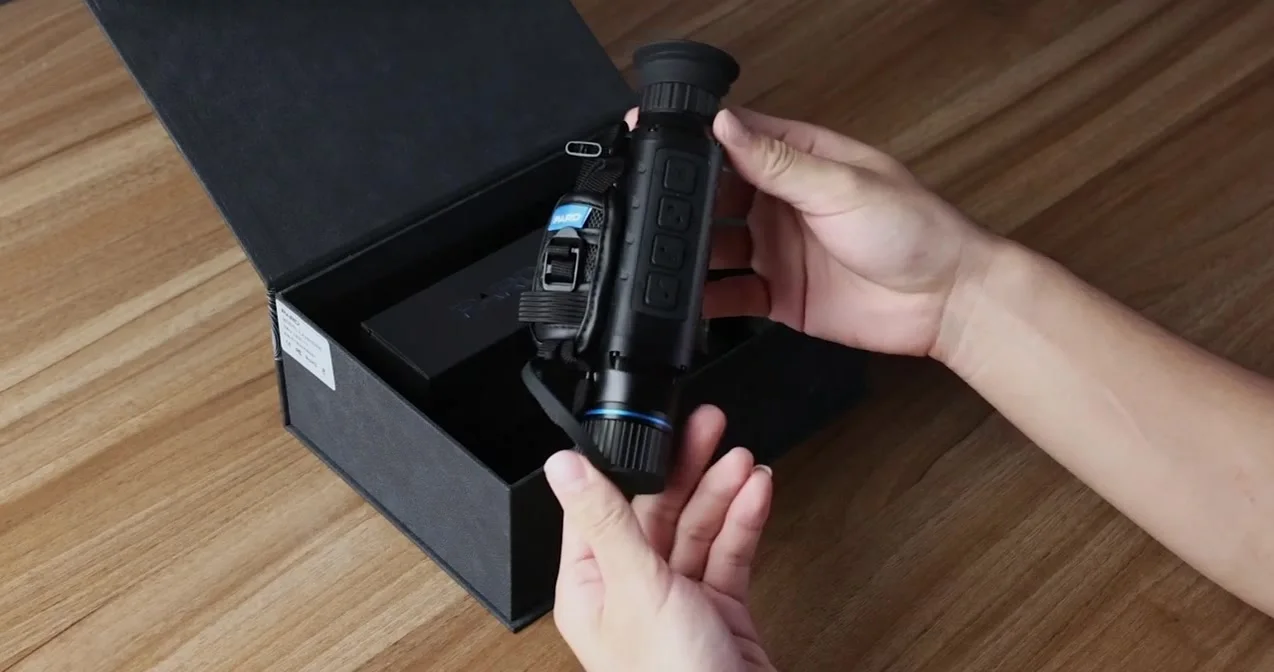
Video: Unboxing and initial setup of the PARD Leopard Thermal Imaging Monocular.
- PARD Leopard Thermal Imaging Monocular
- User's Manual
- After-Sales Card (Warranty Card)
- Lanyard
- Type-C Cable
3. Setup
3.1 Battery Installation
- Locate the battery compartment on the device.
- Press the battery button to open the battery compartment.
- Remove the battery. If it's a new battery, remove the insulating tape from the battery terminals.
- Insert the 18650 Lithium Ion battery into the compartment, ensuring correct polarity.
- Close the battery compartment securely.
3.2 Powering On/Off
- To power on: Press and hold the Power Button (usually marked with a power symbol) until the PARD logo appears in the eyepiece.
- To power off: Press and hold the Power Button until the device shuts down.
3.3 Focusing
Proper focusing is crucial for a clear image. The monocular features two focusing adjustments:
- Diopter Focusing: Adjust the eyepiece ring (diopter) to achieve a sharp image of the internal display elements (e.g., reticle, icons). This compensates for individual eyesight differences.
- Objective Lens Focusing: Rotate the objective lens ring to bring the observed target into sharp focus. This adjusts for different distances to the target.

Image: Front view of the PARD Leopard Thermal Imaging Monocular.

Image: Top view of the PARD Leopard Thermal Imaging Monocular showing control buttons.
4. Operating the Monocular
4.1 Basic Controls
The monocular features several buttons for navigation and function control. Refer to the device's top panel for button layout.
- Power Button: Powers the device on/off.
- Menu Button: Accesses the main menu for settings adjustments.
- Navigation Buttons (Up/Down/Left/Right/OK): Used to navigate through menu options and adjust settings.
- Zoom Button: Adjusts the digital zoom level (2x, 4x, 6x, 8x).
- Record Button: Initiates/stops video recording or takes a photo.
4.2 Thermal Imaging Modes
The monocular offers various thermal imaging modes (color palettes) to suit different observation conditions. These typically include:
- White Hot: Hot objects appear white.
- Black Hot: Hot objects appear black.
- Red Hot: Hot objects appear red.
- Fusion/Rainbow: Displays a spectrum of colors based on temperature differences.
Consult the on-screen menu for specific mode selection and customization.
4.3 Photo and Video Recording
The PARD Leopard monocular can capture high-resolution photos and videos.
- To take a photo: Briefly press the Record Button.
- To record video: Press and hold the Record Button to start recording. Press again to stop.
- Captured media is stored on a microSD card (not included, typically) and can be accessed via the Type-C cable or by removing the card.
4.4 Picture-in-Picture (PIP) Function
The Picture-in-Picture (PIP) function allows for a magnified view of the central area of the image to be displayed in a small window on the screen, while retaining the full field of view. This is useful for detailed observation without losing situational awareness.
5. Maintenance
- Cleaning: Use a soft, lint-free cloth to clean the lenses and body of the monocular. For stubborn dirt on lenses, use a specialized lens cleaning solution and cloth.
- Storage: Store the device in a cool, dry place, away from direct sunlight and extreme temperatures. Remove the battery if storing for extended periods.
- Battery Care: Use only recommended 18650 Lithium Ion batteries. Do not expose batteries to high temperatures or physical damage.
6. Troubleshooting
- Device won't power on: Ensure the battery is correctly installed and charged. Check if the insulating tape has been removed from new batteries.
- Image is blurry: Adjust both the diopter and objective lens focusing rings until the image is sharp.
- No image in eyepiece: Check if the device is powered on. Ensure the lens cap is removed.
- Short battery life: Ensure the battery is fully charged. Operating in very cold conditions can reduce battery performance.
7. Specifications
| Feature | Specification |
|---|---|
| Model Number | Leopard 480/640 Thermal Imaging Monocular |
| Leopard 480 Sensor Resolution | 480*360px |
| Leopard 640 Sensor Resolution | 640*512px |
| Objective Lens | 25/35mm (optional) |
| Digital Zoom | 2/4/6/8x |
| Display Resolution | 1920*1080px |
| Photo Resolution | 1440*1080px |
| Video Resolution | 1440*1080px |
| Battery Type | Lithium Ion 18650*1 |
| Origin | Mainland China |
| Package Dimensions (L x W x H) | 23 cm x 13 cm x 9 cm |
| Package Weight | 1.5 kg |
8. User Tips
- This monocular is designed for handheld use. While versatile, it is not intended for rifle mounting.
- The Leopard 480/640 series does not include a Laser Range Finder (LRF).
9. Warranty and Support
PARD products are backed by a manufacturer's warranty. Please refer to the After-Sales Card included in your package for specific warranty terms and conditions.
For technical support or service inquiries, please contact your local PARD service center. Service centers are available in various regions including Australia, China, United States, Poland, and Hong Kong.

Image: PARD Service Center locations and warranty details. Night vision products have a 2-year warranty, thermal imaging products have a 3-year warranty.