
1. Introduction
The JJRC Robotic Dog D1 is an intelligent, remote-controlled electronic pet designed to be a companion toy with multiple interaction modes and programmable features. It offers intelligent speech recognition, various actions, and an engaging play experience for children.
Safety Warning: Not suitable for children under 36 months due to small parts.
2. Package Contents
- 1 x JJRC Robotic Dog D1 (Silver or Pink)
- 1 x 2.4GHz Remote Control
- 1 x USB Charging Cable
- 1 x User Manual
3. Specifications
| Parameter | Detail |
|---|---|
| Name | AI Intelligent Robot Dog |
| Color Options | Silver, Pink |
| Product Material | ABS + Electronic Components |
| Battery Type | Module Battery (Lithium battery, included) |
| Usage Time | Approximately 60 minutes |
| Charging Time | Approximately 120 minutes |
| Dimensions (L x W x H) | 31 cm x 16.5 cm x 23.5 cm |
| Recommended Age | 3-6 Years, 6-12 Years |
| Features | Remote Control, Voice Command, Programming, Multiple Expressions, Singing, Dancing, Handshake, Push-ups, Jump, Swim, Lie Down, Act Cute, Greet, Bless, Kung Fu, Turn Over, Urinate, Handstand, Study, Song |
 Image: Detailed product parameters and function list.
 Image: Diagram showing the dimensions of the robot dog.
4. Setup
4.1 Charging the Robot Dog
- Locate the charging port on the robot dog.
- Connect the USB charging cable to the robot dog's charging port.
- Connect the other end of the USB cable to a standard USB power adapter (not included) or a computer's USB port.
- The charging indicator light will illuminate.
- Charge for approximately 120 minutes until fully charged.
 Image: Close-up of the robot dog's charging port.
4.2 Remote Control Battery Installation
- Open the battery compartment on the back of the remote control.
- Insert 2 x AAA batteries (not included), ensuring correct polarity (+/-).
- Close the battery compartment securely.
4.3 Powering On/Off
- To power on the robot dog, slide the power switch located on its underside to the 'ON' position.
- To power on the remote control, press the power button.
- To power off, reverse the steps.
4.4 App Download and Connection
For enhanced control and features, download the dedicated mobile app:
- Scan the QR code provided in the manual or search for 'XHY' in the Apple App Store or Google Play Store.
- Install the app on your smartphone.
- Ensure Bluetooth is enabled on your phone.
- Open the app and follow the on-screen instructions to connect to your Robotic Dog D1 via Bluetooth.
 Image: Instructions for downloading the mobile app and screenshots of the app interface for RC operation and programming.
5. Operating Instructions
5.1 Remote Control Functions
The 2.4GHz remote control allows for various movements and actions. Refer to the diagram below for button functions:
 Image: Diagram of the 2.4GHz remote control with labeled buttons for various actions like Forward, Backward, Turn Left/Right, Stop, Program, Voice, Jump, Greet, Bless, Turn Over, Pee, Kung Fu, Sit Down, Act Cute, Lie Down, Handshake, Swim, Dance, Learn, Song.
- **Movement:** Use the directional buttons for Forward, Backward, Turn Left, Turn Right.
- **Stop:** Press the 'Stop' button to halt all actions.
- **Actions:** Press dedicated buttons for actions such as Sit Down, Handshake, Push-ups, Jump, Swim, Dance, Greet, Bless, Kung Fu, Turn Over, Pee, Act Cute, Lie Down.
- **Programming:** Enter programming mode using the 'Program' button.
- **Voice:** Activate voice command mode.
- **Learn/Song:** Engage learning or song modes.
Image: The robot dog demonstrating actions such as sitting down, performing a handshake, and doing push-ups.
 Image: Visual examples of multiple action instructions including Greet, Handstand, Sit down, Pee, Act cute, and Push-up.
 Image: The robot dog demonstrating precise and joyful movements, highlighting its agility.
5.2 Voice Command Control
The Robotic Dog D1 responds to specific voice commands. To activate voice control:
- Ensure the robot dog is powered on.
- Call out "Lumi Lumi" to wake up the robot dog.
- Once the robot dog responds, say the desired command.
Available Voice Commands:
- Forward, Backward, Turn Left, Turn Right, Stop
- Programming, Voice Command, Multiple Expressions
- Greeting, Blessing, Kung Fu, Sit Down, Turn Over
- Shake Hands, Jump, Be Cute, Lie Down, Urinate
- Handstand, Swimming, Dancing, Push-ups, Study, Song
 Image: Instructions for voice command control, showing the wake-up phrase "Lumi Lumi" and a list of recognized commands.
5.3 Programming Mode
Customize the robot dog's actions using the programming mode:
- Press the 'Program' button on the remote control or select 'Programming' in the mobile app.
- Input a sequence of desired actions (e.g., Sit Down, Swim, Handstand, Kung Fu, Turn Over).
- Press 'Play' to execute the programmed sequence.
- Use 'Delete' to clear the programmed actions.
 Image: Visual representation of the free programming feature, showing various actions that can be programmed.
5.4 Interactive Features
- **Expressions:** The robot dog can display various cute expressions on its LED screen to convey different moods.
- **Singing & Dancing:** Enjoy pre-programmed songs and dance routines.
- **Handshake:** The robot dog can perform a bionic handshake.
 Image: The robot dog's LED screen displaying various cute expressions.
 Image: The robot dog performing an intelligent simulation bionic handshake.
 Image: The robot dog in a dynamic pose, indicating singing and dancing capabilities.
5.5 Product Demonstration Video
Watch the official product demonstration video to see the Robotic Dog D1 in action:
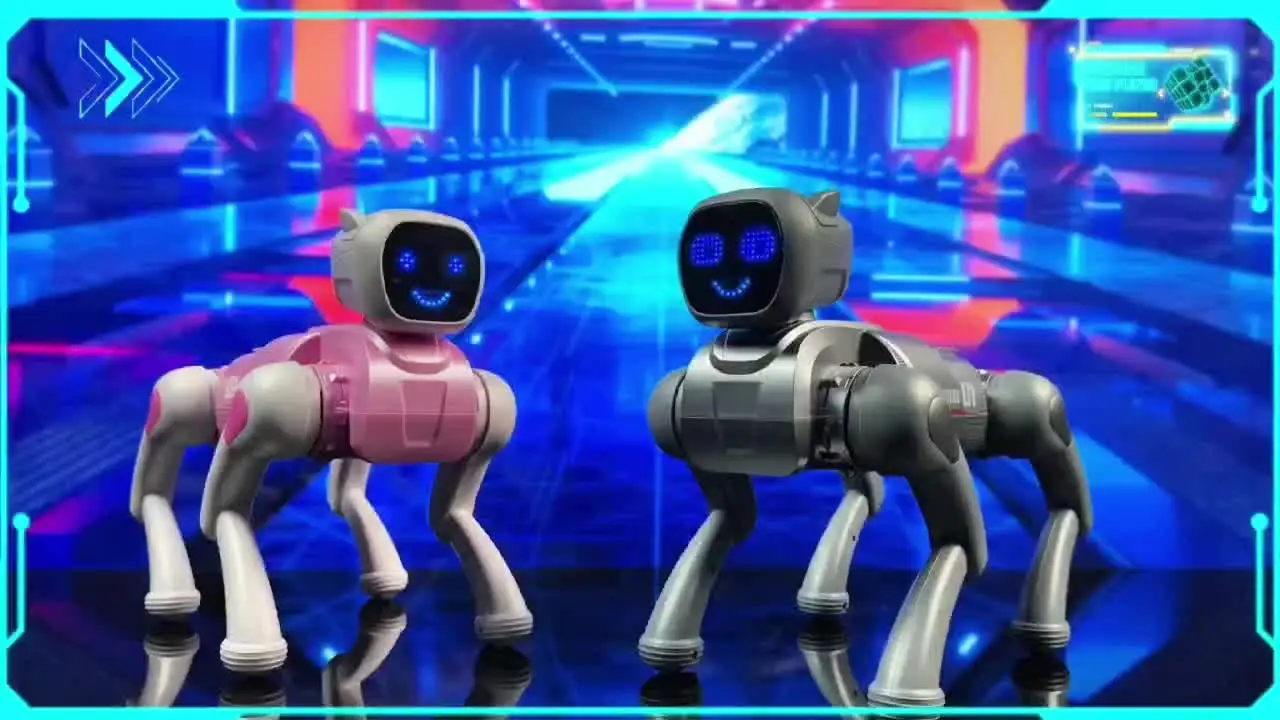
Video: A comprehensive demonstration of the JJRC Robotic Dog D1's features, movements, and interactive capabilities.
6. Maintenance
- **Cleaning:** Use a soft, dry cloth to wipe the robot dog. Do not use water or cleaning agents as they may damage electronic components.
- **Storage:** When not in use for extended periods, power off the robot dog and remote control. Store in a cool, dry place away from direct sunlight.
- **Battery Care:** Fully charge the robot dog's battery before long-term storage to prolong its lifespan. Remove batteries from the remote control if not used for a long time.
7. Troubleshooting
- **Robot not responding:** Ensure both the robot dog and remote control are powered on and fully charged. Check if the remote control batteries are correctly installed.
- **Short battery life:** Ensure the robot dog is fully charged for the recommended 120 minutes. Battery performance may decrease over time with repeated use.
- **Voice commands not recognized:** Speak clearly and at a moderate volume. Ensure there is no excessive background noise. Make sure to say "Lumi Lumi" to activate voice command mode first.
- **App connection issues:** Ensure Bluetooth is enabled on your device and the robot dog is powered on. Try restarting both the app and the robot dog.
8. User Tips
- **Optimal Play Area:** For best performance, operate the robot dog on flat, hard surfaces. Avoid thick carpets or uneven terrain.
- **Creative Programming:** Encourage children to experiment with the programming function to create unique action sequences, fostering creativity and problem-solving skills.
- **Voice Interaction:** Practice voice commands in a quiet environment to improve recognition accuracy.
- **Costume Play:** The robot dog can be dressed up in various costumes for added fun and personalization.
 Image: Robot dogs dressed in different costumes, demonstrating the customization aspect.
9. Warranty and Support
For any product-related inquiries, technical support, or warranty claims, please contact the seller or manufacturer directly. Refer to your purchase documentation for specific contact information.