
1. Introduction
The Turbionaire Trend Plus 100 WM is an advanced, multifunctional, economical, and quiet axial fan designed for efficient ventilation in various rooms. It is ideal for continuous air circulation and for removing moisture and unpleasant odors from bathrooms, kitchens, and other areas requiring ventilation. This fan features a minimalist design, perimeter extraction for enhanced efficiency, and flexible front plate alignment for both vertical and horizontal mounting.

Image: Turbionaire Trend Plus Extractor Fan with remote control and power plug.
2. Safety Information
Please read all safety instructions before installation and operation. Keep this manual for future reference.
- Ensure the power supply is disconnected before installation or maintenance.
- Installation should be performed by a qualified electrician in accordance with local wiring regulations.
- Do not operate the fan with a damaged cord or plug.
- This appliance is not intended for use by persons (including children) with reduced physical, sensory, or mental capabilities, or lack of experience and knowledge, unless they have been given supervision or instruction concerning use of the appliance by a person responsible for their safety.
- Children should be supervised to ensure that they do not play with the appliance.
- The fan is rated IPX4 Waterproof, providing moisture and splash protection for safer use in damp environments like bathrooms.

Image: Fan demonstrating IPX4 Waterproof rating, indicating moisture and splash protection.
3. Product Features
- DC Brushless Motor: Ensures ultra-low noise operation (as low as 35dB) and energy efficiency (Max 5.7W).
- 7 Speeds + Boost: Offers versatile ventilation options to suit different needs.
- Remote Control: Provides convenient control over fan functions, including power, speed, and air direction.
- Two-Way Ventilation: Capable of both exhausting stale air (OUT) and bringing in fresh air (IN).
- Check Valve: Prevents backflow of air when the fan is off.
- Timer Function: Includes 30-minute and 60-minute timer settings for automated operation.
- New Memory Function: The unit remembers its last operating state (speed, direction) before being switched off and resumes in the same state when powered on again.
- Durable Material: Made from heat-resistant ABS plastic, ensuring durability and preventing deformation.
- Easy to Clean: Designed for hassle-free cleaning and maintenance.

Image: Illustration of the fan's two-way ventilation capability, showing fresh air intake and stale air exhaust.

Image: Fan operating with remote control, illustrating the memory function and three-speed settings (Low, Medium, High).

Image: Visual representation of the fan's ultra-low noise operation (35dB) and its DC Brushless Motor.

Image: Key features including IPX4 Waterproof, Heat-Resistant ABS material, and ease of cleaning.
4. Specifications
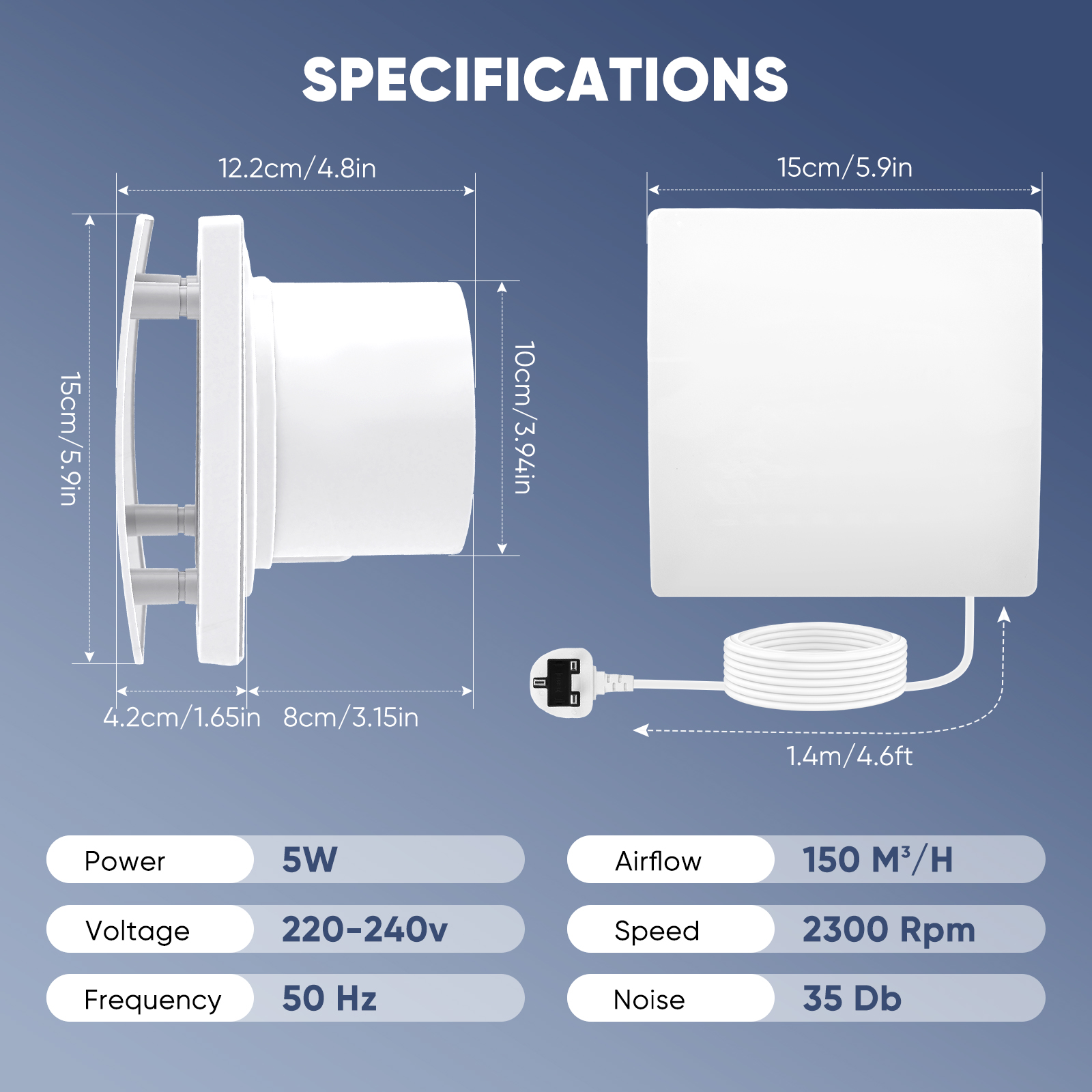
Image: Detailed specifications including power, voltage, frequency, airflow, speed, noise, and physical dimensions.
| Feature | Specification |
|---|---|
| Power Source | DC |
| Voltage | 220-240V |
| Frequency | 50 Hz |
| Max Power Consumption | 5.7W |
| Airflow | 150 M³/H |
| Speed | 2300 Rpm |
| Noise Level | 35 dB |
| Duct Diameter | 100mm (approx. 3.94 inches) |
| Front Panel Dimensions | 15cm x 15cm (5.9in x 5.9in) |
| Mounting Depth | 4.2cm (1.65in) |
| Total Depth (including duct) | 12.2cm (4.8in) |
| Protection Rating | IPX4 Waterproof |
| Material | Heat-Resistant ABS |
5. Installation
The Turbionaire Trend Plus fan can be mounted on both walls and ceilings. Follow these steps for installation:
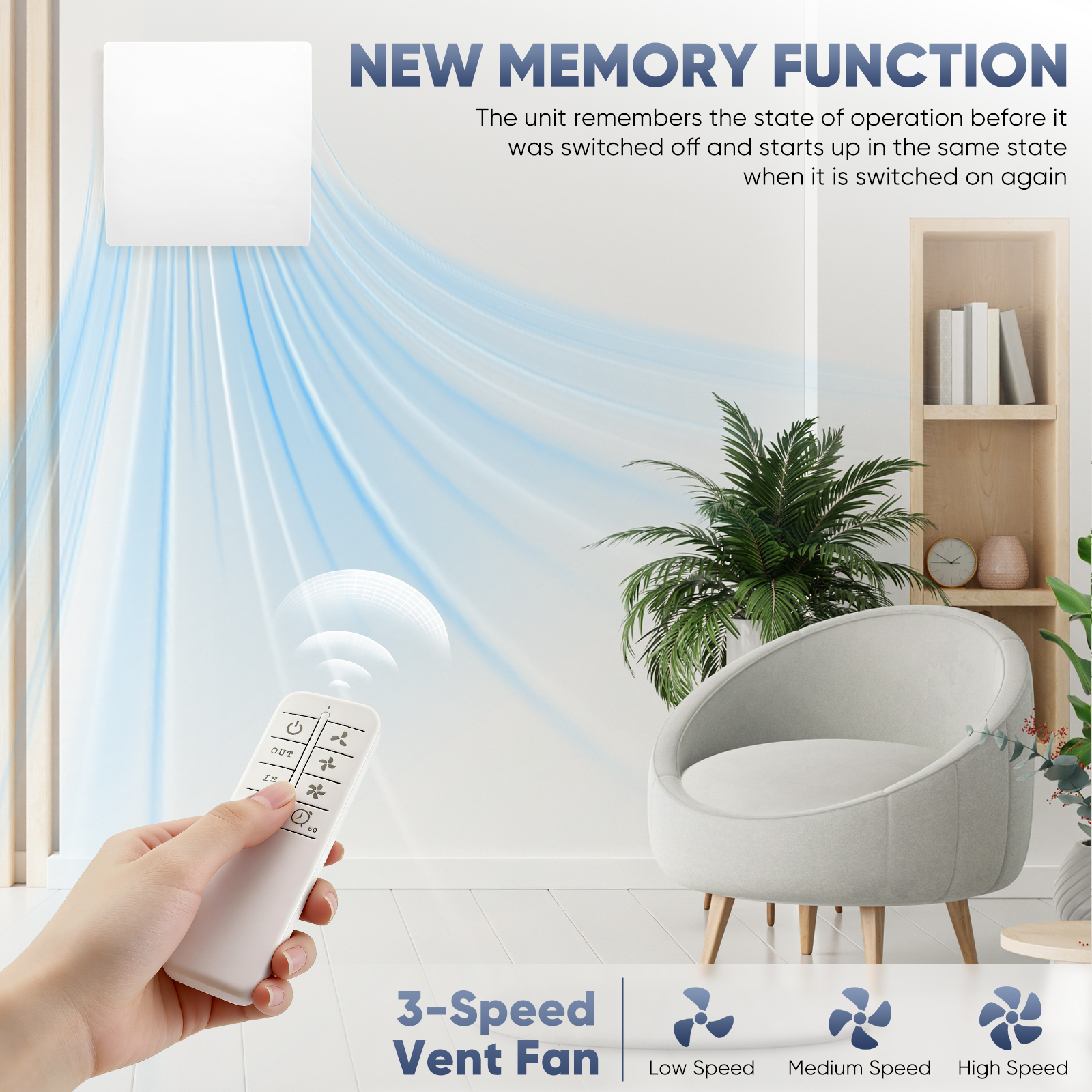
Image: Step-by-step diagram for fan installation.
- Prepare the Opening: Make a round hole in the wall or ceiling with a diameter of approximately 15.24 cm (6 inches).
- Secure the Fan Body: Insert the fan's duct into the prepared hole. Secure the main body of the vent fan to the wall or ceiling using appropriate screws.
- Install Filter and Panel: If using an optional filter, install it into the fan unit. Then, attach the vent fan panel to the main body.
- Connect Power and Test: Connect the power cable to the electrical supply. Use the remote control to operate the vent fan and ensure it functions correctly.
The fan is suitable for various scenarios including bathrooms, kitchens, living rooms, and bedrooms.
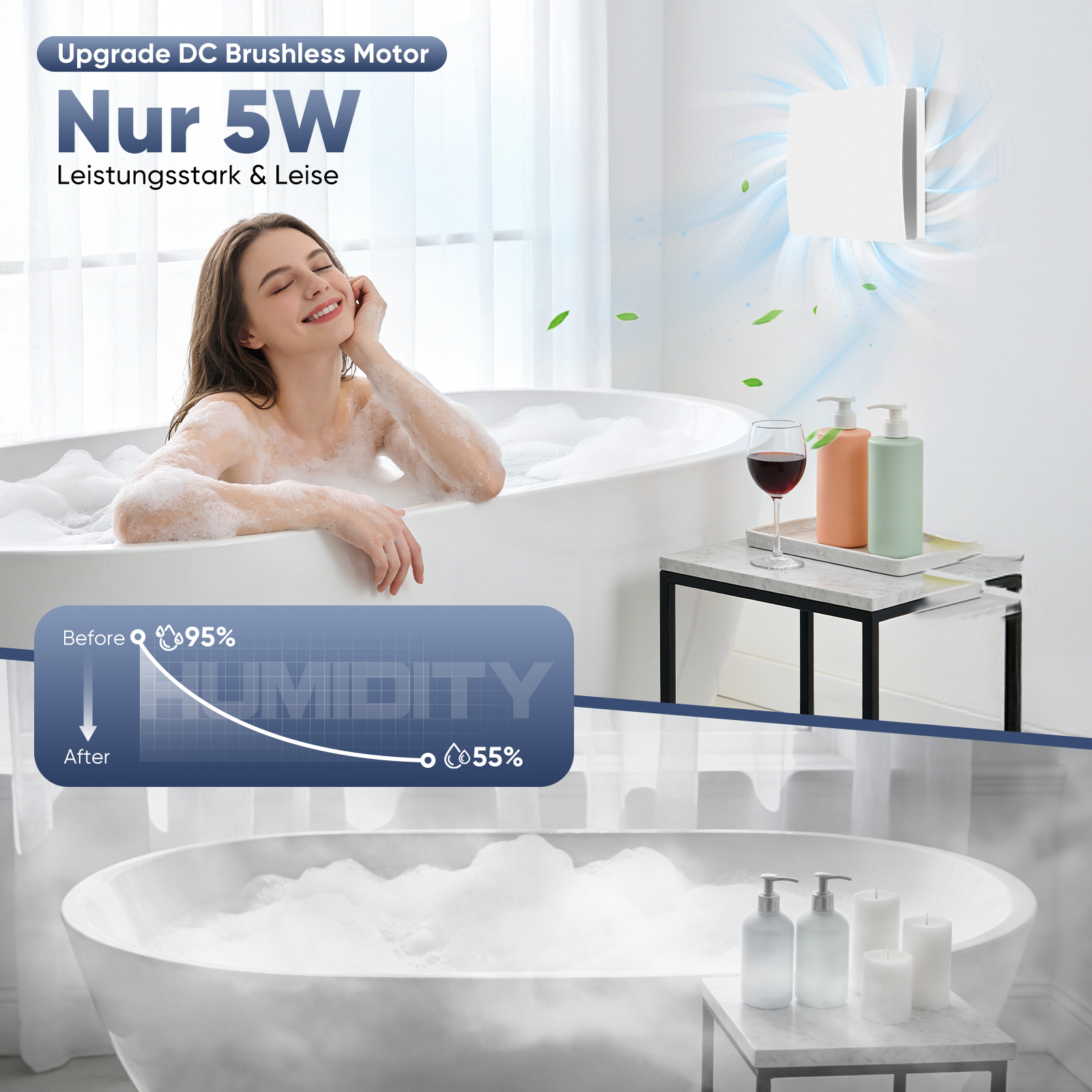
Image: Visual examples of the fan installed in various household environments.
6. Operation
The Turbionaire Trend Plus fan is operated using the included remote control. Ensure the fan is connected to a power source.
Remote Control Functions:
- Power Button: Turns the fan ON/OFF.
- Fan Speed Button: Cycles through available fan speeds (e.g., Low, Medium, High, Boost). The fan offers 7 speeds.
- OUT Button: Sets the fan to exhaust stale air from the room.
- IN Button: Sets the fan to bring fresh air into the room.
- 30 Button: Activates a 30-minute timer. The fan will run for 30 minutes and then turn off.
- 60 Button: Activates a 60-minute timer. The fan will run for 60 minutes and then turn off.
Memory Function:
The fan is equipped with a memory function. It will recall the last operating state (speed and air direction) before it was switched off and will resume in that exact state when it is switched on again.
7. Maintenance
Regular cleaning ensures optimal performance and longevity of your extractor fan.
- Cleaning the Exterior: The fan's surface is designed to be easy to clean. Use a soft, damp cloth to wipe down the exterior. Avoid abrasive cleaners or solvents.
- Cleaning the Interior/Fan Blades: Periodically, disconnect the power supply and carefully remove the front panel. Gently wipe the fan blades and interior surfaces to remove dust and debris. Ensure all parts are dry before reassembling and reconnecting power.

Image: Demonstrating the easy-to-clean surface of the exhaust fan.
8. Troubleshooting
If you encounter issues with your Turbionaire Trend Plus fan, please refer to the following common troubleshooting steps:
- Fan does not turn on:
- Check if the fan is properly connected to the power supply.
- Ensure the power outlet is functional.
- Verify that the remote control batteries are not depleted. - Fan is noisy or vibrating excessively:
- Ensure the fan is securely mounted and all screws are tightened.
- Check for any obstructions (e.g., debris, loose wiring) in or around the fan blades.
- The fan is designed for ultra-low noise (35dB); if noise is significantly higher, contact support. - Airflow is weak:
- Check if the fan blades or air ducts are obstructed by dust or debris. Clean as per maintenance instructions.
- Ensure the fan is set to an appropriate speed setting. - Remote control not working:
- Replace the batteries in the remote control.
- Ensure there are no obstructions between the remote control and the fan's receiver. - Fan does not remember settings:
- Ensure the fan is powered off correctly (not just unplugged) for the memory function to save settings.
If the problem persists after attempting these steps, please contact customer support.
9. User Tips
- Optimal Placement: For best results in bathrooms, install the fan near the shower or bath to effectively remove moisture. In kitchens, place it strategically to extract cooking odors and steam.
- Utilize Two-Way Ventilation: Use the 'IN' function to bring in fresh air, especially in rooms that feel stuffy, and the 'OUT' function for rapid extraction of odors or humidity.
- Timer for Convenience: Use the 30-minute or 60-minute timer functions for automatic shut-off after showering or cooking, saving energy and ensuring proper ventilation.
- Regular Cleaning: A clean fan operates more efficiently and quietly. Adhere to the maintenance schedule to prevent dust buildup.
10. Warranty and Support
For warranty information, technical support, or service inquiries, please refer to your purchase documentation or contact the seller directly. Keep your proof of purchase for any warranty claims.