
1. Product Overview
The ATK RS7 Air is a high-performance magnetic switch mechanical keyboard designed for professional players and gaming enthusiasts. It features a 75% layout, RGB lighting, and customizable functions, offering precise control and a responsive typing experience.

2. Package Contents
Please check the package for the following items:
- ATK RS7 Air High-Performance Magnetic Switch Keyboard
- 2.3m Custom ATK Data Cable
- 4 Extra Switches (of the same type)
- Brand Personality Stickers
- Warranty Card
- Product Manual (this document)
- 3 Same Color PC Supplementary Keycaps
- Shaft Puller
- Space Sound-Absorbing Cotton
3. Setup and Connection
3.1 Before First Use
- Check the keyboard and all accessories for completeness and ensure no damage.
- For wireless models, ensure the built-in battery is charged. For wired connection, prepare the USB cable.
- Ensure the connected device (PC/laptop/tablet/smart TV) has an available USB port or Bluetooth function.
- Remove any protective film from the keyboard surface for optimal use.
3.2 Wired Connection
- Connect the USB cable (USB-C/USB-A) to the keyboard's charging/connection port.
- Connect the other end of the USB cable to an available USB port on your device.
- The system will automatically recognize and install the necessary drivers. The keyboard is plug-and-play.
- All keys support normal typing and shortcut functions, adhering to Windows/macOS system shortcut rules.
3.3 2.4G Wireless Connection
- Locate and remove the USB 2.4G receiver (it may be stored within the keyboard).
- Insert the USB 2.4G receiver into an available USB port on your device.
- Turn on the keyboard's power switch (usually located on the back or bottom of the keyboard).
- The keyboard will automatically pair with the receiver. The indicator light will stop flashing once successfully paired, and the keyboard will be ready for use.
3.4 Bluetooth Connection
- Turn on the keyboard's power switch.
- Press and hold the
FNkey + Bluetooth pairing key for 3-5 seconds until the Bluetooth indicator light flashes quickly, indicating it has entered pairing mode. - On your device, enable Bluetooth and search for the keyboard name (e.g., "Scyrox + Model").
- Select the keyboard from the list to complete the connection. The indicator light will remain steadily on after successful pairing.
- For multi-device Bluetooth keyboards, press the
FNkey + corresponding number key to switch between connected devices.
4. Operation
4.1 Backlight Adjustment
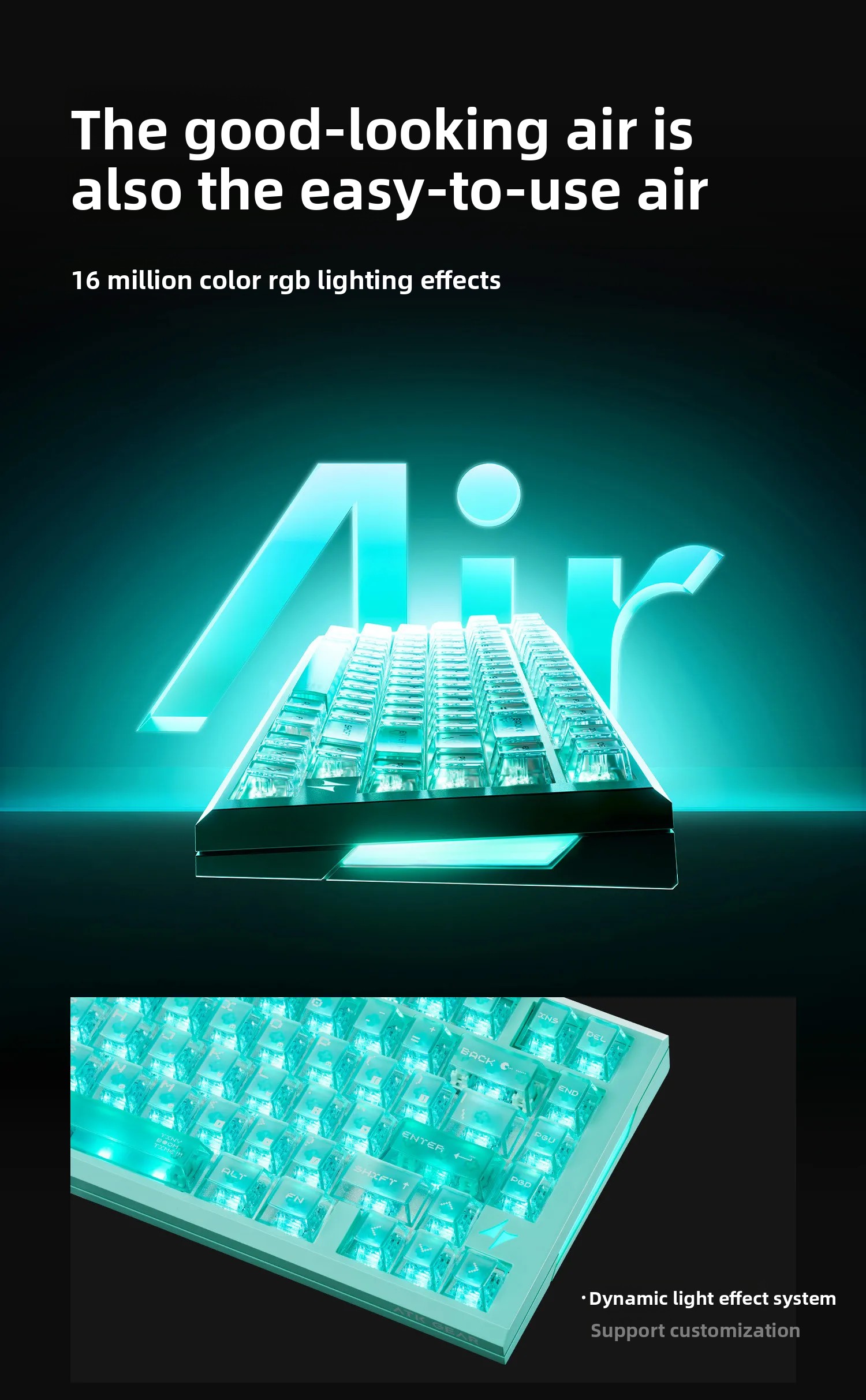
- Switch Backlight Effects: Short press the
FNkey + backlight key to cycle through various backlight effects (e.g., breathing, monochrome, static, rainbow). - Adjust Backlight Brightness: Long press the
FNkey + backlight key to cyclically adjust backlight brightness from bright to dark/off. - Some models may support single key backlight customization; refer to specific product prompts for details.
4.2 Charging (Rechargeable Wireless Keyboard)
- Connect the USB charging cable to the keyboard's charging port and the other end to a 5V USB power source (e.g., adapter, power bank, PC USB port).
- A red indicator light signifies charging.
- A blue/green indicator light (or the indicator turning off) signifies a full charge. Full charge typically takes 2-3 hours.
- The keyboard enters auto-sleep mode after 5-10 minutes of inactivity to conserve power. Press any key to wake it up quickly.
- A flashing red indicator light signals low battery; please charge promptly to avoid sudden power loss.
4.3 Ergonomic Footrest
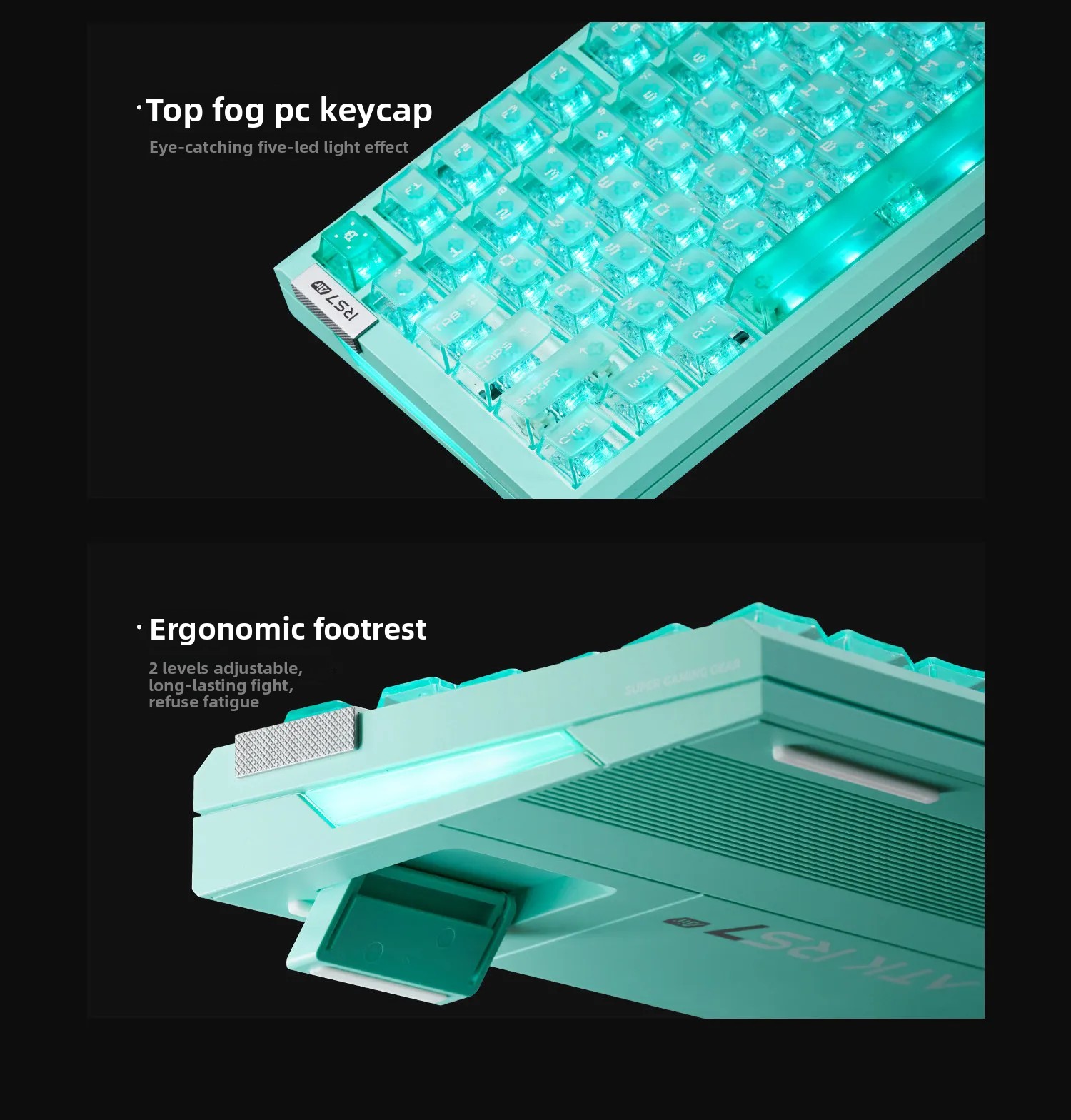
The keyboard features a 2-level adjustable ergonomic footrest to help reduce fatigue during long periods of use.
4.4 ATK Hub 3.0 Software

Utilize the ATK Hub 3.0 dual-terminal drive software for deep customization and interaction with your keyboard, including key modification functions, music rhythm settings, and champion presets.
5. Maintenance and Care
- For wireless keyboards, turn off the power switch when not in use for extended periods (more than 24 hours) to save battery power.
- Unplug the USB cable/receiver from your device and store the keyboard in a dry and clean place when not in use.
- Regularly wipe the keyboard surface with a soft, dry cloth. Avoid using wet cloths or cleaning agents to prevent liquid from entering the internal circuit.
- Do not place heavy objects on the keyboard to prevent key deformation and shell damage.
- Avoid placing the keyboard in humid, high-temperature, dusty environments, or under direct sunlight for prolonged periods.
- Dispose of the keyboard and its battery in accordance with local environmental protection regulations. Do not discard as household waste.
6. Troubleshooting
- Unstable Operation: If the light brightness is set too high and the computer interface is underpowered, it may cause unstable operation. Please set the light brightness carefully.
- Overheating, Smoke, or Peculiar Smell: Immediately stop using the product if any of these occur.
- Key Damage/Circuit Failure: Avoid pressing keys with sharp or heavy objects.
- Low Battery: A flashing red indicator light means the battery is low. Charge the keyboard promptly.
- Keyboard Not Responding (Wireless): Ensure the USB receiver is properly inserted and the keyboard's power switch is on. If using Bluetooth, ensure it's paired correctly and the indicator light is solid.
7. Specifications

| Feature | Description |
|---|---|
| Brand Name | ATK |
| Model | RS7 Air |
| Interface Type | USB |
| Battery Included | Yes |
| Operation Style | Mechanical |
| Language | English |
| Keyboard Standard | 85 Keys (75% Layout) |
| Application | Desktop, Laptop |
| Type | 2.4Ghz Wireless, Wired |
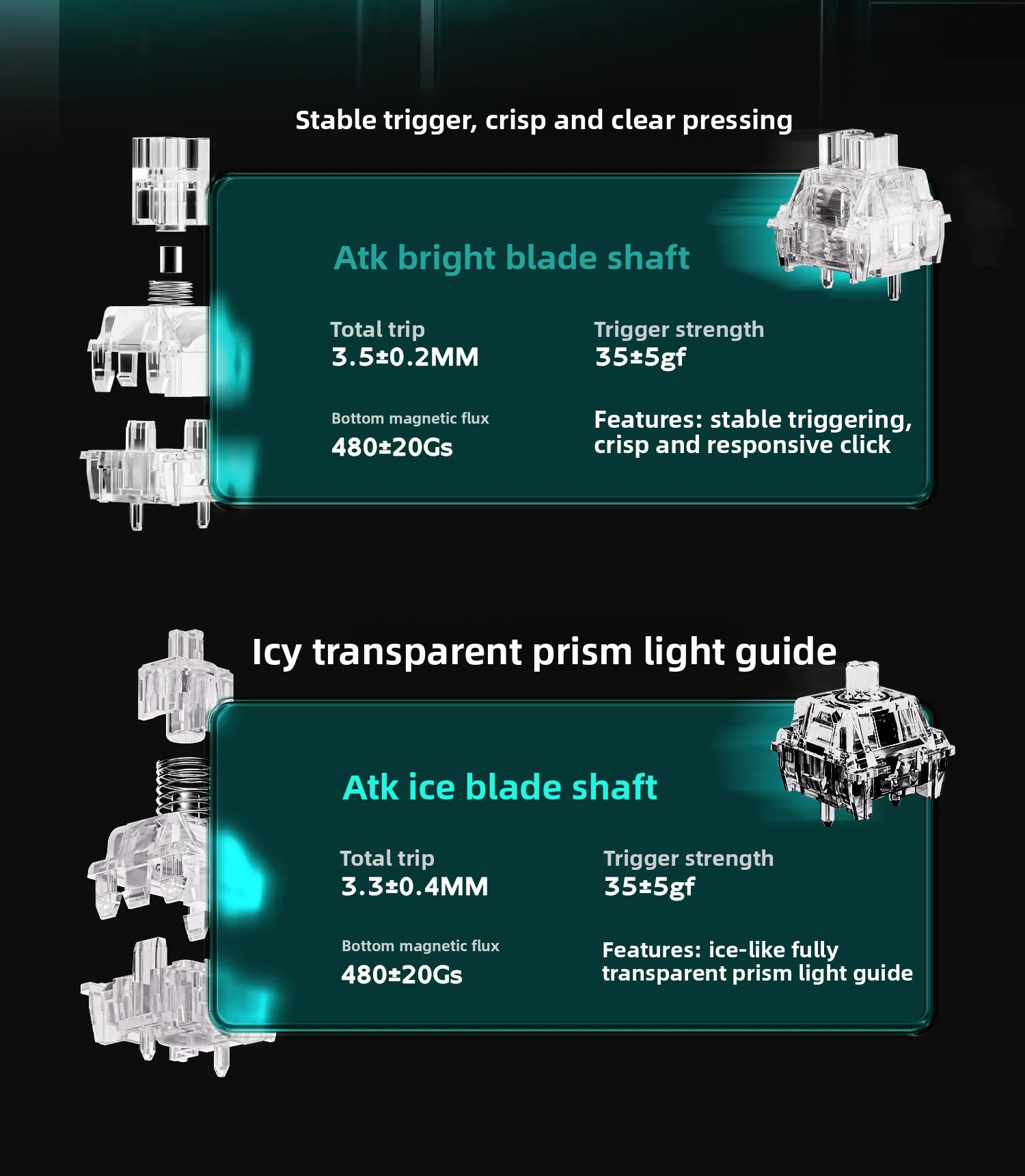
| Shaft Body Options | ATK Bright Blade Shaft, ATK Ice Blade Shaft |
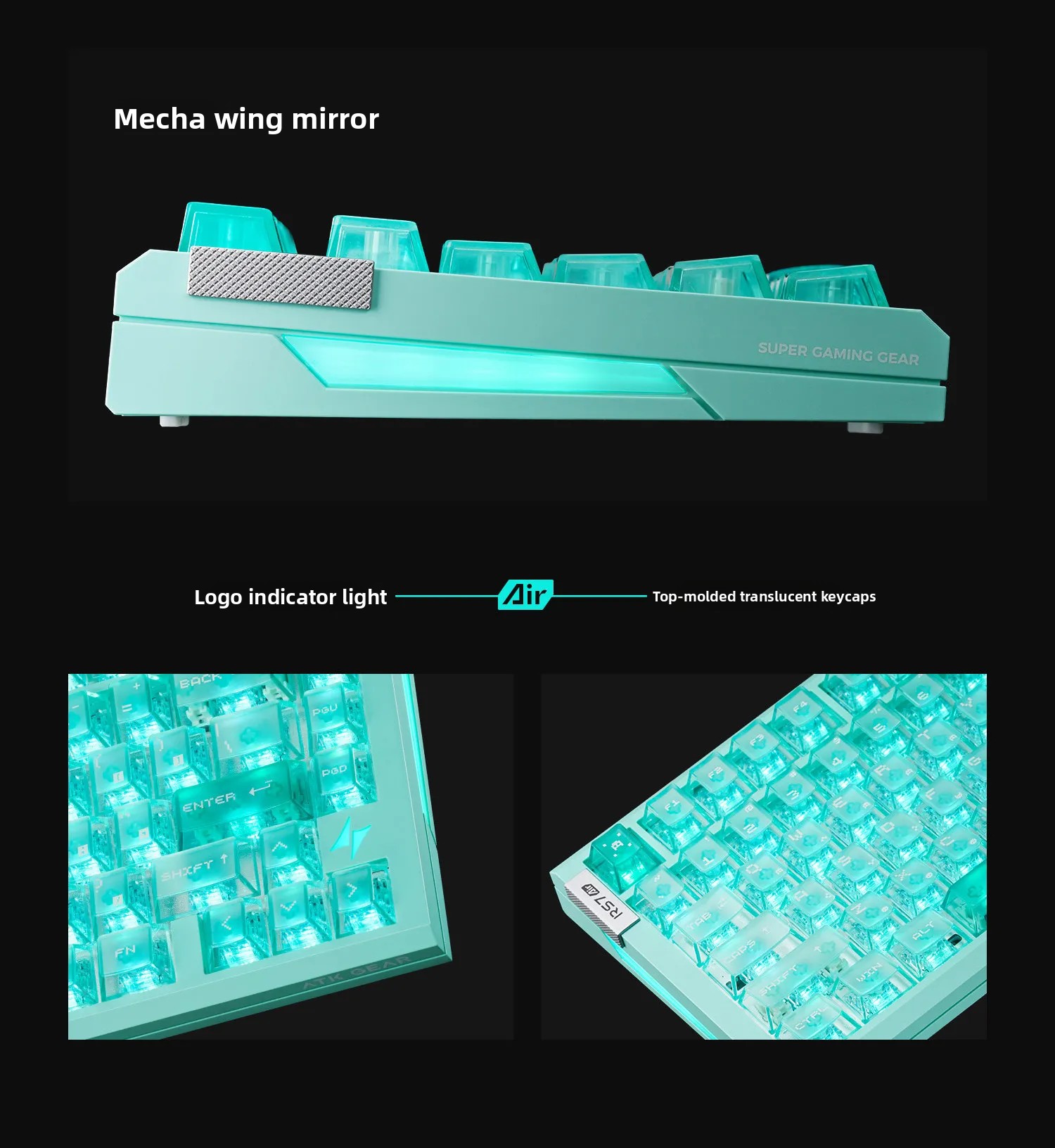
| Keycap Type | Top Fog PC Keycap |
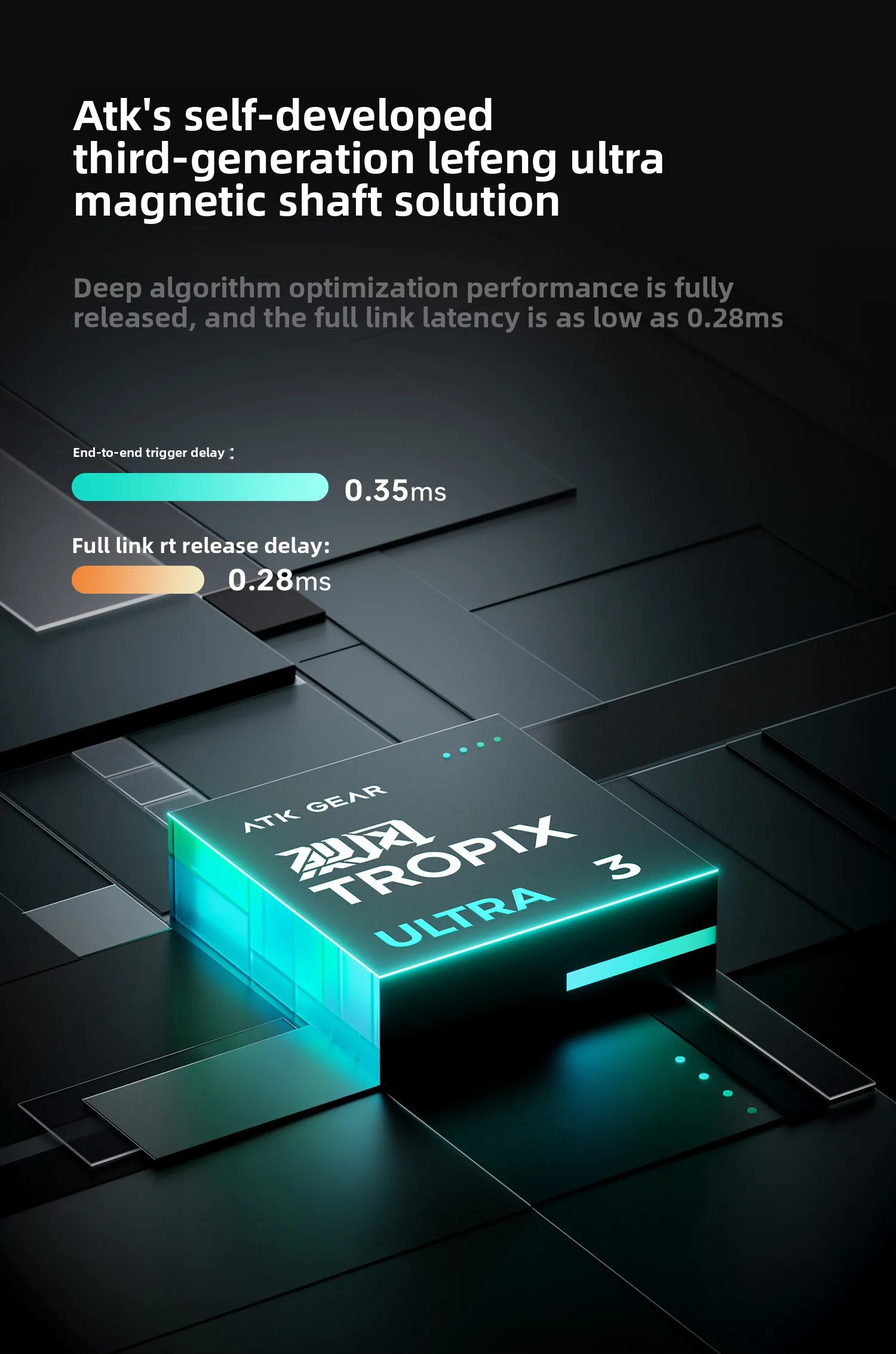
| Magnetic Axis Solution | ATK Third Generation Gale Ultra Magnetic Axis Solution |
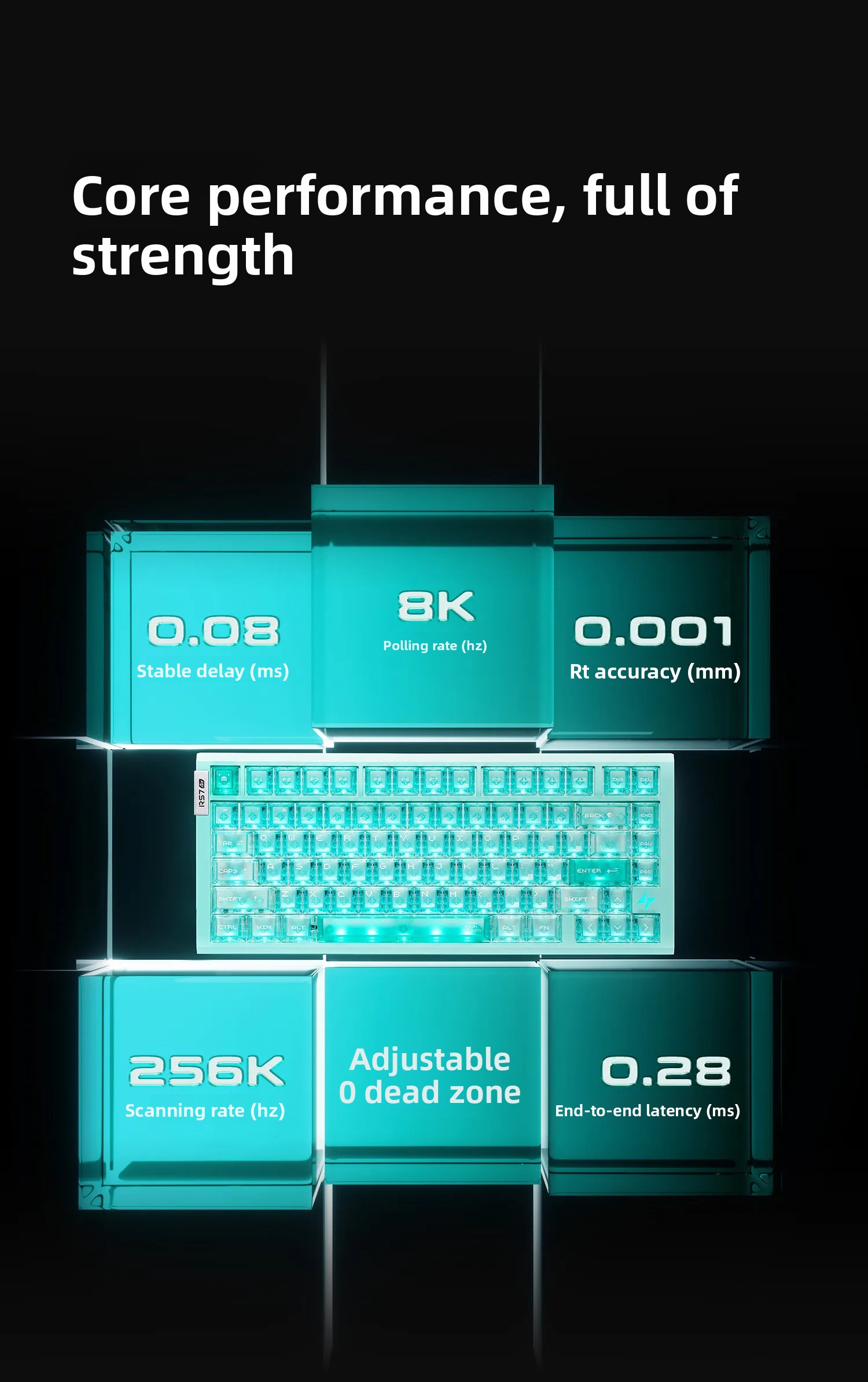
| Rt Adjustment Range | 0.001-3.3mm |
| Rt Adjustment Accuracy | 0.001mm |
| End-to-End Response Latency | 0.28ms |
| Transmission Delay | 0.08ms |
| Scanning Rate | 32k full key scanning rate, 256k single key scanning rate |
| Polling Rate | 8KHz |
| Connection Method | Wired, 2.4G Wireless, Bluetooth |
| Drive Software | ATK HUB 3.0 |
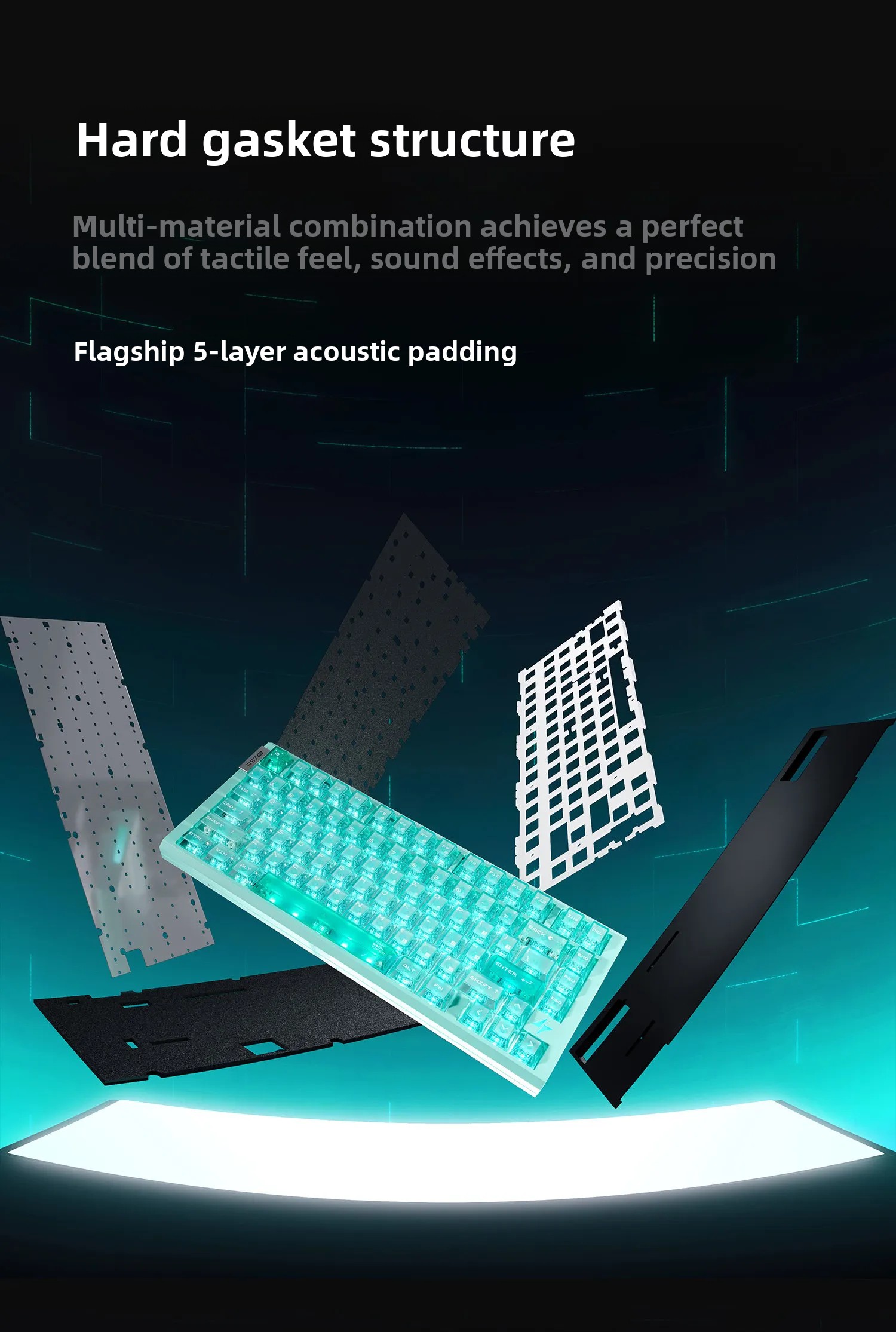
| Internal Filling | Silicone sandwich cotton/lxpe shaft pad/pet voice actor pad/epdm shaft seat cotton/bottom silicone filling |
| Positioning Plate | Aluminum positioning plate |
| Structure | Hard Gasket |
| Product Dimensions (L x W x H) | 35 cm x 15 cm x 10 cm |
| Product Weight | 1.7 kg |
8. User Tips
- Gaming Performance: For rhythm games, mastering quick keystrokes is key. In shooter games, configure and calibrate the keyboard properly for optimal performance.
- Responsive Keys: The keyboard is designed for a very light touch, with the very first contact being detected.
- Connection Method: The keyboard supports both wired and 2.4Ghz wireless connections. For the fastest signal transmission, especially in competitive gaming, a wired connection is recommended.
- Driver and Software: For product driver downloads and other services, please visit WWW.ATKGear.COM.
9. Safety Warnings
9.1 General Warnings
ATTENTION: Not suitable for children under 36 months.

9.2 Lithium and Button Battery Warnings
WARNING: Keep out of reach of children. In case of ingestion, seek medical attention immediately.

Swallowing can lead to chemical burns, perforation of soft tissue, and death. Severe burns can occur within 2 hours of ingestion. Seek medical attention immediately.
9.3 Other Safety Warnings
- WARNING: Please mind potential fire risk and strictly follow the instruction manual for charging and storage. For disposal, please check your local authority's website for more information and dispose of the lithium-ion battery safely in accordance with the applicable legal requirements.
- WARNING: Do not immerse the product in water or any liquid. Keep away from high temperature, fire, and strong impact.
- WARNING: Do not disassemble, repair, or modify the product without permission. Stop using immediately if overheating, smoke, or peculiar smell occurs.
- WARNING: Avoid pressing keys with sharp or heavy objects to prevent key damage and circuit failure.
10. Warranty and Support
For product driver downloads and other services, please visit the official ATK Gear website: WWW.ATKGear.COM
Manufacturer Information:
- Company Name: Chongqing Blue Xinqiu Network Technology Co., Ltd.
- Full Address: 4-1 #0164, No. 68 Huju Road, Shiyou Road Street, Yuzhong District, Chongqing City, Mainland China
- Email/Website/Telephone: lansexinqiu2@163.com / 19974943636
EU Authorized Representative:
- Company Name: MJCM SARL
- Address: 78 avenue des Champs Elysees Bureau 326, PARIS, FR
- Email: mjcm190928@gmail.com