1. Introduction
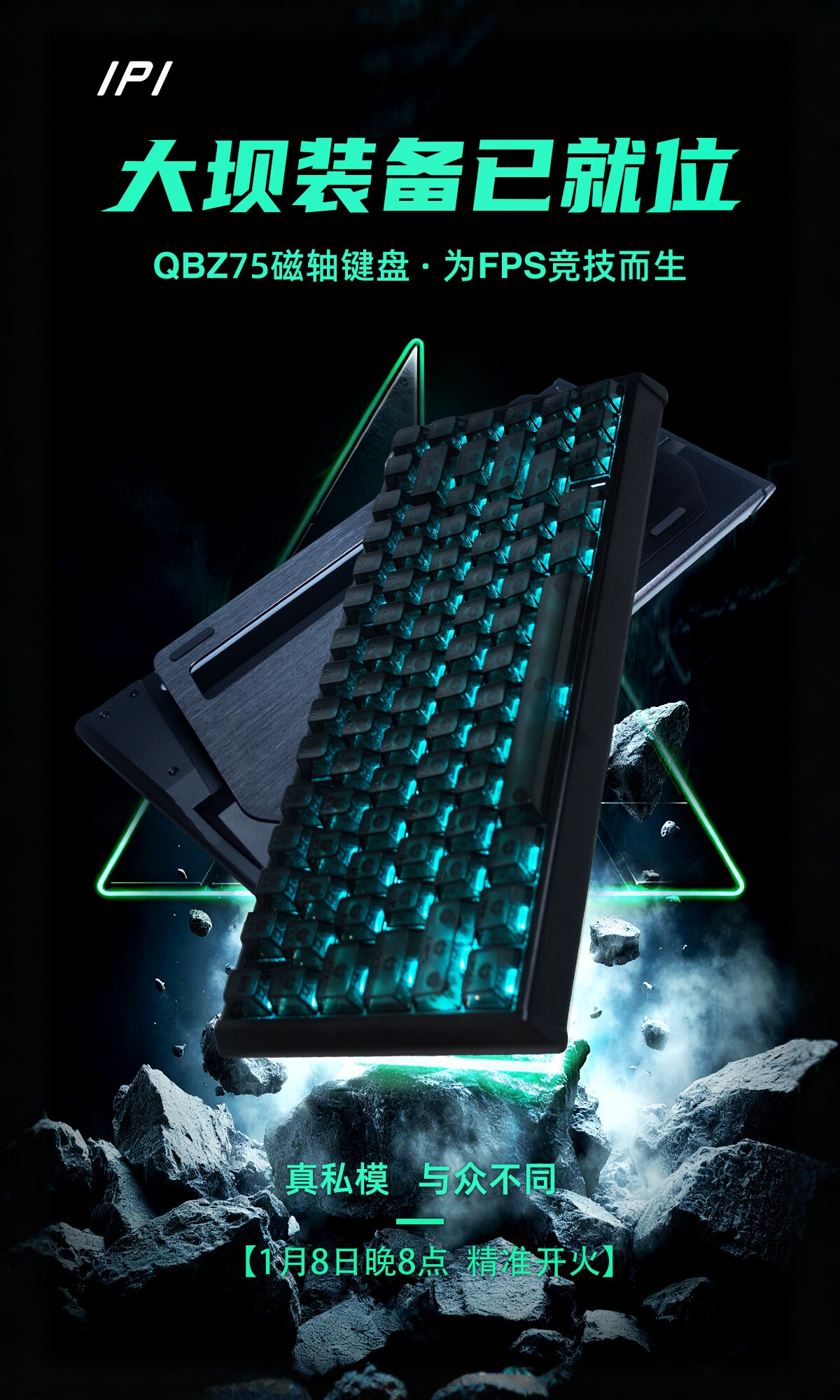
The IPI QBZ 75 is a high-performance magnetic switch gaming keyboard engineered for competitive e-sports. Featuring a durable aluminum alloy construction and a compact 65-key or 75-key layout, it offers precision and speed for an unparalleled gaming experience. Key features include magnetic switches with adjustable actuation, ultra-low latency, a high polling rate, and customizable RGB lighting.

2. Package Contents
Please check the package for the following items:
- IPI QBZ 75 Magnetic Switch Gaming Keyboard
- One-to-two aviation cable (USB connection cable)
- 3 x Spare Switches
- 1 x Switch Puller
- 1 x Keycap Puller
3. Setup Instructions
- **Unpack the Keyboard**: Carefully remove the keyboard and all accessories from the packaging.
- **Connect the Cable**: Locate the USB-C port on the keyboard (typically on the back or side). Connect one end of the provided one-to-two aviation cable to the keyboard and the other end to an available USB port on your computer.
- **Driver Installation (if necessary)**: The keyboard is generally plug-and-play. However, for advanced customization and features like macro editing and RT adjustment, you may need to install the dedicated "Beixin new drive" software. Please refer to the manufacturer's website for the latest driver and software downloads.
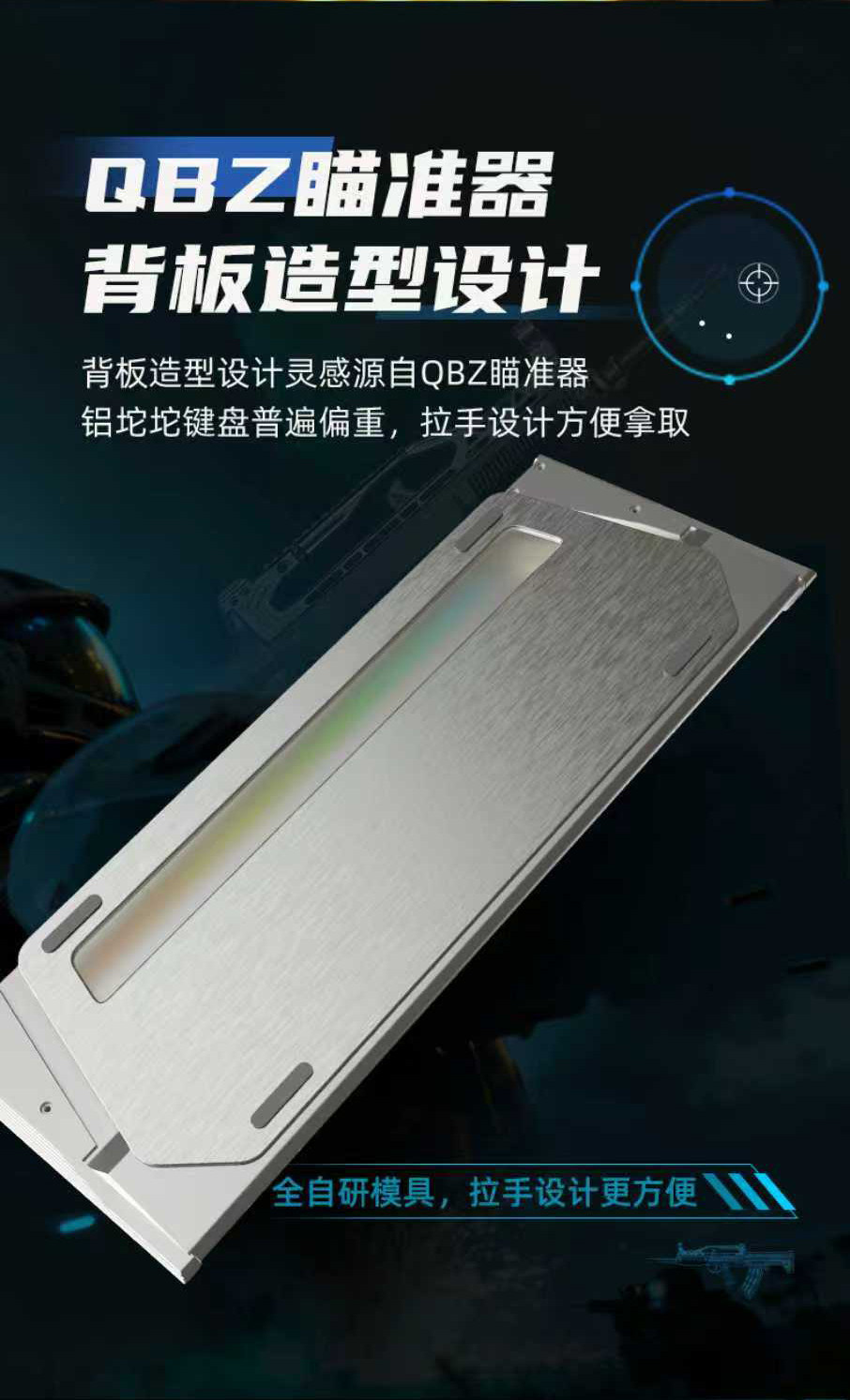
- **Placement**: Place the keyboard on a stable, flat surface. The keyboard features a unique backplate design for stability and aesthetics.


4. Operating Instructions
4.1 Basic Operation
The IPI QBZ 75 functions as a standard wired mechanical keyboard. Simply connect it to your computer, and it should be recognized automatically.
4.2 E-sports Mode
Activate the dedicated "E-sports Mode" for optimized performance in competitive gaming. This mode configures the keyboard for maximum responsiveness, reducing input lag to an ultra-low 0.125ms and ensuring every keystroke is registered with 0.01mm RT accuracy. This feature is typically toggled via the custom driver software.
4.3 RT Adjustment
The magnetic switches allow for precise adjustment of the actuation point (RT adjustment) within a range of 0.01mm to 3.4mm. This customization can be done through the dedicated driver software, allowing you to fine-tune the sensitivity of each key to your preference.
4.4 Macro Programming
Utilize the keyboard's software to program macros and assign custom functions to keys. The keyboard supports advanced functions such as DKS (Dynamic Key Stroke), SOCD (Simultaneous Opposing Cardinal Directions), and MT (Multi-Tap) for complex command inputs, particularly useful in fighting games and other e-sports titles.
4.5 RGB Lighting Control
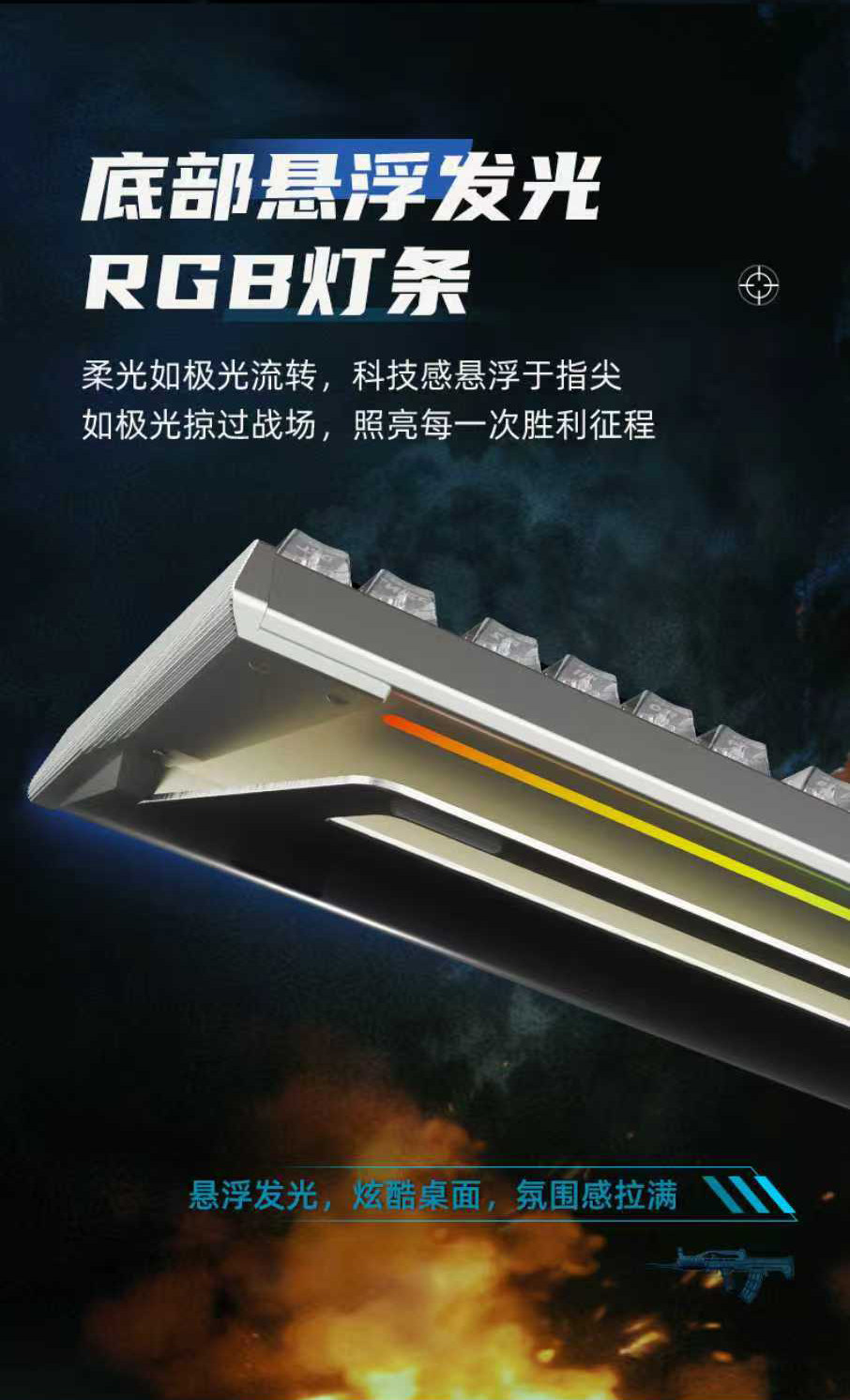
The keyboard features a vibrant RGB lighting system with 16 million colors. The bottom of the keyboard includes a floating RGB light bar, enhancing the aesthetic. Lighting effects and colors can be customized using the driver software.

5. Maintenance
- **Cleaning**: Regularly clean the keyboard with a soft, dry cloth. For deeper cleaning, use a keycap puller to remove keycaps and a brush or compressed air to remove dust and debris from between the switches.
- **Switch Replacement**: Use the provided switch puller to carefully remove and replace individual switches if needed. Ensure the new switch is aligned correctly before pressing it into place.
- **Cable Care**: Avoid sharp bends or excessive pulling on the USB cable to prevent damage.
- **Storage**: When not in use, store the keyboard in a clean, dry environment away from direct sunlight and extreme temperatures.
6. Troubleshooting
- **Keyboard Not Responding**:
- Ensure the USB cable is securely connected to both the keyboard and the computer.
- Try connecting the keyboard to a different USB port on your computer.
- Restart your computer.
- Test the keyboard on another computer to rule out system-specific issues.
- **Keys Not Registering / Double Input**:
- Clean around the affected switch to remove any debris.
- If the issue persists, the switch may be faulty. Use the switch puller to replace it with one of the spare switches provided.
- Check the RT adjustment settings in the software; an incorrect setting might cause unexpected behavior.
- **RGB Lighting Not Working**:
- Ensure the keyboard is properly connected.
- Check the lighting settings in the driver software.
- Update the keyboard's firmware and driver software to the latest version.
- **Software Not Detecting Keyboard**:
- Reinstall the keyboard driver software.
- Ensure your operating system is up to date.
- Temporarily disable any antivirus or firewall software that might be interfering.
7. Specifications
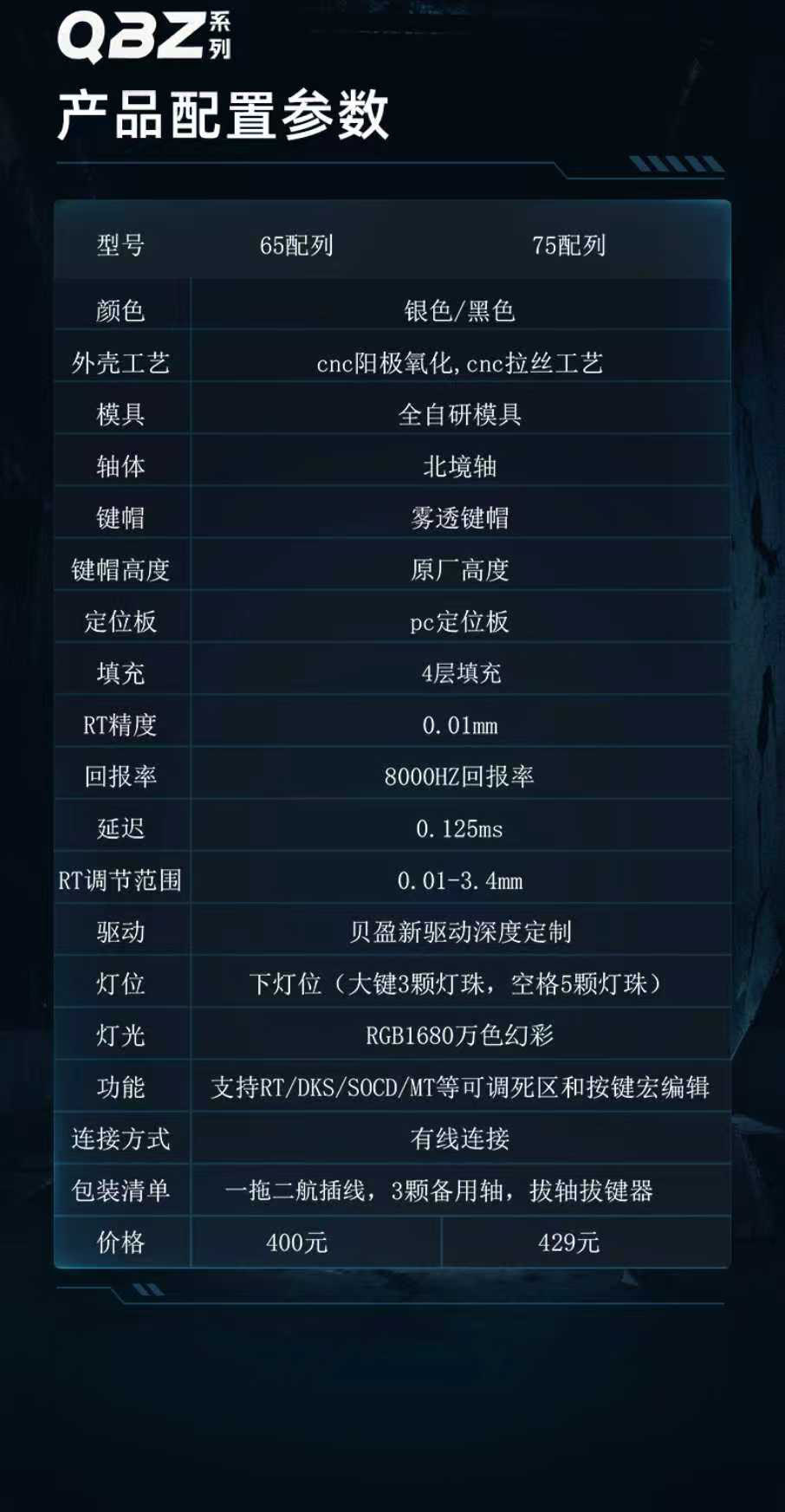
| Feature | Description |
|---|---|
| Model | QBZ 75 (Available in 65-key and 75-key layouts) |
| Color Options | Silver, Black |
| Exterior Craft | CNC Anodizing, CNC Wire Drawing |
| Switch Type | Magnetic Switches (Northern Border Shaft) |
| Keycap Height | Original Factory Height |
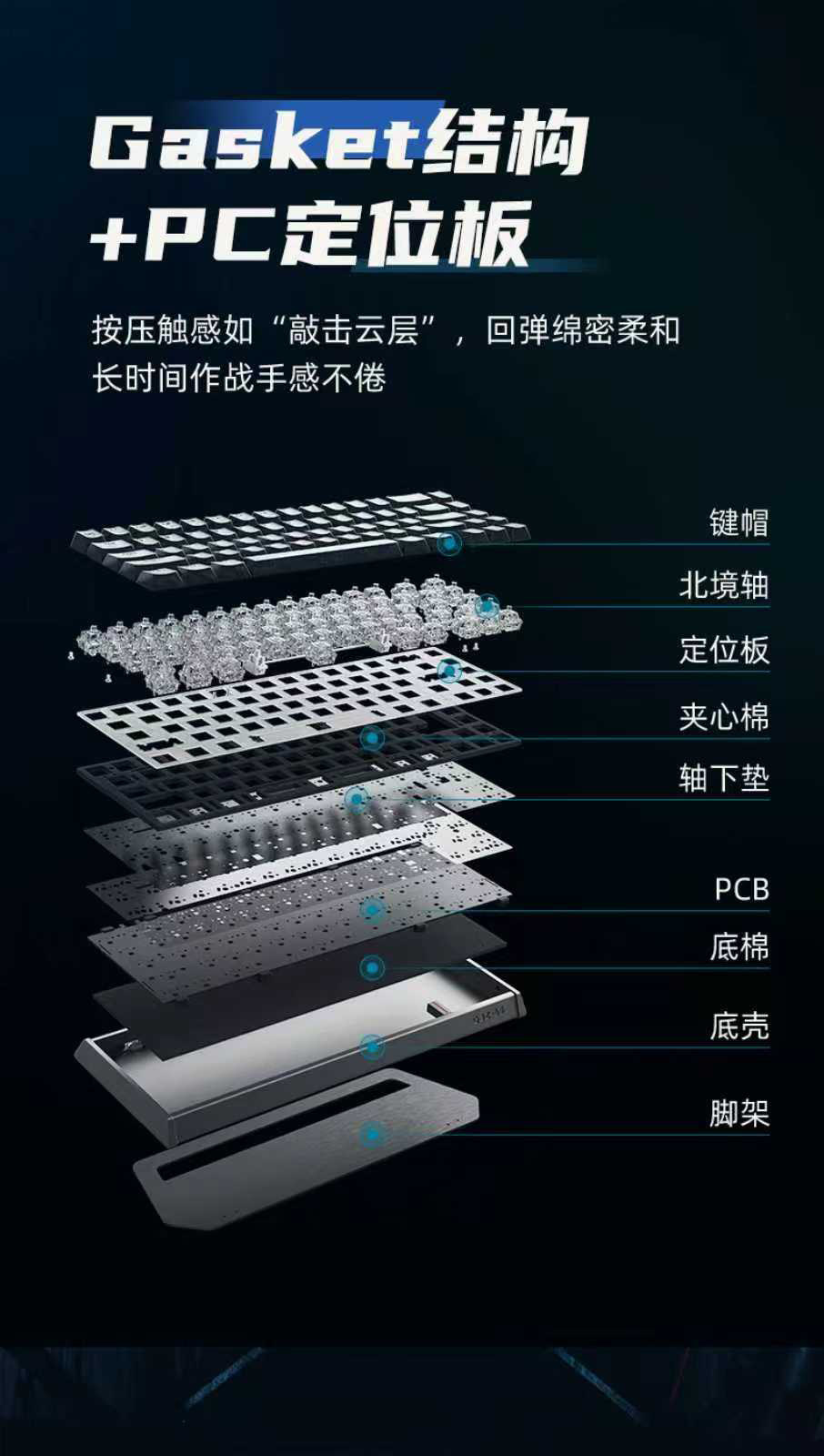
| Positioning Plate | PC Positioning Plate |
| Internal Filling | 4-Layer Filling |
| RT Accuracy | 0.01mm |
| Polling Rate | 8000Hz |
| Latency | 0.125ms |
| RT Adjustment Range | 0.01 - 3.4mm |
| Driver Software | Beixin New Drive (Deep Customization) |
| Lighting | RGB 16 Million Colors, Bottom Floating Light Bar |
| Functions | Supports RT/DKS/SOCD/MT, Key Macro Editing |
| Connection Method | Wired (USB) |
| Application | Desktop, Laptop |
| Battery Included | No |
| Product Weight | Approx. 2.35 kg |
| Package Dimensions | 34cm (L) x 18cm (W) x 7cm (H) |
8. User Tips
- **Experiment with RT Adjustment**: Take time to find your ideal actuation point for different games. A shorter actuation (lower RT value) can provide faster response times for competitive play, while a longer actuation might reduce accidental presses.
- **Utilize Macro Functions**: For games requiring complex key combinations, setting up macros can significantly improve your efficiency and reaction time.
- **Customize RGB**: Personalize your keyboard's lighting to match your setup or game aesthetics. Dynamic lighting effects can also enhance immersion.
- **Keep Drivers Updated**: Regularly check for updates to the "Beixin new drive" software to ensure optimal performance, access new features, and maintain compatibility.
9. Warranty and Support
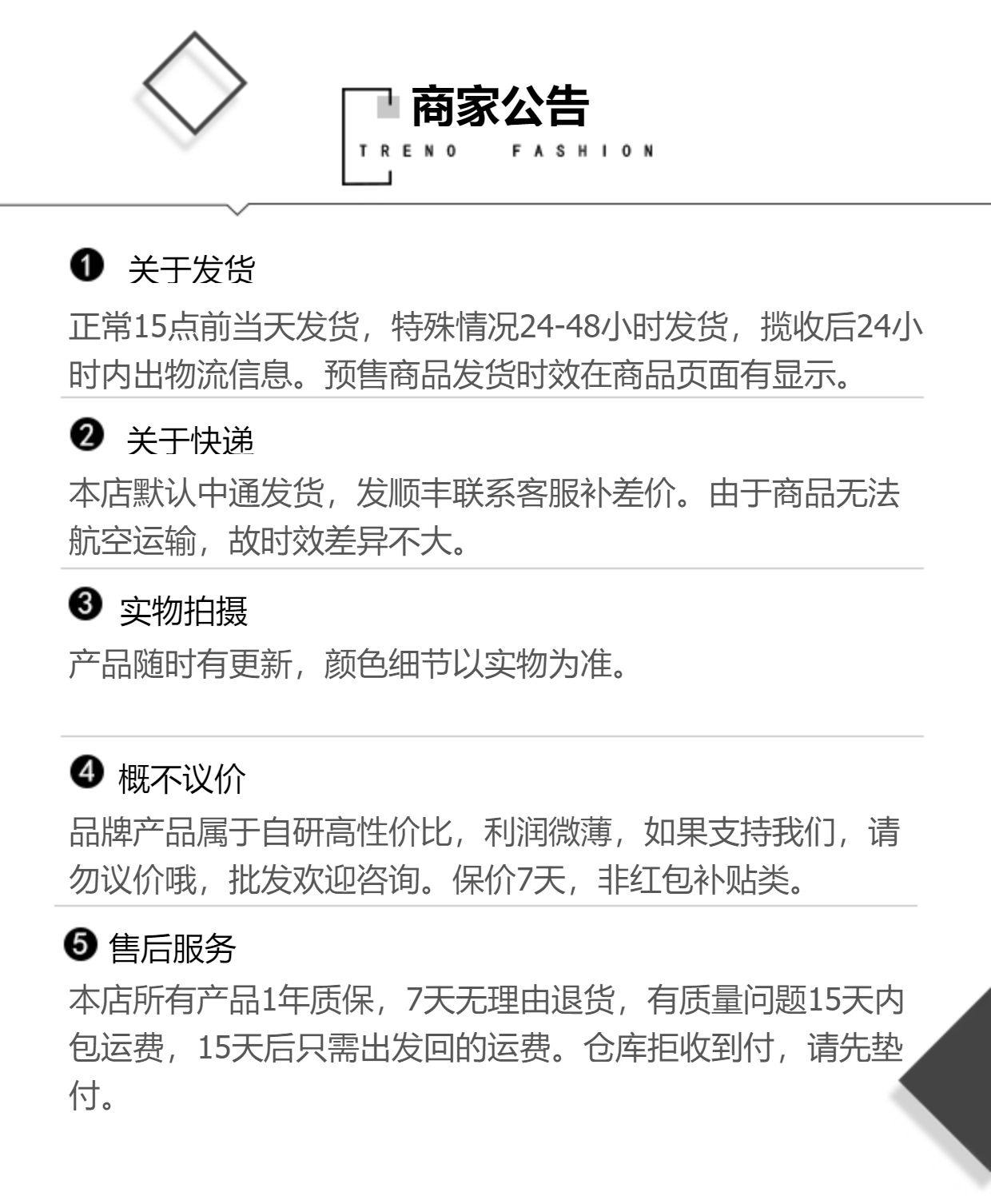
Your IPI QBZ 75 Magnetic Switch Gaming Keyboard comes with a 1-year warranty from the date of purchase. This warranty covers manufacturing defects and ensures the product functions as intended under normal use.
For quality-related issues, a 7-day no-reason return policy is available. For quality problems reported within 15 days of receipt, the seller will cover return shipping costs. After 15 days, return shipping costs for quality issues will be borne by the customer. Please ensure the product is returned in its original condition.
For technical support, warranty claims, or any other inquiries, please contact the seller, SFHome Store, directly through the platform where you purchased the product.