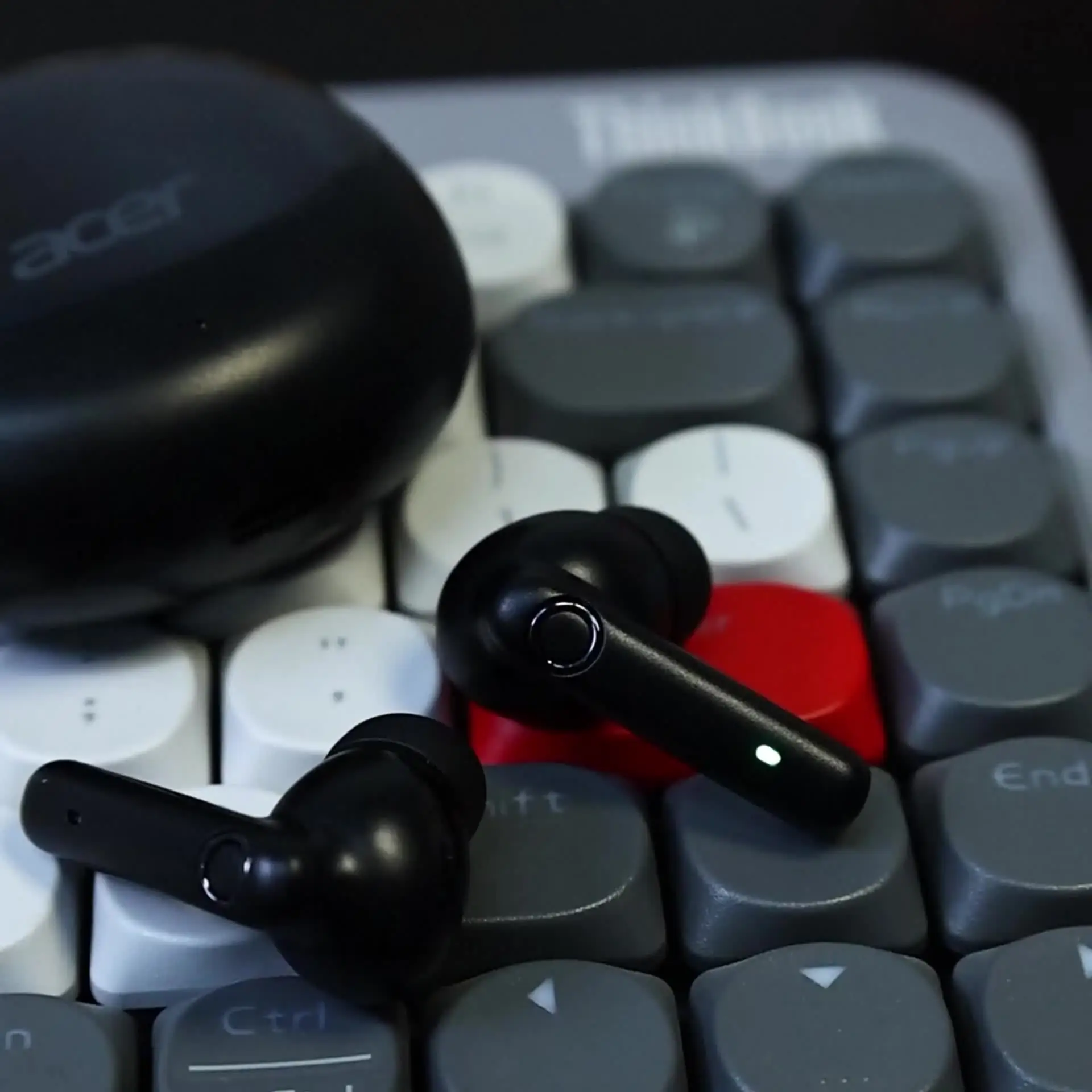
1. Introduction
1.1 Preface
Thank you for purchasing Acer products. For optimum operation, please read this manual carefully before using.
1.2 Product Description
This TWS earphone is a wireless connectivity-enabled audio product, which is compatible with Android and iOS smartphones, tablets, and other portable electronic devices. By eliminating the constraints of wired connections, it offers users enhanced convenience and unrestricted mobility, catering to a wide range of application scenarios.
1.3 Product List
- Earphones Headphones x2
- Charging case x1
- Type-C charging cable x1
- Instruction manual x1
2. Product Overview
2.1 Components and Diagram
Familiarize yourself with the components of your Acer Ohr546 TWS Wireless Headphones:
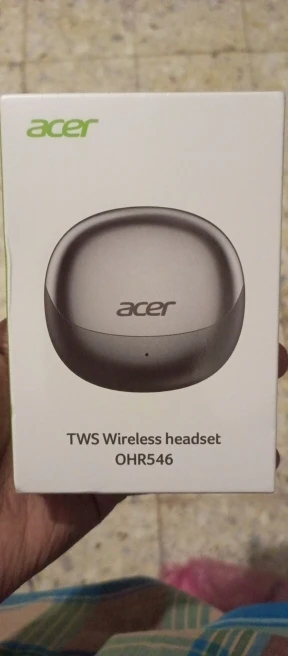
- Charging case
- Charging case indicator Light
- Function Key (Touch)
- Headphone Indicator Light
- Charging port
Tips for Wearing:
Gently place the earphones into the external ear canal and adjust them after insertion. Adjust the wearing angle to a comfortable position.
3. Specifications
The Acer Ohr546 TWS Wireless Headphones offer the following technical specifications:

| Feature | Specification |
|---|---|
| Product Model | BH-T30 |
| Earphone Pairing Name | OHR546 |
| Wireless Version | V5.4 |
| Connection Method | Wireless audio receiver |
| Communication Distance | Approximately 10 meters (in open and unobstructed surroundings) |
| Talk Time | Approximately 3-4 hours |
| Music Playback Time | Approximately 4-5 hours (at medium volume) |
| Earphone Standby Time | Approximately 20 hours |
| Frequency Response Range | 20Hz-20KHz |
| Product Material | Plastic (ABS) |
| Wearing Style | In-ear |
| Earphone Weight | 3.8g / 0.134 oz |
| Charging Case Weight | 28g / 0.99 oz |
| Earphone Dimensions | 7*6.5*34mm |
| Charging Case Dimensions | 58*54*27mm |
| Speaker Size | 1.3cm / 0.512 in |
| Impedance | 32Ω |
| Earphone Battery Capacity | 30mAh |
| Charging Case Battery Capacity | 200mAh |
| Charging Port | Type-C |
| Charging Time (Earphone/Case) | Approximately 1.5 hours |
| Voice Assistant Built-in | No |
| NFC Technology | No |
| Sound Isolating | Yes |
| Number Of Drivers | 2 |
| With Microphone | Yes |
| Support APP | No |
| Control Method | Touch |
| Waterproof | No |
| Speaker Maximum Output Power | 10W |
| Active Noise-Cancellation | No |
| Volume Control | Yes |
| Control Button | Yes |
| Vocalism Principle | Dynamic |
| Wireless Type | Bluetooth |
| Communication | Wireless |
| Style | TWS in-ear headphones |
| Origin | Taiwan (China) |
| Support Memory Card | No |
4. Setup and Initial Use
4.1 Initial Charging
Before using this product for the first time, please fully charge it. Use a 5V/1A charger from a reputable manufacturer to avoid damage. The charging case uses a Type-C interface.
4.2 Wireless Connection (Pairing)
To connect your headphones to a device:
- Open the charging case. The earphones will automatically power on and enter pairing mode.
- On your Android or iOS device, navigate to the Wireless settings page.
- Search for "OHR546" in the list of available devices and select it to connect.
- Once connected, the headphone indicator light will turn off.
Note: This product can be connected and used with any device equipped with Wireless functionality.

5. Operating Instructions
5.1 Power On/Off
- Power On: Press and hold the function button for 3 seconds, or simply take the earphones out of the charging case.
- Power Off: Place the earbuds back into the charging case. The indicator light on the charging case will illuminate, and the earbuds will turn off.
5.2 Multifunction Touch Controls
The earphones feature fingerprint touch control for various functions:

- Play/Pause: Short press the function key (tap either earbud).
- Answering/Hanging up calls: Short press the function key (tap either earbud).
- Rejecting incoming calls: Press and hold the function key.
- Previous Track: Double-tap the left earbud (L).
- Next Track: Double-tap the right earbud (R).
- Voice Control: Press and hold the function key (long press the left earbud).
- Volume Level: Triple-tap the left earbud (volume down) / Triple-tap the right earbud (volume up).
5.3 Sound Modes
The earphones support intelligent adjustment of various modes to optimize your audio experience:

- Commuting Mode: Effectively blocks out noise from transportation vehicles, suitable for noisy commuting scenarios such as subways.
- Outdoor Mode: Reduces wind noise while retaining important ambient sounds, keeping you aware of your surroundings during running and traveling.
- Indoor Mode: Reduces interference from human voices and keyboard tapping, helping you maintain high concentration and improve work efficiency.
- Cinema Mode: Optimizes sound spatial sense and enhances low-frequency effects, making movie sound effects more immersive.
- Music Mode: Accurately restores sound quality details, highlighting the clarity of high frequencies and the warmth of mid frequencies.
6. Maintenance and Care
6.1 Cleaning
- Do not use abrasive cleaners to clean this product.
- Before cleaning and maintaining this product, stop using it, turn off the application, and disconnect all connections or cables to other equipment.
6.2 Storage
- If you do not plan to use this product for a long time, please store it in a dry environment.
- Charge the headset at least once a month to prolong its life and avoid extreme temperature and dust.
- It is recommended to use this product in surroundings with a temperature of 0°C~45°C. When the ambient temperature is below +5°C, battery performance is limited.
6.3 Battery Care
- This product has a built-in non-removable rechargeable battery. Repeated charging and discharging will lead to a decrease in battery performance over time.
- Please charge in a safe environment. After the charging case is fully charged, pull out the charging cable as soon as possible to avoid damage to the battery caused by long-term charging.
- To ensure the normal operation of the headphones, please make sure they have sufficient power.
- Please use the company's standard USB cable or the designated charging cable to charge the headphones.
- The power delivered by the charger must be between 5W and 10W to achieve maximum charging speed.
7. Safety Guidelines and Warnings
- The product is not a toy; children under the age of 12 must use it under adult supervision.
- Do not allow this product to be heated or placed close to a fire source, such as a cooking stove.
- Do not expose the product to direct sunlight for a long time.
- Do not discard this product in fire to avoid explosion.
- Do not attempt to disassemble this product or make any modifications, as it does not contain any user-serviceable components.
- Do not use this product in rain.
- Permanent hearing loss may occur if earphones are used at high volumes for prolonged periods.
- When using with Wireless connection, adjust the sound to an appropriate volume to avoid hearing damage from loud volumes.
- If you feel skin discomfort when wearing due to individual differences, please stop wearing and consult a doctor.
- If you use this product while engaging in activities requiring concentration (e.g., driving, cycling, on roads, construction sites, railways), pay attention to your own safety and others'. Remove headphones or adjust volume to hear surrounding sounds and alarms.
- This product contains magnetic materials; keep away from electrical appliances with strong magnetic or electric fields (e.g., microwave ovens, refrigerators).
- Do not use this product where wireless equipment is prohibited, as it may interfere with other electronic equipment or cause dangers.
- Before approaching medical or industrial equipment or boarding a plane, ask local staff if you can use it.
- Dispose of waste electronic products, parts, batteries, and other household waste properly according to local laws and regulations. Do not short external contacts, crush, puncture, or otherwise tamper with batteries. Batteries may explode if not handled properly.
7.1 FCC Warning
This equipment has been tested and found to comply with the limits for a Class B digital device, pursuant to part 15 of the FCC Rules. These limits are designed to provide reasonable protection against harmful interference in a residential installation. This equipment generates, uses, and can radiate radio frequency energy and, if not installed and used in accordance with the instructions, may cause harmful interference to radio communications. However, there is no guarantee that interference will not occur in a particular installation. If this equipment does cause harmful interference to radio or television reception, which can be determined by turning the equipment off and on, the user is encouraged to try to correct the interference by one or more of the following measures:
- Reorient or relocate the receiving antenna.
- Increase the separation between the equipment and receiver.
- Connect the equipment into an outlet on a circuit different from that to which the receiver is connected.
- Consult the dealer or an experienced radio technician for help.
Caution: Any changes or modifications to this device not explicitly approved by the manufacturer could void your authority to operate this equipment. This device complies with part 15 of the FCC Rules. Operation is subject to the following two conditions: (1) This device may not cause harmful interference, and (2) this device must accept any interference received, including interference that may cause undesired operation. This equipment complies with FCC radiation exposure limits set forth for an uncontrolled environment. This equipment should be installed and operated with a minimum distance of 0cm between the radiator and your body.
8. Troubleshooting
- No Sound or Intermittent Connection: Ensure the earphones are fully charged and within the 10-meter communication range of your device. Re-pair the earphones if necessary.
- Background Static (Laptop): Some users have reported background static at the lowest volume when connected to a laptop. This is not typically an issue when connected to a phone. Try adjusting the volume on both the laptop and the earphones, or ensure your laptop's Bluetooth drivers are up to date.
- Interference: If you experience interference, refer to the FCC Warning section for steps to resolve it, such as reorienting antennas or increasing separation from other electronic devices.
- Earphones Not Charging: Ensure the charging cable is securely connected to both the case and a 5V/1A power source. Check the charging case indicator light. If it doesn't illuminate, try a different cable or power source.
9. User Tips
- Many users praise the sound quality, describing it as "nice," "very good," and "amazing."
- The headphones are noted for their ease of control.
- They offer good battery life for their price point, making them a good value.
10. Frequently Asked Questions (FAQ)
- Q: What is the battery life of the Acer Ohr546 headphones?
- A: The earphones provide approximately 4-5 hours of music playback on a single charge (at medium volume), and the charging case offers a total single-use time of up to 20 hours. Talk time is approximately 3-4 hours.
- Q: How do I connect the headphones to my phone?
- A: Simply open the charging case, and the earphones will automatically enter pairing mode. Then, go to the Bluetooth settings on your phone, search for "OHR546," and select it to connect.
- Q: How do I control music playback and calls?
- A: The earphones feature touch controls. Short press for play/pause or to answer/end calls. Double-tap the left earbud for the previous track, and the right earbud for the next track. Long press the left earbud for voice assistant. Triple-tap for volume control.
11. Warranty and Support
For detailed warranty information and further support, please refer to the official documentation provided with your product. An electronic version of the user manual (PDF) is available for download:
For any issues not covered in this manual, please contact Acer customer support.
12. Product Video
Watch this short video for a quick overview of the Acer Ohr546 TWS Wireless Headphones: