
1. Product Overview
The LYMAX D015 is a curved surface monitor lamp designed to provide eye-care lighting, anti-blue light features, and dynamic RGB backlighting for an enhanced computing and gaming experience. It features a 2.4G digital display remote control for easy adjustment of brightness, color temperature, and lighting effects.


2. Package Contents
Please check the package contents upon unboxing to ensure all items are present and undamaged.
- 1 x Packaging Box
- 1 x Instructions Manual
- 1 x Screen Light (LYMAX D015)
- 1 x Remote Control
- 1 x Screen Light Adapter
- 1 x Remote Control Charging Cable

3. Setup Instructions
3.1 Mounting the Screen Light
- Carefully remove the screen light from its packaging.
- Position the screen light on top of your monitor, ensuring the light bar is centered. The adjustable clip should securely hold the light in place.
- Ensure the light source is facing downwards towards your desktop and the RGB backlight strip is facing the wall behind the monitor.

3.2 Power Connection
- Connect the 2-meter magnetic suction adapter power supply to the screen light. The magnetic connection ensures easy and secure attachment.
- Plug the adapter into a suitable power outlet.
3.3 Remote Control Setup
- Ensure the remote control is charged using the provided charging cable.
- The remote control should automatically pair with the screen light. If not, refer to the troubleshooting section for manual pairing instructions.
4. Operating Instructions
4.1 Remote Control Functions
The 2.4G digital display wireless remote control allows for comprehensive control over the monitor lamp. It features gesture sensing and a mirror panel display.

- Power Button (⏻): Short press to switch the lamp On/Off.
- Color Temperature/Brightness Adjustment: Rotate the outer ring or use the touch controls on the display to adjust the light's color temperature (2900-6000K) and brightness (up to 1000 Lux).
- Anti-Blue Light Switch: Activates the anti-blue light mode to reduce harmful blue light emissions.
- Automatic Dimming Switch (A): Engages AI Smart Dimming, which senses ambient light and automatically adjusts the lighting intensity.
- Pickup Light Switch (RGB): Controls the 3D polar illusion RGB backlight, offering 6 rhythmic modes, 20 color combinations, and 120 dynamic light effects.

4.2 Anti-Blue Light Feature
The LYMAX D015 employs asymmetric projection and an anti-blue light curtain to filter harmful blue light from the screen without reflection, protecting your eyes during prolonged use.


4.3 AI Smart Dimming
Equipped with a highly sensitive light sensor, the lamp can automatically adjust its lighting intensity based on changes in the surrounding ambient light, providing optimal illumination at all times.

4.4 RGB Backlight Effects
The integrated RGB backlight offers a variety of dynamic lighting effects to enhance your desktop ambiance, especially for gaming setups.

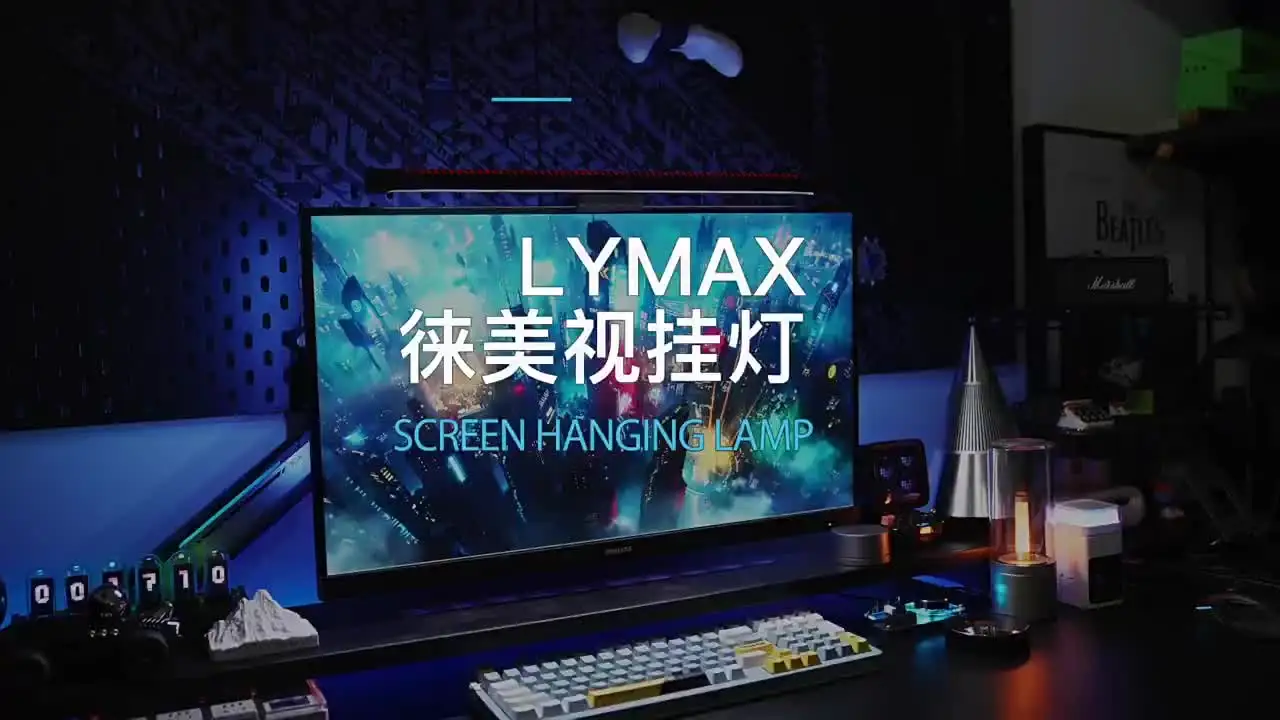
Video 1: Demonstration of LYMAX D015 features, including remote control operation, anti-blue light, and RGB effects.
5. Maintenance and Care
- Cleaning: Use a soft, dry cloth to clean the lamp body and remote control. Do not use abrasive cleaners or solvents.
- Storage: When not in use for extended periods, store the lamp and remote control in a cool, dry place.
- Battery Care (Remote Control): The remote control has a built-in lithium battery. Charge it regularly to maintain battery health. Avoid extreme temperatures.
6. Troubleshooting
- Lamp not turning on: Ensure the power adapter is securely connected to both the lamp and a working power outlet. Check if the remote control battery is charged.
- Remote control not responding: Recharge the remote control. If the issue persists, try re-pairing the remote control with the lamp (refer to specific pairing instructions if provided in the included manual, otherwise, try holding the power button on the remote for 5 seconds to initiate pairing mode).
- Inconsistent lighting/flickering: Check the power connection. Ensure the lamp is not exposed to extreme temperatures or humidity.
- RGB backlight not working: Ensure the 'Pickup Light Switch' on the remote is activated.
7. Specifications
| Feature | Specification |
|---|---|
| Brand | LYMAX |
| Product Name | Anti Blue Light Pickup Screen Light (Curved Screen Version) |
| Product Model | GJS-D015 |
| Product Material | Aluminum Alloy + ABS |
| Input Voltage | 9V |
| Rated Power | 9W |
| Color Temperature Range | 2900-6000K |
| Color Rendering Index (Ra) | 97 |
| Luminous Flux | 249-2000 (Lux) |
| Peak Illumination | 1000 Lux (at 40cm perpendicular to desktop) |
| Working Temperature | -20°C to +55°C |
| Product Weight | 830g |
| Product Dimensions (L x W x H) | 500 x 115 x 43 mm |
| Remote Control Dimensions | 85 x 22 mm |
| Power Source | DC |
| Is Bulbs Included | Yes |

8. User Tips
- For optimal eye comfort, experiment with different color temperatures and brightness levels using the remote control.
- Utilize the AI Smart Dimming feature for automatic adjustment to ambient light, reducing the need for manual changes.
- When using the RGB backlight, consider the surrounding environment to create the desired atmosphere without causing distraction.
9. Warranty and Support
For warranty information, technical support, or service inquiries, please refer to the contact information provided by your retailer or visit the official LYMAX website.