
1. Product Overview
The MINISO MS106 Bluetooth Earphones are advanced True Wireless Stereo (TWS) earbuds designed for a versatile audio experience. Featuring AI translation capabilities for up to 135 languages, active noise reduction, and a lightweight, ergonomic ear clip design, these earphones are suitable for sports, business meetings, and everyday use. They offer seamless connectivity with Bluetooth 6.0 and extended battery life with their charging case.

2. Package Contents
Please check the box for the following items:
- MINISO MS106 Earbuds (Left and Right)
- Charging Case
- USB Type-C Charging Cable
- User Manual
- Multiple sets of skin-friendly silicone ear caps (various sizes)
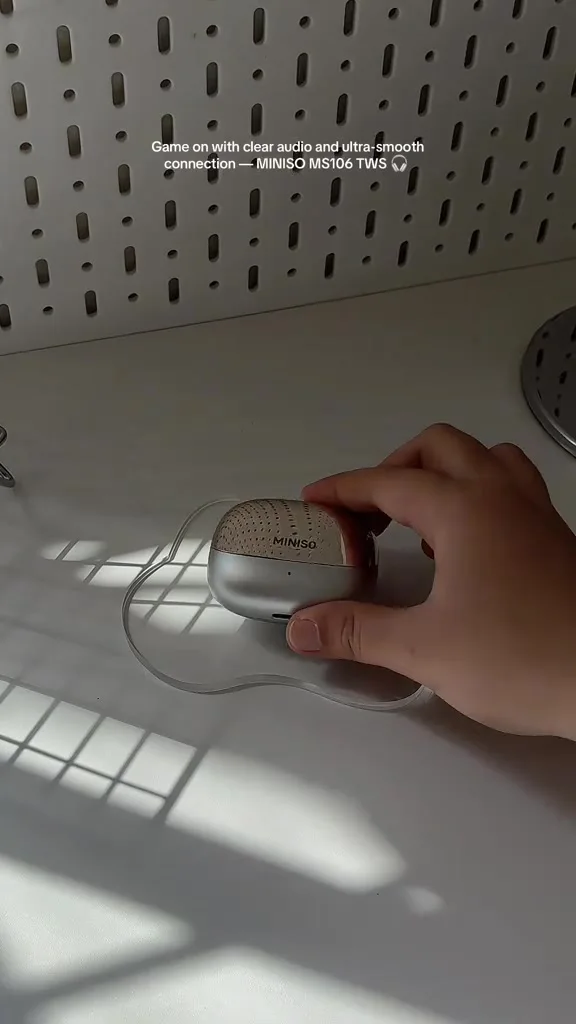
3. Setup
3.1 Charging the Earbuds and Case
- Place the earbuds into the charging case. Ensure they are properly seated; the indicator light on the case will show charging status.
- Connect the USB Type-C charging cable to the charging port on the case and plug the other end into a compatible USB power source.
- The charging case has a battery capacity of 180mAh, and each earbud has 28mAh. A full charge for the case and earbuds typically takes approximately 1 hour.
Note: Fully charge the device before first use for optimal battery performance.
3.2 Pairing with Your Device
- Open the charging case. The earbuds will automatically power on and enter pairing mode.
- On your smartphone or Bluetooth-enabled device, go to Bluetooth settings and search for available devices.
- Select "MINISO MS106" from the list to connect.
- Once connected, the earbuds will automatically pair with your device upon opening the case in subsequent uses (Bluetooth 6.0 for stable connection).

4. Operating Instructions
4.1 Touch Controls
The MS106 earphones feature personalized touch settings for various functions:
| Function | Action |
|---|---|
| Answer/Hang up Call | Double-click left or right earbud |
| Reject Call | Long press for 2 seconds (left or right earbud) |
| Play/Pause Music | Double-click left or right earbud |
| Activate Voice Assistant | Three taps (left or right earbud) |
| Switch Noise Modes (Noise Reduction/Transparency/Normal) | Long press for 2 seconds (left or right earbud) |

4.2 AI Translation Features
The MS106 earbuds are capable of translating up to 135 languages. To utilize translation features, an accompanying smartphone application is required.
- Free Talk Mode: Enables two-way translation for conversations. One earbud can be given to another person for seamless communication.
- Multilingual Meeting: Provides simultaneous translation for listeners, enhancing efficiency in diverse language environments. Your phone identifies the foreign language, and the earbuds provide real-time translation.


4.3 Sound Modes and Usage Scenarios
- Panoramic Spatial Sound: Experience immersive audio with Cinema Mode (simulates surround sound) and Music Mode (360° surround sound).
- Multiple Scene Modes: Adjust settings for Commuter mode, Outdoor Mode, and Indoor Mode to optimize your listening experience based on your environment.
- Ultra-low Latency: Enjoy a 58ms ultra-low latency in game mode for synchronized audio and video.


5. Maintenance
5.1 Cleaning
- Regularly clean the earbuds and charging case with a soft, dry, lint-free cloth.
- Remove ear tips and clean any earwax or debris from the speaker mesh using a small, soft brush or cotton swab.
- Ensure the charging contacts on both the earbuds and the case are clean and dry.
5.2 Water Resistance
The MS106 earbuds feature an IPX5 waterproof rating, providing protection against sweat and light rain. They are not designed for submersion in water. Avoid exposing them to excessive moisture or liquids.

5.3 Storage
When not in use, always store the earbuds in their charging case to protect them from damage and to keep them charged.
6. Troubleshooting
- Earbuds not pairing: Ensure both earbuds are in the charging case, then open the lid to activate pairing mode. Check your device's Bluetooth settings and try reconnecting.
- No sound or low volume: Check the volume level on both your device and the earbuds. Ensure earbuds are properly seated in your ears and the ear tips provide a good seal.
- Charging issues: Verify the charging cable is securely connected to both the case and the power source. Ensure the charging contacts on the earbuds and case are clean.
- Translation not working: Confirm the earbuds are connected to the companion app on your smartphone. Ensure your phone has an active internet connection for translation services.
- Noise reduction ineffective: Ensure the earbuds are properly fitted. Try switching between noise reduction modes using the touch controls.
7. Specifications
| Feature | Specification |
|---|---|
| Brand | MINISO |
| Model | MS106 |
| Material | Plastic, Silica Gel |
| Communication | Wireless (Bluetooth) |
| Bluetooth Version | 6.0 |
| Bluetooth Connection Distance | <10m |
| Battery Capacity (Charging Case) | 180mAh |
| Battery Capacity (Per Earbud) | 28mAh |
| Single Earbud Battery Life | Up to 12 hours |
| Total Battery Life (with Charging Case) | Up to 55 hours |
| Usage Time | Approx. 4 hours |
| Charging Time | Approx. 1 hour |
| Charging Interface | Type-C |
| Waterproof Rating | IPX5 |
| Noise Cancellation | Active Noise Cancellation (3.0 adaptive, -50dB), AI Call Noise Reduction |
| Microphone | Yes (6-microphone audio pickup) |
| Driver Diameter | 10mm |
| Frequency Response Range | 20 - 20000Hz |
| Impedance Range | Up to 32 Ω |
| Sensitivity | 28dB |
| Total Harmonic Distortion | 1% |
| Codecs | AAC, SBC |
| Latency | 58ms (Game Mode) |
| Weight (per earbud) | 3.9g |

8. User Tips
- Optimal Fit: Experiment with the different sizes of silicone ear caps to find the best fit for your ears. A proper seal is crucial for effective noise reduction and sound quality.
- Maximize Battery Life: Always place the earbuds back into the charging case when not in use to ensure they are ready for your next session.
- Explore Translation Modes: Familiarize yourself with the different AI translation modes (Free Talk, Multilingual Meeting) to leverage the full potential of the earbuds in various communication scenarios.
- App Integration: Download the dedicated MINISO app (if available) to unlock and manage all AI translation features and potentially customize touch controls.
9. Warranty and Support
MINISO products are manufactured to the highest quality standards. For warranty information, technical support, or service inquiries, please refer to the contact details provided on the product packaging or the official MINISO website. Keep your purchase receipt as proof of purchase.