
Introduction
Thank you for purchasing the TBK001 3-in-1 Multifunctional Smoke Exhaust Fan. This manual provides essential information for the safe and efficient operation, maintenance, and troubleshooting of your device. Please read this manual thoroughly before use and keep it for future reference.
The TBK001 is a versatile tool designed for electronics repair and other precision work, offering UV curing, activated carbon filtration for smoke exhaust, cooling, and integrated lighting.
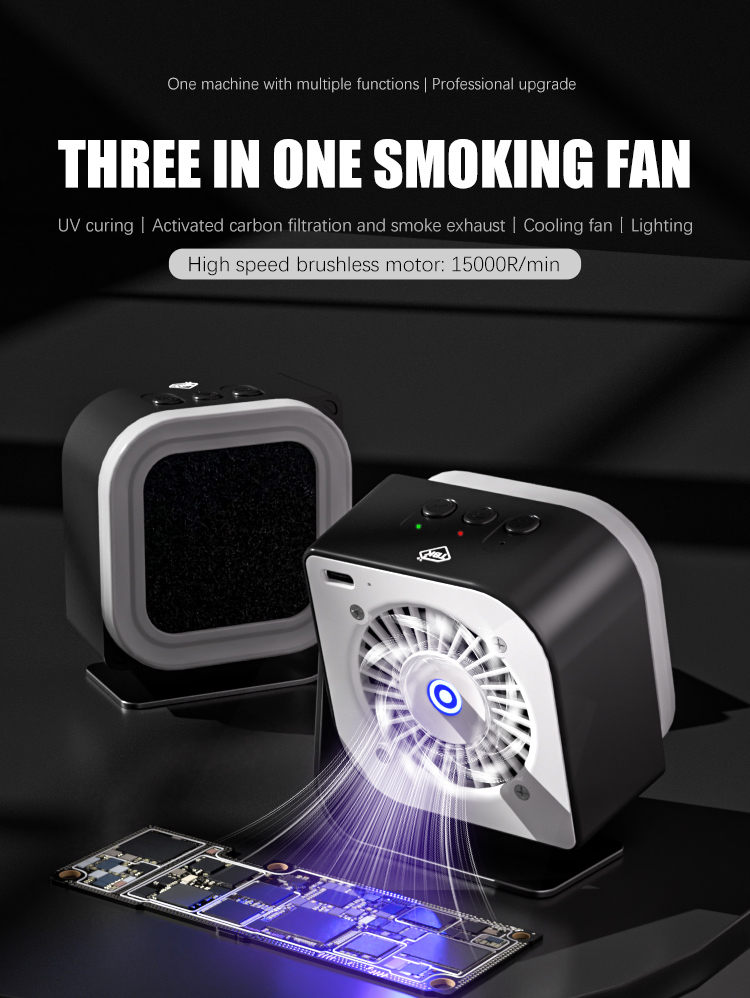
Figure 1: TBK001 Multifunctional Fan showcasing its three primary functions: UV curing, smoke exhaust, and cooling.
Safety Warnings
Before using this product, please read and comply with all safety instructions to prevent injury or damage.
2.1 Electrical Safety
- Use only the power adapter provided with the product or a compliant power supply (DC-5V 2A).
- Do not use in humid environments unless the product specifically states a waterproof rating (this product has an IP20 rating for indoor use).
- If the power cord is damaged, do not continue to use it. Contact support for a replacement.
- Always disconnect the power before cleaning or performing any maintenance.
2.2 Usage Environment
- Operating temperature range: -10°C to 40°C.
- Avoid direct sunlight, high temperatures, and dusty environments.
- Ensure good ventilation and do not block the heat dissipation holes.
2.3 Operational Safety
- Do not disassemble or modify the product yourself, as there are no user-repairable parts inside.
- Prevent liquid from entering the product interior.
- If the product emits smoke, unusual odors, or abnormal noise, immediately disconnect the power and contact after-sales service.
Product Overview
The TBK001 integrates multiple functions into a compact design, making it ideal for various precision tasks. It features a high-speed brushless motor capable of 15000 RPM for efficient air movement.

Figure 2: Front view of the TBK001, showing the activated carbon filter for smoke absorption.

Figure 3: Side view of the TBK001, illustrating the fan exhaust for cooling or smoke expulsion.
Setup
3.1 Unpacking Inspection
- After opening the package, check that all items are complete.
- If you find any items missing or damaged, please contact customer service immediately.
3.2 Power Connection
- Connect the provided USB-C cable to the device's power input port.
- Connect the other end of the cable to a compatible DC-5V 2A power adapter or USB power source.
3.3 First Use
- Ensure the product is connected to a stable power supply.
- Verify that the power supply voltage is consistent with the product specifications (DC-5V 2A).
Operating Instructions
4.1 Basic Operations
- Power On/Off: Press and hold the power button for approximately 3 seconds to turn the device on or off.
- Function Selection: Short press the mode button to cycle through different functions (e.g., fan speed, UV light, general lighting).
4.2 Smoke Exhaust and Heat Dissipation
The device can be configured for either smoke exhaust or heat dissipation.
- Front Smoke Exhaust: Position the device with the activated carbon filter facing the work area to effectively absorb harmful gases.
- Reverse Heat Dissipation: Position the device with the fan exhaust facing the component to effectively and quickly lower its temperature.
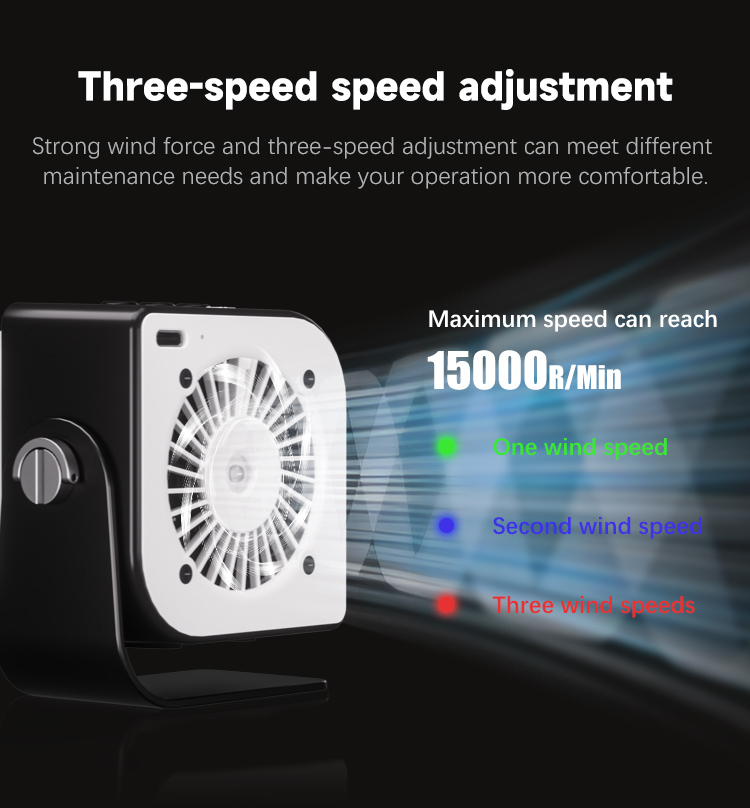
Figure 4: Illustration of front smoke exhaust (left) and reverse heat dissipation (right) functions.
4.3 Three-Speed Adjustment
The fan features a three-speed adjustment to meet different operational needs. The maximum speed can reach 15000 R/Min.
- Speed 1 (Green Indicator): Low wind speed for gentle air movement.
- Speed 2 (Blue Indicator): Medium wind speed for balanced performance.
- Speed 3 (Red Indicator): High wind speed for maximum smoke extraction or cooling.
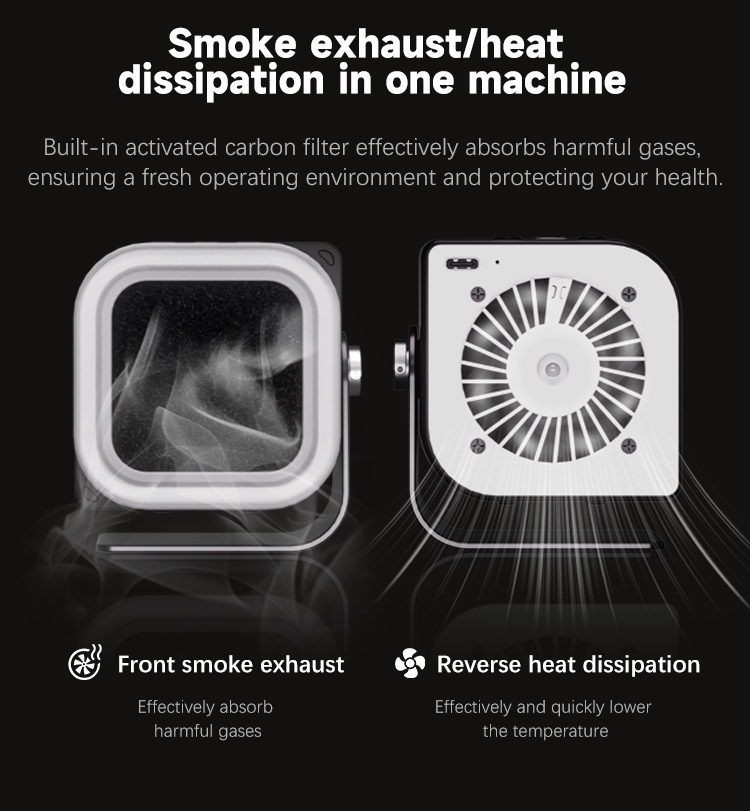
Figure 5: Visual representation of the three-speed settings indicated by LED colors.
4.4 UV Curing Lamp
The device is equipped with double lamp beads for professional-grade UV curing.
- Activate the UV curing function via the mode button.
- Position the device over the area requiring UV curing (e.g., UV glue, solder mask).
- Ensure proper safety precautions when using UV light, such as avoiding direct eye exposure.
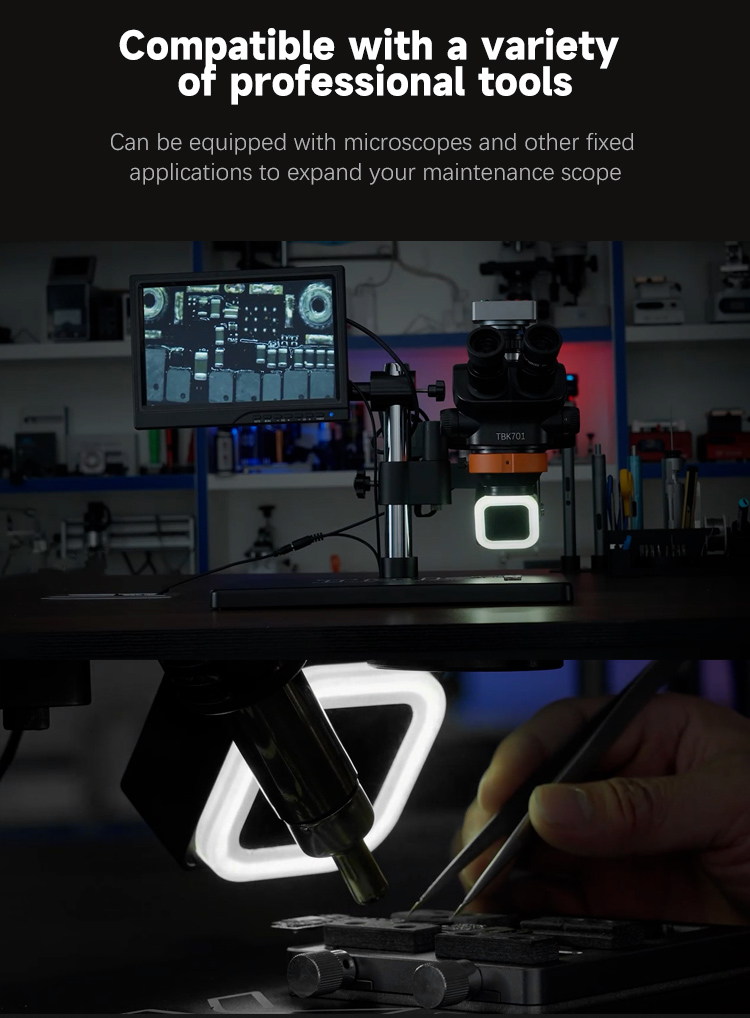
Figure 6: The double lamp beads UV curing lamp in use for efficient glue curing.
4.5 Integrated Lighting
The TBK001 can also provide general lighting for your workspace, enhancing visibility during intricate tasks.
- Activate the lighting function via the mode button.
- The device is compatible with various professional tools, such as microscopes, to expand its utility.
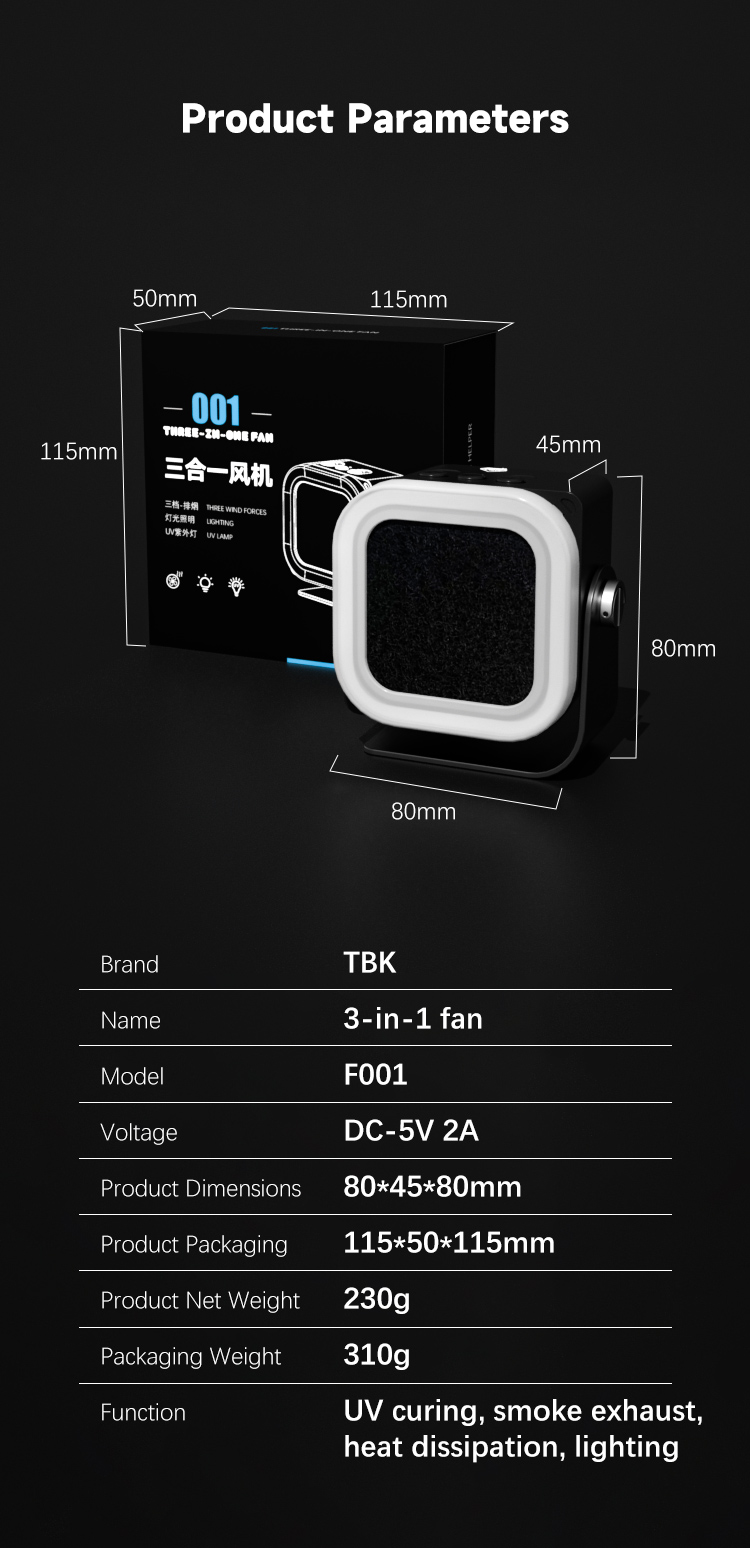
Figure 7: TBK001 integrated into a workstation, providing illumination for detailed work.
Maintenance and Care
5.1 Cleaning
- Wipe the outer casing with a soft, dry cloth. Do not use chemical solvents.
- Regularly check and clean the activated carbon filter for optimal smoke absorption. Replace the filter as needed.
5.2 Storage
- When not in use for an extended period, clean the device and store it in a cool, dry place.
Troubleshooting
If you encounter any issues, please refer to the table below before contacting support.
| Problem | Possible Reasons | Solution |
|---|---|---|
| Unable to power on | Power not connected/supply issue | Check the power connection, ensure the adapter is working, and try again. |
| No display/Display error | Poor connection/Incorrect settings | Restart the device and check the connection. |
| Fan not working/Weak airflow | Blocked intake/exhaust, motor issue | Check for obstructions, ensure proper power supply. |
| UV lamp not lighting | Function not selected, lamp failure | Ensure UV mode is active. If problem persists, contact support. |
| Smoke not effectively absorbed | Clogged filter, incorrect positioning | Clean or replace activated carbon filter. Adjust device position closer to smoke source. |
Specifications
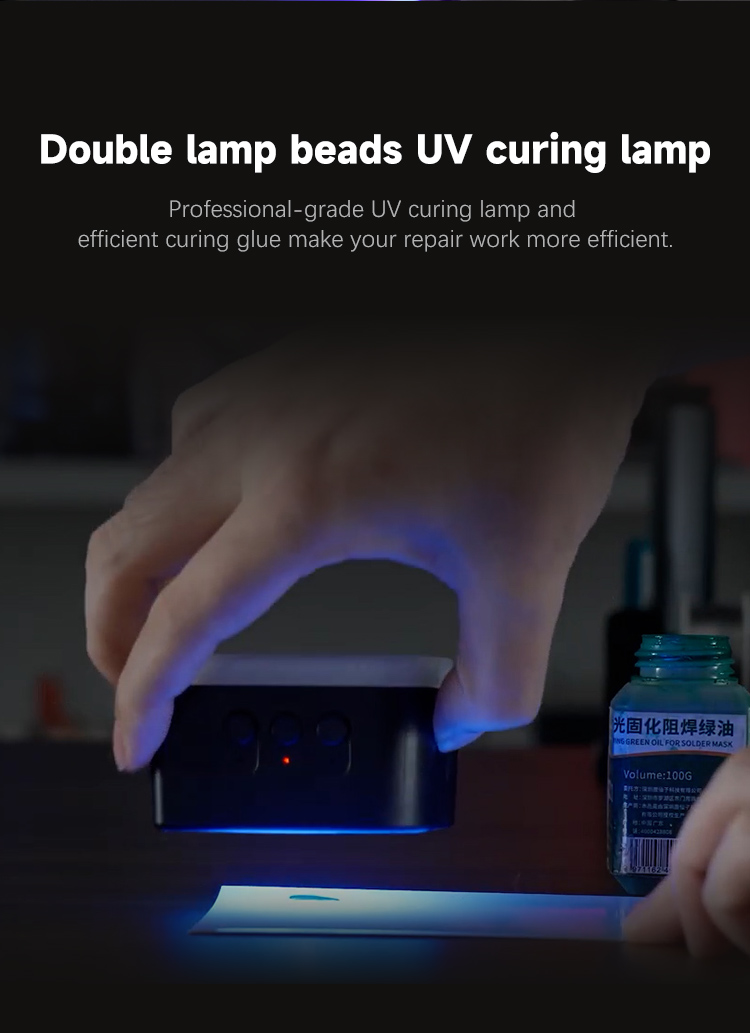
Figure 8: Detailed product dimensions and parameters.
| Parameter | Value |
|---|---|
| Brand | TBK |
| Name | 3-in-1 fan |
| Model | F001 (TBK001) |
| Voltage | DC-5V 2A |
| Product Dimensions | 80mm x 45mm x 80mm |
| Product Net Weight | 230g |
| Packaging Dimensions | 115mm x 50mm x 115mm |
| Packaging Weight | 310g |
| Functions | UV curing, smoke exhaust, heat dissipation, lighting |
| Motor Speed | Up to 15000 R/Min (Brushless) |
| Operating Temperature | -10°C ~ 40°C |
| Storage Temperature | -20°C ~ 60°C |
| Protection Level | IP20 (for indoor use) |
| Authentication | CE, RoHS Compliant |
Warranty and Support
7.1 Warranty Policy
The product comes with a 12/24 month warranty from the date of purchase (subject to store announcement).
7.2 Technical Support
For detailed technical documentation, calibration certificates, or hard copies of the manual, please contact the seller via the AliExpress internal message system or email: Miyeetool@outlook.com. Response time is typically within 24 working hours.
EU Compliance Information
8.1 CE Declaration of Conformity
This product complies with the essential requirements of the following EU directives:
- Low Voltage Directive (LVD) 2014/35/EU
- Electromagnetic Compatibility Directive (EMC) 2014/30/EU
- RoHS Directive 2011/65/EU
8.2 Waste Disposal (WEEE)
The wheeled bin symbol marked with an X on the product indicates that, according to EU Directive 2012/19/EU, this product must not be disposed of as unsorted municipal waste. It must be collected and recycled separately.
Disclaimer
This instruction manual is a general version; the actual product functions and parameters shall prevail. The manufacturer reserves the right to change product designs and specifications without prior notice.