
Introduction
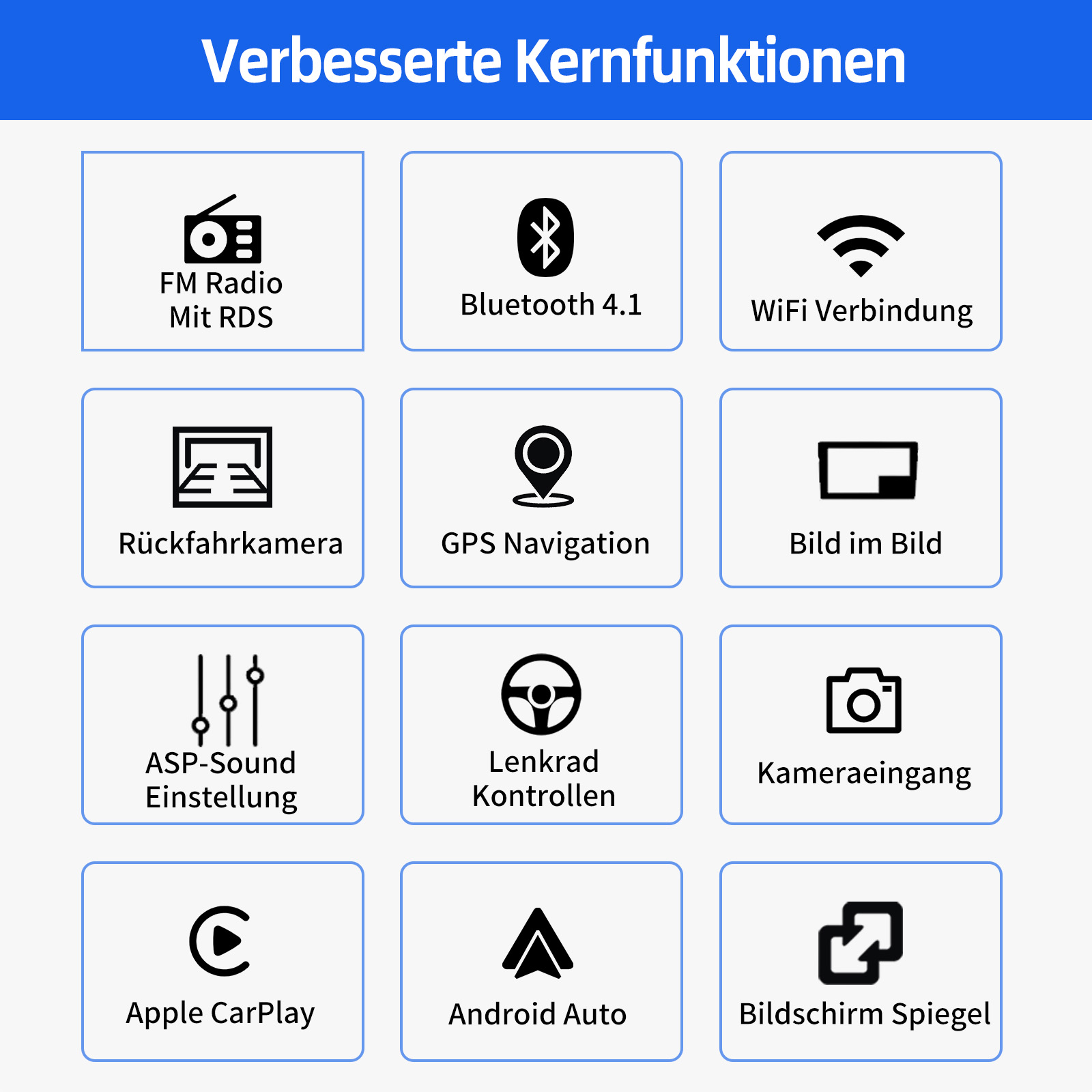
This manual provides detailed instructions for the installation, operation, and maintenance of your ESSGOO 9-inch Android 15 Car Stereo Radio. Designed specifically for Audi A6 4B2 4B5 C5 models from 1997-2004, this unit offers a seamless and user-friendly infotainment experience with advanced features like Wireless CarPlay, Android Auto, GPS Navigation, WiFi connectivity, Bluetooth 4.1, RDS FM Radio, and Steering Wheel Control integration.
The unit features a 9-inch 1280x720 HD capacitive touchscreen and is available with either 4GB RAM + 64GB ROM or 2GB RAM + 32GB ROM, allowing for smooth operation and ample storage for your favorite apps and media. Its plug-and-play design ensures easy installation without the need for additional frames or complex cable changes.
Setup and Installation
Vehicle Compatibility
This car stereo is compatible with the following Audi models:
- Audi A6 (1997-2004)
- Audi S6 (1999-2004)
- Audi RS6 (2002-2004)
Important Note:
Please confirm if your car has a fiber optic power amplifier function. If your car is equipped with a fiber optic power amplifier, this product is not directly compatible, and you will need to purchase additional accessories. If you are unsure, please contact customer service for assistance.

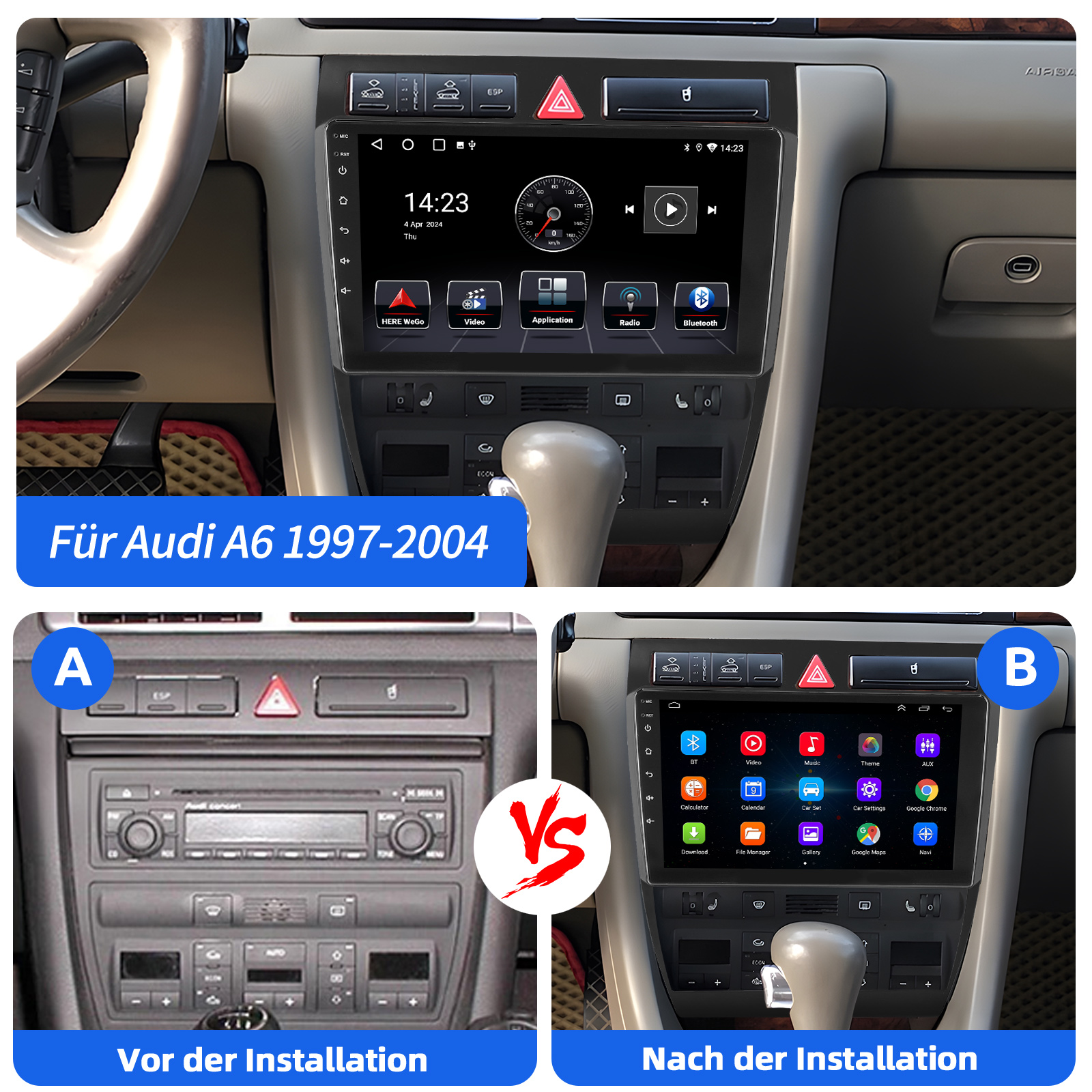
Visual comparison of the Audi A6 dashboard before (A) and after (B) the installation of the ESSGOO car stereo.

Ensure your vehicle's central control unit is a 1-Din type for compatibility. Examples of compatible 1-Din layouts are marked with a green check, while incompatible 2-Din layouts are marked with a red 'X'.
Package Contents
The standard package includes:
- 1 x 2 DIN Car Radio Unit
- 1 x Radio Frame
- 1 x GPS Antenna
- 1 x Power Cable
- 1 x RCA Connection Cable
- 1 x CANBUS Box
- 1 x Radio Antenna Adapter
- 1 x Rear View Camera Input Cable
- 2 x USB Cables (4-pin/6-pin)
- 1 x Installation Manual
Note: DAB+ Receiver & Antenna and AHD Rear View Camera are optional accessories and may not be included in all packages.

Visual representation of the included components for the 2GB RAM + 32GB ROM variant.
Visual representation of the included components for the 4GB RAM + 64GB ROM variant.
Wiring and Connections
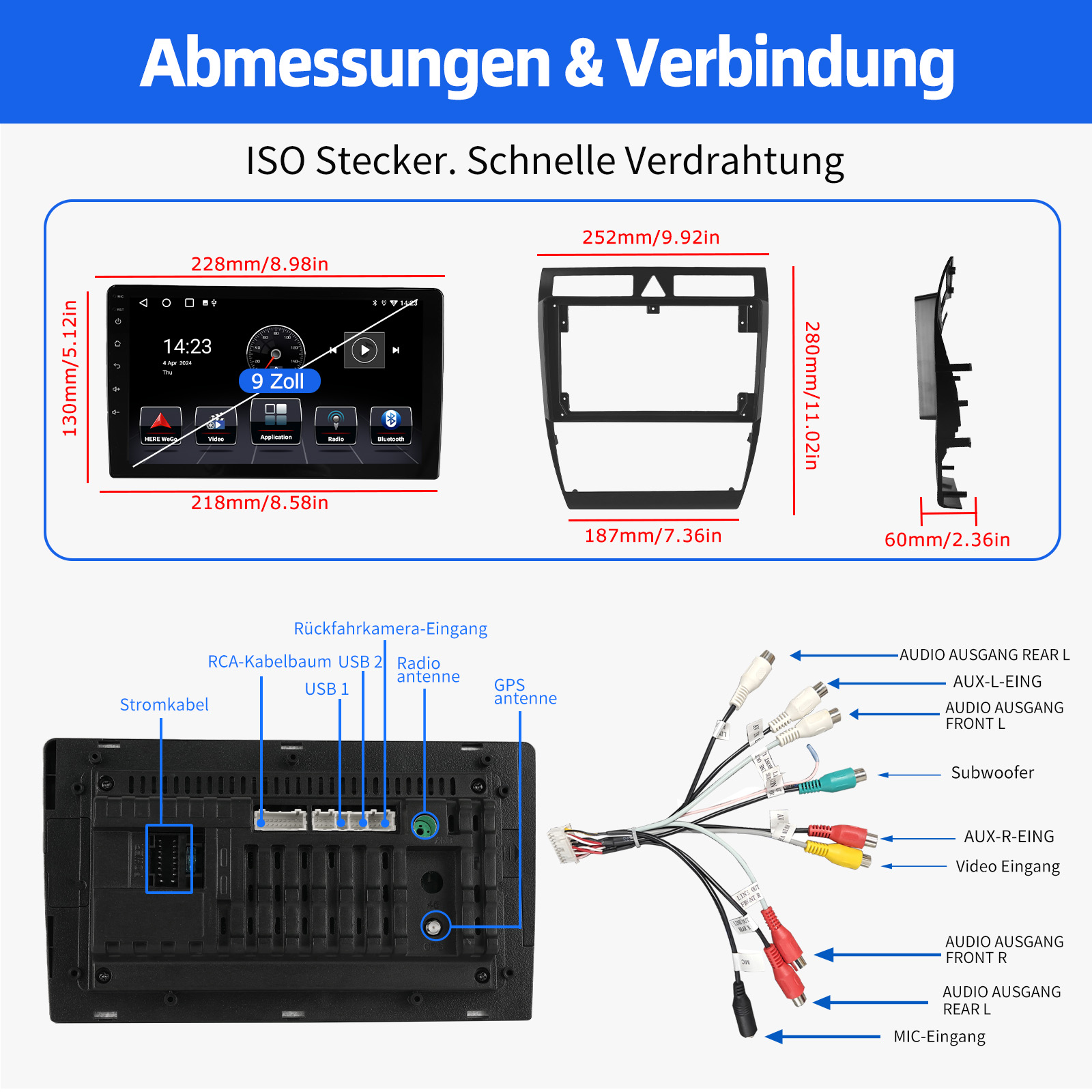
Refer to the detailed wiring diagram for proper connection of all cables. Ensure all connections are secure before powering on the unit.
Dimensions of the unit and frame, along with a comprehensive wiring diagram for ISO connector, RCA cables (Audio Out Rear L/R, Subwoofer, AUX-R In, Video In, MIC-In), Power Cable, USB 1/2, Radio Antenna, and GPS Antenna.
DAB Antenna Installation (Optional)
If you have purchased the optional DAB+ antenna, follow these steps for installation:
- Disassemble the plastic cover of the front pillar (driver's side).
- Remove the protective paper from the black film and transparent film on the antenna.
- Stick the black film onto the metal frame and the transparent film onto the glass. Ensure to leave space for reattaching the plastic cover.
- Pull the black film and transparent film tightly and secure the cable.
- Reinstall the plastic cover, being careful not to pinch or break the cable.

Visual guide for the 5-step DAB antenna installation process.
Operating Instructions
User Interface
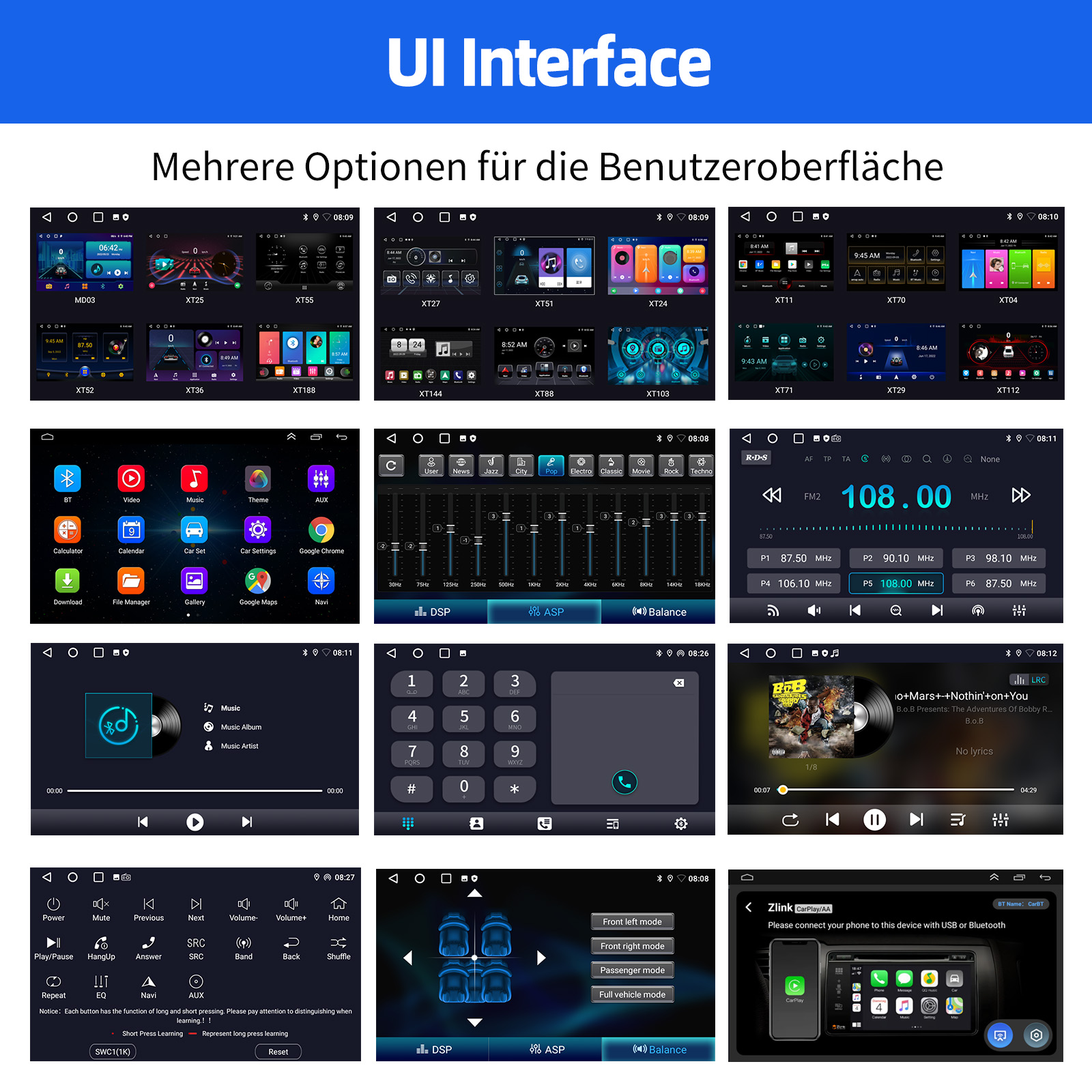
The unit features a customizable user interface with multiple home screen layouts and app interfaces. Navigate through the menus using the 9-inch capacitive touchscreen.
Examples of various UI interfaces and app screens available on the car stereo.
Wireless CarPlay & Android Auto
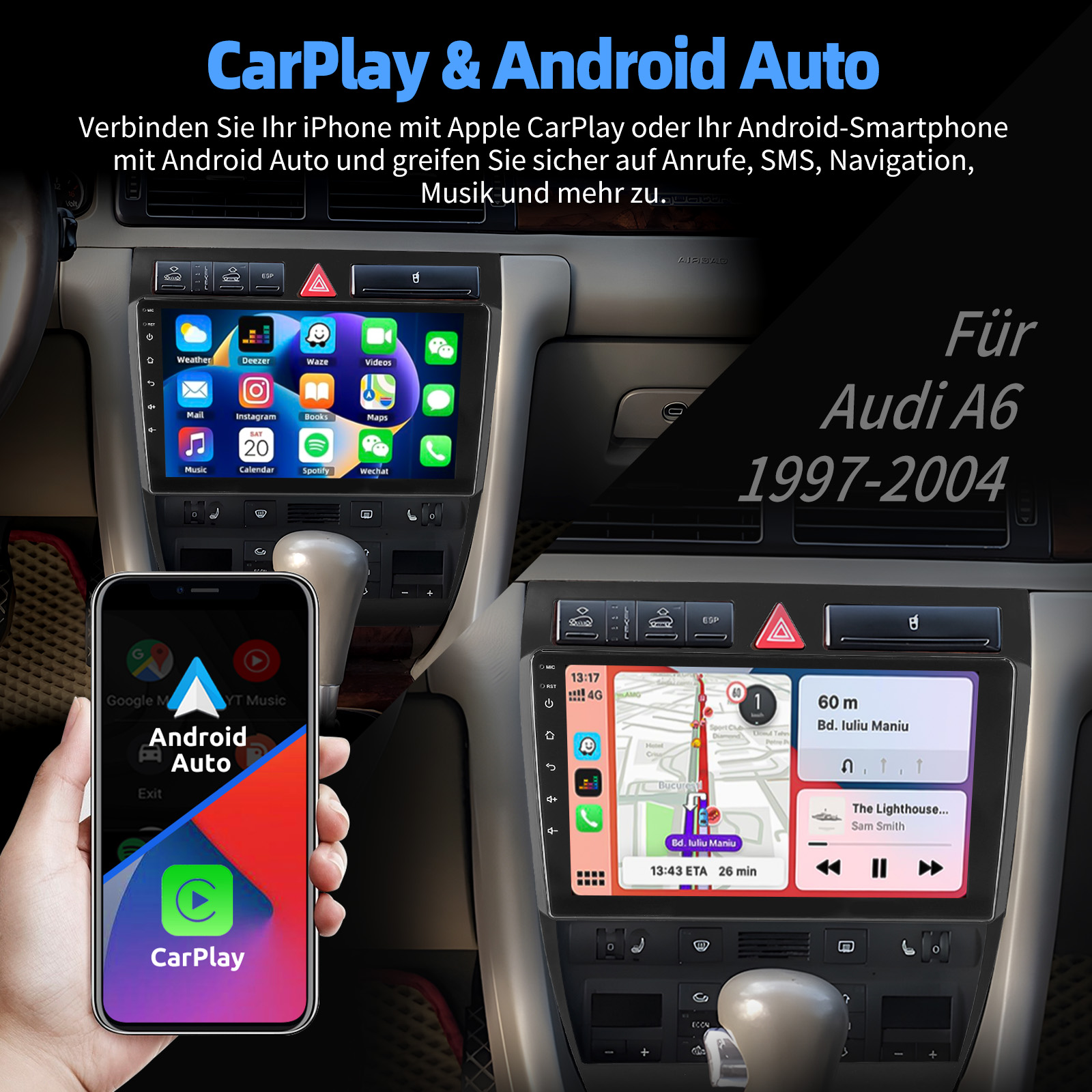
Connect your iPhone via Apple CarPlay or your Android smartphone via Android Auto for a seamless infotainment experience. Access calls, text messages, navigation, music, and more safely through the touchscreen or voice control.

Visualizing the integration of Apple CarPlay and Android Auto on the car stereo display.
Another view of the CarPlay and Android Auto interface.
GPS Navigation & WiFi Connectivity
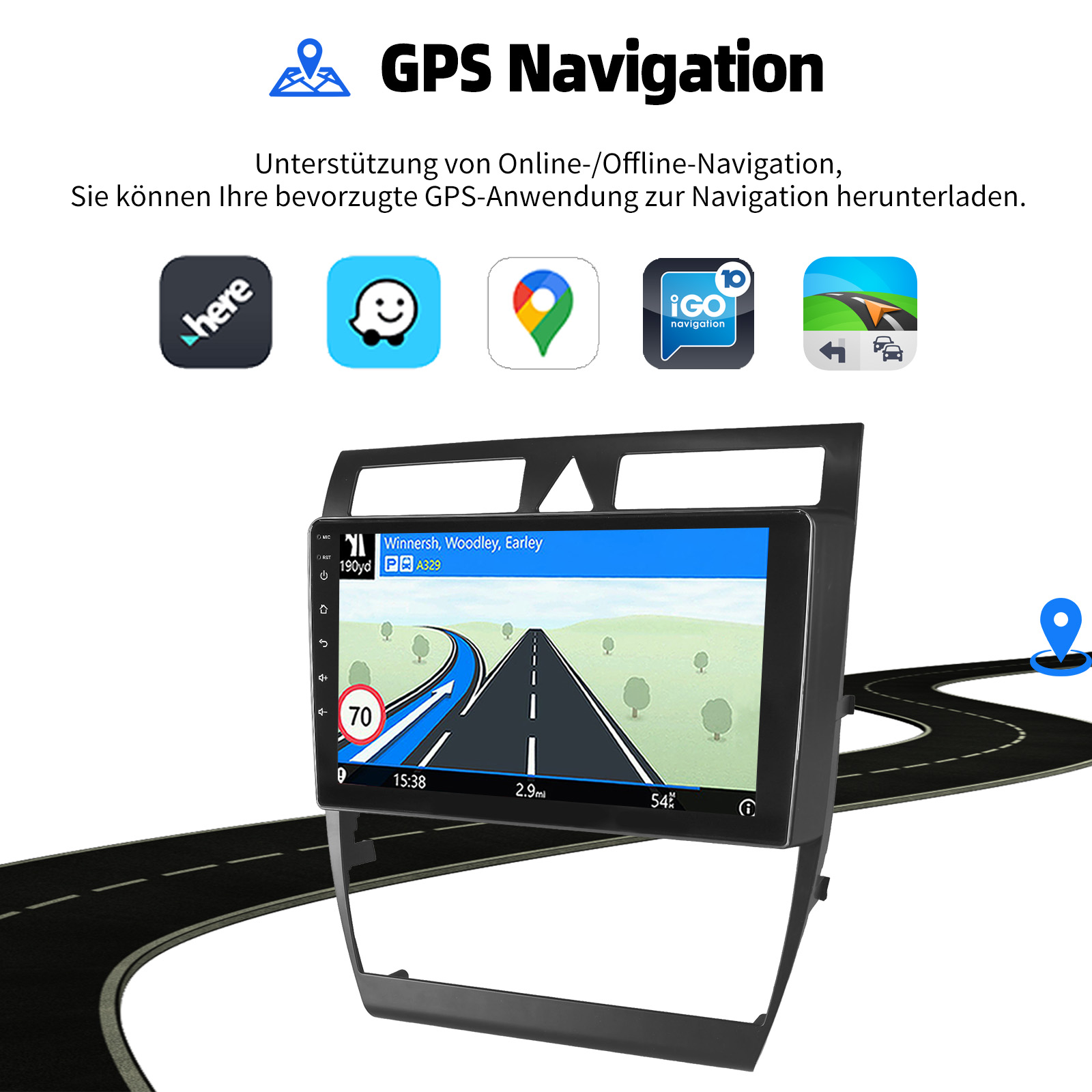
The unit includes GPS for accurate positioning and a stable signal, supporting both online and offline maps. Connect to WiFi to download apps like YouTube, TikTok, Spotify, and more from the App Store.

Illustrates WiFi internet access and GPS navigation capabilities.
Demonstrates WiFi internet access and the ability to install various applications.
Another view of the GPS Navigation interface.
RDS/FM Radio & Bluetooth
Enjoy FM radio with RDS support, allowing you to save up to 18 FM stations. Bluetooth 4.1 with a built-in microphone enables hands-free calling and music streaming. The unit also features an ASP chip for 32-band EQ adjustment, providing a sound experience similar to your original car audio.

The radio interface displaying FM frequency range and RDS information.
Demonstrates Bluetooth functionality for hands-free calls and music.
Steering Wheel Control (SWC)
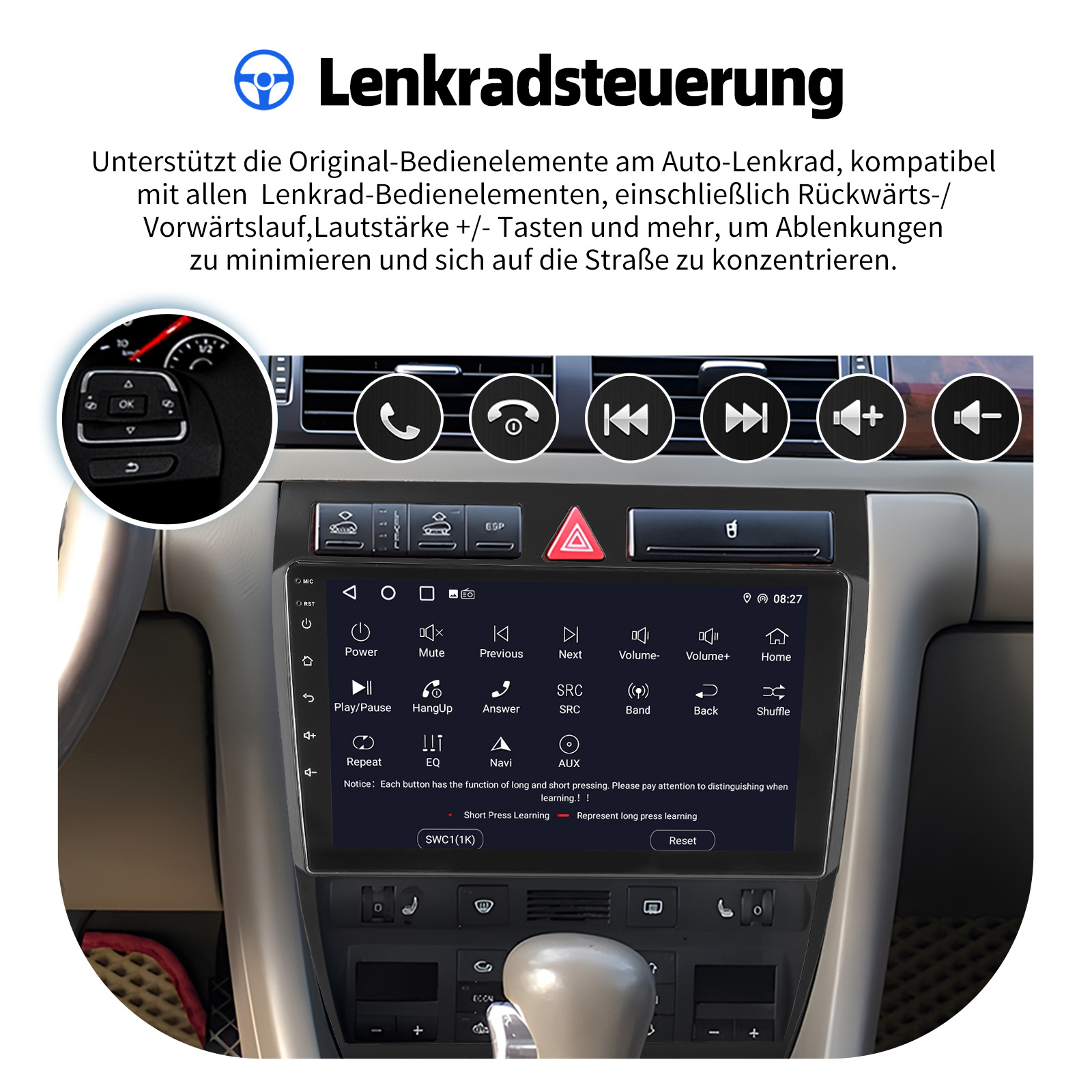
The unit supports original car steering wheel controls, allowing you to manage media playback, calls, and navigation conveniently and safely without taking your hands off the wheel. The system supports both short and long press functions for various controls.
Interface for learning and configuring steering wheel controls, including short and long press functions.
Rear View Camera Input
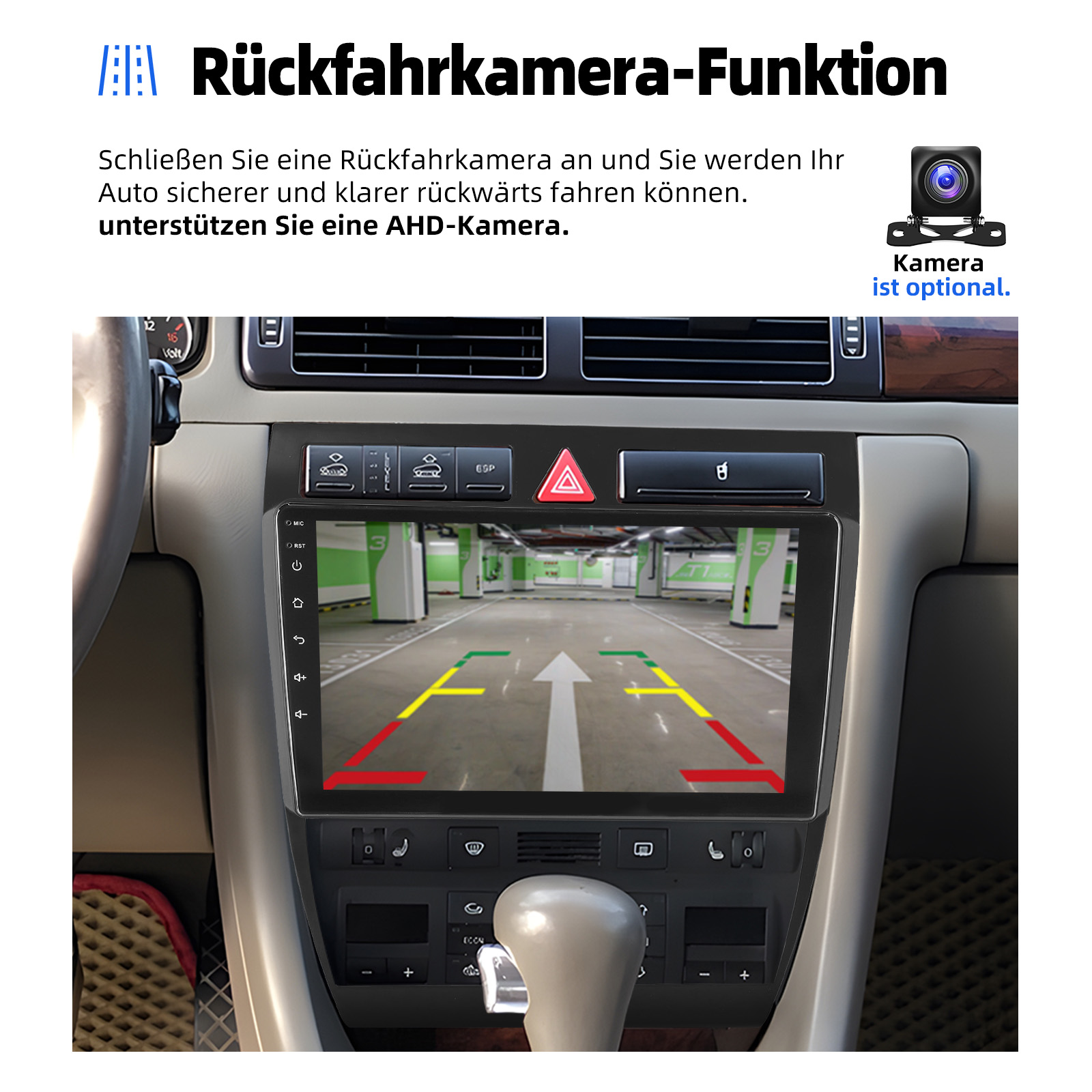
When a rear view camera is connected (optional), the radio automatically displays the reverse image upon engaging reverse gear, enhancing parking safety. The unit supports AHD cameras for clearer images.
Display of the rear view camera feed with parking guidelines.

Features of the optional AHD car camera, including IP68 waterproof rating and HD parking aid.

Visual comparison demonstrating the superior clarity of AHD rear view cameras compared to ordinary cameras in various scenarios.
Screen Mirroring (iOS/Android)
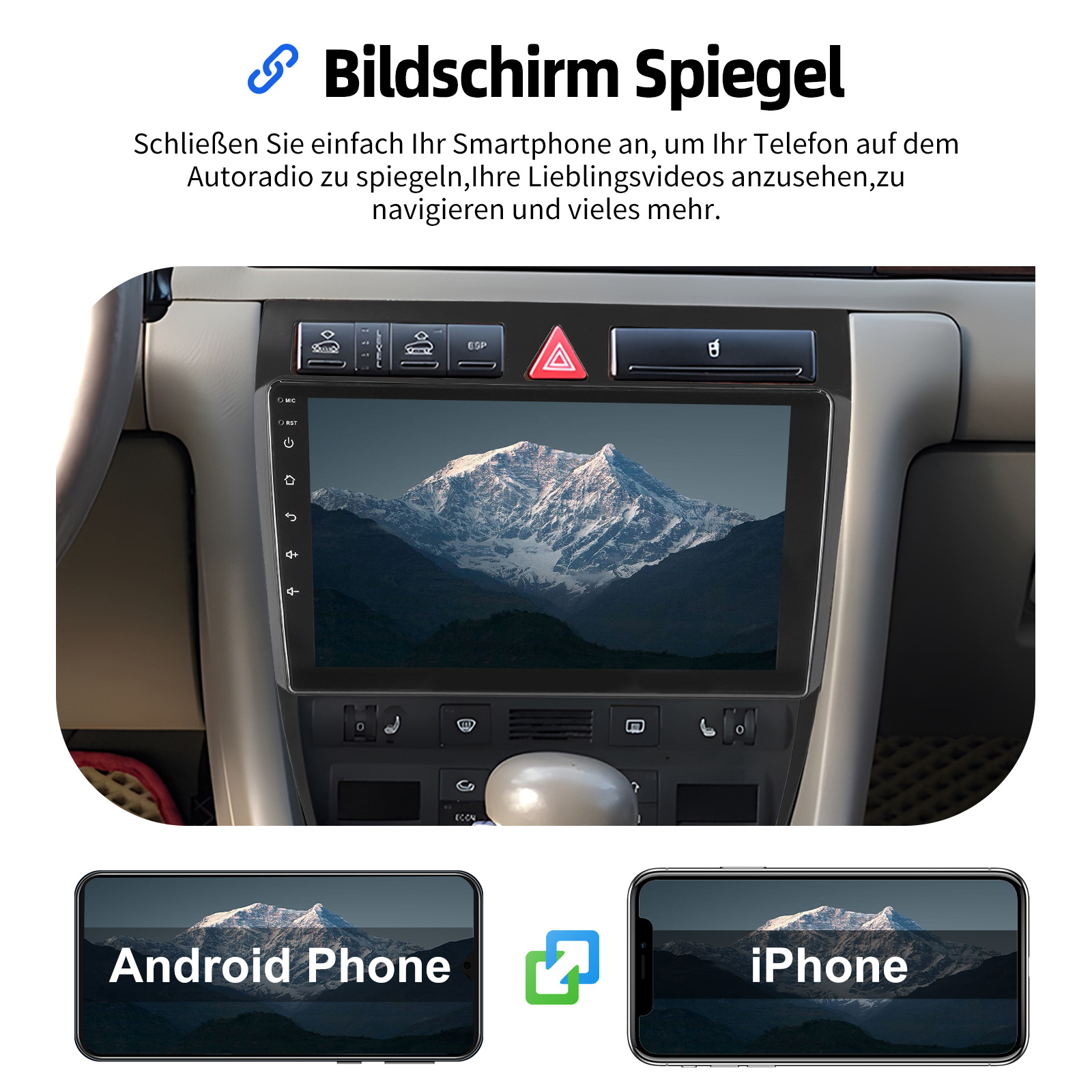
The car radio supports Mirror Link for both iOS and Android phones. Connect your iPhone via WiFi or your Android phone via WiFi or the original USB cable (not applicable to Samsung and Huawei phones) to synchronize your phone's screen with the car stereo's 9-inch display.
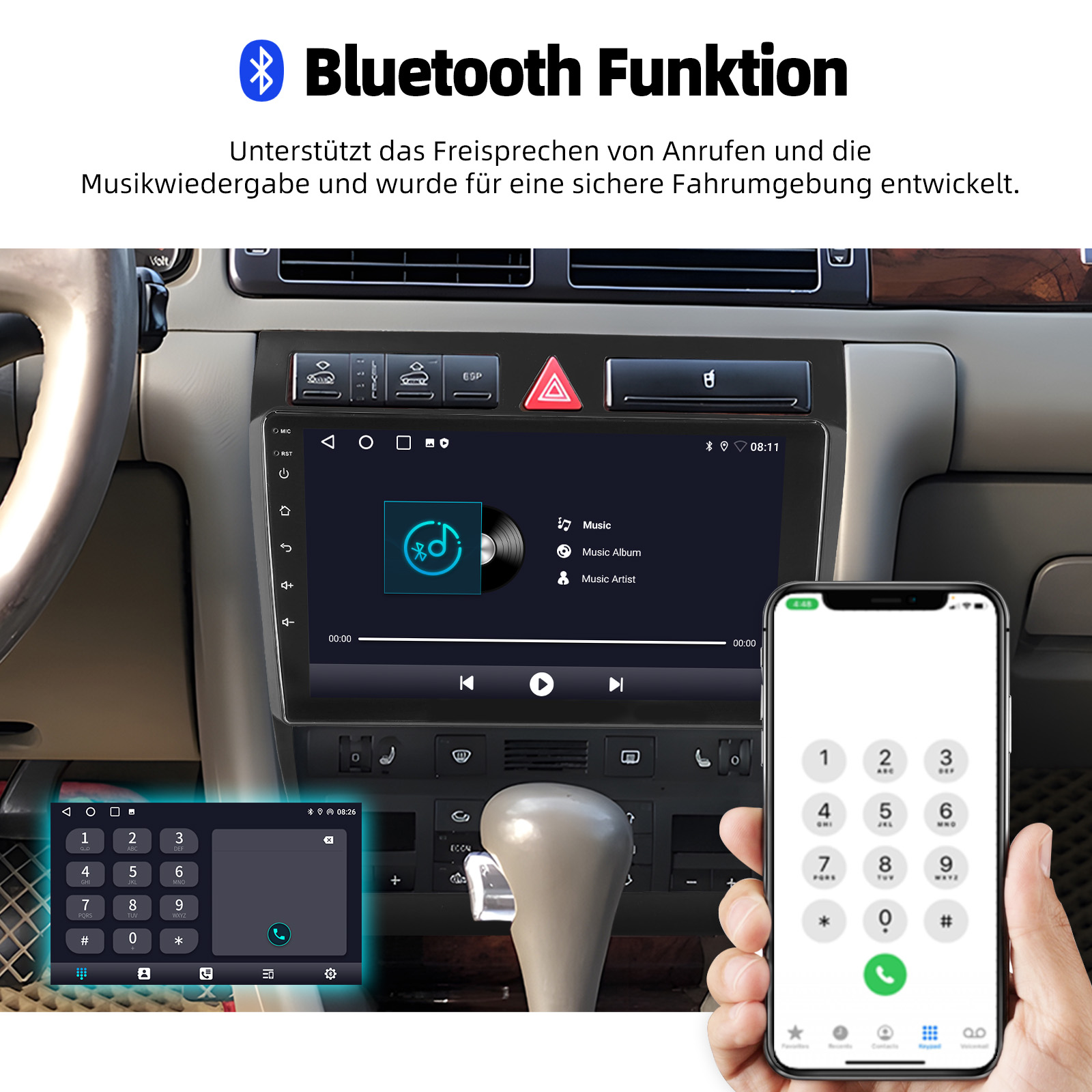
Illustration of screen mirroring functionality for both Android and iPhone devices.
CANBUS Integration
The included CANBUS box enables real-time information synchronization, supporting features like parking sensors, reverse signal, climate display, and vehicle information, making car control smarter and more accurate.
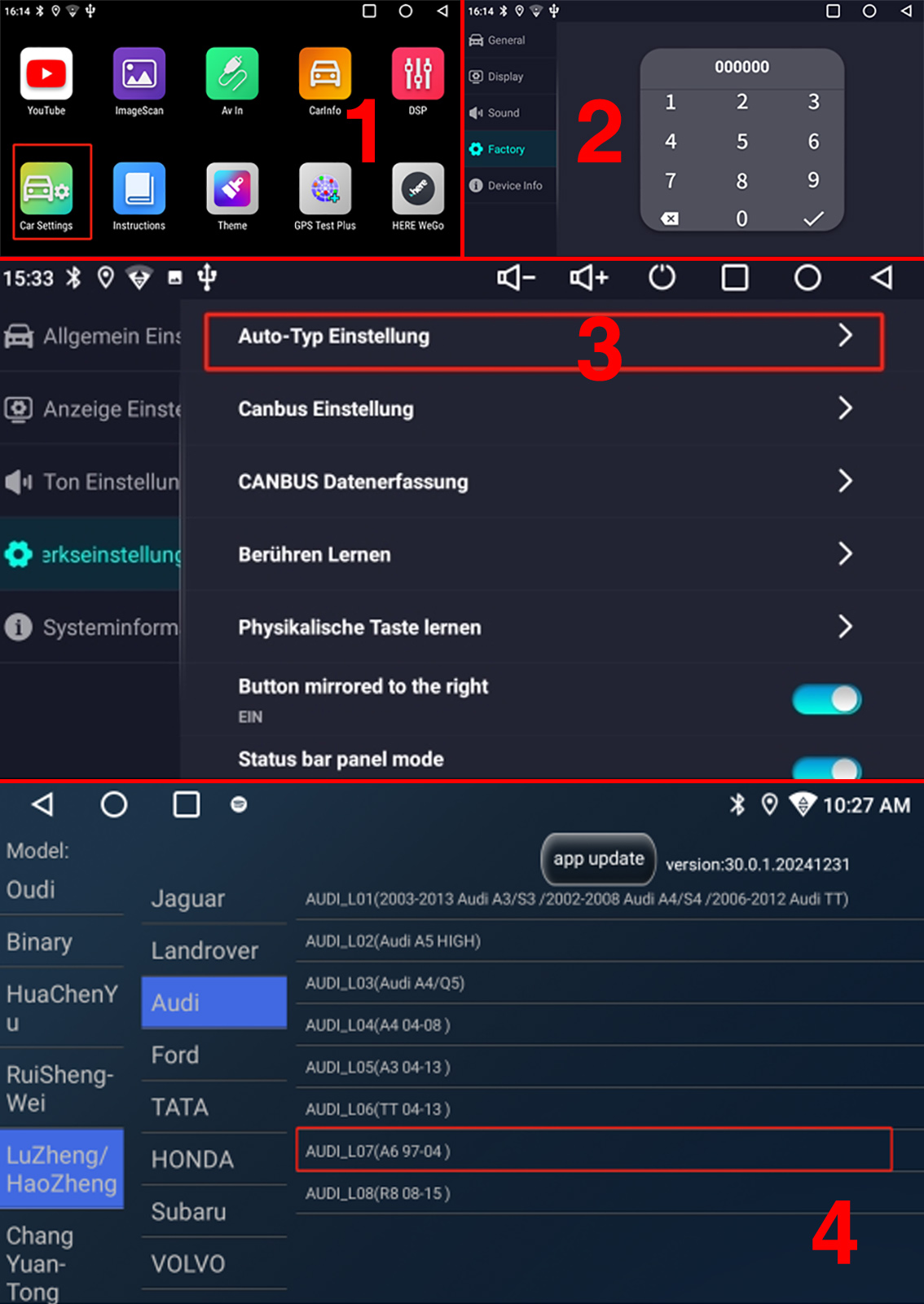
Car Settings menu, demonstrating options for CANBUS configuration and vehicle model selection.
Maintenance
To ensure the longevity and optimal performance of your ESSGOO Car Stereo Radio, follow these general maintenance guidelines:
- Cleaning: Use a soft, dry cloth to clean the screen and exterior surfaces. For stubborn smudges, lightly dampen the cloth with water or a screen-safe cleaner. Avoid abrasive materials or harsh chemicals.
- Software Updates: Periodically check for software updates to ensure you have the latest features and performance improvements. Updates can typically be found through the system settings or the manufacturer's website.
- Environmental Conditions: Avoid exposing the unit to extreme temperatures, direct sunlight for prolonged periods, or excessive moisture.
- Cable Connections: Ensure all cables are securely connected. Loose connections can lead to intermittent issues.
Troubleshooting
If you encounter any issues with your car stereo, refer to the following common troubleshooting steps:
- No Power: Check all power connections. Ensure the car's ignition is on. Verify the fuse in the power cable.
- No Sound: Check speaker connections. Ensure the volume is not muted or set too low. Verify audio settings (EQ, balance, fader).
- Touchscreen Unresponsive: Try restarting the unit. Ensure the screen is clean and free of debris.
- GPS Not Working: Ensure the GPS antenna is properly installed and has a clear view of the sky. Check GPS settings in the system.
- Bluetooth Connection Issues: Ensure Bluetooth is enabled on both the car stereo and your mobile device. Delete previous pairings and try reconnecting.
- CarPlay/Android Auto Not Connecting: Ensure your phone's operating system is up to date. Try a different USB cable if connecting via cable. Check app permissions on your phone.
- Steering Wheel Controls Not Working: Ensure the CANBUS box is correctly installed and configured in the system settings (refer to the 'Car Settings' UI image).
If the problem persists after trying these steps, please contact customer support for further assistance.
Specifications
| Feature | Specification |
|---|---|
| System | Android 15 |
| CPU | 4 x Cortex A53 1.5GHz |
| Memory | 4GB (RAM) + 64GB (ROM) / 2GB (RAM) + 32GB (ROM) |
| Screen | 9-inch 1280x720 IPS capacitive touchscreen |
| Resolution | 1280 x 720 |
| Display Size | 9" |
| Din Size | Double Din |
| Operating Voltage | 12 V |
| Out Power | 4*45W (Mosfet Amplifier) |
| Bluetooth Version | 4.1 |
| Tuner Type | FM (87.5M-108M) with RDS |
| Special Features | WiFi function, Support Can-Bus, Built-in GPS, CarPlay, Android Auto, Reversing Input, Support steering wheel control |
| Digital Media Format | Mp3, MP4, WMA, JPEG, AVI, ASF, MOV, MPG, MPEG1/2/4, VOB, MKV, FLV, TS, WMV, RMVB, 3GP |
| OSD Language | Chinese (Simplified), Chinese (Traditional), German, Russian, Spanish, Italian, English, French, Portuguese, Turkish, Polish |
| Certification | CE, FCC |
| Material | Plastic |

Details of the Quad Core System, including CPU and memory configurations.

Information on the 9-inch IPS display, including resolution and video playback support.
User Tips
No specific user tips are available from buyer reviews or Q&A at this time. For optimal performance, ensure all connections are secure and refer to the installation guide for vehicle-specific considerations.
Warranty and Support
The ESSGOO 9" Android 15 Car Stereo Radio comes with a 1-year warranty.
For any technical support, troubleshooting assistance, or warranty claims, please contact ESSGOO customer service. Ensure you have your product model and purchase details ready when contacting support.


