
1. Introduction
Thank you for purchasing the QINGLV QL-02 Portable Digital Radio. This multifunctional device combines FM, AM, and SW radio reception with Bluetooth connectivity, an MP3 player supporting TF cards, and a recording function. Its compact design makes it ideal for on-the-go use. This manual provides essential information for safe operation, setup, and maintenance of your new radio.
2. Safety Precautions
Before using this portable radio recorder, please read and understand all safety guidelines to ensure safe and reliable use of the product:
- Read and understand all safety guidelines and use information.
- It is recommended to use the original lithium battery.
- Please use a charging device with an output voltage of 5V and current between 500mA-1A to avoid damaging the lithium battery and device.
- If the lithium battery will not be used for an extended period, please remove it, store it separately, and remember to charge it once a month.
- Do not allow the radio to come into direct contact with rain, moisture, or any liquid drops.
- Avoid direct heat sources. Do not bake or blow dry the product.
- Do not expose the device to direct sunshine for an extended period.
- Do not drop the product or apply heavy pressure.
3. Package Contents
Ensure all items are present in the package:
- 1 x QINGLV QL-02 Radio
- 1 x Hanging rope
- 1 x USB Micro Type-B cable
- 1 x English user manual (this document)
4. Product Overview
Familiarize yourself with the various parts and controls of your QINGLV QL-02 radio.

Key Components:
- FM/SW Antenna: Extend for better radio reception.
- TF Card Slot: Insert a MicroSD card for MP3 playback.
- Tuning Knob: Fine-tune radio frequencies.
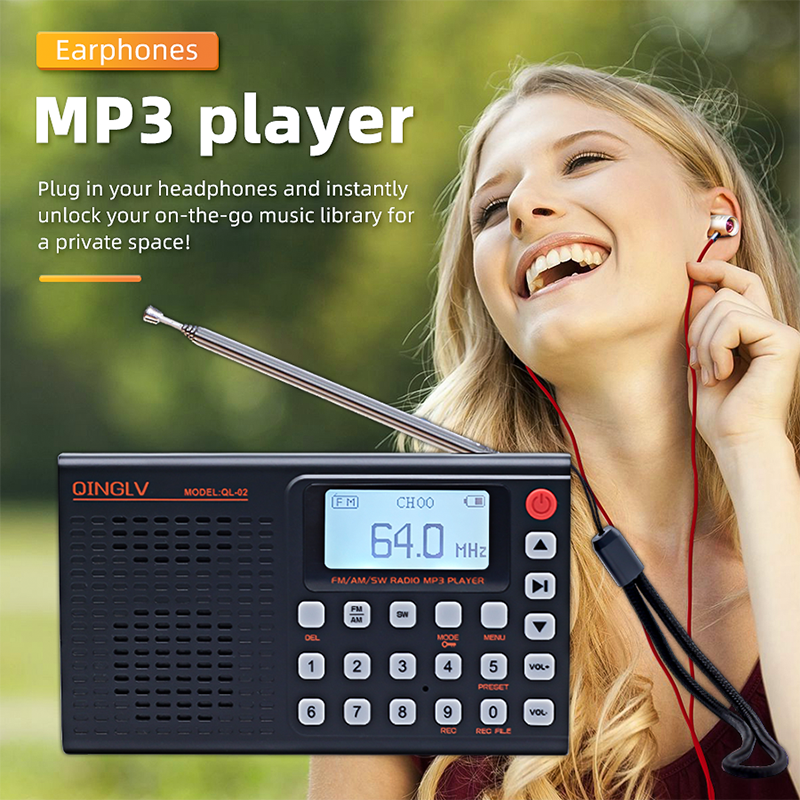
- Earphone Jack (3.5mm): Connect headphones for private listening.
- Type-C Charging Interface: Connect the USB cable for charging.
- Audio Input Interface (AUX): Connect external audio devices.
- Speaker: Built-in speaker for audio output.
- Power Switch: Turn the device On/Off.
- MODE Key: Switch between radio modes (FM/AM/SW), Bluetooth, and MP3 player.
- Numeric Buttons (0-9): Direct frequency input and music selection.
- DEL (Delete) Key: Delete recorded files.
- REC (Recording) Key: Initiate recording.
- REC FILE Key: Access recorded files.
- Play/Pause Key: Control playback for MP3 and recordings.
- Next/Previous Keys: Navigate tracks or stations.
- Volume Up/Down Keys: Adjust audio volume.
5. Setup
5.1. Battery Installation and Charging
- Ensure the radio is powered off.
- Locate the battery compartment (usually on the back or bottom) and open it.
- Insert the provided lithium battery, ensuring correct polarity.
- Close the battery compartment securely.
- Connect the supplied USB Micro Type-B cable to the Type-C charging interface on the radio and the other end to a 5V/500mA-1A USB power adapter (not included).
- The LED display will indicate charging status. Charge fully before first use.
5.2. Inserting a TF Card
To use the MP3 player function, insert a TF (MicroSD) card:
- Locate the TF card slot on the top of the radio.
- Gently insert the TF card into the slot until it clicks into place. Ensure the card is oriented correctly.
- To remove, push the card in slightly until it springs out.
6. Operating Instructions
6.1. Power On/Off
Press the Power Switch button (usually red, located on the top right of the front panel) to turn the radio on or off.
6.2. Radio Operation (FM/AM/SW)
- Select Band: Press the AM/FM or SW band key to switch between available radio bands.
- Extend Antenna: For optimal reception, fully extend the telescopic antenna.
- Tuning Methods:
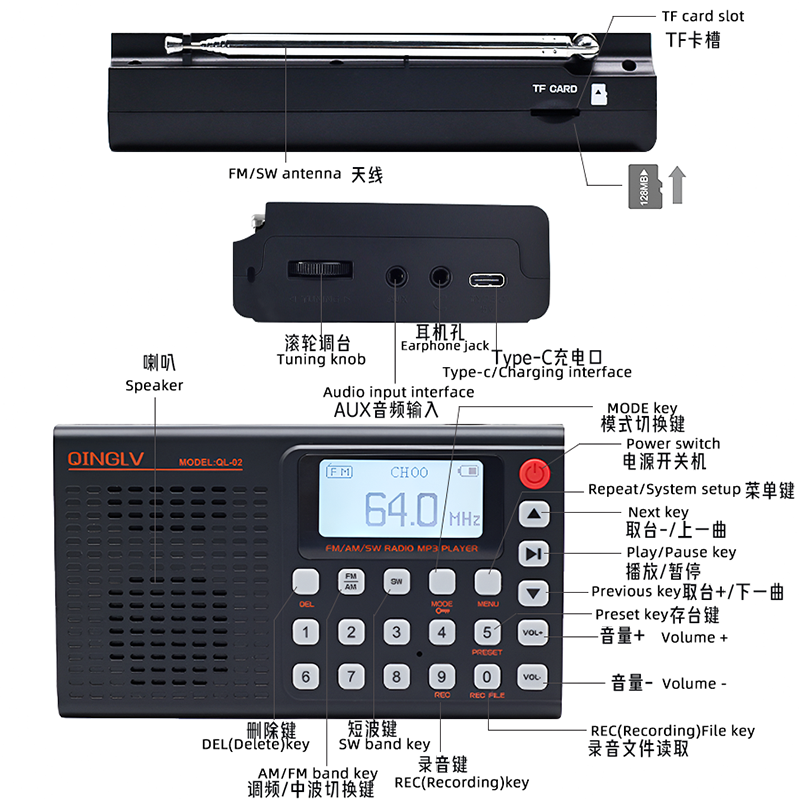
Figure 6.1: Radio Station Search Methods - Automated Search: Press and hold the Play/Pause button. The radio will automatically scan and save available stations.
- Manual Tuning: Use the Tuning Knob on the side to manually adjust the frequency.
- Direct Numeric Entry: Use the numeric buttons (0-9) to directly input the desired frequency. For example, to tune to 98.5 MHz, press 9-8-5.
- Preset Stations: Use the PRESET key to cycle through saved stations.
6.3. Bluetooth Function
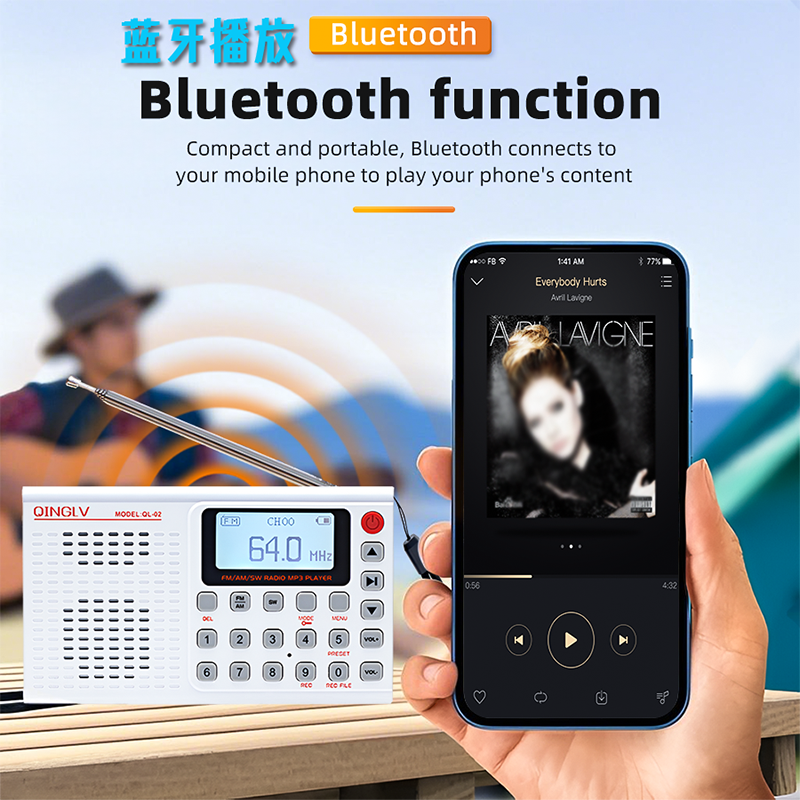
The radio can connect to your mobile phone or other Bluetooth-enabled devices to play audio.

- Turn on the radio.
- Press the MODE key until 'Bluetooth' or a Bluetooth icon appears on the display.
- On your mobile device, enable Bluetooth and search for available devices.
- Select 'QL-02' (or similar name) from the list to pair.
- Once paired, you can play audio from your device through the radio's speaker.
6.4. MP3 Player (TF Card)
Play music files stored on a TF card.

- Ensure a TF card with MP3 files is inserted into the TF card slot.
- Press the MODE key until 'MP3' or a music icon appears on the display.
- The radio will automatically start playing the first track.
- Use the Next and Previous keys to navigate between tracks.
- Press the Play/Pause key to pause or resume playback.
- Use the numeric buttons (0-9) for direct music selection if supported by file naming conventions.
6.5. AUX Input
Connect external audio sources using the AUX cable.

- Connect one end of a 3.5mm audio cable (not included) to the AUX Input Interface on the radio.
- Connect the other end to the headphone jack or audio output of your external device (e.g., smartphone, computer).
- Press the MODE key until 'AUX' appears on the display.
- Play audio from your external device. The radio will act as a speaker.
6.6. Recording Function
Record radio programs or external audio via AUX input.

- Ensure a TF card is inserted to save recordings.
- Tune to the desired radio station or connect an AUX source.
- Press the REC (Recording) key to start recording. A recording indicator will appear on the display.
- Press the REC key again to stop and save the recording.
- To listen to recordings, press the REC FILE key and use the Next/Previous keys to select.
- To delete a recording, select the file and press the DEL (Delete) key.
6.7. Volume Control and Headphone Use
- Volume Adjustment: Use the VOL+ and VOL- keys to increase or decrease the volume.
- Headphones: Plug 3.5mm headphones into the Earphone Jack for private listening. The speaker will automatically mute.
7. Maintenance
- Cleaning: Use a soft, dry cloth to clean the radio's exterior. Do not use abrasive cleaners or solvents.
- Storage: When not in use for extended periods, store the radio in a cool, dry place away from direct sunlight and extreme temperatures. Remove the battery if storing for several months.
- Battery Care: Follow the safety precautions regarding battery charging and storage to prolong battery life.
8. Troubleshooting
| Problem | Possible Cause | Solution |
|---|---|---|
| Radio does not turn on. | Battery is low or not inserted correctly. | Charge the battery or re-insert it with correct polarity. |
| Poor radio reception. | Antenna not extended, weak signal, or interference. | Fully extend the antenna. Try moving to a different location. |
| Bluetooth not connecting. | Radio not in Bluetooth mode, device too far, or already paired with another device. | Ensure radio is in Bluetooth mode. Keep devices within range. Disconnect from other devices if necessary. |
| MP3 player not working. | TF card not inserted, card corrupted, or unsupported file format. | Ensure TF card is inserted correctly. Check card for corruption or try another card. Ensure files are MP3 format. |
| No sound from speaker/headphones. | Volume too low, headphones not fully plugged in, or device muted. | Increase volume. Ensure headphones are fully inserted. Check if the device is muted. |
9. Specifications
| Feature | Detail |
|---|---|
| Model Number | QINGLV QL-02 |
| Body Material | Plastic |
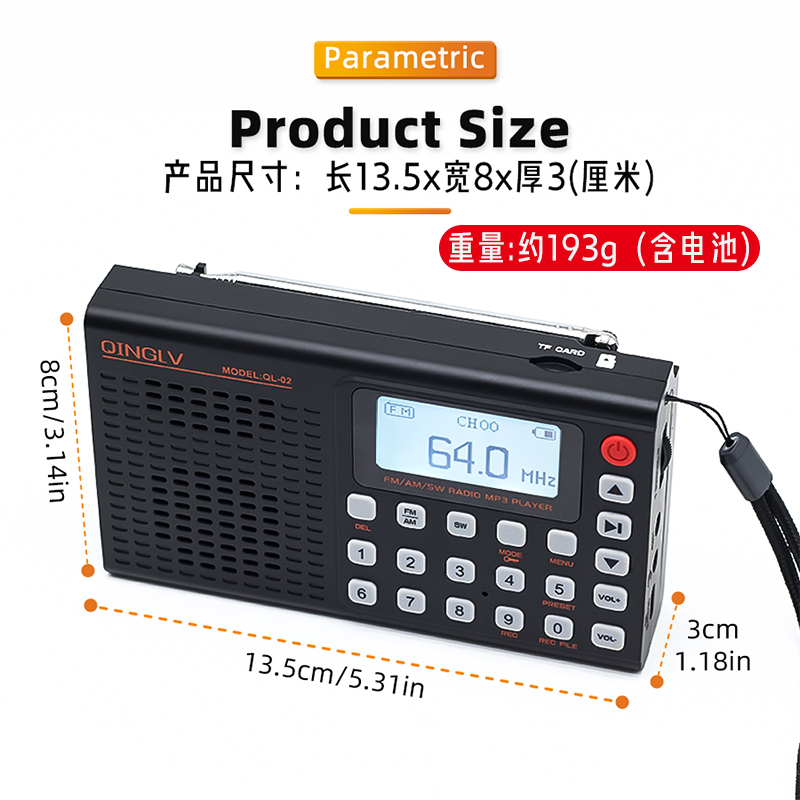
| Dimensions (WxHxD) | 13.5 x 8 x 3 cm (5.31 x 3.14 x 1.18 inches) |
| Weight (with battery) | Approx. 193g |
| FM Frequency | 64-108 MHz |
| AM Frequency | 522-1710 KHz |
| SW Frequency | 4.75-21.85 MHz |
| Sensitivity | FM < 8dB, AM < 87dB |
| Signal-to-noise ratio | 65dB |
| Speaker Power | 3W |
| Speaker Impedance | 4Ω |
| Amplifier Frequency Range | 50Hz-20KHz |
| Power Supply | Rechargeable Battery Pack |
| Li-ion Battery Capacity | 2000mAh |
| Power Supply Voltage/Current | 5V / 1-2A |
| Headphone Jack/AUX | 3.5mm |
| Memory Card Support | TF Card, max 128GB |
| Bluetooth | Yes |
| Screen | LED Digital Display |
| WIFI | No |
10. User Tips
No specific user tips are available from reviews or Q&A at this time. Please refer to the operating instructions for optimal use.
11. Warranty and Support
For warranty information and technical support, please refer to the documentation provided at the time of purchase or contact your retailer. Keep your purchase receipt as proof of purchase.


