
1. Introduction
The LEEDOAR ET570 Smart Watch is a versatile wearable device designed to enhance your daily life with smart features and comprehensive health monitoring. Featuring a vibrant 1.96-inch IPS HD full-touch screen, Bluetooth LE 5.0 connectivity, and a range of sensors, it helps you stay connected, track your fitness, and monitor key health indicators.

Figure 1: LEEDOAR ET570 Smart Watch main display with health metrics.
2. What's Included
Please check the package contents upon unboxing:
- LEEDOAR ET570 Smart Watch
- Wristband (Silicone or Leather, depending on model)
- Instruction Manual
- Charging Cable (Magnetic Suction)
3. Specifications
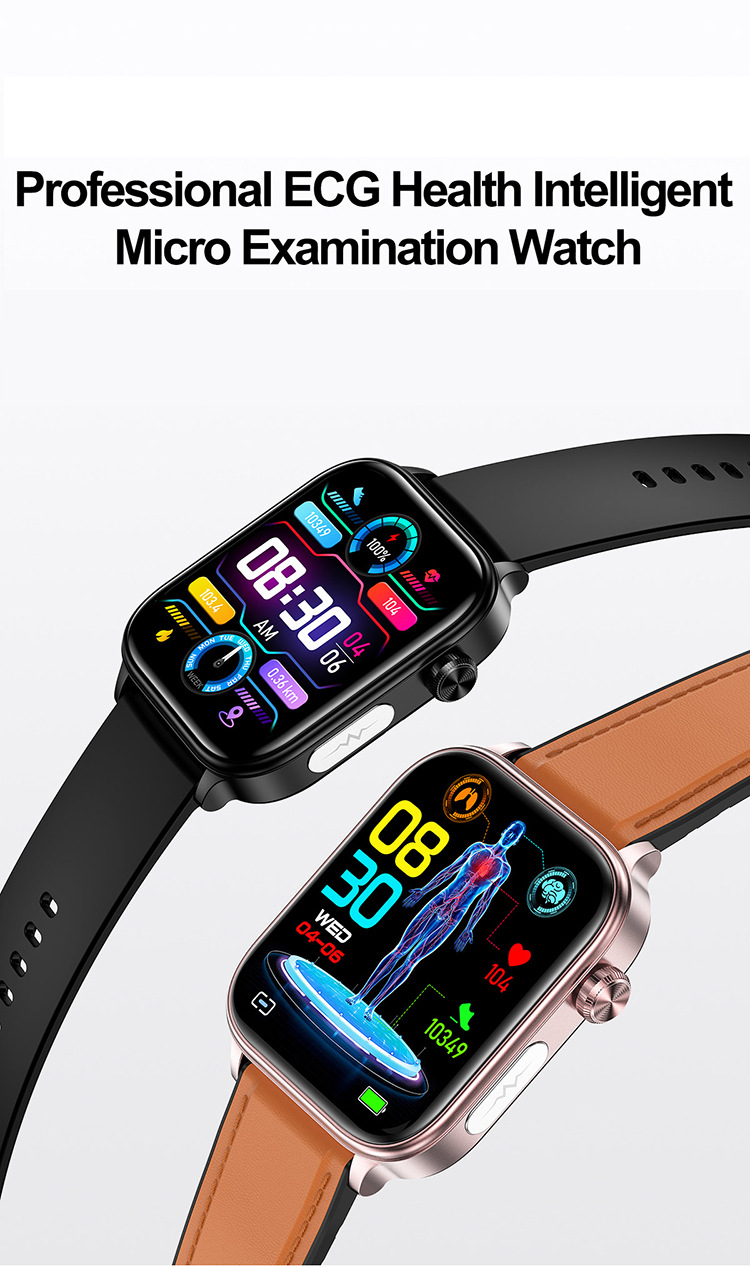
Figure 2: Detailed product specifications.
| Feature | Specification |
|---|---|
| Model | ET570 |
| Display | 1.96-inch IPS HD Screen, 466*466 Resolution |
| Bluetooth Version | Bluetooth LE 5.0 + Calls |
| Battery Capacity | 340mAh |
| Charging Method | Magnetic Suction Charging |
| Shell Material | Alloy |
| Band Material | Silica Gel / Leather |
| Wrist Circumference | 120-200mm |
| Product Weight | 46g |
| Operating Temperature | -5 °C to 45 °C |
| Waterproof Grade | Life Waterproof |
| Compatible System | Android 4.4 and above / iOS 8.2 and above |
| Metrics Measured | Heart Rate, Blood Oxygen, Sleep, Blood Pressure, Body Temperature, Women's Health |
| Activity Tracked | Steps, Distance, Calories, General Activity |
| Voice Assistant | Yes |
| GPS | Via Smartphone |
| Supported Watch Languages | English, Japanese, Russian, German, Spanish, Italian, French, Portuguese, Korean, Polish, Czech, Traditional |
| Supported APP Languages | Russian, Hungarian, Türkiye, German, Italian, Czech, Slovak, Japanese, French, Polish, Simplified Chinese, Traditional Chinese, English, Portuguese, Spanish, Vietnamese, Arabic, Bowen, Korean |
Note: This product is not a medical device. The health data provided is for reference only and should not be used for medical diagnosis or treatment.
4. Initial Setup
4.1 Charging the Smart Watch
Before first use, fully charge your ET570 Smart Watch. Connect the magnetic charging cable to the charging points on the back of the watch and plug the USB end into a power adapter (not included) or a computer's USB port.
4.2 App Download and Pairing
- Scan the QR code in the instruction manual or search for the companion app (e.g., 'Wearfit Pro' or similar, as implied by features) in your smartphone's app store (Google Play Store for Android, Apple App Store for iOS).
- Install the app on your smartphone.
- Ensure Bluetooth is enabled on your smartphone.
- Open the app and follow the on-screen instructions to create an account or log in.
- In the app, navigate to 'Device' or 'Add Device' and select your ET570 Smart Watch from the list of available devices.
- Confirm the pairing request on both your phone and the watch.
Once paired, the watch will synchronize time and data with your phone.
5. Operating Instructions
5.1 Basic Navigation
- Touch Screen: Swipe left/right, up/down to navigate through menus and features. Tap to select.
- Side Button/Crown: Press to wake the screen, return to the home screen, or access the app menu. Rotate (if applicable) to scroll through lists.
5.2 Bluetooth Calls
After connecting the watch to your phone via Bluetooth, you can answer and make calls directly from your wrist. The watch displays recent contacts and call history for convenience.

Figure 3: Bluetooth call functionality.
5.3 Message Notifications
Once connected to the app, the watch will display messages and other reminders from your smartphone, ensuring you never miss important information.

Figure 4: Message notification display.
5.4 Health Monitoring
The ET570 Smart Watch offers various health monitoring features:
- Heart Rate Monitor: Real-time heart rate tracking. Access the heart rate function on the watch or app to view your data.
- Blood Oxygen Monitor: Measures blood oxygen saturation. Keep still during measurement for accurate results.
- Sleep Monitor: Provides 24/7 scientific sleep monitoring, recording sleep status at different stages (deep sleep, light sleep, REM).
- Body Temperature Monitor: Tracks body and skin temperature.
- Blood Pressure Monitor: Measures blood pressure. Keep still during measurement.
- Mood/Emotion & Fatigue Test: Detects health indicators related to emotions and stress levels within 30 seconds.
- Women's Health Monitoring: Tracks menstrual cycles and ovulation.

Figure 5: Heart Rate Monitoring.
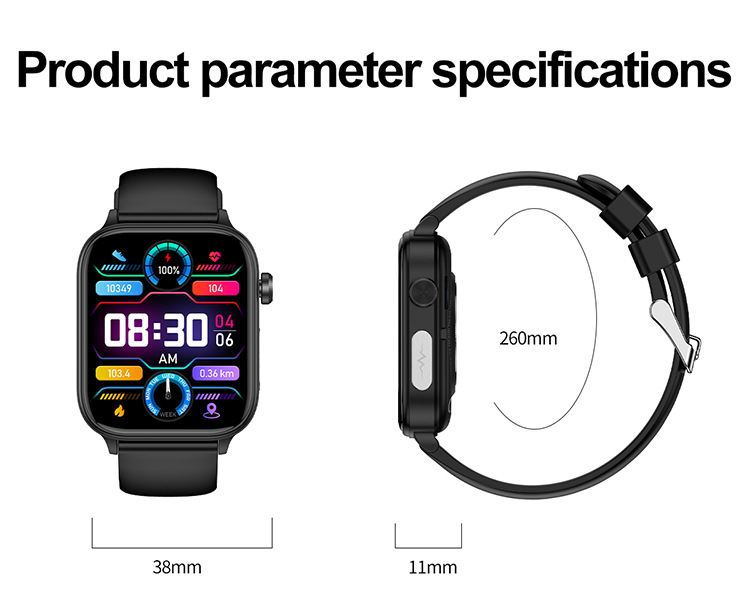
Figure 6: Blood Oxygen Monitoring.
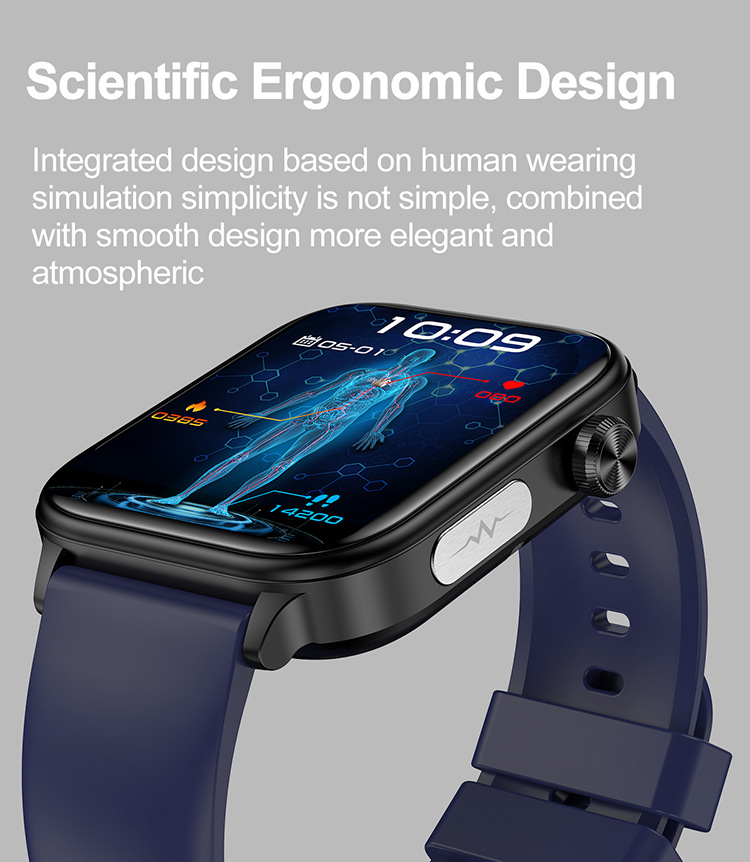
Figure 7: Sleep Monitoring.

Figure 8: Body Temperature Monitoring.
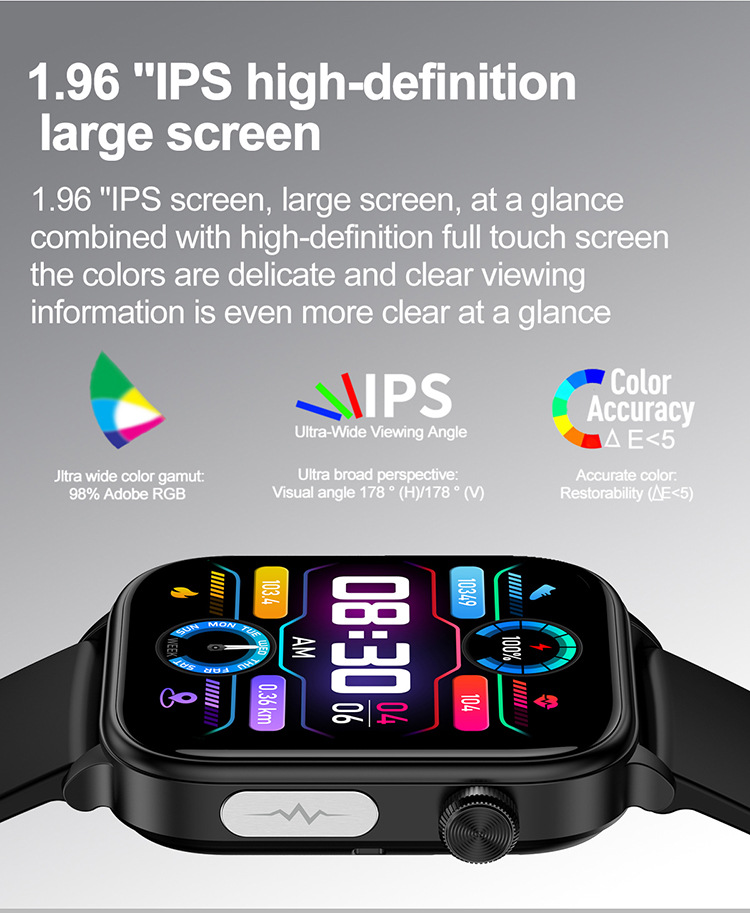
Figure 9: Emotion and Fatigue Monitoring.
5.5 Sports Modes & Activity Tracking
The watch is equipped with an AI intelligent motion algorithm to track various exercise data, including heart rate, distance, calories, and duration. Select your desired sport mode (e.g., Indoor Walk, Hiking, Yoga) from the watch menu to start tracking.
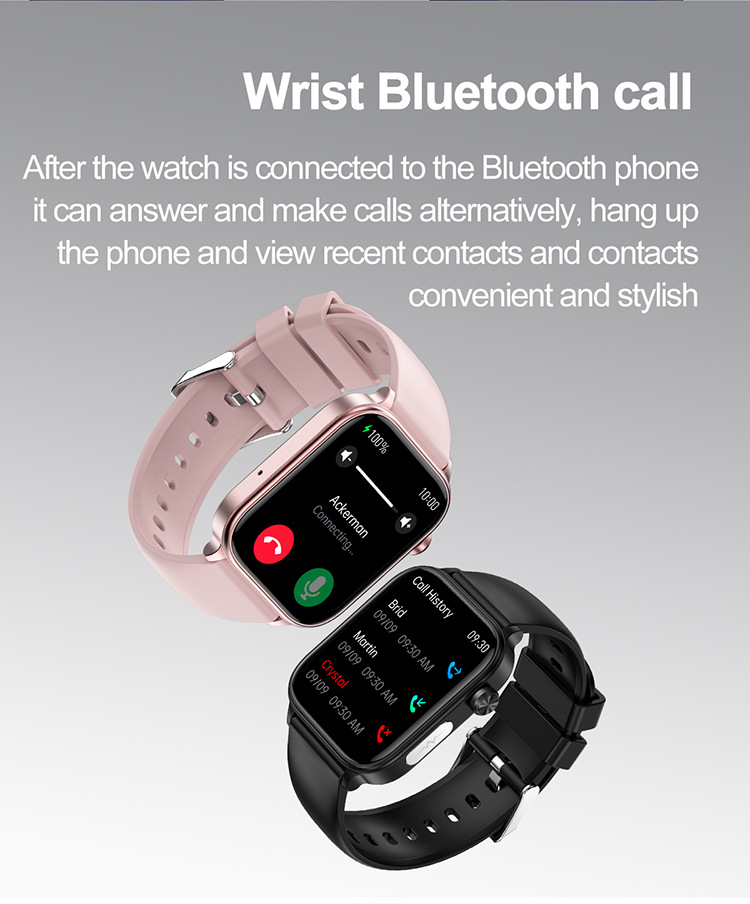
Figure 10: AI Intelligent Motion Algorithm for sports tracking.
5.6 Smart Life Applications
The watch offers various smart features:
- Alarm Clock: Set alarms via the app.
- Remote Camera Control: Shake the watch to take photos on your phone.
- Calculator & Stopwatch: Basic utility functions.
- Music Control: Control music playback on your smartphone (play, pause, skip tracks).
- Intelligent AI Voice Assistant: Double-click to activate the voice assistant and operate through voice commands (e.g., call contacts, view SMS, find maps, play music). Requires Bluetooth connection for calls and may have compatibility limitations with some Android phones.
- Weather Forecast: View current weather and predict future conditions.
- SOS Emergency Call Function: After connecting to the app and within Bluetooth range, family members will be notified through the watch's SOS signal during emergencies. Ensure emergency contacts are set up in the app.
Video 1: Product demonstration showcasing health monitoring, call functions, and music control.
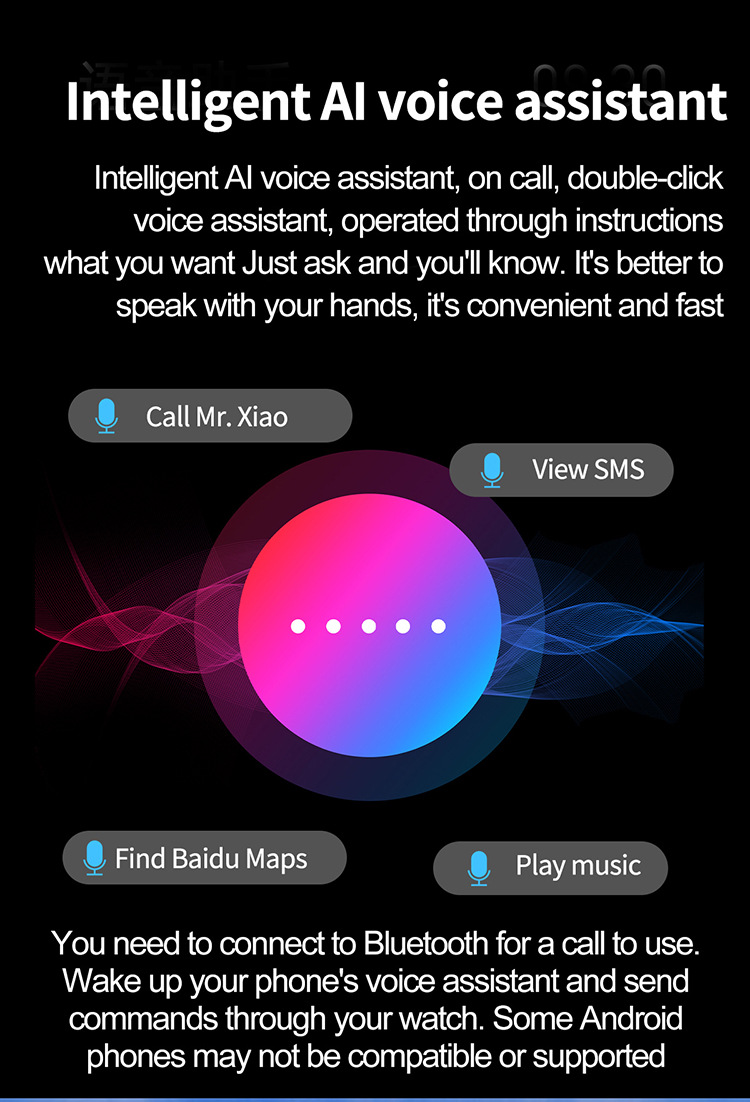
Figure 11: Intelligent AI Voice Assistant interface.
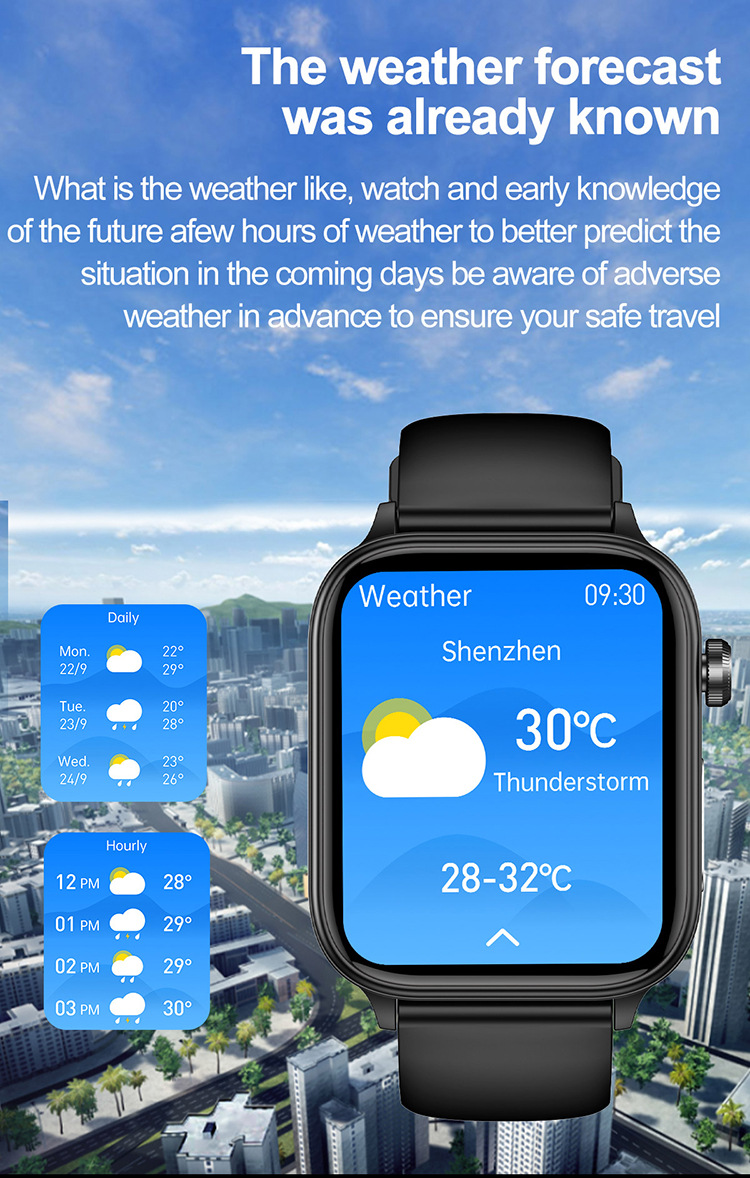
Figure 12: Weather forecast display.
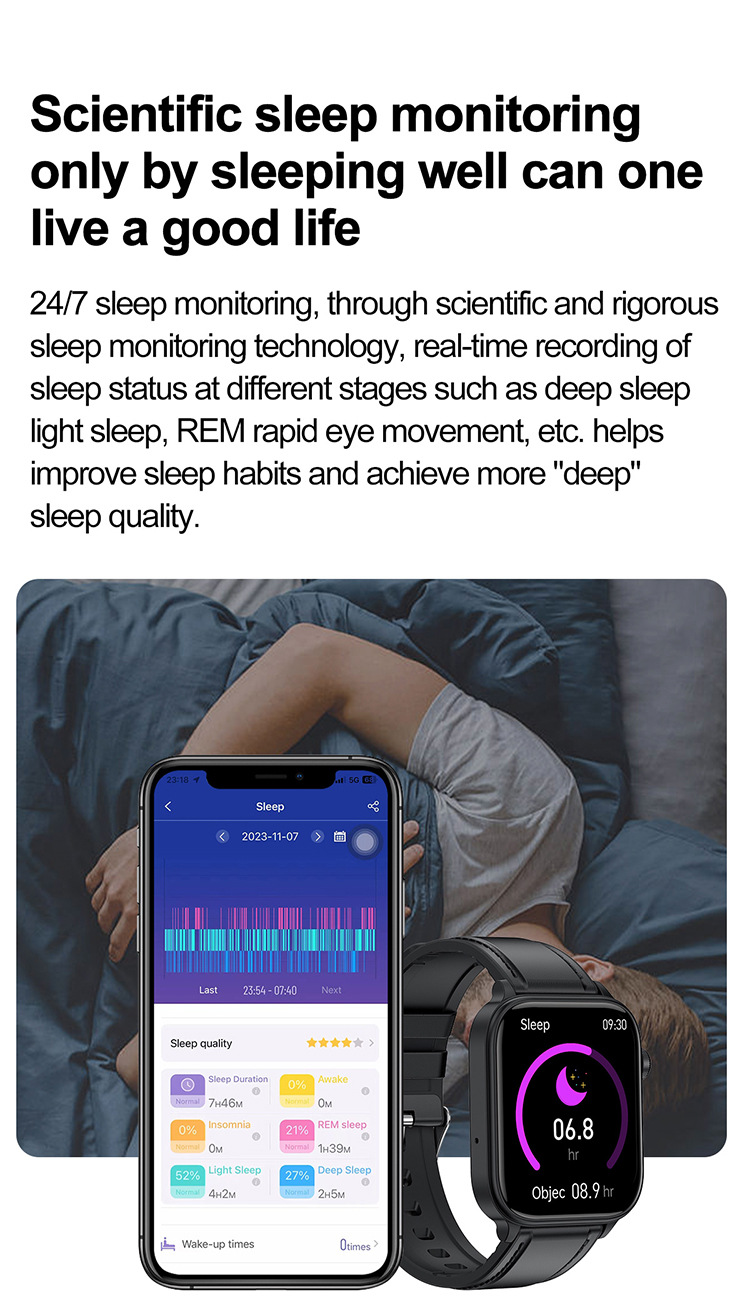
Figure 13: SOS Emergency Call Function.
6. User Tips
- For accurate health monitoring, ensure the watch is worn snugly on your wrist.
- Keep the watch and your smartphone within Bluetooth range for consistent data synchronization and notification delivery.
- Regularly update the companion app to access the latest features and improvements.
- Customize watch faces and notification settings through the app to personalize your experience.
7. Care and Maintenance
- Cleaning: Wipe the watch and strap regularly with a soft, dry cloth. For silicone straps, a damp cloth with mild soap can be used, then rinse and dry thoroughly.
- Water Resistance: The watch is 'Life Waterproof'. This means it can withstand splashes, rain, and brief immersion (e.g., washing hands). It is NOT suitable for swimming, showering with hot water, or diving. Avoid prolonged exposure to water.
- Charging: Use only the provided magnetic charging cable. Ensure the charging contacts are clean and dry before charging.
- Storage: Store the watch in a cool, dry place when not in use. Avoid extreme temperatures.
8. Troubleshooting
- Watch not turning on: Ensure the watch is fully charged. Connect it to the charger for at least 30 minutes.
- Cannot pair with phone: Make sure Bluetooth is enabled on your phone and the watch is within range. Restart both the watch and your phone, then try pairing again through the app.
- Notifications not received: Check app permissions on your phone to ensure the companion app has access to notifications. Verify that notifications are enabled within the app settings for the watch.
- Inaccurate health data: Ensure the watch is worn snugly on your wrist, not too loose or too tight. Keep still during measurements. Remember that this is not a medical device, and results are for reference.
- Screen unresponsive: Try restarting the watch. If the issue persists, ensure the screen is clean and dry.
9. Frequently Asked Questions (FAQ)
- Q: Does the ET570 Smart Watch measure blood glucose?
- A: No, the LEEDOAR ET570 Smart Watch does not have a blood glucose measurement feature. The health monitoring functions are for general wellness and fitness purposes only.
- Q: Is the watch fully waterproof?
- A: The watch is 'Life Waterproof', meaning it is resistant to splashes and sweat. It is not recommended for swimming, diving, or showering.
- Q: What is the battery life?
- A: The battery life is approximately 1 day, depending on usage patterns and features enabled.
10. Warranty and Support
For warranty information and customer support, please refer to the contact details provided by your retailer or visit the official LEEDOAR support website. Keep your purchase receipt as proof of purchase.