
1. Introduction
Thank you for purchasing the CUAV C-RID Remote ID Module. This manual provides essential information for the safe and effective use of your product. The C-RID module is designed to broadcast identification codes for FPV drones, ensuring compliance with regulatory requirements in various regions such as China, the European Union, and the United States. It is based on Chinese standards (GB/T 41300-2022, GB42590-2023), EU standards (pREN 4709-002 standard), and ASTM F3411-22a standard.
For detailed technical specifications, manuals, or software specific to your model, please contact our customer support.
A PDF version of this user manual is available for download: User Manual (PDF)
2. Safety Warnings
Before using this product, please read and comply with all safety instructions.
2.1 Electrical Safety
- Use only the power adapter provided with the product or a compliant power supply.
- Do not use in humid environments (unless the product specifically states a waterproof rating).
- If the power cord is damaged, do not continue to use it and contact us immediately for a replacement.
- Always disconnect the power before cleaning.
2.2 Usage Environment
- Operating temperature range: -10°C to 40°C (subject to model specifications).
- Avoid direct sunlight, high temperatures, and dusty environments.
- Keep the ventilation good and do not block the heat dissipation holes.
2.3 Operational Safety
- Do not disassemble or modify the product yourself, as there are no user-repairable parts inside.
- Prevent liquid from entering the product interior.
- If the product emits smoke, unusual odors, or abnormal noise, immediately disconnect the power and contact after-sales service.
3. Setup
3.1 Unpacking Inspection
After opening the package, please check that all items are complete. If you find any items missing or damaged, please contact us immediately.
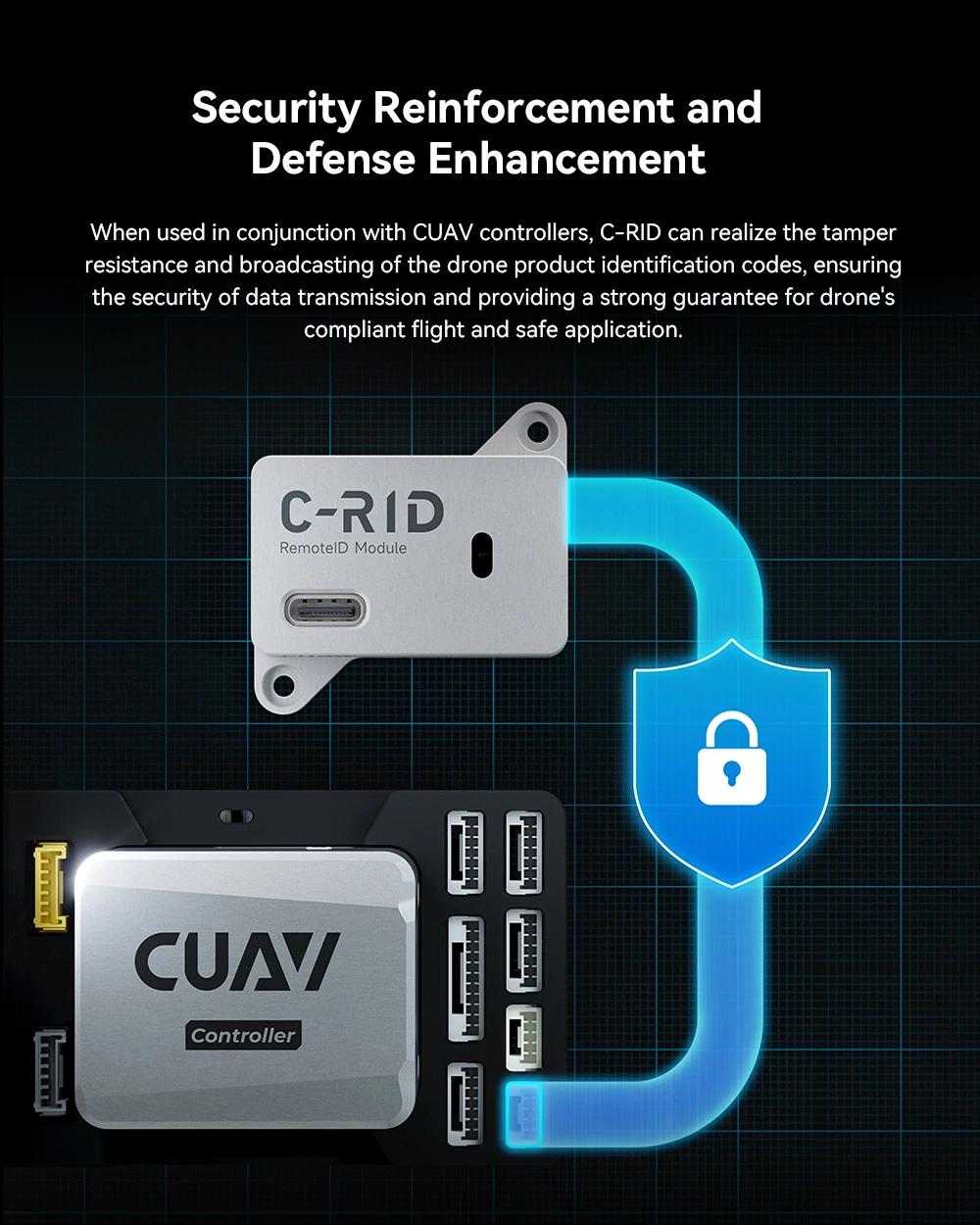
Figure 1: C-RID Official Standard Packing List. Includes C-RID Module, CAN Cable (35 cm), and External 2.4G Antenna (75 cm).
3.2 Physical Installation
The C-RID module features a lightweight and compact design, weighing only 5.5g. It is equipped with dedicated M2.5 fixing holes for easy installation using 3M adhesive or screws.
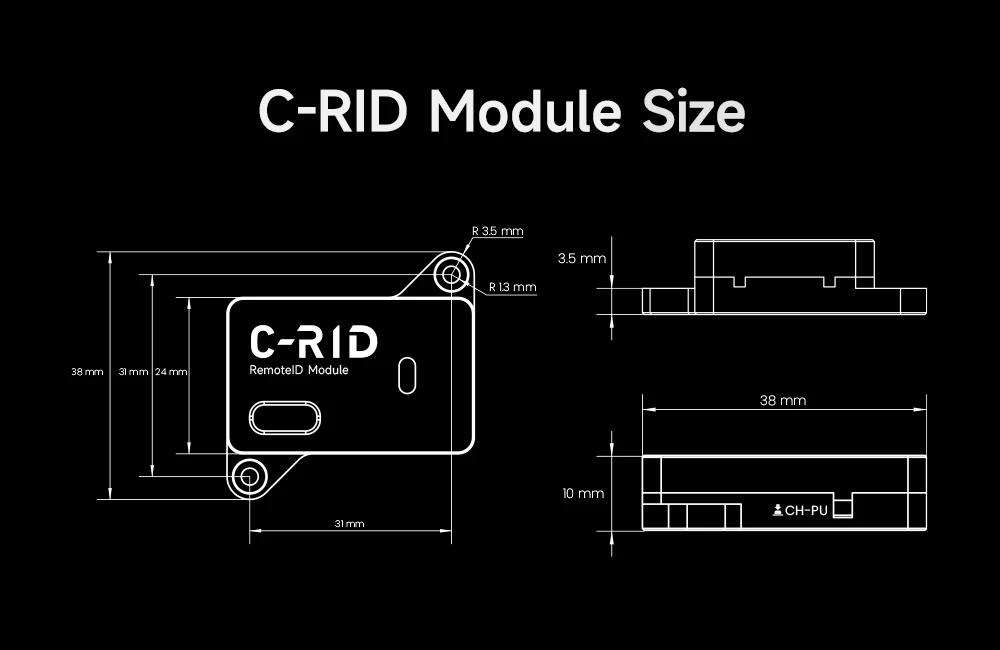
Figure 2: C-RID Module dimensions and dedicated M2.5 fixing hole detail.
3.3 Electrical Connection
The C-RID module supports both DroneCAN bus and UART serial communication. It can be multiplexed by multiple devices, reducing the occupation of limited UART serial ports. The UART serial ports are convenient for compatibility with devices that haven't supported the DroneCAN protocol yet.
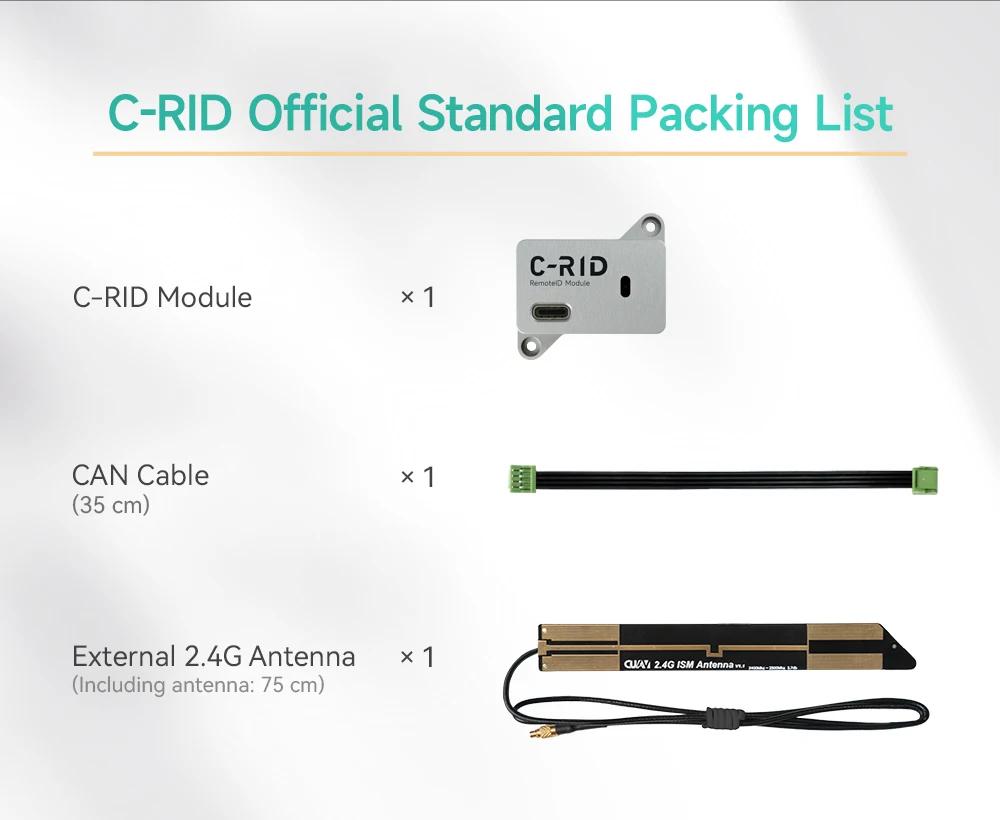
Figure 3: Diagram showing C-RID module supporting DroneCAN and UART serial communication.
3.4 First Use
- Please ensure the product is fully charged before use (if applicable).
- Check if the power supply voltage is consistent with the product specifications (AC100-240V, 50/60Hz, applicable worldwide).
4. Operating Instructions
4.1 Basic Operations
- Power on/off: Press and hold the power button for 3 seconds to turn on/off.
- Function selection: Short press the mode button to switch functions.
- Display screen: The C-RID module does not feature a display screen. Status is indicated via LED.
4.2 Remote ID Broadcasting
The C-RID module broadcasts identification codes for compliant drone products. It is equipped with 2.4 GHz Wi-Fi (IEEE 802.11b/g/n) and Bluetooth® 5 (LE), enabling long-range broadcasting with wider coverage (up to 300m) and safer flight.
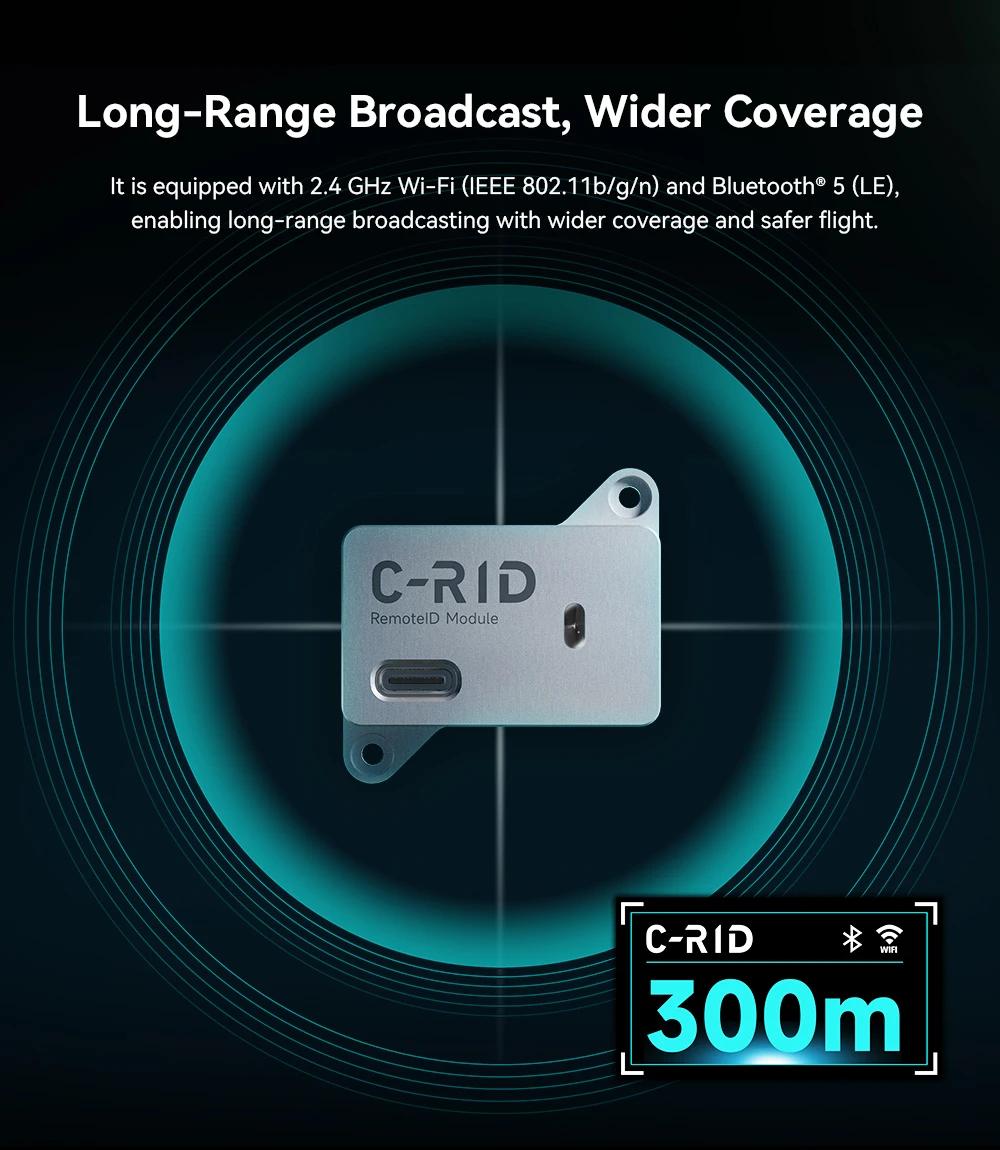
Figure 4: C-RID module broadcasting with 300m range via Wi-Fi and Bluetooth.
4.3 Data Analysis with LGC
The module can cooperate with LGC (presumably a ground control station software) to set and analyze broadcast data. It receives low-altitude data in all dimensions, accurately locates and identifies key flight data such as drone position, and enables real-time monitoring of dynamic information of drones in the region.
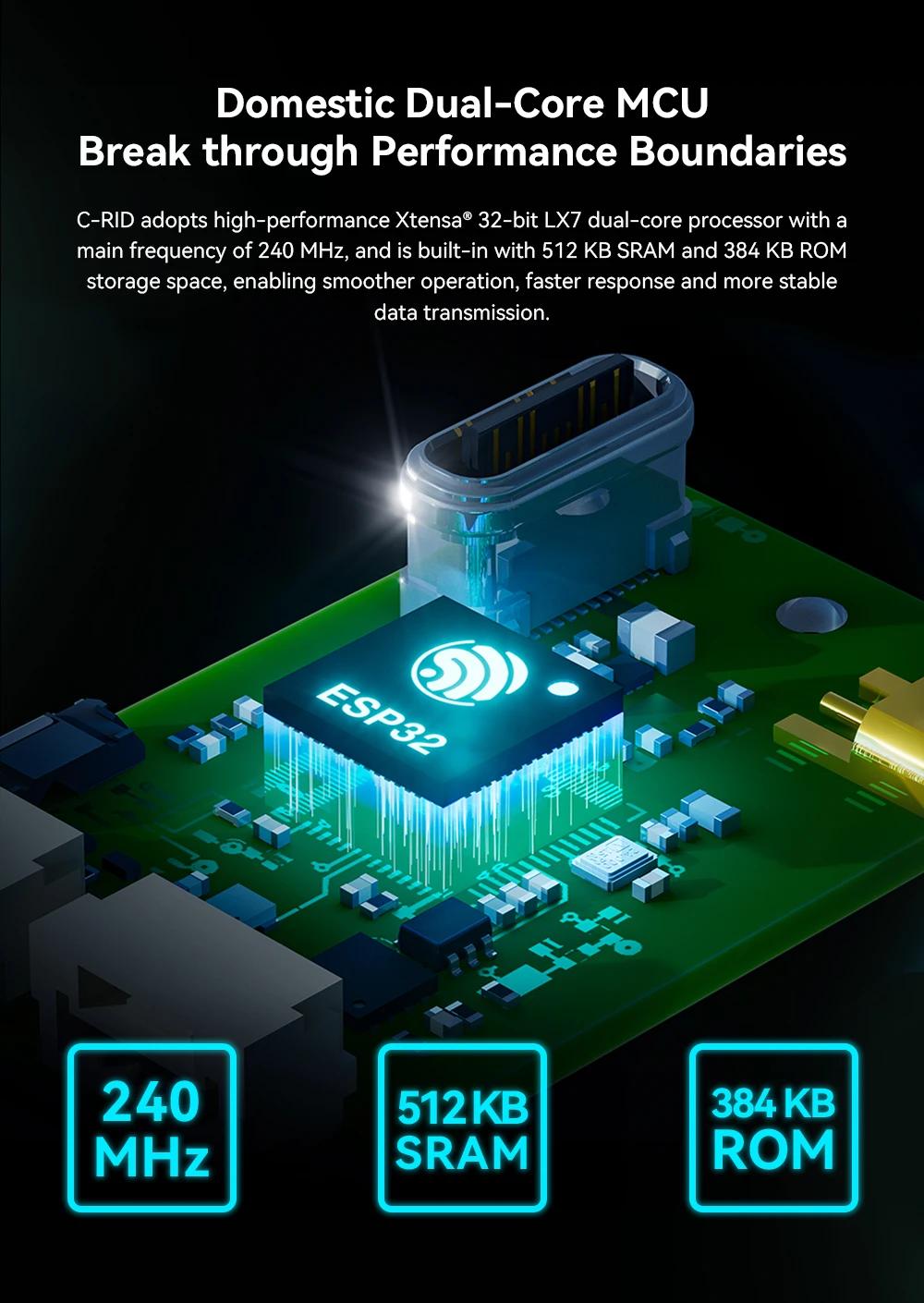
Figure 5: C-RID module interacting with LGC software on a laptop for data analysis.
4.4 Compatibility and Security
The C-RID module is compatible with ArduPilot and PX4 flight control systems. ArduPilot has adopted C-RID as a technical verification platform for ArduRemoteID technology. When used in conjunction with CUAV controllers, C-RID enhances tamper resistance and broadcasts drone product identification codes, ensuring data transmission security and safe application.

Figure 6: C-RID module shown with ArduPilot and PX4 logos, indicating compatibility.
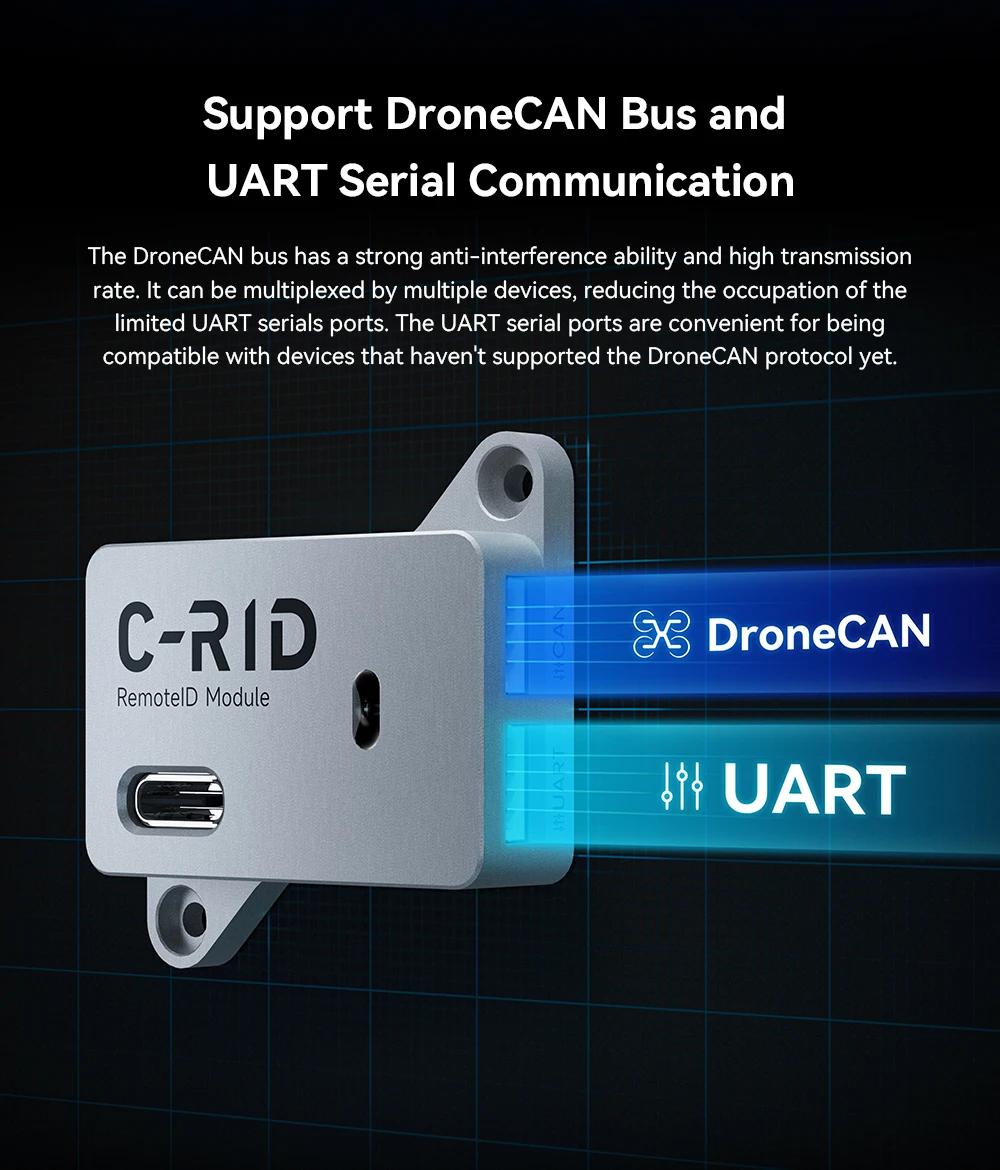
Figure 7: C-RID module connected to a CUAV controller, illustrating security reinforcement.
5. Maintenance and Care
- Cleaning: Wipe the outer casing with a soft, dry cloth. Do not use chemical solvents.
- Storage: When not in use for an extended period, clean and store in a cool, dry place.
- Battery (if applicable): If not used for an extended period, please remove the battery to prevent leakage.
6. Troubleshooting
| Problem | Possible reasons | Solution |
|---|---|---|
| Unable to power on | Power not connected/battery depleted | Check the power connection, charge and try again. |
| No display/Display error | Poor connection/Incorrect settings | Restart the device and check the connection. |
| Inaccurate measurement values (instrument-related) | Range error/calibration required | Confirm the measurement range and contact calibration services. |
| Other faults | - | Contact customer service for technical support. |
7. Specifications
Product Specifications
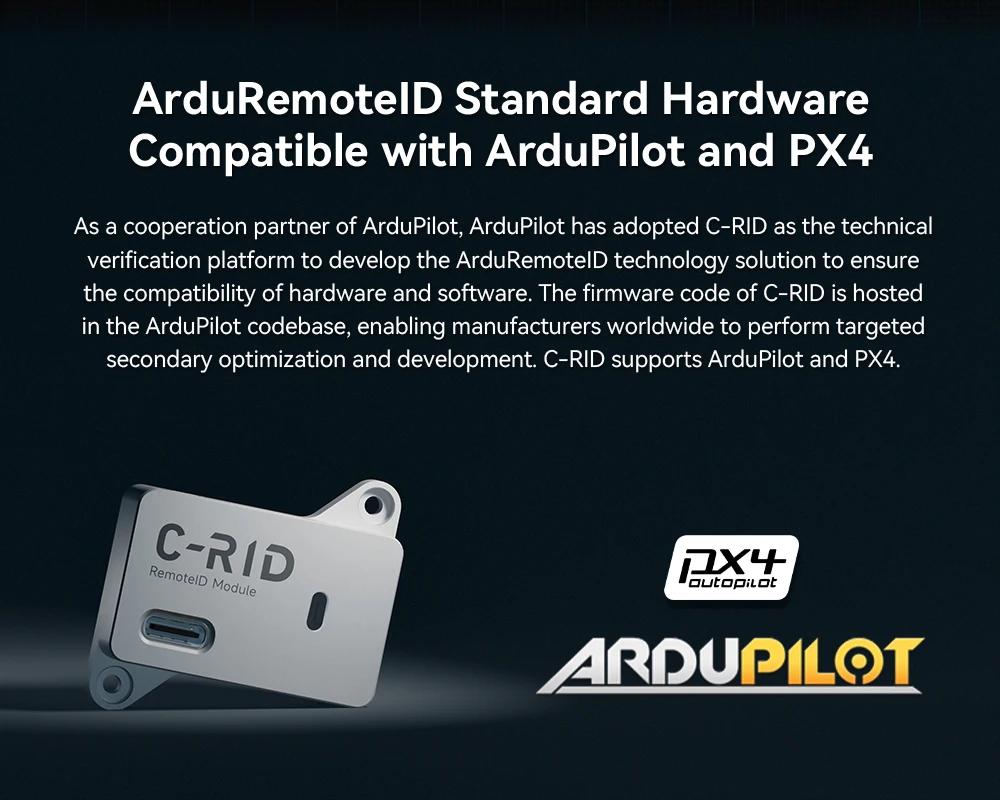
Figure 8: Detailed product specifications for the C-RID Remote ID Module.
| Parameter | Details |
|---|---|
| Processor | Xtensa® 32-bit LX7 dual-core processor |
| Communication Frequency | 2.4 GHz |
| Range | >300m |
| Firmware | ArduRemoteID (Support OTA Online Upgrade) |
| Shell Material | Aviation Aluminum |
| Size (Main) | 24 × 38 × 10mm |
| Size (Including Fixing Hole) | 38 × 38 × 10mm |
| Weight | 5.5g |
| Protocol | DroneCAN / UART(MAVLink) |
| Communication Mode | Wi-Fi or Bluetooth Broadcast |
| Transmit Power | 20 dBm |
| Ports | 1 x CAN (4-pin GH1.25), 1 x UART (4-pin GH1.25), 1 x ANT (MMCX) |
| Operating Voltage | 4.7 ~ 5.2V |
| LED (main) Status | Off: Not connected or not working Constant Red: Configuration is not completed (disarming conditions are not met) Constant Green: Configuration is successful, unlockable |
Physical Dimensions
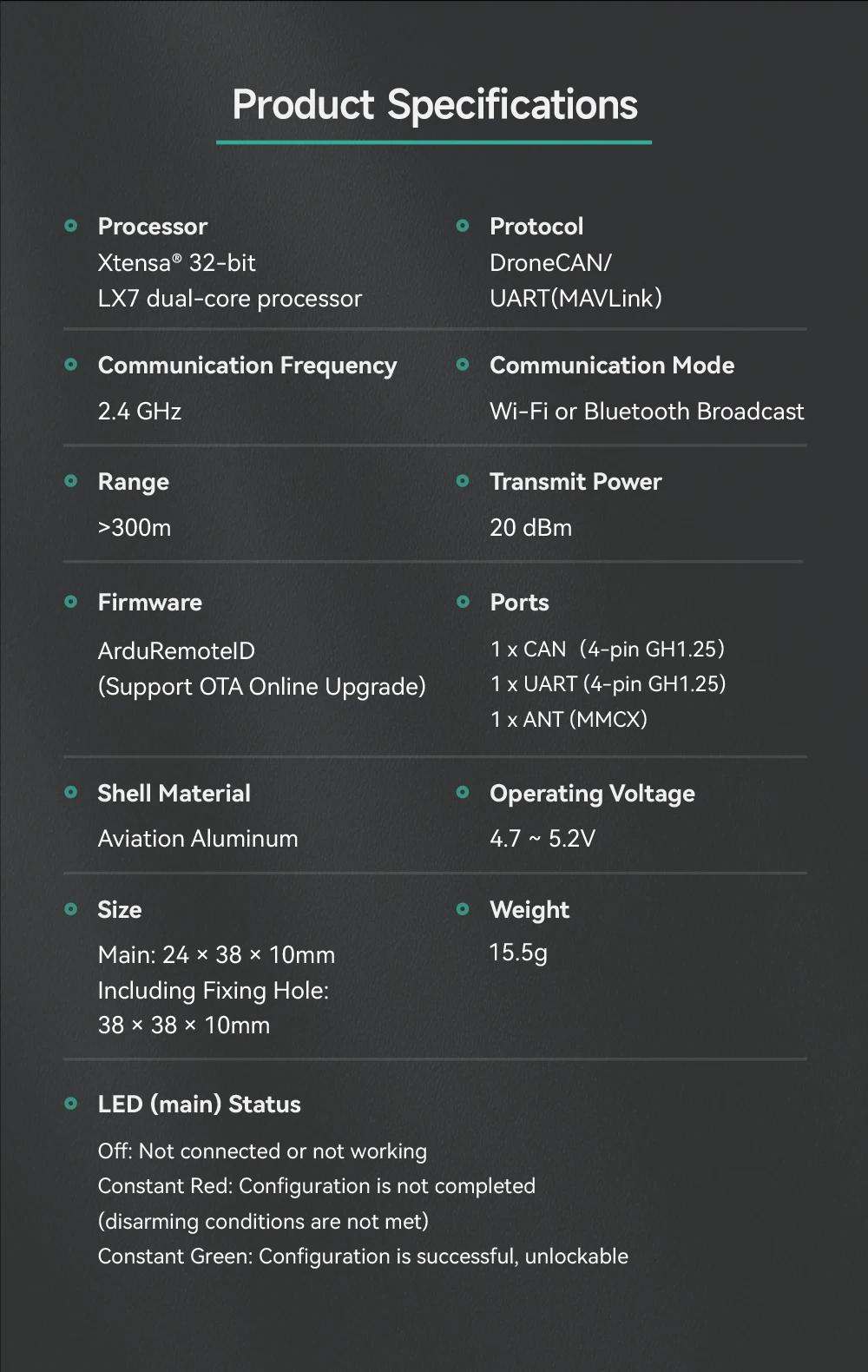
Figure 9: Technical drawing showing detailed dimensions of the C-RID module.
8. User Tips
- Compatibility: The C-RID module is designed to be compatible with flight controllers running ArduPilot and PX4 firmware. If you are using a drone like the DJI Phantom 4 Pro+, you will need to verify if its flight controller supports integration with ArduPilot/PX4 or if there's an adapter solution available. The module itself does not directly connect to proprietary DJI systems.
- Included Accessories: The standard package includes the C-RID Module, a CAN Cable (35 cm), and an External 2.4G Antenna (75 cm). Depending on your specific drone setup and flight controller, you may need additional wiring or mounting hardware not included in this package.
- Firmware Updates: The module supports OTA (Over-The-Air) online firmware upgrades. Regularly check for updates to ensure optimal performance and compliance with the latest regulations.
9. Warranty and Support
Warranty Policy: 12/24 months from the date of purchase (subject to store announcement).
Technical Support: For detailed technical documentation, calibration certificates, or hard copies of the manual, please contact us via AliExpress internal message or email: thanksbuyer@126.com. Response time is typically within 24 hours (working days).
10. EU Compliance Information
10.1 CE Declaration of Conformity
This product complies with the essential requirements of the following EU directives:
- Low Voltage Directive (LVD) 2014/35/EU
- Electromagnetic Compatibility Directive (EMC) 2014/30/EU
- RoHS Directive 2011/65/EU
10.2 Waste Disposal (WEEE)
The wheeled bin symbol marked with an X on the product indicates that, according to EU Directive 2012/19/EU, this product must not be disposed of as unsorted municipal waste and must be collected and recycled separately.
11. Disclaimer
This instruction manual is a general version; the actual product functions and parameters shall prevail. The manufacturer reserves the right to change product designs and specifications without prior notice.