
1. Introduction
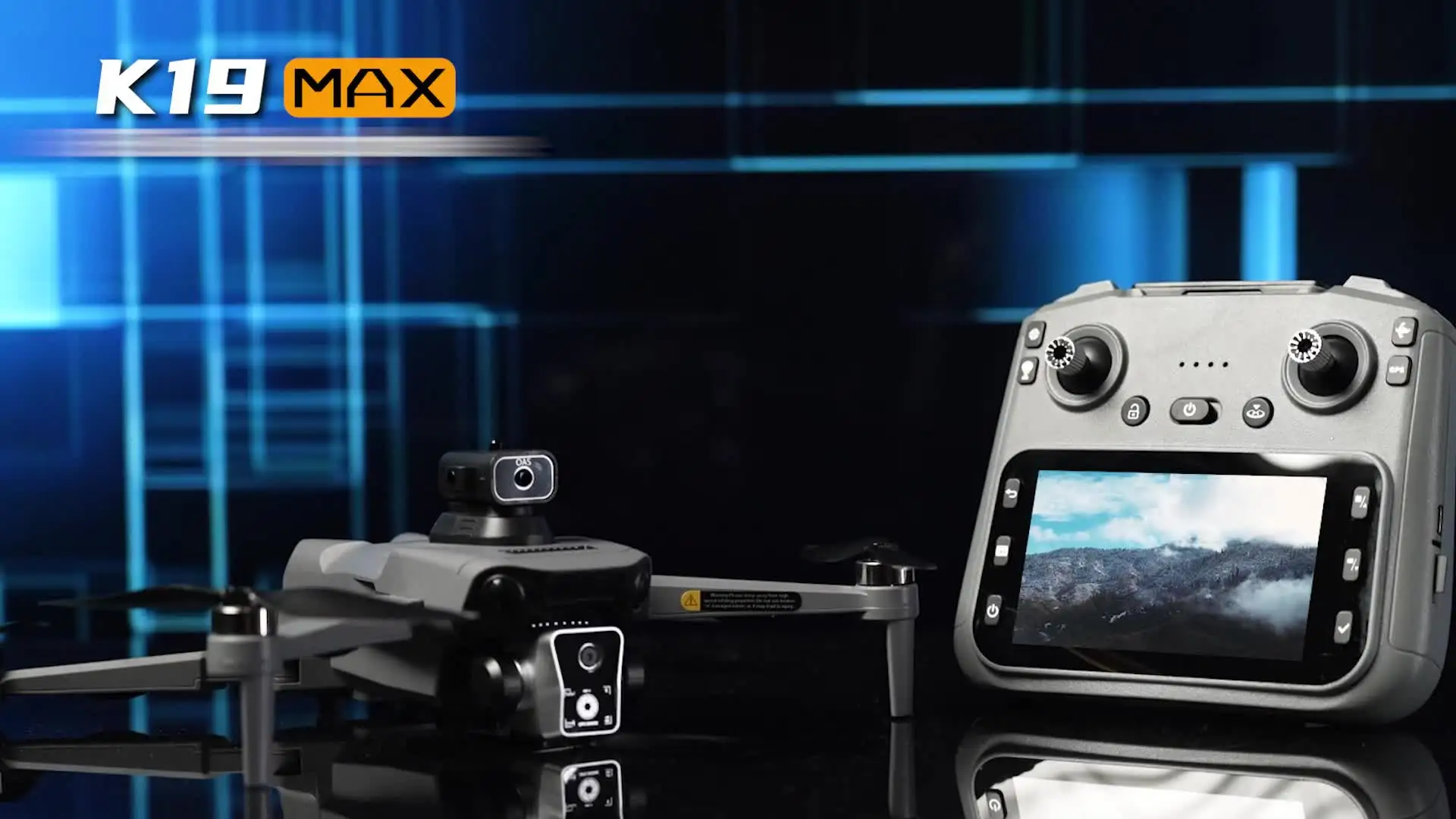
The JCMO K19MAX is a professional-grade GPS drone featuring a 4K dual camera system, 360° obstacle avoidance, and a 4.5-inch LCD screen remote control. Designed for both beginners and experienced pilots, it offers advanced flight modes and capabilities such as airdrop functionality and intelligent return-to-home.
2. Safety Guidelines
- Age Restriction: Not suitable for children under 36 months.
- Always operate the drone in open, clear areas, away from people, animals, and obstacles.
- Ensure the drone battery and remote control battery are fully charged before each flight.
- Do not fly in strong winds (Anti-wind Ability: <10km/h) or adverse weather conditions.
- Maintain a safe distance from the drone during takeoff and landing.
- Familiarize yourself with local drone regulations and restrictions.
- Perform pre-flight checks as outlined in the setup section.
3. Package Contents
Verify that all items are present in your package:
- 1x K19MAX Drone
- 1x 4.5-inch LCD Screen Remote Control
- 1x Obstacle Avoidance Module (Optional, included with OAS version only)
- 1x Drone Battery (3.7V/2200mAh)
- 1x Carry Bag (Foam box set does not include)
- 1x SD Card
- 1x Card Reader
- 1x User Manual
- 4x Spare Propellers
- 2x USB Charging Cables
- 1x Screwdriver

4. Setup Guide
4.1 Charging the Batteries
- Connect the drone battery and remote control to a USB power source using the provided USB charging cables.
- Charging time for the drone battery is approximately 60 minutes.
- Ensure both batteries are fully charged before initial use.
4.2 Propeller Installation
If propellers are not pre-installed or need replacement:
- Match the propellers with the corresponding motor arms (usually marked A and B).
- Securely attach each propeller to its motor using the provided screwdriver.
4.3 SD Card Installation
Insert the provided SD card into the drone's designated slot for recording photos and videos.
4.4 Obstacle Avoidance Module (OAS) Installation (if applicable)
If your version includes the optional 360° obstacle avoidance module, carefully attach it to the drone according to the markings or specific instructions provided in the module's packaging.
5. Operating Instructions
5.1 Remote Control Overview

The remote control features a 4.5-inch HD screen for real-time image display. Key controls include:
- Speed Switching: Adjust flight speed.
- Obstacle Avoidance Switch: Toggle the 360° obstacle avoidance feature.
- One-Click Airdrops: Initiate the airdrop function.
- Throttle Stick: Control altitude.
- Unlock: Unlock motors for flight.
- LCD Screen: Displays real-time video feed and flight data.
- Photograph/Video Buttons: Capture images or start/stop video recording.
- Lens Adjustments: Control camera angle.
- Gyroscope/Geomagnetic Calibration: Perform calibration procedures.
- GPS Switch: Activate/deactivate GPS mode.
- One-Click Return: Initiate GPS Smart Return to Home.
- Power Switch: Turn the remote control on/off.
- Steering Sticks: Control drone direction and movement.
5.2 Basic Flight
- Place the drone on a flat, open surface.
- Power on the drone, then power on the remote control.
- Wait for GPS signal acquisition (indicated by solid green lights or on-screen indicator).
- Perform gyroscope and geomagnetic calibration as needed (refer to remote control guide).
- Unlock the motors using the designated button/stick combination.
- Gently push the throttle stick up to take off.
5.3 Advanced Flight Features
- GPS Intelligent Positioning: Provides stable hovering and precise flight control.
- GPS Smart Return to Home: Automatically returns the drone to its takeoff point in case of low battery, signal loss, or user command (one-click return).
- Intelligent Obstacle Avoidance: The drone automatically perceives and avoids surrounding obstacles, enhancing flight safety.
- Airdrop Mode: Attach small items (max 20g load) to the drone for remote delivery. Activate via the one-click airdrop button on the remote.
- Smart Follow Mode: The drone can automatically follow a designated subject.
- Surround Mode: Program the drone to orbit a point of interest for cinematic shots.
- Waypoint Definition: Draw a flight path on the map for automatic flight.


5.4 Camera Operation
The K19MAX features a dual camera system:
- Main Camera: 4K image resolution (3840Px2160P) and 2K video resolution (1920Px1280P) at 25fps HDR. Features 90° remote control angle and 120° wide angle.
- Lower Camera: 720P image resolution (1280Px720P) and 720P video resolution (1280Px720P).
Switch between cameras and adjust the main camera angle using the remote control. The 5G WIFI transmission provides real-time HD images to the remote's screen.

6. Maintenance
6.1 Cleaning
Regularly clean the drone body, propellers, and camera lenses with a soft, dry cloth to remove dust and debris. Avoid using harsh chemicals or liquids.
6.2 Propeller Replacement
Inspect propellers for any damage (cracks, bends) before each flight. Replace damaged propellers immediately using the spare propellers and screwdriver provided. Ensure correct propeller type (A or B) is installed on the corresponding motor.
6.3 Battery Care
- Store batteries in a cool, dry place away from direct sunlight.
- Do not overcharge or over-discharge batteries.
- If the drone will not be used for an extended period, charge the battery to approximately 50-60% before storage.
7. Troubleshooting
| Problem | Possible Cause | Solution |
|---|---|---|
| Drone does not power on | Low battery; Loose connection | Charge drone battery; Check battery connection |
| Drone cannot take off | Motors locked; Insufficient GPS signal; Calibration needed | Unlock motors; Move to an open area for GPS signal; Perform gyroscope/geomagnetic calibration |
| Poor video transmission | Weak 5G signal; Interference | Ensure drone is within 5G WIFI transmission range (approx. 700m); Avoid areas with high interference |
| Obstacle avoidance not working | Feature disabled; Sensor obstruction | Ensure obstacle avoidance is enabled on remote; Clean obstacle avoidance sensors |
| Drone drifts during flight | Poor GPS signal; Improper calibration | Ensure strong GPS signal; Re-calibrate gyroscope and geomagnetic sensors |
8. Specifications
| Feature | Specification |
|---|---|
| Model Number | K19MAX |
| Motor Type | Brushless motor 1503 |
| Materials | ABS, Hardware, Electronics |
| Drone Weight | 225g |
| Takeoff Weight | 225g |
| Obstacle Avoidance | Laser 360° (Optional) |
| Charging Method | USB cable charging |
| Charging Time | Approx. 60 minutes |
| Flight Time | Approx. 20 minutes |
| Remote Distance | Approx. 1200m (Interference-free) |
| 5G WIFI Transmission Distance | Approx. 700m (Interference-free) |
| Drone Battery | 3.7V/2200mAh Lithium Battery |
| Controller Battery | 3.7V/2200mAh |
| Main Camera Resolution (Image) | 4K (3840Px2160P) |
| Main Camera Resolution (Video) | 2K (1920Px1280P) |
| Lower Camera Resolution (Image/Video) | 720P (1280Px720P) |
| Light Indicators | Green / Red |
| Remote Control Screen | 4.5-inch LCD |
| Dimensions (Folded) | 17*10*9cm |
| Dimensions (Unfolded) | 20*25*9cm |
| Control Channels | 4 channels |
| Anti-wind Ability | <10km/h |
| Operator Skill Level | Beginner, Intermediate, Expert |
| Indoor/Outdoor Use | Indoor-Outdoor |
| Camera Mount Type | Fixed Camera Mount |
| Power Source | Electric |
| Aerial Photography | Yes |
9. User Tips
- Beginner-Friendly: The K19MAX is designed with features like optical flow hovering and intelligent obstacle avoidance, making it suitable for beginners to learn flying.
- Leverage Safety Features: Always utilize the GPS Smart Return to Home function, especially when flying at a distance or if the battery is low, to ensure the drone's safe return.
- Integrated Screen Convenience: Take advantage of the 4.5-inch HD screen on the remote control for a clear, real-time view without needing to connect a separate smartphone.
- Check Obstacle Avoidance: For optimal safety, ensure the obstacle avoidance feature is active, especially when flying in environments with potential obstructions.
10. Warranty and Support
For warranty claims, technical support, or any issues not covered in this manual, please contact the seller directly through your purchase platform. Keep your proof of purchase for warranty validation.
Disclaimer: This product is not suitable for children under 36 months.