
1. Introduction
The MECHEN X56 is a versatile 5-inch multimedia handheld entertainment device running on Android 13. It features a 1080P IPS display, Bluetooth 5.0, dual-band Wi-Fi, and ample storage for music, videos, and applications. This manual provides essential information for setting up, operating, maintaining, and troubleshooting your device.


2. Setup
2.1. Unboxing and Package Contents
Carefully unpack your MECHEN X56 MP3 Player and verify that all items are present. The standard package includes:
- 1 x MECHEN X56 Music Player
- 1 x USB Cable (Type-C)
- 1 x Earphones
- 1 x Protective Film
- 1 x Protective Case
- 1 x User Manual
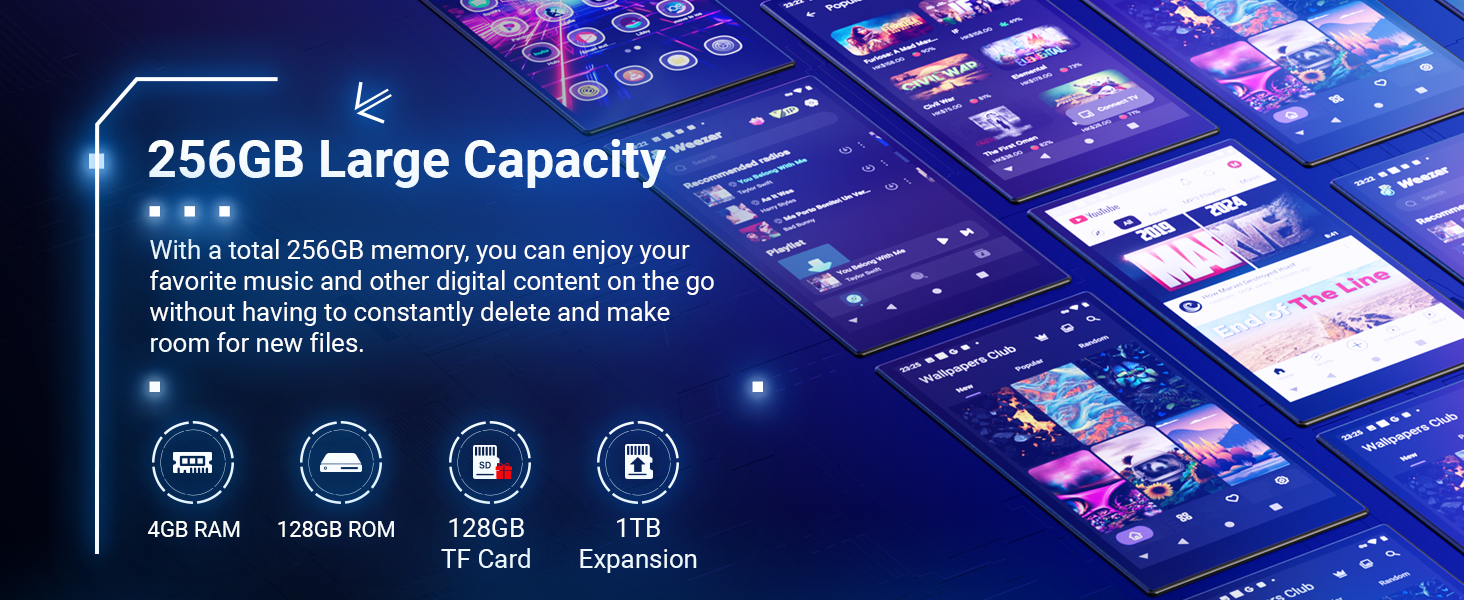
- 1 x 128GB TF Card (pre-installed or included separately)

2.2. Initial Charging
Before first use, fully charge your device. Use a certified 5V-1A or 5V-2A standard charging head or a computer USB port. Avoid using fast chargers or chargers exceeding 5V, as this device does not support fast charging and incompatible chargers may trigger over-voltage protection or damage the charging IC.

2.3. Power On/Off
- To Power On: Press and hold the power button (usually on the side) until the screen lights up.
- To Power Off: Press and hold the power button, then select 'Power Off' from the options on the screen.
2.4. Connecting to Wi-Fi
The device supports 2.4GHz and 5GHz Wi-Fi bands for stable and fast internet access.
- Go to 'Settings' > 'Network & internet' > 'Wi-Fi'.
- Toggle Wi-Fi ON.
- Select your desired Wi-Fi network from the list.
- Enter the password if prompted and tap 'Connect'.
2.5. Connecting via Bluetooth
The MP3 player features two-way Bluetooth 5.0 for connecting to various audio devices.
- Go to 'Settings' > 'Connected devices' > 'Bluetooth'.
- Toggle Bluetooth ON.
- Ensure your Bluetooth earphones, speaker, or car system is in pairing mode.
- Select the device from the 'Available devices' list to pair.

3. Operating Instructions
3.1. Touch Screen Navigation
The device features a responsive 5-inch IPS HD touch screen. Navigate by tapping, swiping, and pinching gestures similar to a smartphone.

3.2. Music Playback
Enjoy your music library on the go with various features:
- Supported Audio Formats: MP3, WMA, WAV, Ogg, FLAC, APE, AAC, M4A, DTS.
- Features: Search for tracks, multi-sort order, obtain lyrics and cover art, resume play, gapless transition, 10-band equalizer.


3.3. Video Playback
The device supports various video formats for an immersive viewing experience on its 1080P IPS display.
- Supported Video Formats: MP4, DAT, RM, RMVB, FLV, MKV, MOV, TS.
3.4. App Installation (Play Store)
As an Android 13 device, you can download and install a wide range of applications from the Google Play Store.
- Ensure you are connected to Wi-Fi.
- Open the 'Play Store' app from the home screen or app drawer.
- Sign in with your Google Account (if not already signed in).
- Browse or search for apps (e.g., Amazon Music, Spotify) and tap 'Install'.
3.5. Other Functions
The MECHEN X56 includes several other useful functions:
- E-Book Reading: Access and read e-books.
- FM Radio: Listen to local FM radio stations.
- Games: Play various Android games.
- Voice Recorder: Record audio.
- Pedometer: Track your steps.
- Photo Viewer: View images and photos.
- World Clock: Keep track of time zones.
4. Maintenance
4.1. Cleaning
To clean your device, use a soft, lint-free cloth. Avoid using harsh chemicals or abrasive materials that could damage the screen or body.
4.2. Storage
Store the device in a cool, dry place away from direct sunlight and extreme temperatures. If storing for an extended period, ensure the battery is partially charged (around 50%) to prolong its lifespan.
4.3. Firmware Upgrade
Periodically check for firmware updates to ensure optimal performance and access to new features. Updates can often resolve minor bugs and improve system stability.

5. Troubleshooting
This section addresses common issues you might encounter with your MECHEN X56 MP3 Player.

5.1. Proper Charging
- Issue: Device not charging or charging slowly.
- Solution: Ensure you are using a certified 5V-1A or 5V-2A charger. Avoid fast chargers or wireless pads, as they are incompatible and may cause damage or trigger over-voltage protection. Use the provided USB cable or a similar quality Type-C cable.
5.2. Google Account Precautions (Before Factory Reset)
- Issue: Device stuck in a login loop after a factory reset.
- Solution: Before performing a factory reset, always sign out of your Google account on the device. Additionally, remove the device from your Google account settings at google.com/devices. Failure to do so may result in a login loop due to Factory Reset Protection (FRP).
5.3. Parental Control Setup
- Issue: Need to set up parental controls for a child's usage.
- Solution: Install Google Family Link on a parent device. Bind the MP3 player to the parent device using a pairing code. You can then set daily usage limits and content filters through Family Link.
5.4. Device Slowdown or Lagging
- Issue: Device performance is slow or lagging.
- Solution: Too many installed applications can consume system resources and cause slowdowns. Regularly review and uninstall unnecessary apps to free up running space and improve performance.
6. Specifications
Detailed technical specifications for the MECHEN X56 MP3 Player.
| Feature | Specification |
|---|---|
| Brand | MECHEN |
| Model Name | X56 |
| Operating System | Android 13 |
| Processor | MTK6762 Octa-core |
| RAM | 4GB |
| Internal Storage (ROM) | 128GB |
| External Memory | 128GB TF Card included, expandable up to 1TB |
| Display Size | 5 inches |
| Display Resolution | 1280x800 (advertised as 1080P IPS) |
| Body Material | Metal |
| Dimensions (WxHxD) | 12.4 x 6.9 x 0.9 cm |
| Item Weight | 185.7 Grams |
| Connectivity | Bluetooth 5.0, Wi-Fi (2.4GHz & 5GHz) |
| Audio Format Support | MP3, WMA, WAV, Ogg, FLAC, APE, AAC, M4A, DTS |
| Audio Video Support | MP4, DAT, RM, RMVB, FLV, MKV, MOV, TS |
| Battery Capacity | 2500mAh |
| Battery Life (Music Playback) | Up to 27 hours |
| Battery Life (Video Playback) | Up to 8 hours |
| Charging Port | USB-C |
| Built-in Speaker | Yes |
| Functions | Touch Screen, Voice Recorder, E-Book Reading, FM Radio, Games, Bluetooth, Video Output, Pedometer, Photo Viewer, World Clock, Touch Keys |
| Certifications | CE, FCC, RoHS, WEEE |
7. User Tips
- Optimize Performance: While the device has ample storage, installing too many apps can lead to slowdowns. Periodically review your installed applications and uninstall those you no longer use to maintain optimal performance.
- Battery Preservation: For long-term storage, charge the device to approximately 50% before turning it off. This helps preserve battery health.
- Screen Protection: Utilize the included protective film and case to safeguard the 5-inch IPS display from scratches and minor impacts.
8. Warranty and Support
8.1. Aftersales Service
If you encounter any product malfunction or require assistance, please contact our aftersales service via email. We are committed to helping you resolve any issues you may experience with your device.
8.2. Certifications
The MECHEN X56 MP3 Player complies with international standards and holds the following certifications: CE, FCC, RoHS, and WEEE.