
1. Product Overview
The VJOYCAR Electric Auto Door Handle system enhances your Tesla's accessibility and aesthetics by providing automatic door handle presentation and multiple unlocking methods. This system is designed to integrate seamlessly with your vehicle's existing OEM chrome door handles.
Key Features:
- Wireless Installation: No complex wiring required between door handles and the control module.
- Multi-contact Pop-Up: Handles pop up regardless of where they are touched.
- Retains Original Handles: Actuators are added to your existing OEM chrome door handles.
- Auto Presenting Welcome Mode: Handles automatically present upon approach via Bluetooth connection.
- Low Energy Consumption.
- Smart Light Indicator within the handle.
- Anti-Power Off Drive mechanism.
- Low Noise Operation (below 55dB).
Compatibility:
This system is compatible with the following Tesla models. Please ensure you select the correct version for your vehicle:
- New Model Y Juniper (2025+)
- Model Y (2020-2025)
- New Model 3 Highland (2023+)
- Model 3 (2021-2023)
- Old Model 3 (2016-2020)
Note: This system adds an actuator to the OEM chrome door handle and features an internal lamp indicator. It does not replace the handle with a colorful LED version. If you are looking for colorful LED auto door handles, please refer to other VJOYCAR products.


2. Setup and Installation
The VJOYCAR Electric Auto Door Handle system is designed for a straightforward, wireless installation process, significantly reducing installation time compared to traditional wired systems.
Package Contents:
Before beginning installation, verify that all components are present:


Installation Process:
The installation involves adding an actuator to your existing OEM door handles. No cutting of car cables is required, and there is no need to route cables from the four doors to a central controller module.


For detailed visual instructions, please scan the QR code below or visit the provided YouTube link for installation videos. Lifetime technical support is available if needed.

YouTube Installation Video Link: https://youtu.be/HNUgQaQbKtM
3. Operating Instructions
The VJOYCAR Electric Auto Door Handle system offers multiple convenient ways to present and unlock your vehicle's door handles.
Control Modes:
- Bluetooth Unlocking (Auto Presenting Welcome Mode): After establishing a Bluetooth connection, the door handles will automatically pop up as you approach the vehicle.
- Intelligent Sensing (Multi-contact Pop-Up): The door handle will pop up automatically when gently pressed with your finger, regardless of the contact point.
- Card Unlocking: Present your Tesla card to the vehicle, and all four door handles will pop up automatically.
- Key Fob Unlocking: Press the unlock button on your key fob twice, and all four door handles will pop up automatically.
- Mobile App Unlocking: Use the Tesla mobile application to unlock the vehicle, and the door handles will automatically present.
- Close to Auto Eject (App Setting): Configure this feature in your Tesla app, and the door handles will pop up automatically when you are in close proximity to the car.
- Screen Unlocking and Pop-up: Tap the unlock icon on your vehicle's main large screen to make the door handles pop up.
- P Gear Ejecting: Press the 'P' (Park) gear button twice, and the handles will automatically eject.


Indicator Lamp:
Each door handle is equipped with an internal indicator lamp for visual feedback.


Demonstration Video:
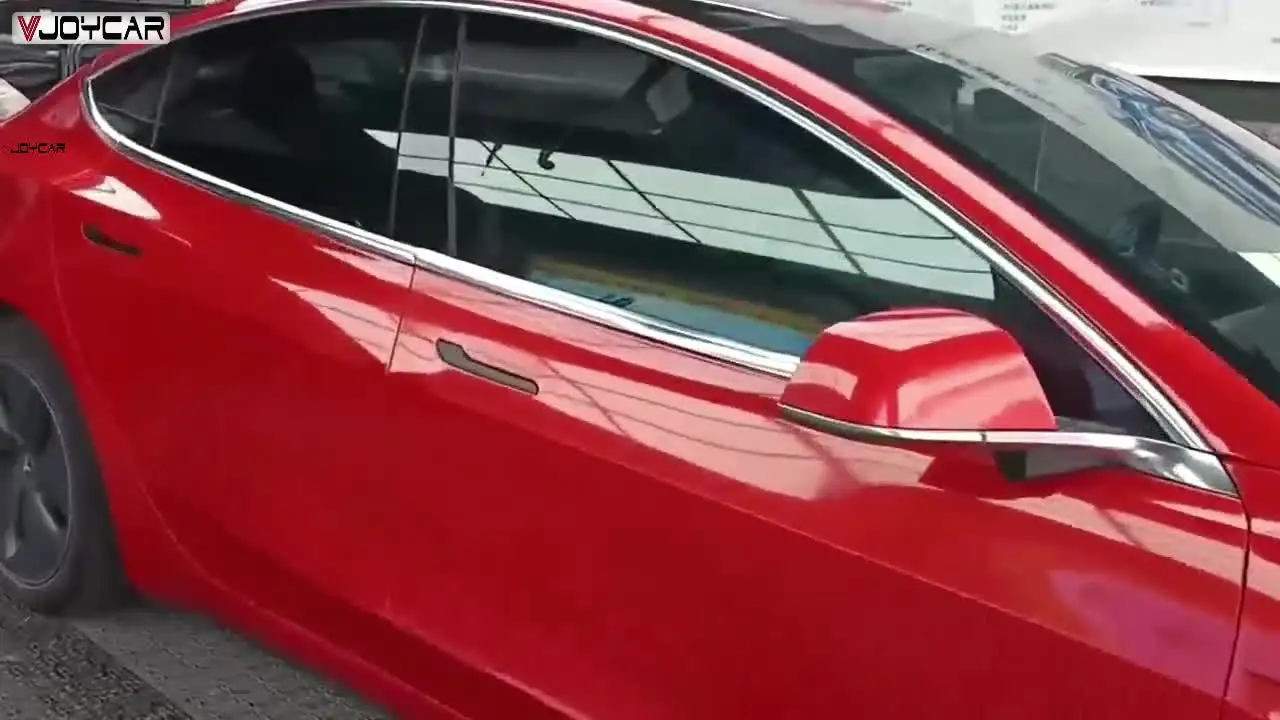
Watch the system in action after installation:
4. Maintenance
Since the VJOYCAR Electric Auto Door Handle system integrates with your Tesla's original OEM door handles, standard automotive care and cleaning practices for exterior components apply. Keep the handles clean and free from debris to ensure smooth operation of the pop-up mechanism.
- Regularly clean the door handles with appropriate car cleaning products.
- Avoid using abrasive materials or harsh chemicals that could damage the handle's finish or the internal mechanism.
- Ensure the area around the handles is clear of obstructions that might impede the pop-up function.
5. Troubleshooting
If you encounter any issues with your VJOYCAR Electric Auto Door Handle system, please consider the following general advice before contacting support:
- Handles not popping up:
- Check your vehicle's settings and ensure the auto-presenting features are enabled.
- Verify Bluetooth connection if using the auto-presenting welcome mode.
- Ensure there are no physical obstructions preventing the handles from extending.
- Confirm the vehicle is unlocked via one of the supported methods (key fob, card, app, screen, P gear).
- Unusual noise during operation: While the system is designed for low noise, any new or excessive sounds should be noted. Ensure proper installation and no loose components.
- Indicator lamp not working: Check for any visible damage to the handle or wiring.
For persistent issues or complex problems, please refer to the Warranty and Support section for contact information.
6. Specifications
| Attribute | Detail |
|---|---|
| Brand Name | VJOYCAR |
| Placement on Vehicle | Car Door Handle |
| Special Features | Auto Presenting, Multi-contact Pop Up |
| Material | ABS |
| Item Weight | 0.2kg (per handle) |
| Item Dimensions (H/W/L) | Match OEM door handle |
| Manufacturer Part Number | Auto Door Handle |
| Interchange Part Number | Door Handle |
| Country/Region of Manufacture | Guandong, Mainland China |
| High-concerned chemical | None |
| Package Length | 25 cm |
| Package Width | 25 cm |
| Package Height | 15 cm |
| Package Weight | 1.8 kg |
7. User Tips
- Always ensure your vehicle's software is up to date, as this can sometimes affect accessory compatibility and performance.
- Familiarize yourself with all the unlocking methods to find the one that best suits your daily routine.
- If you experience any unexpected behavior, a simple restart of your vehicle's infotainment system can often resolve minor glitches.
- For optimal performance of the auto-presenting feature, ensure your phone's Bluetooth is active and paired with your Tesla.
8. Warranty and Support
Warranty:
This product comes with a 12-month warranty from the date of purchase. During this period, if any manufacturing defects or malfunctions occur, please contact us for assistance, including potential replacement or repair.
Technical Support:
VJOYCAR offers lifetime technical support for this product. If you have any questions regarding installation, operation, or troubleshooting, please do not hesitate to reach out to our support team.
Contact Information:
- Email: sales@vjoycar.com
- Other contact channels (Skype, WhatsApp, Wechat) may also be available; please refer to your purchase documentation for details.
We are committed to ensuring your satisfaction with our products and service. If you are not satisfied with your order or require any assistance, please contact us directly.