
1. Introduction
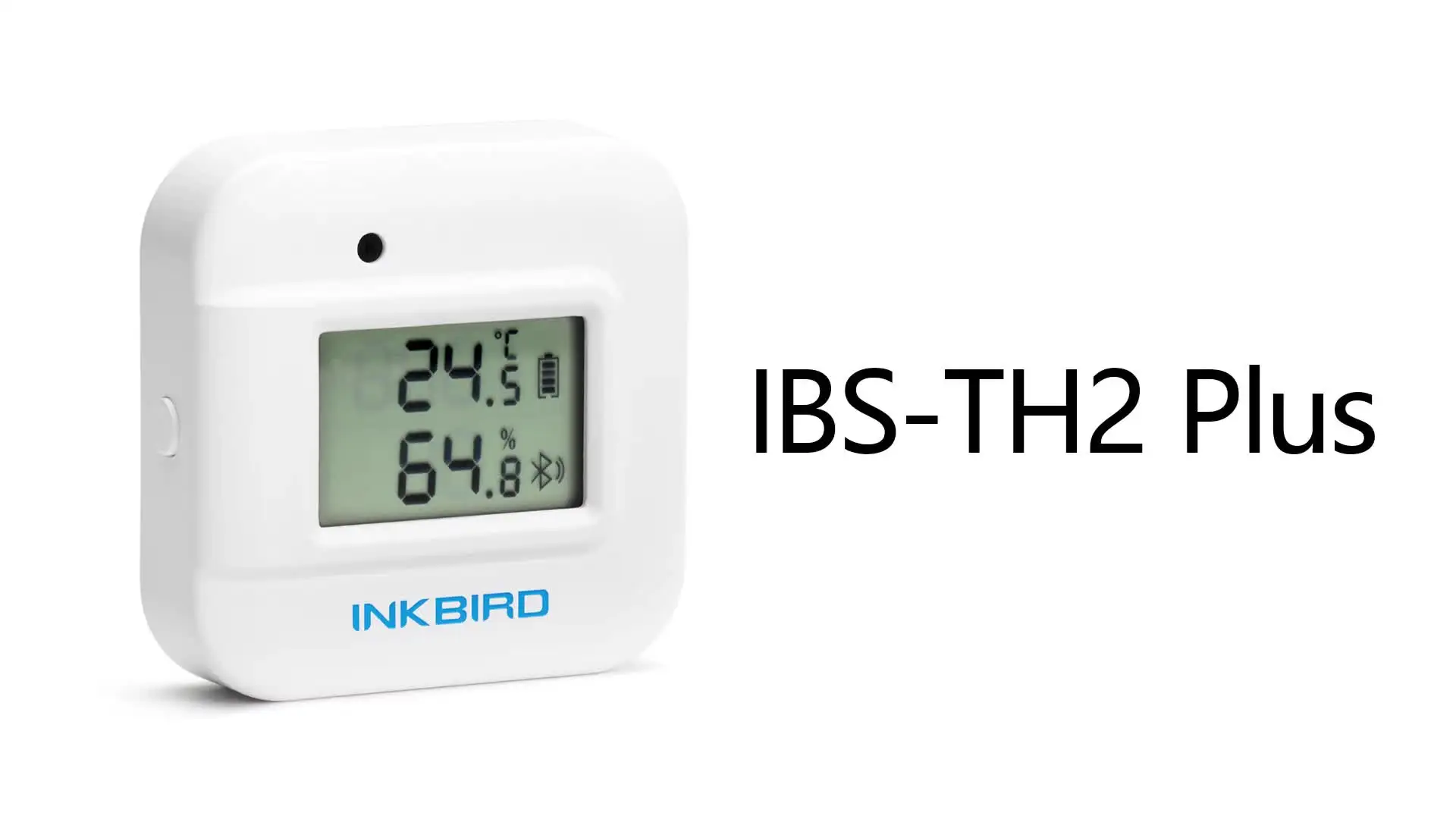
Thank you for choosing the INKBIRD IBS-TH2-Plus Mini Bluetooth Thermometer Hygrometer. This smart sensor is designed to monitor temperature and humidity in various environments, providing real-time data and historical records via a Bluetooth connection to your smartphone. This manual will guide you through the setup, operation, and maintenance of your device.
2. Package Contents
Please check the package to ensure all items are present:
- 1 x INKBIRD IBS-TH2-Plus Unit
- 1 x External Temperature Probe
- 1 x User Manual
- 1 x Warranty Card

3. Technical Specifications
| Feature | Specification |
|---|---|
| Battery | AAA Battery*2 (not included) |
| Bluetooth Connection Range | 30 meters (98ft) |
| Built-in Temperature Range | -10℃~60℃ / 14℉~140℉ |
| External Probe Temperature Range | -40℃~125℃ / -40℉~257℉ |
| Temperature Accuracy (Typical) | ±0.3°C / ±0.5°F |
| Temperature Accuracy (Max) | ±0.5°C / ±0.9°F |
| Humidity Range | 0%RH-99%RH |
| Humidity Accuracy (25°C/77°F, 20%~80%RH, Typical) | ±3%RH |
| Humidity Accuracy (25°C/77°F, 20%~80%RH, Max) | ±4.5%RH |
| RH Humidity Accuracy (25°C/77°F, 0%~100%RH, Typical) | ±4.5%RH |
| RH Humidity Accuracy (25°C/77°F, 0%~100%RH, Max) | ±7.5%RH |
| Waterproof Level | IPX4 (Probe Only) |
| Magnetic Back | Yes |
| Display Size | 1.9 Inches & Under |
| Display Type | DIGITAL |
| Use | Household |
| Certification | CE, FCC |
| Warranty | 1 Year |

4. Setup
4.1 Battery Installation
- Open the battery compartment cover on the back of the IBS-TH2-Plus unit.
- Insert two AAA batteries, ensuring correct polarity (+/-).
- Close the battery compartment cover securely. The device display should turn on.
4.2 External Probe Connection
If you are using the external temperature probe (included with IBS-TH2-Plus model):
- Locate the 3.5mm audio jack on the side of the IBS-TH2-Plus unit.
- Plug the external temperature probe firmly into the jack. The device will automatically switch to display the external probe's temperature reading.
5. APP Control
5.1 Download the App
Search for "Engbird" in the App Store (for iOS devices) or Google Play (for Android devices) to download the app for free. Alternatively, you can scan the QR codes below to install it directly.
Note: Please ensure your smartphone supports Bluetooth functionality.


5.2 Connecting to the App
- Open the Engbird app on your smartphone.
- Ensure Bluetooth is enabled on your phone. The app may prompt you to turn it on if it's off.
- Place the IBS-TH2-Plus device close to your phone.
- In the app, tap "Add Sensor" or the "+" icon to search for and add your device.
- Once detected, choose a suitable usage scenario (e.g., Indoor, Outdoor, Child, Car, Drug, Clothes, Wine, Pet, Fruit, Other) and tap "Done" to complete the connection.
5.3 App Main Interface Overview
The main interface of the Engbird app provides a comprehensive view of your sensor data and settings:
- App Setting: Access general app settings.
- Usage Scenario: Displays the selected environment for the sensor.
- Current Temperature: Real-time temperature reading.
- Current Humidity: Real-time humidity reading.
- Remove the Sensor: Option to disconnect and remove the sensor from the app.
- Sensor Setting: Configure specific settings for the connected sensor.
- Battery Life: Indicates the remaining battery power of the device.
- Graph & Distribution of Historical Data: Visual representation and summary of past temperature and humidity readings.
Note: A single smartphone can connect to multiple IBS-TH2-Plus sensors simultaneously, and a single sensor can also be connected to multiple smartphones.
6. Operating Modes and Features
6.1 Real-Time Monitoring
The IBS-TH2-Plus provides instant temperature and humidity readings on its built-in LCD screen and through the Engbird app. The external probe allows for monitoring temperatures in specific areas like refrigerators or freezers.


6.2 Data Logging and Export
The device logs historical temperature and humidity data, which can be viewed as diagrams within the Engbird app. You can also export this data in CSV format for further analysis.

6.3 Customizable Alerts
Set high and low temperature and humidity alarms directly through the Engbird app. You will receive notifications if the readings exceed or fall below your set thresholds.
6.4 Versatile Placement
The IBS-TH2-Plus features a magnetic back for easy attachment to metal surfaces and a hanging design for convenient storage in various locations.

6.5 Typical Usage Scenarios
The IBS-TH2-Plus is suitable for a wide range of applications, including:
- Greenhouses
- Offices
- Living Rooms/Rooms
- Cars
- Pet Terrariums
- Humidors
- Refrigerators/Freezers (with external probe)
- Wine Cellars
- Baby Rooms
- Kitchens
- Plant cultivation areas

7. Maintenance
- Ensure the sensor is not covered with dust, as dust may lead to inaccurate measurements.
- Do not use alcohol or harsh chemicals to clean the sensor. Use a soft, dry cloth.
- Replace batteries when the low battery indicator appears on the display or in the app.
8. Troubleshooting Guide
| Issue | Possible Causes | Solutions |
|---|---|---|
| Cannot connect to Bluetooth |
|
|
| Inaccurate temperature reading |
|
|
| Inaccurate humidity reading |
|
|
9. User Tips
- For optimal battery life, ensure the device is within Bluetooth range of your phone only when actively monitoring or downloading data.
- When using the external probe in liquids or high-humidity environments, ensure only the probe tip is exposed to moisture, as the main unit is not fully waterproof.
- Regularly check the app for firmware updates to ensure the best performance and new features.
10. Safety Warnings and FCC Compliance
10.1 Warnings
- Please do not disassemble the product if you are not a professional.
- Ensure the sensor is not covered with dust, as dust may lead to inaccurate measurements.
- Do not use alcohol to clean the sensor.
10.2 FCC Requirement
Changes or modifications not expressly approved by the party responsible for compliance could void the user's authority to operate the equipment.
This device complies with Part 15 of the FCC Rules. Operation is subject to the following two conditions: (1) this device may not cause harmful interference, and (2) this device must accept any interference received, including interference that may cause undesired operation.
This equipment has been tested and found to comply with the limits for a Class B digital device, pursuant to Part 15 of the FCC Rules. These limits are designed to provide reasonable protection against harmful interference in a residential installation. This equipment generates, uses, and can radiate radio frequency energy, and if not installed and used in accordance with the instructions, may cause harmful interference to radio communications. However, there is no guarantee that interference will not occur in a particular installation. If this equipment does cause harmful interference to radio or television reception, which can be determined by turning the equipment off and on, the user is encouraged to try to correct the interference by one or more of the following measures:
- Reorient or relocate the receiving antenna.
- Increase the separation between the equipment and receiver.
- Connect the equipment into an outlet on a circuit different from that to which the receiver is connected.
- Consult the dealer or an experienced radio/TV technician for help.
This equipment complies with FCC radiation exposure limits set forth for an uncontrolled environment. This equipment should be installed and operated with a minimum distance of 20cm between the radiator & your body. This transmitter must not be co-located or operating in conjunction with any other antenna or transmitter.
11. Warranty and Support
11.1 Warranty
The INKBIRD IBS-TH2-Plus comes with a 1-year warranty from the date of purchase. This warranty covers defects in materials and workmanship under normal use. Please retain your proof of purchase for warranty claims.
11.2 Customer Support
For any questions, technical assistance, or warranty inquiries, please contact INKBIRD customer support:
- Email: support@inkbird.com
- Manufacturer: Shenzhen Inkbird Technology Co., Ltd.
- Office Address: Room 1803, Guowei Building, No.68 Guowei Road, Xianhu Community, Liantang, Luohu District, Shenzhen, China