
1. Introduction
This manual provides instructions for the installation, maintenance, and safe handling of accessories for the SG109 MAX2 drone, including propellers, drone arms, and the drone shell. For detailed operation of the drone itself, please refer to the main SG109 MAX2 drone user manual.
⚠️ Disclaimer: For recreation use only. Illegal modification of drones/planes is prohibited. Please also pay attention to the relevant laws and regulations on the use of drones/planes in your country/area to ensure legal use.
2. Product Overview
The SG109 MAX2 drone accessories are designed to replace or upgrade components of your drone. This package may include:
- Propeller Fan Blades
- UAV Arms (e.g., A1, B1)
- Drone Shell

3. Specifications
| Attribute | Value |
|---|---|
| Brand Name | TERFPV |
| Model Number | SG109MAX2 |
| Compatible Drone Brand | ZLL |
| Drones Accessories Type | Propellers, Arms, Shell (Gimbal listed as general type) |
| Package | Yes |
| Electrified | No |
| High-concerned chemical | none |
| Origin | Mainland China |
| Certification | NONE |
Package Dimensions and Weight:
- Length: 20 cm
- Width: 14 cm
- Height: 9 cm
- Weight: 0.2 kg
4. Installation and Replacement
4.1. Propeller Installation/Replacement
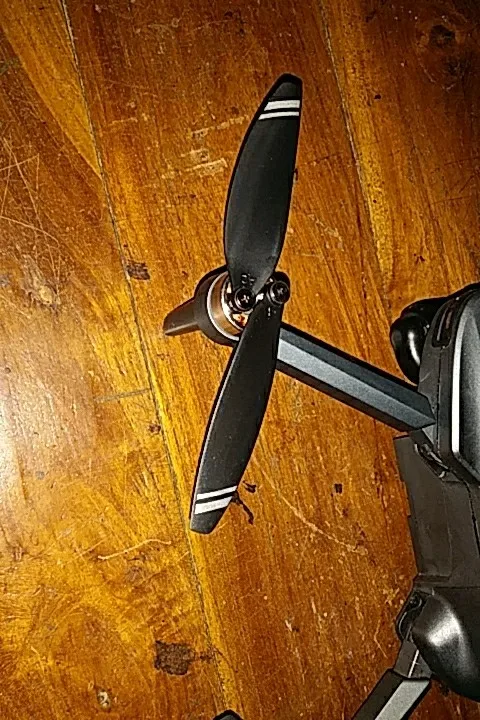
Propellers are crucial for flight and should be inspected regularly for damage. Replace any bent, chipped, or broken propellers immediately.
- Identify the correct propeller type (A or B, often indicated on the propeller and drone arm). Ensure you match the propeller to the correct motor.
- Align the propeller with the motor shaft.
- Secure the propeller using the provided screws. Do not overtighten.
- After installation, manually spin each propeller to ensure it rotates freely without obstruction.


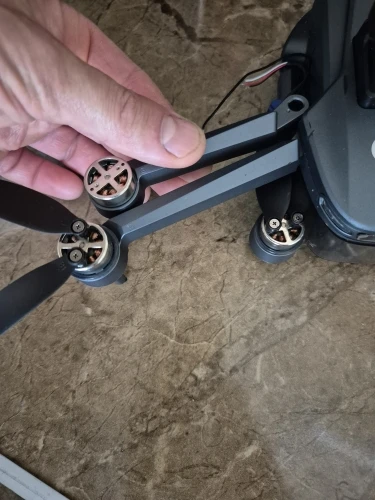
4.2. Drone Arm Replacement
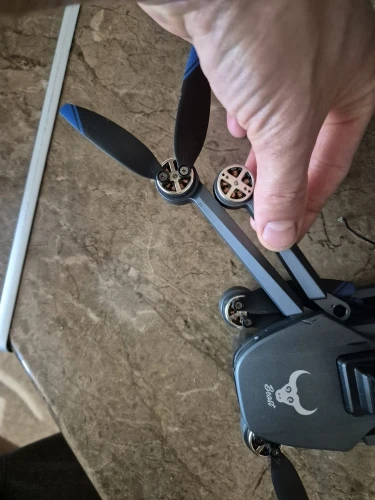
Drone arms house the motors and are critical structural components. Replacement typically involves disconnecting motor wires and securing the new arm. Refer to your drone's main user manual for specific disassembly and reassembly instructions, as procedures can vary.
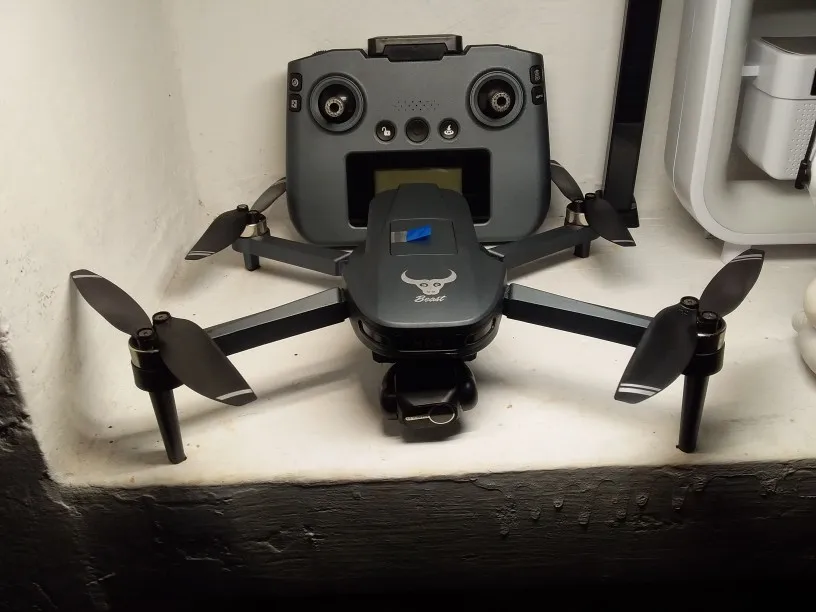
4.3. Drone Shell Replacement
The drone shell protects internal components. Replacing it usually requires careful disassembly of the drone's frame. Consult your drone's main user manual for detailed steps to avoid damaging sensitive electronics.
5. Battery Safety and Usage
This section provides general guidelines for battery usage, applicable to batteries used with your drone. Always refer to the specific battery manufacturer's instructions for detailed information.
5.1. Safety Precautions
- Do not throw batteries into fire, heat, disassemble, squeeze, or puncture them to prevent leakage, explosion, or fire.
- Do not reverse the positive and negative terminals of the battery or short-circuit them to avoid overheating or fire.
- Do not mix different brands, models, or types of batteries (e.g., old and new).
- Non-rechargeable batteries must not be charged. Rechargeable batteries should only be charged with a compatible, dedicated charger.
- Children must use batteries under adult supervision to prevent accidental ingestion or misuse.
- Immediately stop using the battery if it leaks, swells, deforms, emits an odor, or experiences abnormal heat.
- Keep batteries away from high temperatures, humidity, open flames, and direct sunlight.
5.2. Correct Usage
- When installing, strictly follow the positive and negative (+/-) markings on the device.
- If the device will not be used for a long time, remove the batteries to prevent leakage and corrosion of the device.
- For rechargeable batteries, follow the 'charge and unplug' principle to avoid prolonged overcharging.
- Avoid using batteries in extremely high or low temperature environments, as this may reduce capacity or cause damage.
5.3. Storage and Maintenance
- Store in a cool, dry, and ventilated place, away from metal objects.
- Do not store with keys, coins, or other metal objects to prevent short circuits.
- Store used and unused batteries separately.
- Recommended storage temperature: 0°C ~ 30°C.
5.4. Waste Disposal
- Waste batteries are hazardous waste; do not discard them arbitrarily.
- Please dispose of waste batteries in designated recycling bins or hand them over to professional recycling agencies.
- Leaking batteries should be wrapped in paper towels before disposal to avoid direct skin contact.
6. Troubleshooting
6.1. Device No Power (Battery Related)
- Check if the positive and negative terminals are installed correctly.
- Check if the battery power is depleted.
- Check if the battery is leaking, deformed, or damaged.
6.2. Battery Abnormal Heating
- Immediately stop using the battery.
- Check for short circuits, mixed battery types, or device malfunctions.
6.3. Battery Leakage
- Do not touch directly with bare hands.
- Wipe clean with a dry cloth or paper towel and dispose of as hazardous waste.
6.4. Accessory Fit Issues
- Ensure you have ordered the correct part number (e.g., A1 arm vs. B1 arm). Verify compatibility with your specific drone model.
- If a part does not fit, double-check the product description and your drone's model number.
7. User Tips
- Many users report that these accessories are perfectly compatible with the SG109 MAX2 drone and are of good quality.
- When ordering replacement arms, pay close attention to specific designations like 'A1' or 'B1' to ensure you receive the correct part for your drone.
- Always keep a few spare propeller sets on hand, as they are common wear-and-tear items.
8. Warranty and Support
For specific warranty information regarding your SG109 MAX2 drone accessories, please refer to the terms provided by the original manufacturer or seller at the time of purchase.
A comprehensive user manual for the drone, which may include more detailed instructions for accessory replacement, is available in PDF format. You can typically find this on the manufacturer's support website or by contacting customer service.
Disclaimer: Any equipment damage or personal injury caused by illegal use, disassembly, modification, mixed use, or improper storage shall be borne by the user.