
1. Introduction
Thank you for choosing the Ourlife 5K30FPS Action Camera MTR60 Pro. This manual provides essential information for setting up, operating, and maintaining your camera to ensure optimal performance and longevity. Please read this manual thoroughly before using the product.

2. Package Contents
Please check the package to ensure all items are present:
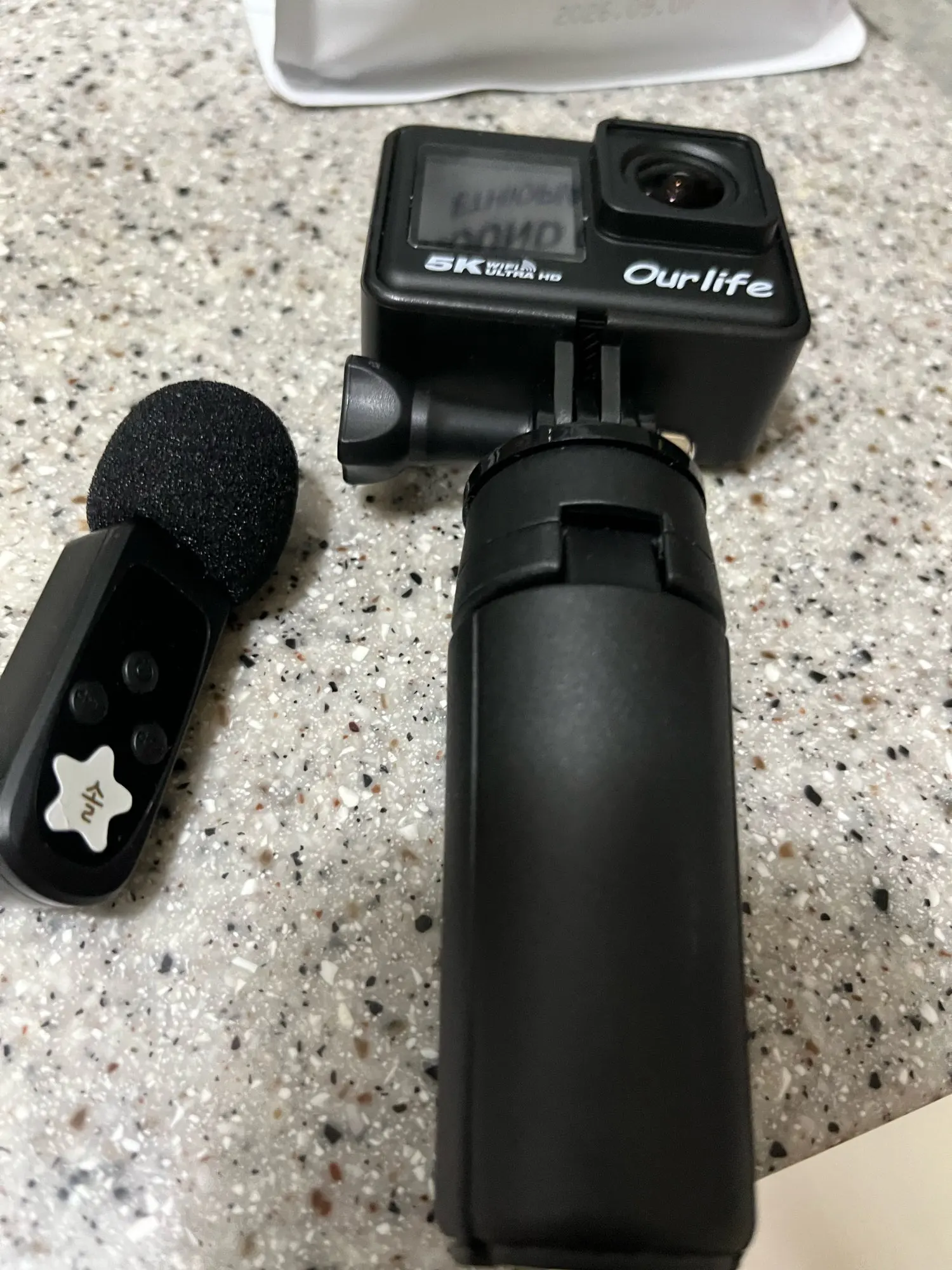
- Ourlife Action Camera (MTR60 or MTR60 Pro)
- Waterproof Case
- 1050mAh Battery
- Dustproof Shell
- Back Clip
- Long Bracket
- Curved Mount
- Horizontal Bracket (x2)
- USB Cable (Type-C)
- Fixed Base
- Base with Copper Nut
- Manual
- Bandages
- Cable Tie Wire Rope
- 3M Adhesive
- Remote Control (Standard for MTR60, 2-in-1 Wireless Remote Control for MTR60 Pro)
3. Setup
3.1 Battery Installation and Charging
- Open the battery compartment cover on the bottom of the camera.
- Insert the 1050mAh battery, ensuring the correct orientation.
- Close the battery compartment cover securely.
- To charge, connect the camera to a USB power source using the provided Type-C USB cable. The camera must be powered off during charging.
3.2 Memory Card Installation
The camera supports MicroSD / TF cards up to 256GB. A high-speed card (Class 10 or higher, U3 recommended for 4K/5K recording) is required for optimal performance.
- Locate the memory card slot on the side of the camera.
- Insert the MicroSD card with the contacts facing the front of the camera until it clicks into place.
- To remove, gently push the card until it pops out.
3.3 Attaching the Waterproof Case
For underwater use or protection against dust and impact, place the camera inside the waterproof case. Ensure the case is properly sealed before use. The camera is waterproof up to 30 meters when enclosed in its case.

4. Operating Instructions
4.1 Power On/Off
- Press and hold the Power/Mode button (usually on the front or top) for a few seconds to turn the camera ON or OFF.
- A short press of the Power/Mode button cycles through different camera modes (Video, Photo, Playback, Settings).
4.2 Using the Touch Screen
The 2.0-inch IPS touchscreen display allows for intuitive control and navigation of camera settings and modes.

4.3 Video Recording
Press the Shutter/Record button to start and stop video recording. The camera supports various resolutions:
- 5K@30fps
- 4K@60fps/30fps
- 2.7K@60fps/30fps
- 1080P@60fps/30fps
- 720P@120fps/60fps/30fps

4.4 Photo Capture
Switch to Photo mode and press the Shutter/Record button to take still images. The camera captures photos at 30MP.
4.5 Electronic Image Stabilization (EIS)
The 6-axis EIS technology provides stable and smooth videos, especially useful during action shots. EIS is supported for resolutions up to 4K@60fps/30fps, 2.7K@60fps/30fps, 1080P@60fps/30fps, and 720P@60fps/30fps.

4.6 Wide Angle and Digital Zoom
- The camera features a 170° ultra-wide angle lens for capturing expansive scenes.
- Utilize the 5X digital zoom function to get closer to your subject.


4.7 Pre-Record Mode
When 'Pre Record' is enabled, the camera will record a short buffer of video (10-20 seconds depending on resolution and EIS settings) before you press the shutter button. This helps capture unexpected moments.

4.8 WiFi Function and App Connectivity
The camera supports 2.4GHz Wi-Fi transmission. Download the exclusive Ourlife app to connect your camera to your mobile phone. This allows you to view, control, and share your footage instantly.

4.9 Remote Control
The MTR60 Pro comes with a 2-in-1 Wireless Remote Control that also functions as a wireless microphone. This allows you to control the camera from up to 10 meters away and capture clear audio.


4.10 Car DVR Record Mode
The camera can be used as a dash camera. Activate Car DVR mode for looping record functionality. A recommended setting is 1080P 30fps for continuous recording.

4.11 Works as Webcam
Connect the action camera to your computer via the Type-C USB cable to use it as a webcam. It is driver-free and supports 1080P 16:9 30FPS video. The camera also supports automatic facial recognition, tracking, and focusing.

5. Maintenance
5.1 Camera Care
- Keep the camera lens and screen clean using a soft, lint-free cloth. Avoid abrasive materials.
- Store the camera in a cool, dry place away from direct sunlight and extreme temperatures.
- Avoid dropping or subjecting the camera to strong impacts.
5.2 Waterproof Case Care
- After each use in water, rinse the waterproof case with fresh water and allow it to air dry.
- Regularly check the O-ring seal for any debris, cracks, or damage. Ensure it is clean and properly seated before each use.
- Do not use sharp objects to clean the O-ring or case.
5.3 Battery Care
- Charge the battery fully before first use.
- Do not expose batteries to extreme heat or fire.
- If the camera will not be used for an extended period, remove the battery.
- The battery is removable and replaceable.
5.4 Memory Card Care
- Format the MicroSD card periodically within the camera's settings to maintain optimal performance and prevent data corruption.
- Always turn off the camera before inserting or removing the memory card.
6. Troubleshooting
If you encounter issues with your Ourlife Action Camera, refer to the following common problems and solutions:
| Problem | Possible Cause | Solution |
|---|---|---|
| Camera does not turn on | Low battery; Battery incorrectly inserted; Camera frozen. | Charge the battery; Reinsert battery correctly; Press and hold power button for 10 seconds to force restart. |
| Cannot record video/take photos | No memory card; Memory card full; Memory card error; Incorrect mode. | Insert MicroSD card; Delete files or replace card; Format card; Switch to correct mode. |
| Poor image/video quality | Dirty lens; Low light conditions; Incorrect settings; EIS off. | Clean the lens; Use in well-lit areas; Adjust resolution/settings; Enable EIS. |
| WiFi connection issues | Incorrect password; Out of range; App not updated. | Verify WiFi password; Move closer to camera; Update the Ourlife app. |
| Remote control not working | Remote battery low; Not paired; Out of range. | Replace remote battery; Re-pair remote with camera; Ensure within 10m range. |
| Short battery life | High resolution recording; WiFi/EIS constantly on; Old battery. | Reduce resolution; Turn off unused features; Consider purchasing spare batteries. |
7. Specifications
Below are the detailed specifications for the Ourlife MTR60 Pro Action Camera:
| Feature | Specification |
|---|---|
| Brand | OURLIFE |
| Model | MTR60 Pro |
| Main Processor | Mstar MSC8328P |
| Image Sensor | Other SONY Series |
| Effective MegaPixel | >25MP (30MP) |
| Video Resolution | 5K(5120*2880)@30fps, 4K@60fps/30fps, 2.7K@60fps/30fps, 1080P@60fps/30fps, 720P@120fps/60fps/30fps |
| Video Format | MP4 |
| Photo Format | JPG |
| Display Size | 2.0" Touch Screen + 1.3" LCD |
| Wideangle | 170° |
| Image Stabilization | 6-Axis Electronic Image Stabilization (EIS) |
| EIS Support | 4K@60fps/30fps; 2.7K@60fps/30fps; 1080P@60fps/30fps; 720P@60fps/30fps |
| Waterproof Depth | 30m (with case) |
| Battery Capacity | 1050mAh (Removable/Replaceable) |
| Memory Card Type | MicroSD / TF (up to 256GB) |
| WIFI Support | Yes (2.4G) |
| Remote Control Support | Yes (2-in-1 Wireless Remote Control for MTR60 Pro) |
| Input/Output | USB (Type-C) |
| Built-in Mic | Yes |
| Expand Microphone | Yes |
| Digital Zoom | 5X |
| Operating Temperature | -10°C to 45°C |
| Dimensions (Volume) | 60.5*32*43.4mm |
| Weight | 101g-150g |
| Certification | CE, FCC, RoHS |
| Pre-recording | Support |
| Motion detection | Support |
| HDMI | Support |
Note: Specifications are subject to change without prior notice.
8. User Tips
- Explore Settings: Take time to navigate through the camera's settings to familiarize yourself with all available options and customize them to your preferences.
- Spare Batteries: For extended shooting sessions, consider purchasing additional 1050mAh batteries and an external charger, as the camera's single battery charges only when installed in the camera.
- App for Convenience: Utilize the dedicated Ourlife app for quick and easy downloading of videos and pictures directly to your smartphone, eliminating the need for a PC connection.
- Action-Ready: The camera performs well in various action scenarios, such as cycling, ATV riding, and snowboarding, thanks to its robust build and image stabilization.
- Pre-Record for Key Moments: The pre-record function is particularly useful for capturing unpredictable events, like a fish biting during fishing, ensuring you don't miss the crucial moment.
- Wireless Microphone: The MTR60 Pro's integrated wireless microphone is excellent for vlogging and ensures clear audio even when the camera is in its waterproof case.
9. Warranty and Support
For detailed information regarding warranty coverage and customer support, please refer to the official Ourlife website or contact your retailer.
A detailed user manual (PDF) is available for download here.
If you have any questions or require assistance, please reach out to the seller or manufacturer's customer service.