
1. Introduction
Thank you for choosing the MECHEN H10 MP3 Player. This device is a versatile portable media player running on Android 13 OS, offering a rich multimedia experience with its 4-inch touchscreen, extensive storage, and dual wireless connectivity. This manual provides essential information for setting up, operating, and maintaining your device.

2. Package Contents
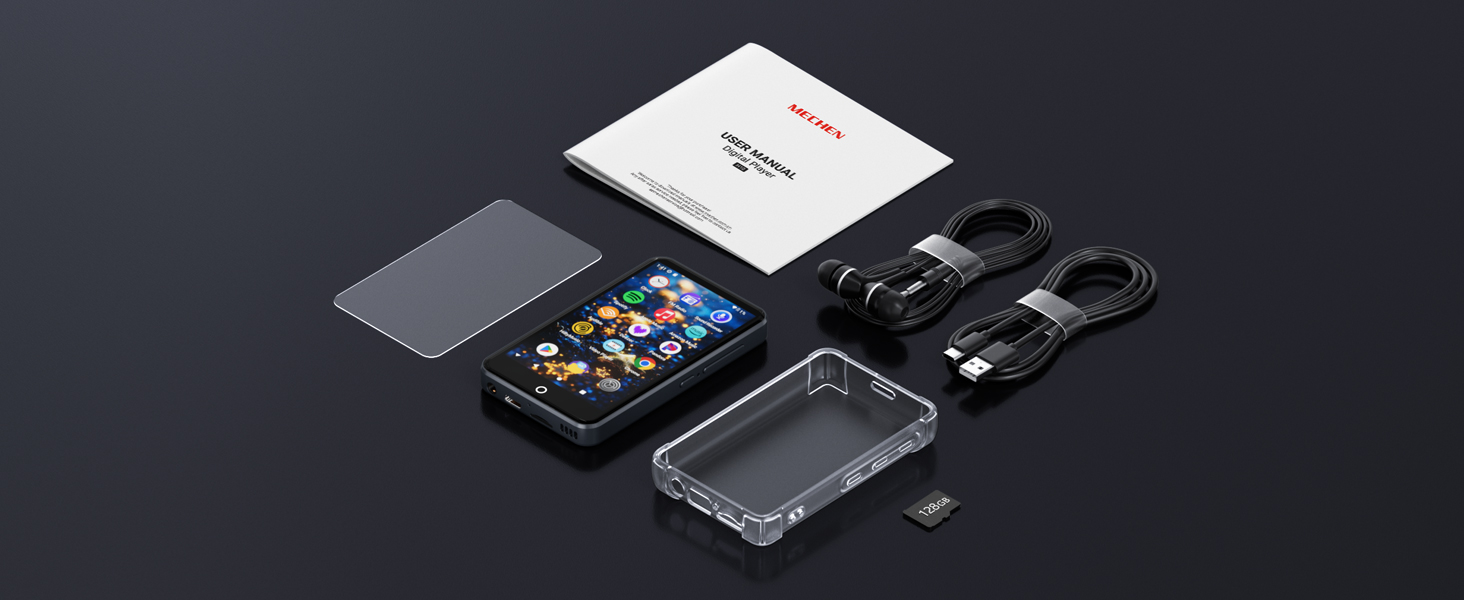
Please check the box for the following items:
- 1 x MECHEN H10 Music Player
- 1 x USB Cable
- 1 x Earphones
- 1 x Protective Film
- 1 x Protective Case
- 1 x User Manual (this document)
- 1 x 128GB TF Card

3. Initial Setup
3.1 Charging the Device
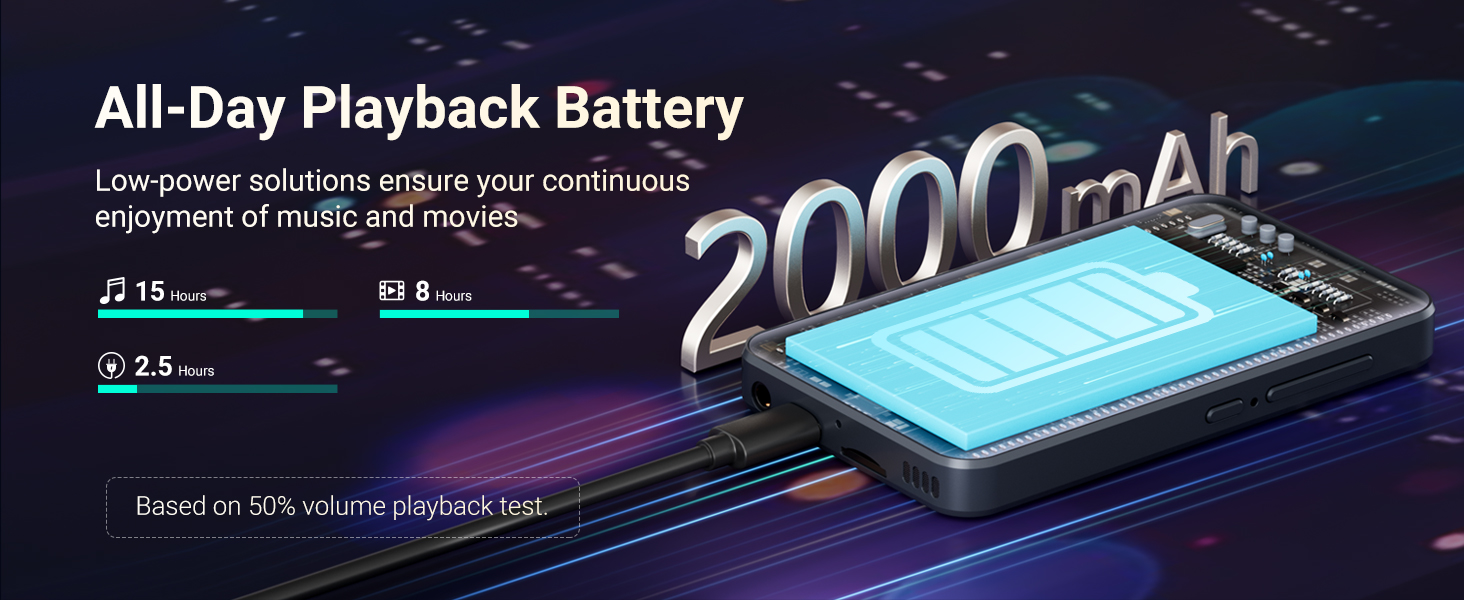
Before first use, fully charge your MECHEN H10 MP3 player. Use the provided USB cable and a certified 5V-1A or 5V-2A ordinary charging head. You can also charge via a computer's USB port.
- Important: Do not use fast chargers exceeding 30W, as the MP3 player does not support fast charging. Using incompatible chargers may trigger over-voltage protection and damage the device.
3.2 Powering On/Off
- To Power On: Press and hold the power button on the side of the device until the screen lights up.
- To Power Off: Press and hold the power button, then select 'Power Off' from the options on the screen.
4. Operating Instructions
4.1 Android 13 OS
The MECHEN H10 runs on Android 13, providing a smooth and secure user experience. Regular security updates and efficient background app management ensure uninterrupted performance.

4.2 App Installation
The device comes with popular music apps preinstalled, such as Spotify, Amazon Music, Apple Music, Pandora, and Deezer. You can download more applications from the Play Store as desired.
- Access the Play Store icon on the home screen.
- Search for your desired apps (music, video, gaming, social media, learning).
- Download and install the apps.
- Note: Installing too many applications may cause the device to slow down or lag. Ensure you leave sufficient free storage space.

4.3 Music Playback
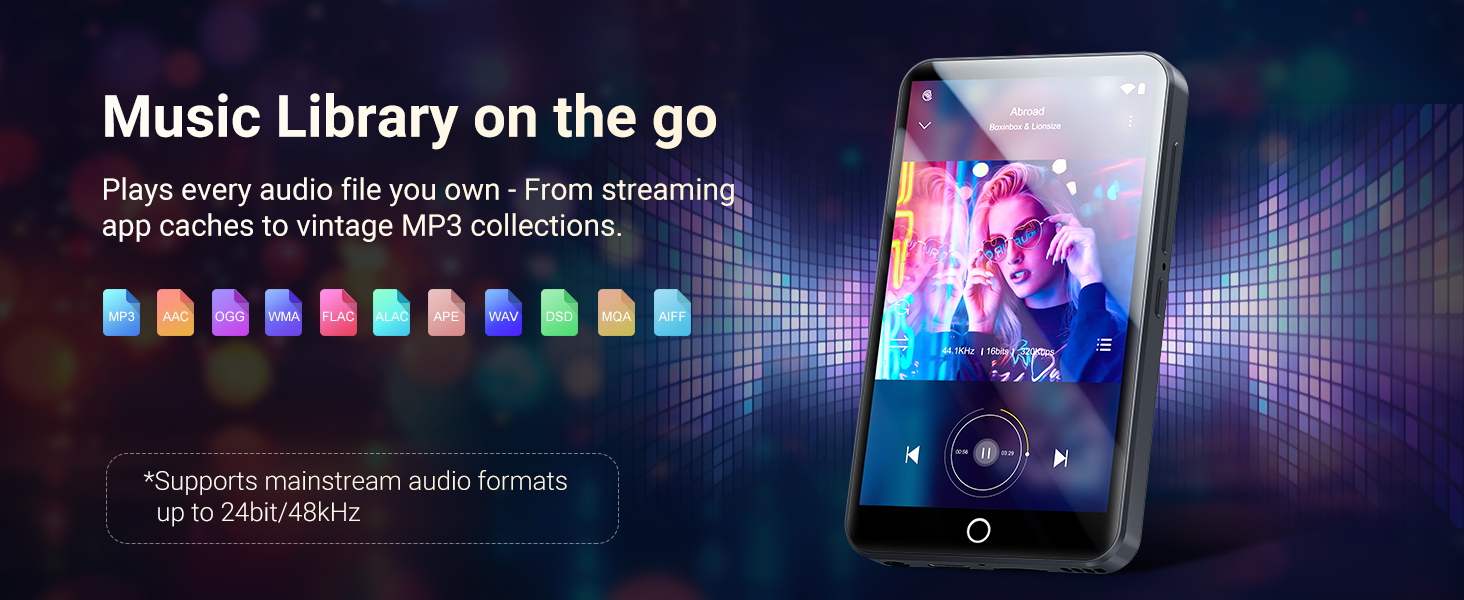
The MECHEN H10 supports HiFi lossless sound quality with a professional intelligent digital noise reduction chip. It is compatible with a wide range of audio formats.
- Supported Audio Formats: MP3, FLAC, WAV, AAC, OGG, WMA, APE, ALAC, DSD (DSF/DFF), MQA, AIFF.
- Navigate to your music library or streaming app to play audio files.
4.4 Video Playback
Enjoy a portable movie theater experience on the 4-inch high-resolution (480x800) full touchscreen. The device supports smooth playback of 1080P HD videos without the need for format conversion.
- Supported Video Formats: MP4, AVI, MKV, MOV, WMV, MPEG, FLV, WebM, TS, RMVB, DAT, RM.
- Access your video files through the video player app.
4.5 Connectivity (Bluetooth & WiFi)
The H10 features dual-band WiFi (2.4GHz and 5GHz) for stable internet connection and Bluetooth 5.0 for connecting to external audio devices.
- WiFi: Provides better interference immunity and a more stable wireless signal for streaming and app downloads.
- Bluetooth 5.0: Utilizes bi-directional Bluetooth technology for stable connections to Bluetooth headphones, speakers, and car audio systems.

4.6 Storage Management
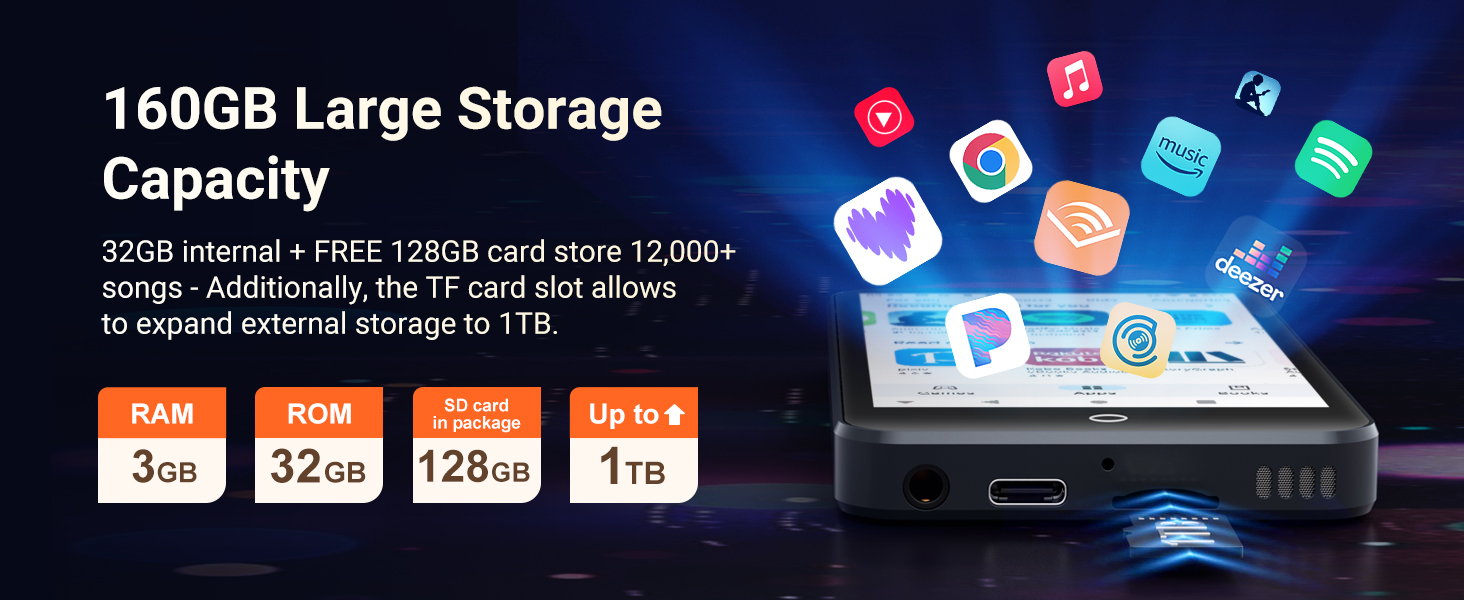
The device comes with 3GB RAM and 32GB ROM for smooth operation. Additionally, a 128GB SD card is included, and the device supports external memory expansion up to 1TB via a TF card slot.

5. Specifications
| Feature | Detail |
|---|---|
| Product Name | MECHEN H10 |
| Operating System | Android 13 |
| CPU Chip Core | MTK6762 8-core (4xCortex-A53@2.0GHz) |
| GPU | PowerVR GE8320 |
| Built-in RAM+ROM | 3GB RAM + 32GB ROM |
| External Memory | 128GB Micro-SD Card (included), supports up to 1TB TF Card |
| Screen Size/Material | 4 inch / Plastic body |
| Screen Resolution | 480*800 pixels |
| Battery Capacity | 2000mAh Li-ion |
| Music Playback Time | Up to 15 hours (based on 50% volume) |
| Video Playback Time | Up to 8 hours (based on 50% volume) |
| WiFi Connections | 2.4 GHz & 5 GHz (Dual Band) |
| Bluetooth Version | 5.0 |
| Language Support | Multiple languages |
| Audio Format Support | MP3, AAC, OGG, WMA, FLAC, ALAC, APE, WAV, DSD (DSF/DFF), MQA, AIFF |
| Video Format Support | MP4, AVI, MKV, MOV, WMV, MPEG, FLV, WebM, TS, RMVB, DAT, RM |
| Picture Format Support | JPEG, BMP, GIF, PNG |
| Functions | Bluetooth, WIFI, FM radio, recording, video playback, app download |
| Dimensions (WxHxD) | 10.3*5.90*1.0cm |
| Body Material | Plastic |
| Certifications | CE, RoHS, FCC |
6. Maintenance
- Cleaning: Use a soft, dry cloth to clean the device. Avoid using harsh chemicals or abrasive materials.
- Storage: Store the device in a cool, dry place away from direct sunlight and extreme temperatures.
- Battery Care: To prolong battery life, avoid fully discharging the battery frequently. Charge the device regularly, even if not in use for extended periods.
- Software Updates: Keep the device's software updated to ensure optimal performance and security. Firmware upgrades may be released periodically.

7. Troubleshooting
Here are solutions for common issues you might encounter:
| Issue | Solution |
|---|---|
| Device not charging or charging slowly | Ensure you are using a certified 5V-1A or 5V-2A charger. Avoid fast chargers (>30W) and wireless charging pads. Check the USB cable for damage. |
| Login loop after factory reset | Before performing a factory reset, sign out of your Google account on the device and remove the device from your Google account settings (google.com/devices). |
| Device lagging or slowing down | Too many installed apps can cause slowdowns. Consider uninstalling unused apps or clearing app caches. Ensure sufficient running space is available. |
| Bluetooth connectivity issues | Ensure Bluetooth is enabled on both devices. Try unpairing and re-pairing the device. Move closer to the Bluetooth accessory to reduce interference. |
| WiFi connection unstable | Check your router and internet connection. Ensure the device is within WiFi range. Try restarting the device and your router. |
8. User Tips
- Optimize Storage: Regularly transfer large files (like videos or extensive music libraries) to the included 128GB SD card or an external storage device to keep internal memory free for apps and system performance.
- Battery Preservation: To maximize battery life during long trips, consider reducing screen brightness, disabling Wi-Fi/Bluetooth when not in use, and closing background applications.
- Parental Controls: Utilize the Parental Control Setup feature (e.g., Google Family Link) to manage daily usage limits and content filters for younger users.
9. Warranty and Support
For any product malfunction or issues not covered in this manual, please contact our after-sales service. We are committed to providing support and resolving any problems you may encounter.
Some problems can be fixed by firmware updates. Please ensure your device is running the latest firmware version.