
1. Introduction
The Zeenko UM Series Low Noise Amplifier (LNA) is designed to enhance high-frequency sensitivity in RF applications, particularly beneficial for users measuring 5.8GHz signals or working with devices like the tinySA ULTRA. This series addresses common issues found in other broadband LNA modules, such as poor flatness and insufficient gain at higher frequencies.
The UM series features a convenient USB Type-C power interface, moderate gain, high IP3, and low noise characteristics. It incorporates a built-in high PSRR LDO to effectively minimize power noise, offering superior performance compared to modules directly fed via USB without such noise reduction.

2. Package Contents
Please check the package for the following items:
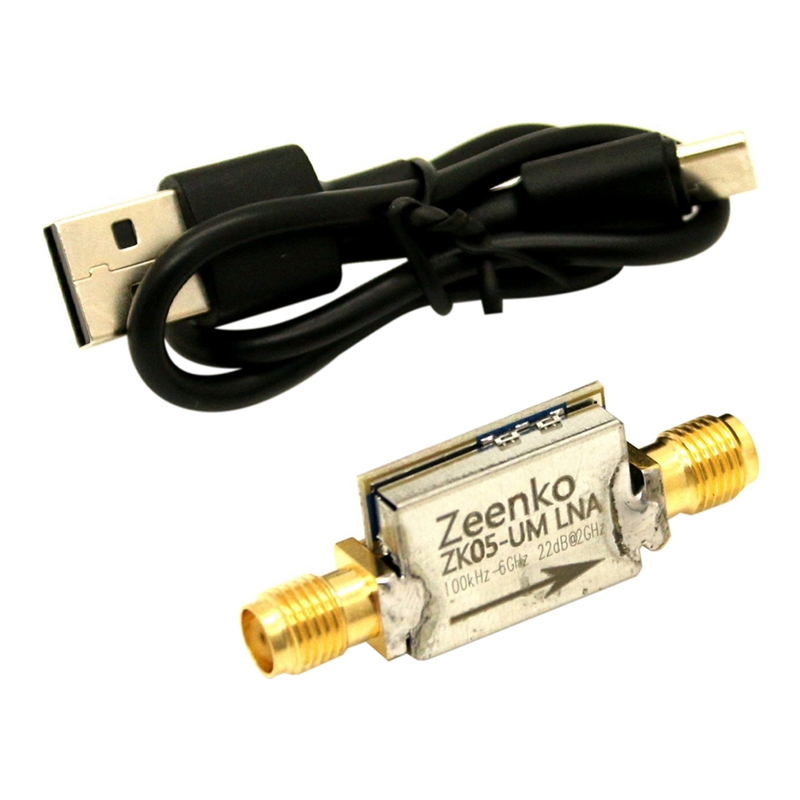
- 1 x Zeenko UM Series Low Noise Amplifier (LNA) Module (e.g., ZK05-UM)
- 1 x USB Type-C Cable
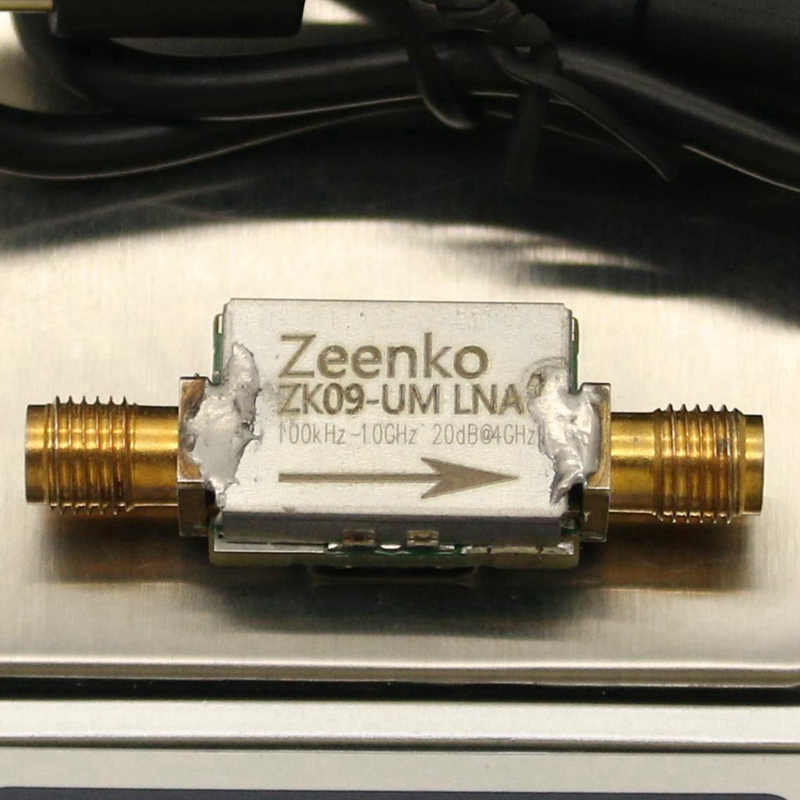
3. Specifications
| Feature | Description |
|---|---|
| Model Number | Amplifier module (e.g., ZK05-UM, ZK09-UM) |
| Material | Metal |
| Power Interface | USB Type-C |
| Gain (ZK05-UM) | 22dB @ 2GHz (100kHz-6GHz range) |
| Gain (ZK09-UM) | 20dB @ 4GHz (100kHz-1.0GHz range) |
| Noise Reduction | Built-in high PSRR LDO |
| Design | Compact, system shielding cover |


4. Setup Instructions
Follow these steps to set up your Zeenko UM Series LNA module:
- Connect the USB Cable: Use the provided USB Type-C cable to connect the LNA module to a suitable USB power source (e.g., a computer USB port, a USB wall adapter, or a power bank). The module is powered via this interface.
- Connect RF Signal: Connect your RF input signal to one end of the LNA module and the output to your receiver or spectrum analyzer. Ensure the connections are secure. The arrow on the module indicates the direction of signal flow (input to output).
- Power On: Once connected to a power source, the LNA module will power on automatically. There are no external power switches.

5. Operation Guidelines
The Zeenko UM Series LNA is designed for straightforward operation. Consider the following guidelines for optimal performance:
- Signal Direction: Always observe the arrow printed on the LNA module, which indicates the correct direction of the RF signal flow (input to output).
- Gain Selection: While higher amplifier gain might seem better, it's crucial to select appropriate gain. For preamplifier or antenna amplifier applications, a gain of approximately 20dB is often sufficient, determined by factors like post-amplifier feeder loss and receiver noise figure.
- Spectrum Analyzer Use: When used as a preamplifier for a spectrum analyzer, be aware that a very large gain can negatively impact anti-blocking performance and increase intermodulation products, leading to more interference.
- Avoid Cascading with tinySA ULTRA: Unless specifically required for advanced measurements, it is generally recommended not to use both the built-in LNA of a tinySA ULTRA and an external LNA like the Zeenko UM series simultaneously. This can lead to excessive gain, potential self-excitation, and damage to the receiver.
6. Maintenance
To ensure the longevity and optimal performance of your Zeenko UM Series LNA module, please follow these maintenance tips:
- Moisture Prevention: The module features a system shielding cover made of metal. When using the device outdoors or in humid environments, take precautions to prevent moisture exposure, as it may lead to rust.
- Cleaning: Keep the module clean and free from dust. Use a soft, dry cloth for cleaning. Avoid using liquid cleaners or solvents.
- Storage: Store the LNA module in a dry, cool place when not in use.
7. Troubleshooting
If you encounter issues with your Zeenko UM Series LNA, consider the following:
- No Power: Ensure the USB Type-C cable is securely connected to both the LNA module and a functional USB power source. Try a different USB port or power adapter.
- Poor Signal Amplification:
- Verify the RF signal direction matches the arrow on the module.
- Check all RF cable connections for tightness and integrity.
- Ensure the LNA's frequency range is suitable for your application.
- Interference/Noise:
- If using with a tinySA ULTRA, ensure you are not using both its internal LNA and the external Zeenko LNA simultaneously, as this can cause excessive gain and intermodulation.
- Check for nearby strong RF sources that might be overloading the LNA.
- Ensure proper grounding of your setup.
- Physical Damage: Inspect the module for any visible signs of damage, especially if used outdoors or in harsh conditions.
8. User Tips
No specific user tips are available from reviews or Q&A at this time. However, general best practices for RF equipment apply:
- Always use high-quality RF cables and connectors to minimize signal loss and interference.
- Keep cable lengths as short as possible.
- Ensure proper impedance matching for your RF system.
- When experimenting with new setups, start with lower power levels and gradually increase them to avoid damaging sensitive equipment.
9. Warranty and Support
For any technical support, warranty claims, or inquiries regarding the Zeenko UM Series LNA module, please contact your retailer or the manufacturer directly. Keep your purchase receipt as proof of purchase.