
1. Overview
The INKBIRD INT-11I-B is a mini wireless intelligent thermometer that adopts Bluetooth 5.4 stable connectivity, specially designed for barbecue, grilling, oven, and smoker use. The intelligent application offers a wide range of preset menus and supports custom settings, ensuring precise cooking results. Its compact design and LED screen make it versatile for various cooking environments.
This thermometer provides 1-second fast response with ±1℃/±1.8℉ accuracy, IP67 waterproof rating for the probe, 60 minutes of offline data storage, and a long battery life for both the probe (25 hours) and the base (300+ hours standby).
2. Product Appearance

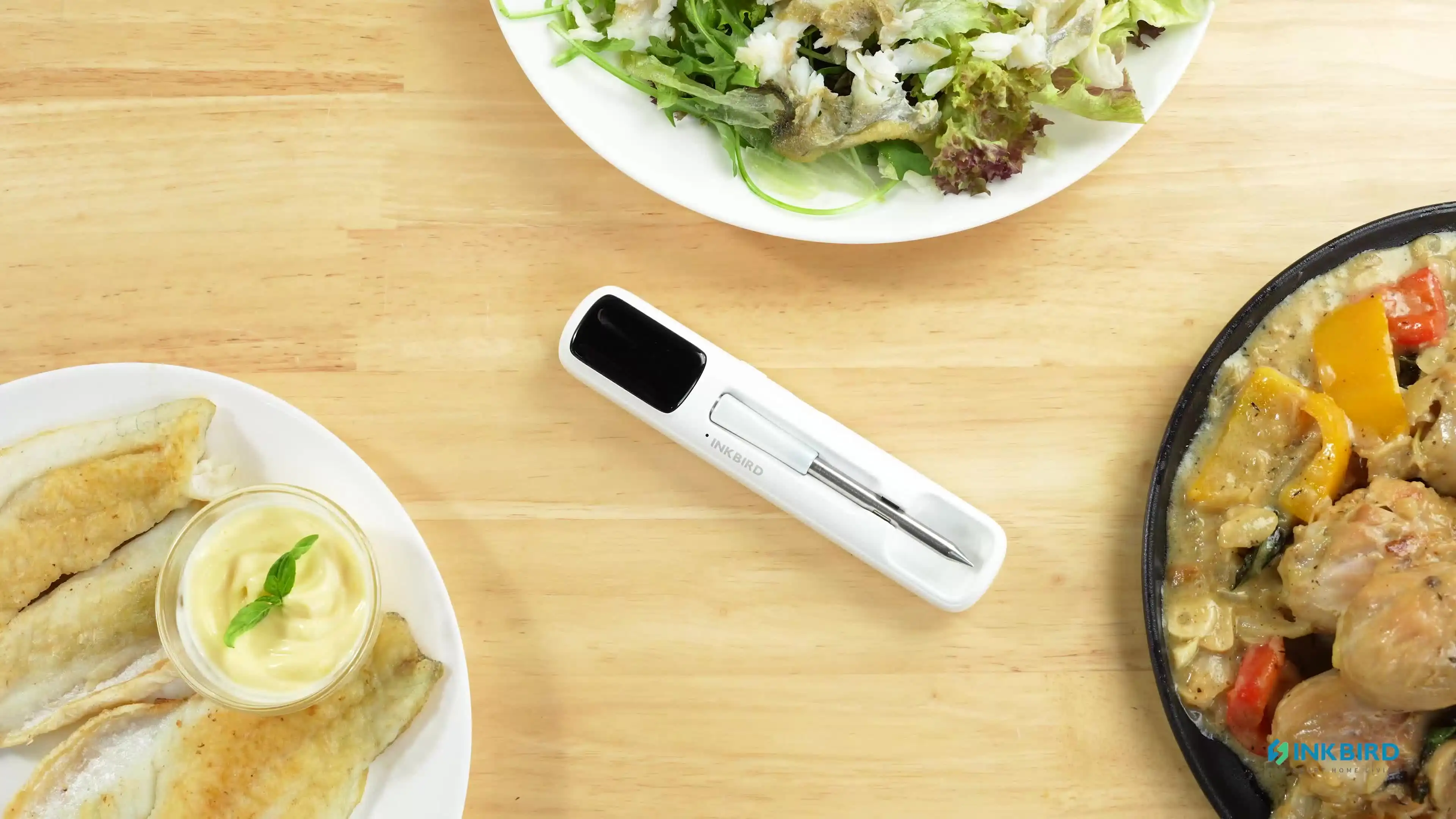
2.1 Base Components
- LED screen
- Indicator light
- Place to remove the probe
- Power button
- Type-C charging port
2.2 Probe Components
- Safe cooking line
- Stainless steel probe
- Charging contact point
- Ceramic handle

2.3 Screen Display Description
The LED screen displays important information:
- Bluetooth Icon: Flashing indicates pairing, solid indicates connected, disappearing indicates disconnected.
- Alarm Icon: Indicates device buzzer status (enabled/disabled).
- Detected Temperature: Shows the current food temperature. An alarm is triggered if the temperature exceeds 96℃/205℉ or drops below -10℃/14℉.
- Temperature Unit: Displays temperature in °F or °C.

3. Specifications
| Feature | Detail |
|---|---|
| Brand | INKBIRD |
| Model | INT-11I-B |
| Bluetooth Function | BLE 5.4 |
| Bluetooth Connection Range | Up to 305m (1000ft) in open space |
| Probe Waterproof Rating | IP67 (dishwasher safe) |
| Probe Sensor Quantity | One, for measuring food temperature only |
| Probe Measurement Range | -10~100℃ / 14~212℉ (Alarm at 96℃/205℉ for safe use) |
| Probe Measurement Accuracy | ±1℃ / ±1.8℉ |
| Temperature Refresh Time | 1 second |
| Probe's Battery Life | 25 hours (continuous use) |
| Probe's Charging Time | 25 minutes (fully charged) |
| Base's Battery Capacity | 500mAh rechargeable lithium battery |
| Base's Power Voltage | 3.7V |
| Base's Battery Life | 300+ hours (low-power mode standby) |
| Screen Type | White LED |
| Screen Size | 33.5*15mm |
| Offline Data Storage | 60 minutes of temperature data (automatically uploaded to app upon connection) |
| Weight | 88.5g |
| Size | 169*36*22mm |
4. Package Contents
- Probe x 1
- Base x 1
- USB-C Data Cord x 1
- User Manual x 1
5. Setup
5.1 Initial Charging
Before first use, ensure both the base and the probe are sufficiently charged. The probe fully charges in 25 minutes, and the base in approximately 1.5 hours using the supplied Type-C charging cable (5V 1A).

5.2 App Installation & Connection
- Download the INKBIRD App: Search for "INKBIRD" on Google Play or App Store, or scan the QR code below to download directly. Ensure your device runs iOS 12.0+ or Android 7.1+.
- Registration: Register an account within the app by selecting your country/region and entering a verification code sent to you.
- Connect the Thermometer: Open the INKBIRD app, click "+" on the top right corner to add a device. Follow the in-app instructions to complete the connection. Keep the device as close as possible to your smartphone during this process.

5.3 Probe Insertion
Insert the probe into the center of the food, ensuring it goes beyond the "safe cooking line" engraved on the probe body. The probe tip should remain unexposed to prevent damage.

6. Operating Instructions
6.1 Basic Device Operation
- Power ON/OFF: Press and hold the power button for 3 seconds.
- Dismiss Alarm: Press the power button once when an alarm sounds.
- Awake Screen: Press the power button once after the screen dims.
- Check Battery Level: Double-press the power button. The indicator light will show red (0-15%), yellow (16-35%), or green (35%+).
- Temperature Preset Display: After setting a cooking menu, press the power button once to display the target temperature.
- Force Reset: Press and hold the power button for 30 seconds.
6.2 Using the INKBIRD App
The INKBIRD app provides smart control over your cooking process:
- Select Food Type: In the app, choose the type of food you are cooking (e.g., chicken, beef, lamb).
- Set Target Temperature: Select the desired doneness (e.g., well done) or customize a target temperature. You can also set a pre-alarm to be notified before the target temperature is reached.
- Monitor Temperature: The app displays the current internal temperature and the target temperature. You can view a trend chart to see temperature changes over time.
- Receive Alerts: The app will alert you when the target temperature is reached, or if the probe detects temperatures outside the safe range.
6.3 App Settings
Within the app settings, you can:
- Change temperature units (°F/°C).
- Enable/disable device offline reminders.
- Adjust device sound (alarm volume).
- Set backlight time for the device display.
- Perform temperature calibration.

7. Maintenance
7.1 Cleaning
- The probe is waterproof (IP67) and dishwasher-safe. Clean it under running water or in a dishwasher after use. Avoid corrosive detergents.
- The base is NOT waterproof. Do not rinse or submerge it. Wipe with a slightly damp cloth if necessary, ensuring no water seeps into the device.
- After cleaning the probe, ensure it is completely dry before placing it back into the charging base to prevent damage from rusty electrode plates or water seepage.
7.2 Storage
- Store the probe inside the charging base.
- Keep the entire unit in a shady and cool place, away from children.
- For long-term storage, charge the battery to about 50% capacity to prevent deep discharge and extend battery lifespan. Do not fully charge before storing.
8. Troubleshooting Guide
| Issue | Possible Solutions |
|---|---|
| Cannot Connect Bluetooth? |
|
| Cannot Charge The Base? |
|
| Why Is The Probe Reading Incorrectly? |
|
| Why Cannot Charge The Probe? |
|
9. Important Notes & Warnings
- Do not use the probe in a microwave oven or pressure cooker.
- Ensure the probe is inserted into the center of the food, deep enough to exceed the safe cooking line.
- The base has a Bluetooth signal relay function. Keep the base within 10 meters of the probe. Reduce distance if there are metal obstructions.
- Do not expose the probe directly to fire or burning charcoal. If it falls out of food, stop heating and remove after cooling.
- Keep the base away from fire and heat sources. Do not expose to direct sunlight, or place it on/in an oven or grill.
- Do not touch the overheated probe with bare hands during or after cooking; use heat-insulated gloves.
- This product is exclusively for food temperature measurement.
- Do not disassemble or replace the internal battery yourself.
- Do not use the probe below -10℃ (14°F) as it may damage the battery.
- Do not use or store the product in harsh weather or high-humidity environments.
- If the device is unused for a long time, it will automatically switch off to save power.
10. User Tips
While no specific user reviews or Q&A were provided, here are some general tips for using smart thermometers effectively:
- Pre-heat Properly: Ensure your grill or oven is at the desired temperature before inserting the probe into your food.
- Placement Matters: Always insert the probe into the thickest part of the meat, avoiding bone, to get the most accurate reading.
- Rest Your Meat: Remember that meat continues to cook after being removed from heat (carryover cooking). Account for this by removing it a few degrees below your target temperature.
- Keep App Updated: Regularly update the INKBIRD app to ensure you have the latest features and bug fixes for optimal performance.
- Test Connection: Before a long cook, do a quick test of the Bluetooth connection range in your cooking environment to ensure stable monitoring.
11. Warranty & Support
11.1 Warranty Information
This product comes with a 1-year warranty covering defects in components or workmanship. Defective products will be repaired or replaced free of charge at INKBIRD's discretion during this period.
11.2 Customer Support
For any usage issues or support needs, please contact INKBIRD customer service:
Email: support@inkbird.com
Manufacturer: Shenzhen Inkbird Technology Co., Ltd.
Address: 6th Floor, Building 713, Pengji Liantang Industrial Area, No.2 Pengxing Road, Luohu District, Shenzhen, China
12. Regulatory Compliance
12.1 FCC Requirement
This device complies with Part 15 of the FCC Rules. Operation is subject to the following two conditions: (1) this device may not cause harmful interference, and (2) this device must accept any interference received, including interference that may cause undesired operation.
This equipment has been tested and found to comply with the limits for a Class B digital device, pursuant to Part 15 of the FCC Rules. These limits are designed to provide reasonable protection against harmful interference in a residential installation. This equipment generates, uses, and can radiate radio frequency energy and, if not installed and used in accordance with the instructions, may cause harmful interference to radio communications. However, there is no guarantee that interference will not occur in a particular installation.
Note: Changes or modifications not expressly approved by the party responsible for compliance could void the user's authority to operate the equipment. This equipment complies with FCC radiation exposure limits set forth for an uncontrolled environment. This equipment should be installed and operated with a minimum distance of 20cm between the radiator & your body. This transmitter must not be co-located or operating in conjunction with any other antenna or transmitter.
12.2 IC Warning
This device contains licence-exempt transmitter(s)/receiver(s) that comply with Innovation, Science and Economic Development Canada's licence-exempt RSS(s). Operation is subject to the following two conditions: (1) This device may not cause interference. (2) This device must accept any interference, including interference that may cause undesired operation of the device.
L'émetteur/récepteur exempt de licence contenu dans le présent appareil est conforme aux CNR d'Innovation, Sciences et Développement économique Canada applicables aux appareils radio exempts de licence. L'exploitation est autorisée aux deux conditions suivantes : 1)L'appareil ne doit pas produire de brouillage; 2)L'appareil doit accepter tout brouillage radioélectrique subi, même si le brouillage est susceptible d'en compromettre le fonctionnement.