1. Introduction
This manual provides detailed instructions for the installation, operation, and maintenance of your LIVIAE Electric Scooter Controller Group and LCD Display Panel. Designed with fine quality materials, these components are lightweight, rainproof, sturdy, and practical, ensuring reliable performance for your electric scooter or bicycle. The brushless controller offers fast, silent, and sensitive operation, while the LCD display provides clear data visualization even in dim environments.
2. Product Overview
The LIVIAE Controller Group and LCD Display Panel are essential components for managing and monitoring your electric scooter's performance. The system typically includes:
- LCD Display Panel: Provides real-time data such as speed, battery level, and mode. Features a backlight for visibility in low-light conditions and intuitive buttons for quick operation.
- Brushless Controller: Manages the power delivery to the motor, ensuring efficient and responsive control. Available in 36V and 48V variants.
- Connecting Cables: Includes a 6-pin instrument cable for connecting the display to the controller.

3. Specifications
| Feature | Detail |
|---|---|
| Material | Plastics + LCD + Metal |
| LCD Display Model | LIVIAE |
| Controller Voltage Options | 36V (e.g., 36V15A), 48V (e.g., 48V20A) |
| Waterproof Rating | IP65 |
| Power | 350W |
| Package Dimensions (L x W x H) | 15 cm x 15 cm x 8 cm |
| Package Weight | 0.38 kg |
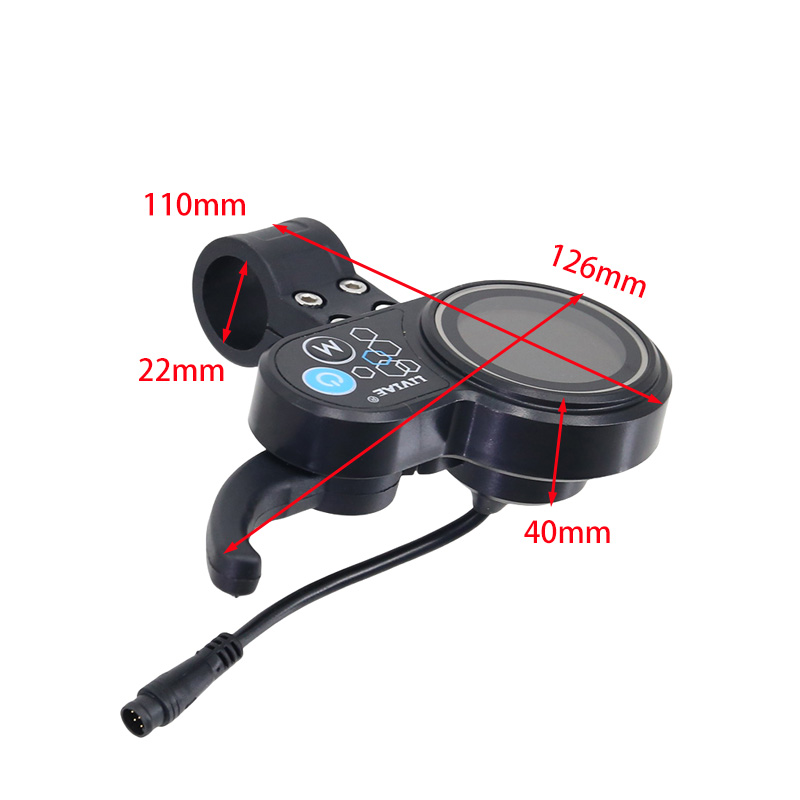
LCD Display Dimensions

- Overall Width: 126mm
- Overall Height: 40mm
- Clamp Width: 110mm
- Handlebar Diameter: 22mm
4. Package Contents
Upon opening your package, please verify that all the following items are included:
- 1 x LIVIAE LCD Display Panel
- 1 x LIVIAE Electric Scooter Controller (36V or 48V, depending on your selection)
- 1 x 6-pin Instrument Cable for display connection
5. Installation
The LIVIAE Controller Group and LCD Display are designed for easy installation. Please follow these general steps. For specific wiring diagrams or complex installations, it is recommended to consult a professional or refer to detailed diagrams if provided by the seller.
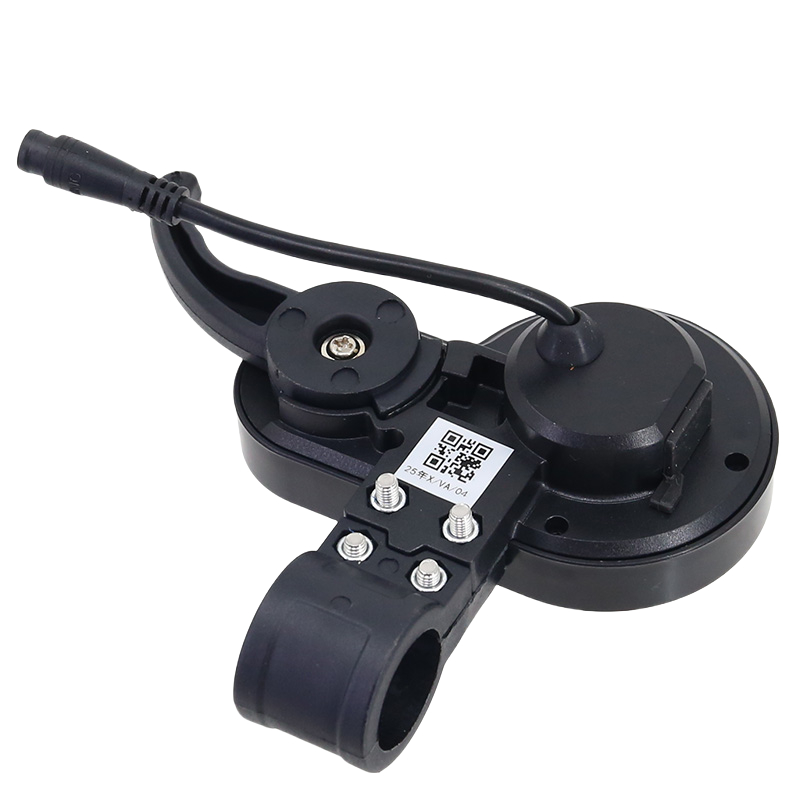
- Mount the LCD Display: Secure the LCD display panel to your scooter's handlebar using the integrated clamp. Ensure it is positioned for optimal visibility and comfortable access to the buttons. The clamp is designed for a 22mm handlebar diameter.
- Connect the LCD Display: Connect the 6-pin instrument cable from the LCD display to the corresponding port on the controller. Ensure the connection is firm and secure.
- Install the Controller: Mount the controller in a suitable, protected location on your scooter, away from direct water exposure and physical impact.
- Connect Controller Wiring: Connect the various wires from the controller to the appropriate components of your electric scooter (motor, battery, throttle, brakes, etc.). The controller features multiple colored wires for different functions. Refer to the wiring diagram below for guidance.
- Secure all Connections: Double-check all connections to ensure they are tight and properly insulated to prevent short circuits or disconnections during operation.
Important: Incorrect wiring can damage the components or your scooter. If unsure, seek professional assistance.
6. Operation
Once installed, operating the LIVIAE LCD Display Panel is straightforward:
- Power On/Off: Press and hold the power button (typically marked with a power symbol) on the LCD display to turn the system on or off.
- Monitor Data: The LCD screen will display various data points, including current speed, battery charge level, and potentially other metrics like trip distance or riding mode.
- Change Modes/Settings: Use the mode button (typically marked 'M') to cycle through different display modes or adjust settings as per your scooter's capabilities. Refer to your scooter's specific manual for detailed display functions.
- Backlight: The display features a backlight for clear visibility in dim environments. This typically activates automatically or can be toggled via a button press.

7. Maintenance
To ensure the longevity and optimal performance of your LIVIAE Controller Group and LCD Display Panel, follow these maintenance guidelines:
- Cleaning: Wipe the display and controller with a soft, damp cloth. Avoid using harsh chemicals or abrasive materials that could damage the surfaces or electronics.
- Water Exposure: While the display is IP65 rainproof, avoid submerging it in water or exposing it to high-pressure water jets. Ensure all cable connections are dry before operation.
- Cable Inspection: Periodically check all cables and connectors for signs of wear, fraying, or damage. Replace any damaged cables immediately.
- Secure Mounting: Ensure the LCD display remains securely mounted to the handlebar and the controller is firmly fixed in its position.
- Environmental Conditions: Store your scooter in a dry, temperate environment when not in use to protect the electronic components.
8. Troubleshooting
If you encounter issues with your LIVIAE Controller Group or LCD Display Panel, consider the following common troubleshooting steps:
| Problem | Possible Cause | Solution |
|---|---|---|
| Display does not power on | Loose cable connection, battery low/dead, faulty power button. | Check all cable connections, especially the 6-pin instrument cable. Ensure the scooter battery is charged. Try pressing the power button firmly. |
| Display shows incorrect data | Sensor issue, incorrect settings, loose connection. | Check sensor connections. Verify display settings (if adjustable). Re-seat the 6-pin cable. |
| Motor not responding | Controller issue, motor connection problem, throttle issue. | Ensure all motor and throttle connections to the controller are secure. Check for error codes on the display (if applicable). |
| Intermittent power/functionality | Loose connections, water ingress, damaged wiring. | Inspect all wiring for damage or loose connections. Ensure components are dry. |
If these steps do not resolve the issue, please contact customer support for further assistance.
9. User Tips
- Compatibility Check: Before purchasing or installing, always refer to your original product model and specifications to ensure compatibility with the LIVIAE Controller Group and LCD Display Panel. If you have any doubts, contact the seller for confirmation to avoid errors.
- Handle with Care: Although the components are sturdy, avoid dropping or subjecting them to excessive force to prevent internal damage.
- Professional Installation: For complex electric scooter systems or if you are unfamiliar with electrical wiring, consider professional installation to ensure safety and correct functionality.
10. Warranty and Support
For information regarding warranty coverage, terms, and conditions, please refer to the documentation provided at the time of purchase or contact the seller directly. For technical support, troubleshooting beyond the scope of this manual, or replacement parts, please reach out to the LOCK-X Store customer service.
Seller: LOCK-X Store


