
1. Product Overview
The Spopal 6000mAh Rechargeable Portable Camping Shower is designed for versatile outdoor use, offering convenience for personal hygiene, pet washing, car cleaning, and more. It features a powerful rechargeable battery, an intelligent LED display for battery and temperature, and multiple water dispensing modes.


2. Package Contents
- Rechargeable Shower Pump with LED Display
- Shower Head
- Hose
- USB Type-C Charging Cable
- Suction Cups (for mounting shower head)
- J-hooks (for hanging pump/shower head)
- Mesh Storage Bag
3. Setup Instructions
- Unpack Components: Carefully remove all items from the packaging.
- Connect Hose: Attach one end of the hose to the shower pump and the other end to the shower head. Ensure connections are secure.
- Charge Battery: Before first use, fully charge the shower pump. Connect the provided Type-C USB cable to the charging port on the pump and to a compatible 5V 0.5-2A USB power source (e.g., phone charger, power bank, laptop, car USB output). The LED display will show the battery level. Ensure the silicone waterproof cover for the charging port is tightly closed after charging.
- Prepare Water Source: Place the shower pump into a bucket or container filled with water. Ensure the pump is fully submerged.

Video Guide: Initial Setup and Usage
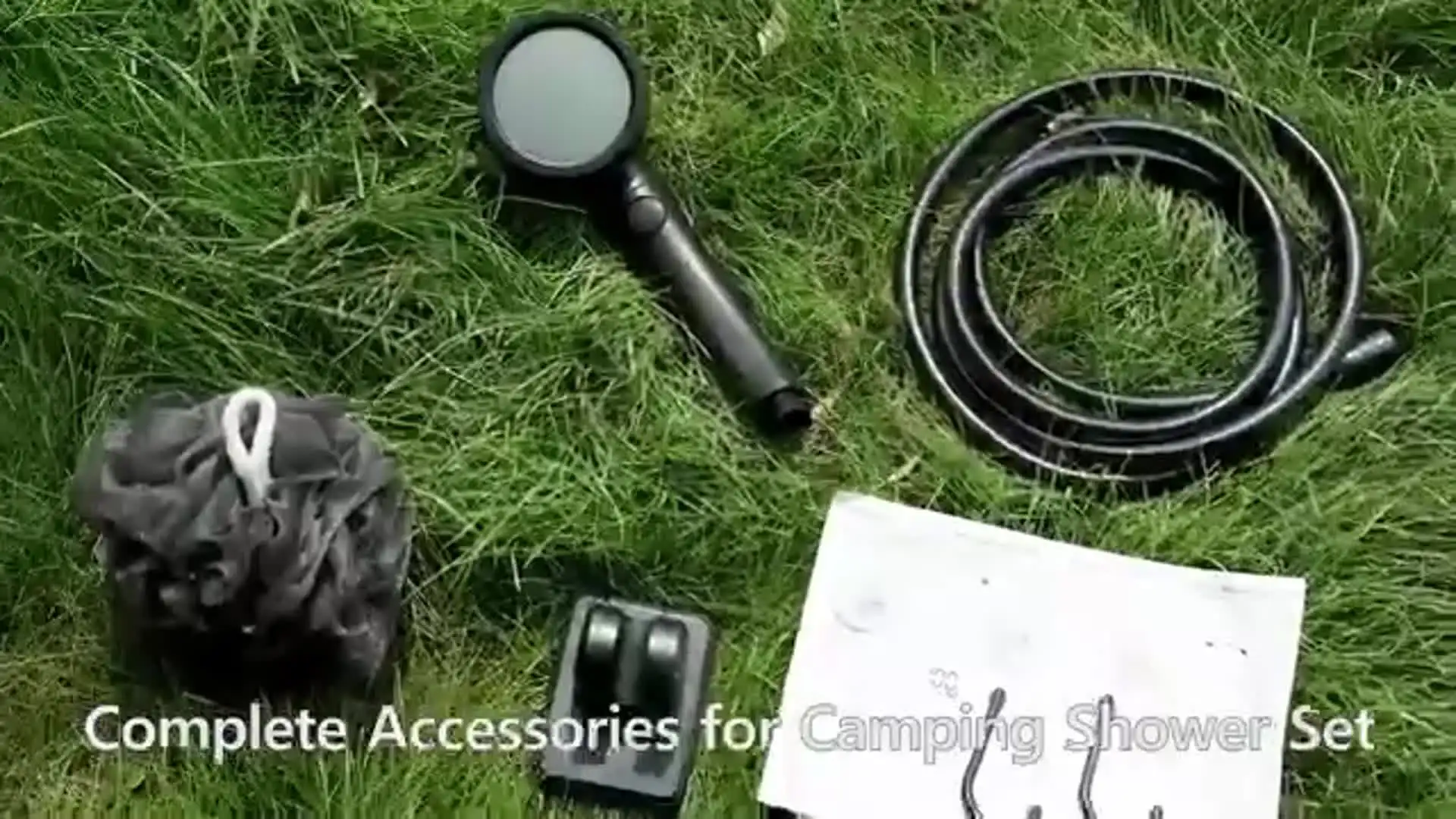
This video demonstrates the complete setup process, from connecting components to initial operation and various applications.
4. Operating Instructions
- Power On/Off: Press and hold the waterproof switch button on the pump's LED display for 3 seconds to turn the pump on or off.
- Monitor Display: The intelligent LED display shows the real-time digital battery level and water temperature (in Fahrenheit). Note: This shower does NOT have a heating function.
- Adjust Water Flow: The pump offers adjustable high/low water output modes. Use the controls on the pump to select your desired water pressure.
- Control Shower Head: Use the ON/OFF switch on the shower head to start or stop the water flow from the nozzle.
- Select Spray Mode: The shower head features four water dispensing modes: Spray Mode, Mixed Mode, Rainfall Mode, and Spray Gun Mode. Rotate the shower head or use its integrated controls to switch between these modes.


5. Maintenance
- Filter Cleaning: The shower head contains a PP element filter to remove impurities. Regularly check and clean this filter to maintain optimal water flow and prevent clogging.
- Drying: After each use, ensure all components are thoroughly dried before storing to prevent mold or mildew buildup.
- Storage: Store the camping shower kit in the provided mesh organizer bag in a cool, dry place away from direct sunlight.
6. Troubleshooting
- No Water Flow: If no water comes out, ensure the pump is fully submerged in water *before* turning it on. If the pump is activated before being placed in water, it may not function correctly.
- Low Water Pressure: Check the battery level on the LED display. A low battery can affect water pressure. Also, ensure the pump is set to the 'High' water output mode if more pressure is desired. Check the filter for clogs.
- Pump Not Turning On: Ensure the battery is charged. Press and hold the power button for at least 3 seconds.
- Temperature Display Inaccurate: The display shows water temperature from 32-140°F. If it seems incorrect, ensure the sensor area on the pump is clean and fully submerged. Remember, the device does not heat water.
7. Specifications
| Feature | Specification |
|---|---|
| Battery Capacity | 6000mAh |
| Charging Time | Approx. 3 hours |
| Working Time | 120-150 minutes (continuous) |
| Charging Interface | Type-C (5V 0.5-2A) |
| Water Temperature Display Range | 32-140°F (0-60°C) |
| Water Dispensing Modes | Spray, Mixed, Rainfall, Spray Gun |
| Material | Rubber |
| Product Type | Camping Shower |
| Package Dimensions (L x W x H) | 20cm x 10cm x 5cm |
| Package Weight | 0.95 kg |

8. User Tips
- Always ensure the pump is fully submerged in water before turning it on to prevent airlocks and ensure proper operation.
- Utilize the J-hooks to hang the pump or shower head from a tree branch or other suitable support for hands-free showering.
- The 3-in-1 suction cup mount allows you to attach the shower head to smooth surfaces like car windows or RV walls for convenient use.
- The Type-C charging port makes it easy to recharge the device on the go, even in your car.
- Remember to cover the charging port tightly with its silicone waterproof cover when not charging to prevent water damage.
9. Warranty and Support
For any product-related inquiries, technical support, or warranty claims, please contact the seller directly through the platform where you purchased the product. The product is eligible for free returns within 90 days of purchase, subject to the seller's return policy.