
1. Product Overview
The Tws X93 Wireless Headset Earphones are designed for comfortable, open-ear listening with advanced Bluetooth 5.3 technology. Featuring an elastic ear hook design, these earphones provide a secure fit without causing discomfort, making them ideal for sports and daily use. The charging case includes a digital display to show battery levels for both the case and individual earbuds.

Figure 1: Tws X93 Earphones and Charging Case

Figure 2: Comfortable Rotation Elastic Ear Hook Design

Figure 3: Directional Sound Transmission Technology

Figure 4: Breathable and Non-Stuffy Wearing Experience
2. Setup and First Use
2.1 Initial Charging
Before first use, ensure both the earphones and the charging case are fully charged. Place the earphones into the charging case. The digital display on the case will show the battery percentage. A full charge for the earphones takes approximately 1 hour, and the charging case takes about 2 hours.

Figure 5: Charging Case with Digital Display
2.2 Language Selection
Before connecting to your phone, you can switch the earphone language between English and Chinese. Tap the earphone 2 or 4 times to cycle through the language options.
2.3 Pairing with Your Device
- Open the earphone charging case.
- Take both earphones out of the charging case. They will automatically power on and attempt to pair with each other.
- Wait until one earphone's light is on and the other's is off, indicating successful inter-earphone pairing.
- On your mobile device, go to Bluetooth settings and search for available devices.
- Select "X93" (or similar name) from the list to connect.
- Once connected, you will hear a confirmation prompt, and the earphone indicator lights will turn off or flash slowly.
Note: This product can be connected with any device that has Bluetooth functionality.
3. Operating Instructions
3.1 Power On/Off
- Power On: Pick up the earphones from the charging case. They will automatically power on.
- Power Off: Place the earphones back into the charging case. They will automatically power off and begin charging.
3.2 Touch Control Functions
The Tws X93 earphones feature intuitive touch controls on each earbud. Refer to the diagram below for specific actions:

Figure 6: Earphone Touch Control Operations
- Play/Pause: Single tap the function button on either earbud.
- Next Song: Double tap the right earbud.
- Previous Song: Double tap the left earbud.
- Answer/End Call: Single tap the function button on either earbud.
- Reject Incoming Call: Long press the function button on either earbud for 1 second.
- Volume Up: Triple tap the right earbud.
- Volume Down: Triple tap the left earbud.
- Voice Control (SIRI/Voice Assistant): Long press the function button on either earbud for 3 seconds.
3.3 Product Demonstration Video
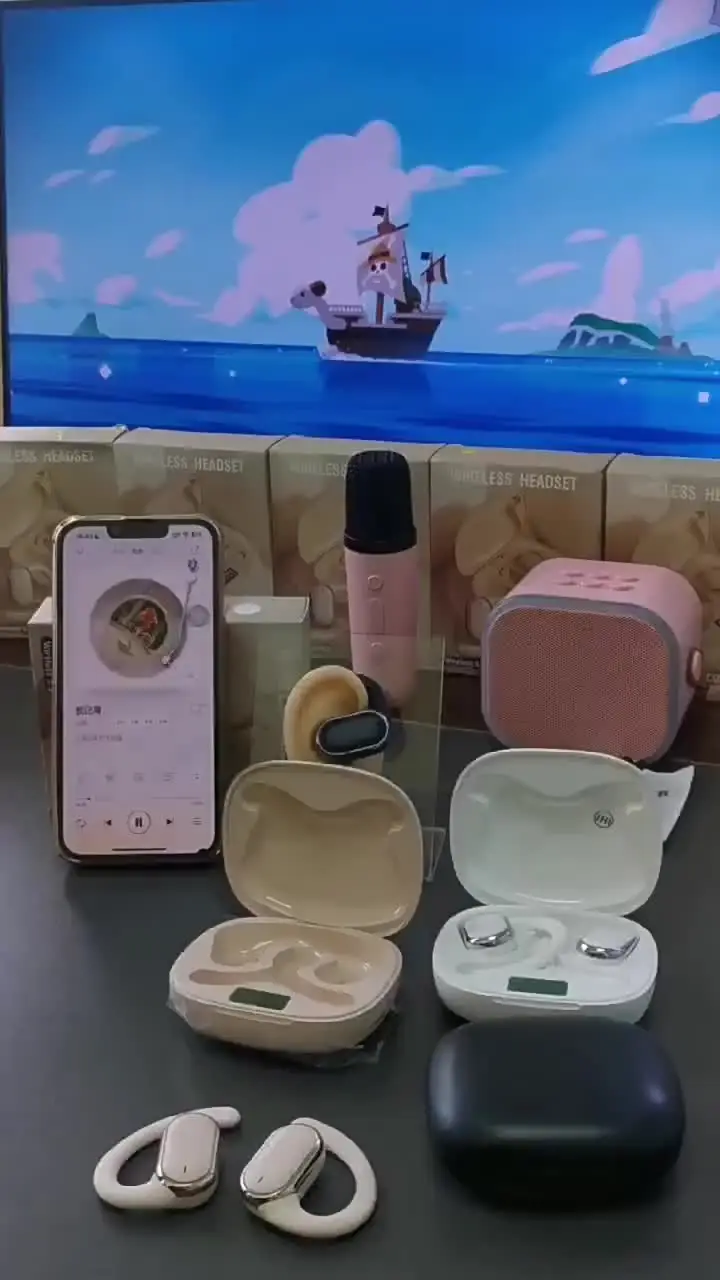
Video 1: Product Features and Operation Demonstration
4. Maintenance and Care
- Cleaning: Regularly wipe the earphones and charging case with a soft, dry cloth. Avoid using harsh chemicals or abrasive materials.
- Water Resistance: The earphones are waterproof. However, avoid prolonged submersion in water or exposure to high-pressure water jets. Ensure they are dry before placing them back in the charging case.
- Storage: Store the earphones in their charging case when not in use to protect them and keep them charged. Store in a cool, dry place away from extreme temperatures.
- Charging: Use the provided Type-C charging cable. Do not use damaged cables or chargers.
5. Troubleshooting
- Earphones not pairing with each other: Ensure both earphones are out of the charging case and close to each other. If they don't pair automatically, try placing them back in the case, closing it, and then taking them out again.
- Earphones not connecting to device: Make sure Bluetooth is enabled on your device. Forget the device in your Bluetooth settings and try pairing again from scratch (Section 2.3). Ensure earphones are charged.
- No sound or low volume: Check the volume levels on both your device and the earphones. Ensure the earphones are properly seated on your ears.
- Inconsistent touch controls: Some users report that touch controls can be inconsistent. Ensure your fingers are clean and dry. Try repeating the gesture or adjusting the pressure.
- Charging issues: Check the charging cable and adapter. Ensure the charging contacts on the earphones and inside the case are clean and free of debris.
6. Specifications

Figure 7: Headphone Parameters
| Feature | Specification |
|---|---|
| Product Type | Adjustable Hanging Bluetooth Headphones |
| Bluetooth Version | BT 5.3 |
| Noise Reduction Type | ENC Environmental Noise Reduction |
| Charging Case Capacity | 200mAh |
| Earphone Battery Capacity | 25mAh |
| Listening/Talking Time | 6-9 hours |
| Standby Time | Approx. 180 hours |
| Charging Time (Earbuds) | Approx. 1 hour |
| Charging Time (Case) | Approx. 2 hours |
| Transmission Distance | >10 meters |
| Frequency Response Range | 20 - 20000Hz |
| Impedance Range | Up to 32 Ω |
| Driver Diameter | 13mm |
| Max Output | 12mW |
| Total Harmonic Distortion | 1% |
| With Microphone | Yes |
| Waterproof | Yes |
| Vocalism Principle | Dynamic |
| Wireless Type | Bluetooth |
| Connectors | Type C |
| Certification | CE, RoHS, BQB |
| Material | ABS, Plastic |
| Speaker Sensitivity | 109dB ± 3dB |
| Speaker Maximum Output Power | 8Mv |
| Frequency Range | 2402MHz-2480MHz |
7. Warranty and Support
For detailed warranty information and further support, please refer to the official user manual PDF available at: User Manual (PDF). If you encounter any issues not covered in this manual or require technical assistance, please contact the seller or manufacturer's customer support.
8. User Tips
- Comfortable Fit: The open-ear design and elastic ear hooks are praised for comfort and stability, making them suitable for extended wear and physical activities without falling out or causing ear soreness.
- Sound Quality: Users generally find the sound quality to be good for the price, especially for music at moderate volumes.
- Easy Connectivity: The earphones are noted for their easy and quick connection process.
- Battery Life: The battery life is considered good, with several hours of continuous listening and multiple recharges from the case.
- Touch Control Consistency: While touch controls are convenient, some users have noted they can be inconsistent. If you experience this, try adjusting your tapping technique or repeating the gesture.