
Introduction
The Tolino Vision 2, 3, and 4 eReaders are designed to provide a comfortable and versatile reading experience. This manual will guide you through the essential steps to get started, operate, maintain, and troubleshoot your device.
The Tolino Vision series offers a lightweight, 6-inch Android e-book reader with features like the proprietary tap2flip function and life waterproof capabilities. Different models in the series offer varying screen resolutions and memory capacities:
- Tolino Vision 1 (TV1): 212PPI Carta screen with reading light, 4GB memory, external TF memory card slot.
- Tolino Vision 2 (TV2): Upgraded 212PPI Carta screen (whiter background), 4GB memory, daily waterproof, and flip back functions. No memory expansion due to waterproofing.
- Tolino Vision 3 (TV3): 300PPI CartaHD ink screen (1440*1072 resolution), monochrome reading light.
- Tolino Vision 4 (TV4): Upgraded to dual-color reading lights and 8GB memory.
Safety Information
▲WARNING: Please mind potential fire risk and strictly follow the instruction manual for charging and storage. For disposal, please check your local authority's website for more information and dispose of the lithium-ion battery safely in accordance with the applicable legal requirements.
Setup Guide
I. Instructions for Use
- Power On: Press and hold the power button for 3 seconds to turn on the device.
- Connect to Wi-Fi: Go to
Settings>Network> Select and connect to a Wi-Fi network. - Download E-books: E-books can be downloaded via the built-in app store or by importing them via USB.

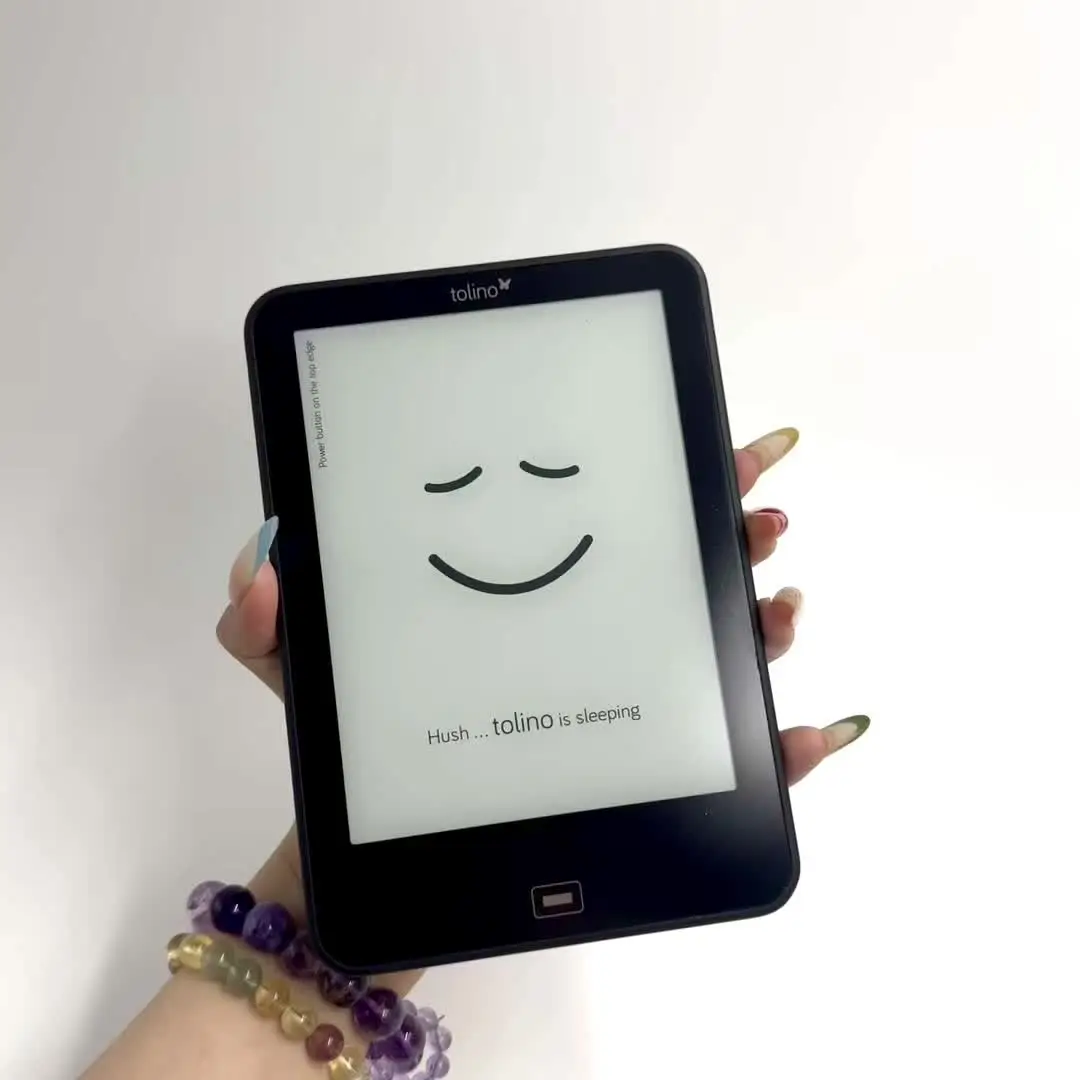
Operating the eReader
Key Features
- Extended Battery Life: Enjoy several weeks of usage on a single charge.
- Eye-Friendly Reading: The blue-light-free display is suitable for prolonged reading.
- Multi-Format Support: Compatible with TXT, PDF, EPUB, and other formats. You can also install reader apps for more formats.
- Water Protection: The Tolino Vision 2, 3, and 4 models feature life waterproof functionality, allowing you to read safely in various environments.
- tap2flip Function: Turn pages easily with one hand by lightly tapping the back of the device. This allows for comfortable reading, especially when traveling or lying down. The capacitive touchscreen can also be used for page turning.
- smartLight: The Tolino Vision 4 HD can adjust the backlight according to the time of day, offering blue light in the morning and warm light in the evening for optimal reading comfort.
- Optimized Fonts: Select your preferred font face and size. The HD E-Ink display supports six available fonts and allows for landscape or portrait orientation.
- Helpful Dictionaries: Look up unfamiliar words in English, German, Dutch, French, Italian, or Spanish. A handy translation function is also available.
- Organized Collections: Create individual collections to sort your eBooks by genre or preference, making it easy to manage your digital library.
- Security: Protect your device from unauthorized access using the easy numbers lock. Set a four-digit personal code via the Settings menu.
- Improved Notes Function: Highlight and comment on passages. Saved notes are available as separate text documents and can be copied to other devices.


Maintenance and Care
II. Precautions
- Avoid Direct Sunlight: Do not use the device in high-temperature environments.
- Keep Dry: Avoid contact with liquids. While the device is waterproof, prolonged submersion or exposure to harsh chemicals should be avoided.
- Prevent Dropping: Handle with care to avoid screen damage.
Troubleshooting (FAQs)
IV. Frequently Asked Questions
- 1. Device Fails to Power On:
- Check whether the battery is depleted. Charge the device for a sufficient period.
- 2. Unable to Connect to Wi-Fi:
- Verify that the password is correct. Ensure the Wi-Fi network is active and within range.
- 3. Is it compatible with the MLOL platform?
- Yes, the device is compatible with the MLOL platform.
Specifications
| Attribute | Value |
|---|---|
| Brand Name | Tolino |
| Model Number | Vision2, Vision3, Vision4 |
| Display Size | 6" |
| Resolution Ratio | 1024*758 (Vision 2), 1440*1072 (Vision 3/4) |
| Screen Type | E-Ink Electronic Ink Screen |
| Display Color | 16 Gray |
| Memory Capacity | 4GB (Vision 2/3), 8GB (Vision 4) |
| Operating System | Android |
| Is touch screen | Yes |
| WIFI | Yes |
| Bluetooth | No |
| Backlight | Yes (Monochrome for Vision 2/3, Dual-color for Vision 4) |
| Battery Life (Hour) | >24 hours (Several weeks on a single charge) |
| Battery Information | 1500mAh |
| Body Material | Plastic |
| Dimensions (WxHxD) | 163x114x8.1mm |
| Weight | 174g |
| Product Interface | Micro USB |
| Support Type | TXT, PDF, EPUB, Mobi, etc. |
| Comic Support | Yes |
| Supports Recording Function | No |
| High-concerned chemical | None |
| Certification | NONE |
| Origin | Mainland China |

User Tips
- Initial Setup: Be aware that the initial registration process might appear in German. Ensure you have a Wi-Fi connection to complete registration and receive updates.
- Manual Access: The English user manual is available within the device's menu after initial setup.
- Reading Experience: The device is generally smooth and simple for reading, supporting many languages without issues.
Warranty and Support
V. After-Sales Service
- Warranty Period: Free repair for non-man-made damage within one year.
For a more detailed guide, you can refer to the official user manual PDF: View User Manual (PDF)