
1. Introduction
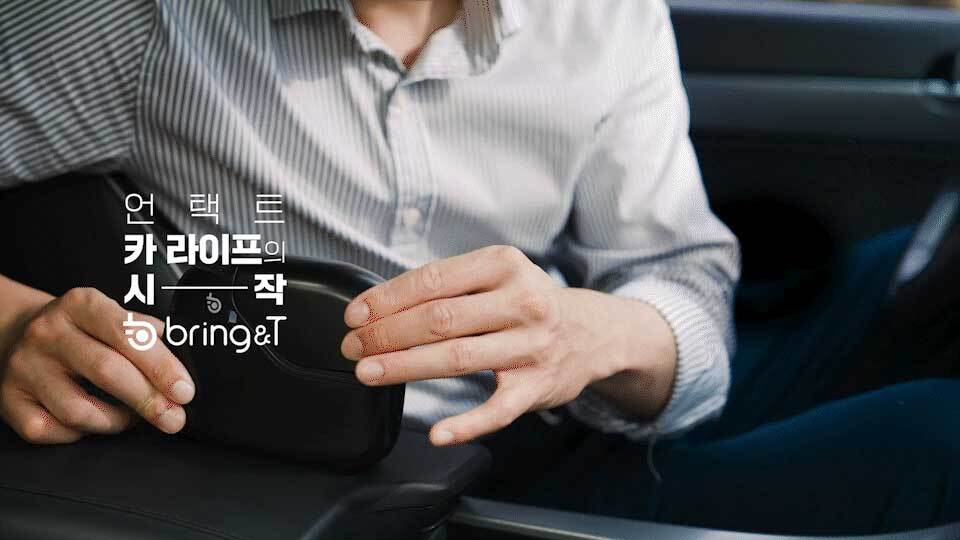
The Hyundai Mobis Bring Digital Key (Model BDK-100) transforms your smartphone into a smart key for your Hyundai or Kia vehicle. This device allows for convenient vehicle control, including automatic door locking/unlocking, digital key sharing, and access to various car management services through the dedicated Bring&T application.

2. Package Contents
Upon opening your Bring Digital Key package, ensure all the following items are present:
- Bring Digital Key Device (BDK-100)
- Simple Guide (User Manual)
- Car Charging Cable

3. Compatibility
The Bring Digital Key is compatible with specific Hyundai and Kia smart key types. Please verify your vehicle's smart key against the images below to ensure compatibility before installation.
3.1 Supported Smart Key Types

- Supported Types: H1, H2, H3, HS (Hyundai), K (Kia).
- Important Note: Vehicles manufactured before 2012 are not supported. For models after 2019, please refer to the visual guide carefully.
- Unsupported Types: Folding keys or keys that do not match the listed shapes are generally not compatible.
4. Setup and Installation
The Bring Digital Key is designed for simple, non-invasive installation without requiring complex wiring or modifications to your vehicle's smart key.
- Insert Smart Key: Carefully insert your vehicle's smart key into the Bring Digital Key device. Ensure the remote is checked and pushed in the correct direction. The button side of the smart key should face the inside of the product, and the lock button should point downwards.
- Placement: Place the Bring Digital Key device in a suitable location within your vehicle, such as the center console or glove box.
- App Installation & Connection: Download and install the "Bring&T" application on your smartphone. Follow the in-app instructions to connect your smartphone to the Bring Digital Key device.

4.1 Important Installation Notes
- No disassembly of the smart key PCB or professional installer visit is required.
- Avoid placing the device in metal enclosures (e.g., metal boxes or compartments), as this may interfere with wireless communication and device operation.
5. Operating Instructions
The Bring Digital Key offers a range of convenient features accessible through the Bring&T smartphone application.
5.1 Auto Door Function
The device features an "Auto Door" function that automatically locks and unlocks your vehicle as you approach or move away. For enhanced security, it performs a double-lock operation when you walk away from the vehicle.

5.2 Digital Key Sharing
Share your digital key with family and friends easily through the Bring&T app using their phone numbers. This allows others to access and control your vehicle without needing a physical key.

5.3 Smartphone Control
Utilize the Bring&T app for various remote control functions:
- Lock/Unlock doors
- Open trunk
- Start/Stop engine (if supported by vehicle)
- Emergency Start (via NFC)
- Monitor vehicle battery
- Track vehicle location
- View driving history
- Find parking location
- Check vehicle status

5.4 Vehicle Management Services
The Bring&T app integrates with various vehicle management services, offering a comprehensive smart car life experience:
- Visit Car Wash: Digital key sharing for convenient car wash services.
- Engine Oil Change: Schedule engine oil and filter changes.
- Tire Change: Arrange for tire replacement services.
- Visit Tire Repair: On-site tire repair services.
- Consumables: Purchase recommended Hyundai Mobis consumables based on your vehicle information.

6. Maintenance
- Keep the Bring Digital Key device clean and free from dust and moisture.
- Ensure the device is charged using the provided car charging cable or a compatible DC 5V/1A power source.
- Regularly update the Bring&T application to access the latest features and security enhancements.
- Avoid exposing the device to extreme temperatures or direct sunlight for prolonged periods.
7. Troubleshooting
- Device Not Responding:
- Check if the device is properly charged.
- Ensure the smart key is correctly inserted into the device.
- Verify that the device is not placed in a metal enclosure that could block wireless signals.
- App Connection Issues:
- Ensure Bluetooth is enabled on your smartphone.
- Restart the Bring&T app and try reconnecting.
- Check for app updates.
- Ensure your smartphone's operating system is up to date.
- Auto Door Function Not Working:
- Confirm the feature is enabled in the Bring&T app settings.
- Check for any obstructions between the device and the vehicle's sensors.
- Ensure the device is placed in an optimal location within the vehicle for signal reception.
- Key Compatibility: If the device does not recognize your smart key, double-check its compatibility against the provided guide (Section 3).
8. Specifications
| Feature | Detail |
|---|---|
| Product Name | Bring Digital Key |
| Model Name | BDK-100 |
| Manufacturer | Hyundai Mobis |
| Country of Origin | Korea |
| Rated Voltage | DC 5V / 1A |
| Power Consumption | Max 5W |
| Operating Temperature | -20°C ~ 70°C (-4°F ~ 158°F) |
| Storage Temperature | -30°C ~ 80°C (-22°F ~ 176°F) |
| Wireless Communication | Bluetooth 5.0, BLE |
| Frequency Band | 2402 ~ 2480 MHz |
| Output Power | 10 dBm |
| Certification | KC (Korea Certification) |
| App Compatibility | Bring&T App (Android/iOS) |
| Vehicle Compatibility | Specific Hyundai/Kia models (H1, H2, H3, HS, K key types) |
9. User Tips
- Verify Key Type: Always double-check your vehicle's smart key type against the compatibility guide before purchasing and installing to ensure proper function.
- Optimal Placement: For best performance of the auto door and remote functions, place the device in an open area within the console or glove box, avoiding metal obstructions.
- App Notifications: Enable notifications for the Bring&T app to receive important alerts regarding your vehicle's status or battery level.
- Security: When sharing your digital key, ensure you are sharing with trusted individuals. You can manage shared keys directly through the app.
10. Warranty and Support
For warranty information, technical support, or service inquiries, please contact Hyundai Mobis customer service or refer to the official Bring&T website/app for detailed contact information.
Keep your purchase receipt as proof of purchase for any warranty claims.