
1. Introduction
Welcome to the Oukitel WP35 PRO Rugged Smartphone user manual. This guide provides essential information to help you set up, operate, and maintain your device. The Oukitel WP35 PRO is designed for durability and performance, featuring a large battery, advanced camera system, and robust construction.

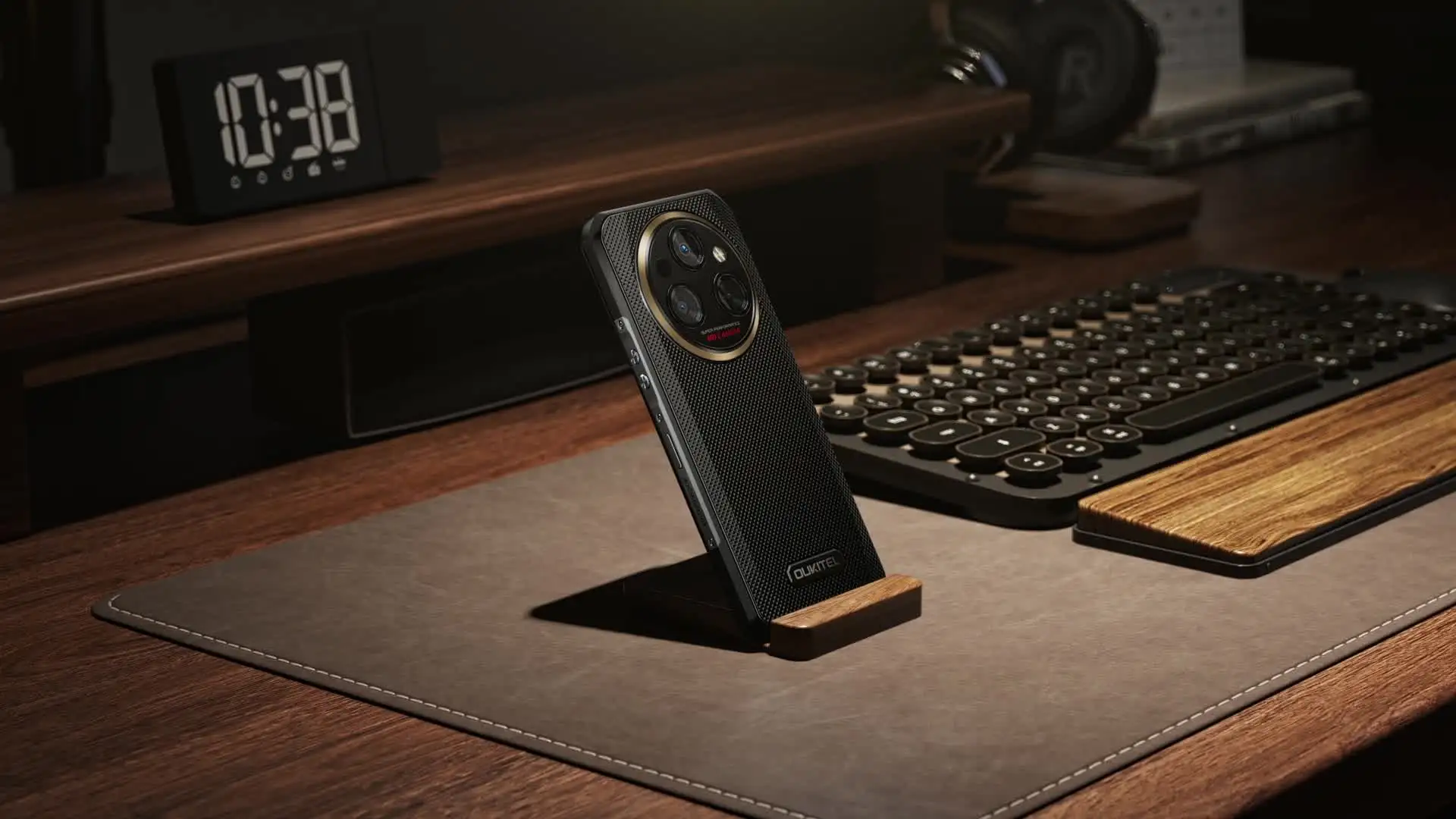
Figure 1: Oukitel WP35 PRO Rugged Smartphone highlighting 11000mAh battery, 14.9mm thickness, 64MP main camera, 36GB RAM, 512GB ROM, Google Pay, NFC, and 5G capabilities.
2. Safety Information
- Do not attempt to disassemble or modify the device.
- Use only Oukitel-approved chargers and accessories.
- Avoid exposing the device to extreme temperatures or direct sunlight for prolonged periods.
- Keep the device away from children and pets.
- Dispose of the device and its battery responsibly according to local regulations.
- While the device is rugged and waterproof (IP68 & IP69K), avoid intentional submersion or exposure to high-pressure water jets.
3. Package Contents
Ensure all items are present in your package:
- 1x Oukitel WP35 PRO Smartphone
- 1x Type-C Cable
- 1x Power Adapter
- 1x Warranty Card
- 1x Quick Start Guide
4. Device Overview
The Oukitel WP35 PRO features a sleek yet durable design with a 6.6-inch display and a triple camera setup on the rear.

Figure 2: Side profile of the Oukitel WP35 PRO, illustrating its 14.9mm thickness and 11000mAh battery capacity compared to other phones.
4.1 Physical Features
- Display: 6.6-inch 2.4K Display (1080*2408 Resolution, 400 PPI) with Corning Gorilla Glass 5 protection.
- Rear Cameras: 64MP Main Camera (Sony IMX682 sensor), 2MP Macro Camera, 8MP Night Vision Camera.
- Front Camera: 32MP Camera.
- Buttons: Power button, Volume up/down buttons, Customizable side key (location may vary).
- Ports: Type-C charging interface.
- SIM/TF Card Slot: Supports Dual Nano SIM or Nano SIM + TF Card.
- Sensors: Fingerprint sensor, GPS, GLONASS, Galileo, Beidou.
5. Setup
5.1 Inserting SIM/TF Card
- Locate the SIM card tray on the side of the device.
- Use the provided SIM ejector tool to open the tray.
- Carefully place your Nano SIM card(s) and/or TF card into the designated slots.
- Ensure the cards are correctly oriented as shown in the diagram (refer to Quick Start Guide for visual).
- Gently push the tray back into the device until it clicks into place.
5.2 Charging the Device
- Connect the Type-C cable to the charging port at the bottom of the phone.
- Connect the other end of the cable to the provided power adapter.
- Plug the power adapter into a wall outlet.
- The device supports 33W fast charging. A charging indicator will appear on the screen.
5.3 Powering On/Off
- To Power On: Press and hold the Power button until the Oukitel logo appears.
- To Power Off: Press and hold the Power button, then select "Power off" from the options on the screen.
- To Restart: Press and hold the Power button, then select "Restart" from the options on the screen.
6. Operating Instructions
6.1 Android 14 Operating System
Your Oukitel WP35 PRO runs on Android 14, offering enhanced privacy features, improved app permissions, and better visibility into app activities that access sensitive data.

Figure 3: Android 14 operating system, emphasizing its security and user-friendly features.
6.2 Camera Usage
The Oukitel WP35 PRO is equipped with a versatile camera system:
- 64MP Main Camera: For high-resolution photos with a large 1/1.73" Sony IMX682 sensor.
- 32MP Front Camera: For clear selfies and video calls.
- 8MP Night Vision Camera: To capture clear pictures in low-light conditions.
- 2MP Macro Camera: For detailed close-up shots of small objects.

Figure 4: Comparison of the 64MP Sony IMX682 main sensor (1/1.73") with a 50MP Samsung JN1 sensor (1/2.76"), illustrating the larger sensor size for better image quality.

Figure 5: The 32MP front camera interface, ideal for high-quality selfies.

Figure 6: The 8MP IR Night Vision camera, designed to illuminate and capture clear images in the dark.

Figure 7: A close-up shot demonstrating the capabilities of the 2MP macro camera for intricate textures.
6.3 Connectivity and Features
- 5G Connectivity: Enjoy fast internet speeds with 5G support.
- NFC: Supports Google Pay for convenient contactless payments.
- Biometrics: Face ID and Fingerprint Unlock for secure and quick access.
- Navigation: Integrated GPS, GLONASS, Galileo, and Beidou for accurate positioning.
- Bluetooth: Bluetooth 5.2 for connecting wireless accessories.

Figure 8: Overview of useful utilities including Face & Fingerprint Unlock, GPS+GLONASS+Beidou+Galileo, Convenient Payment with NFC, and Dual Nano SIM Cards / Nano SIM + TF Card support.
7. Maintenance
7.1 Cleaning Your Device
- Use a soft, lint-free cloth to wipe the screen and body of the phone.
- For stubborn smudges, slightly dampen the cloth with water or a screen cleaner.
- Avoid using harsh chemicals or abrasive materials.
7.2 Ruggedness and Water Resistance
The Oukitel WP35 PRO is built to withstand harsh environments, certified with IP68, IP69K, and MIL-STD-810H standards. This means it is:
- Dustproof: Completely protected against dust ingress.
- Waterproof: Can withstand immersion in water up to 1.5 meters for 30 minutes.
- High-Pressure Water Resistant: Protected against close-range high-pressure, high-temperature water jets.
- Drop Resistant: Designed to endure drops and impacts.
Video 1: Product video showcasing the Oukitel WP35 PRO's rugged features, including its waterproof capabilities and durable design.
Despite its ruggedness, proper care is recommended. Ensure all port covers are securely closed before exposing the device to water or dust.
7.3 Battery Care
The device features a large 11000mAh battery with safe ATL battery cells, designed for a lifespan of up to 4 years. To maximize battery life:
- Avoid fully discharging the battery frequently.
- Do not leave the phone charging for excessively long periods after it's full.
- Keep the device in a cool, dry place.

Figure 9: Information on the safe ATL battery cells, indicating a lifespan of up to 4 years and usage estimates: 60 days standby, 75 hours music, 20 hours video, 90 hours calling, and 16 hours gaming.
8. Troubleshooting
- Device not turning on: Ensure the battery is charged. Connect to the charger and try again.
- Apps crashing: Clear the app's cache and data in Settings > Apps. If the issue persists, uninstall and reinstall the app.
- Poor network signal: Check your SIM card insertion. Move to an area with better network coverage.
- Touchscreen unresponsive: Restart the device. If the issue continues, contact support.
- Slow performance: Close unnecessary background apps. Clear cache and temporary files.
9. Specifications
| Feature | Specification |
|---|---|
| Brand Name | OUKITEL |
| Model | WP35 PRO |
| Operation System | Android 14 |
| CPU Model | MTK (MediaTek Dimensity 6300) |
| RAM | 36GB (12GB + 24GB expandable) |
| ROM | 512GB (expandable up to 2TB) |
| Battery Capacity | 11000mAh |
| Charging Power | 33W (Adaptive Fast Charge) |
| Charging Interface Type | Type-C |
| Display Size | 6.6 inches |
| Display Resolution | 1080*2408 |
| Screen Type | Normal Screen (2.4K Display, 60Hz Refresh Rate, 400 PPI) |
| Touch Screen | Yes |
| Rear Camera Quantity | 3 |
| Rear Camera Pixel | ≈ 64 MP (64MP Main, 2MP Macro, 8MP Night Vision) |
| Front Camera Quantity | 1 |
| Front Camera Pixel | 32MP |
| SIM Card Quantity | 2 SIM Card (Nano+Nano/Nano+TF) |
| Bluetooth Version | YES (5.2) |
| NFC | Yes (Supports Google Pay) |
| Biometrics Technology | Face ID, Fingerprint Unlock |
| 3.5mm Headphone Port | No |
| Wireless Charging | No |
| Certification | IP68 & IP69K / MIL-STD-810H / GMS / FCC / CE / MIC / IC |
| Dimensions | Height 172.2mm * Width 81mm * Thickness: 15.3mm |
| Weight | 360g |
| Supported Languages | English, Russian, German, French, Spanish, Polish, Portuguese, Italian, Turkish, Norwegian, Korean, Japanese, Arabic, and more. |
9.1 Network Bands (Global Version)
- GSM: B2/B3/B5/B8
- WCDMA: B1/2/4/5/8/19
- FDD: B1/2/3/4/5/7/8/12/13/17/18/19/20/25/26/28AB/66/71
- TDD: B34/B38/39/40/41F(HPUE)
- 5G SA: N1/2/3/5/7/8/20/28/38/40/41/66/71/77/78
- 5G NSA: N1/2/3/5/7/8/20/28/38/40/41/66/71/77/78
10. User Tips
- Charging Time: Due to the large 11000mAh battery, a full charge with the 33W adapter may take several hours. For optimal battery health, avoid frequently draining the battery completely.
- Audio Output: The device typically features a single speaker. For a richer audio experience, consider using Bluetooth headphones or external speakers.
- NFC Functionality: The NFC feature on this device is primarily designed to support Google Pay for contactless transactions. Ensure Google Pay is set up correctly for use.
11. Warranty and Support
Your Oukitel WP35 PRO comes with a manufacturer's warranty. Please refer to the included Warranty Card for detailed terms and conditions, including warranty period and coverage. For technical support, troubleshooting assistance, or service inquiries, please contact Oukitel customer service through their official channels.