
1. Important Safety Information
- Age Restriction: Not suitable for children under 36 months due to small parts. Recommended age is 14+ years.
- Battery Safety: This product uses Lithium Batteries. Always follow proper charging procedures and never leave charging batteries unattended. Do not expose batteries to extreme temperatures or puncture them.
- Operating Environment: Operate the RC car in open areas, away from people, pets, and obstacles. Avoid operating near water or in wet conditions unless explicitly stated as waterproof.
- Supervision: Adult supervision is recommended, especially for younger users.
2. Package Contents
Before starting, please ensure all items are present in your package:
- JCMO 2300 Series RC Car (PRO or MAX model)
- Remote Controller
- Rechargeable Lithium Battery (Car)
- USB Charging Cable
- Operating Instructions (this manual)
- Additional accessories (e.g., Head-up Wheel for 2300MAX)
Note: AAA batteries for the remote controller are not included.

3. Setup Guide
3.1 Charging the Car Battery
- Connect the car's Lithium Battery to the provided USB charging cable.
- Plug the USB charging cable into a suitable USB power adapter (e.g., computer USB port, wall adapter).
- The charging indicator light on the USB cable will show the charging status (refer to charger's specific instructions for light behavior).
- Charging time is approximately 3-5 hours. Do not overcharge.
3.2 Installing Remote Controller Batteries
- Open the battery compartment on the back of the remote controller.
- Insert 4 x 1.5V AAA batteries, ensuring correct polarity (+/-).
- Close the battery compartment securely.
3.3 Remote Controller Overview

- Operator Indicator Light: Shows remote status.
- Power Light: Indicates power on/off.
- Steering Wheel: Controls left/right direction.
- Right/Left Fine Tune: Adjusts steering trim.
- Speed Adjustment: Changes between low and high speed (CVT - Continuously Variable Transmission).
- Power Switch: Turns the remote on/off.
- Multi-Function Compartment: For additional features or adjustments.
- Throttle Trigger: Controls forward/backward movement and speed.
3.4 Pairing the Remote Controller with the Car
- Ensure both the car battery is charged and installed, and the remote controller has fresh AAA batteries.
- Turn on the RC car.
- Turn on the remote controller.
- The remote and car should automatically pair. The indicator lights will confirm successful pairing (refer to specific light patterns if provided on the device).
4. Operating Instructions
4.1 Basic Driving
- Forward/Backward: Pull the throttle trigger towards you to move forward. Push it away from you to brake or reverse.
- Steering: Turn the steering wheel left or right to control the car's direction.
- Speed Adjustment (CVT): Use the speed adjustment switch on the remote to change between low and high speed. This allows for continuously variable speed control, similar to a real car's accelerator.
4.2 Advanced Features
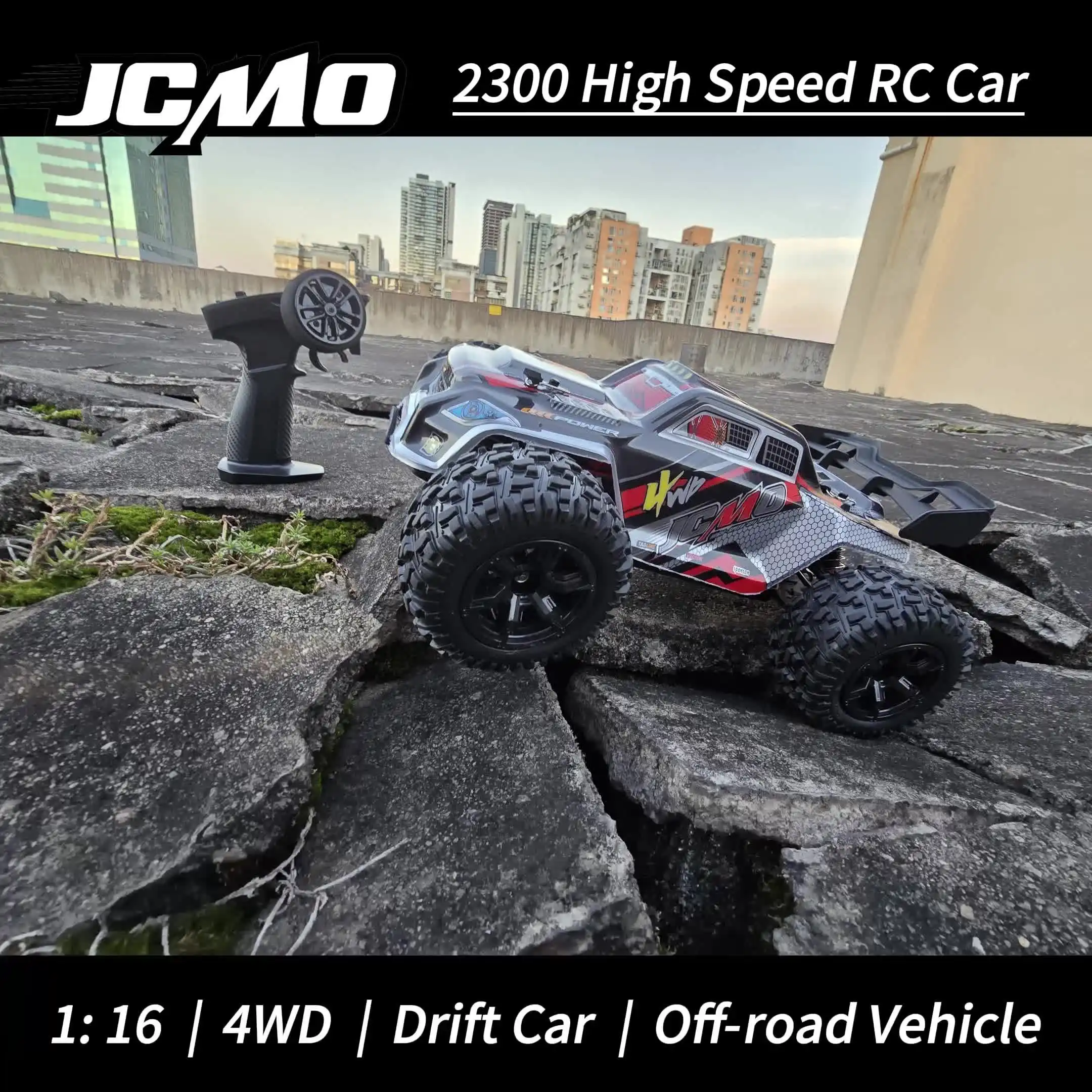
- All-Terrain Adaptation: The 2300 series features a front and rear four-wheel drive design, high-quality motors, and hydraulic shock absorbers, enabling it to handle various road conditions.
- Durable Components: Metal chassis, metal front and rear differentials, and metal drive systems contribute to smoother turns and increased durability.
- Vacuum Large Tires: Designed with a concave cam pattern for pressure resistance, wear resistance, and strong grip on different surfaces.
- LED Lights: Integrated LED lights enhance realism and visibility during operation.
- Head-up Wheel (2300MAX only): The 2300MAX model includes a head-up wheel accessory to improve stability when landing after jumps or on slopes, making it easier to control.


5. Maintenance
- Cleaning: After each use, especially off-road, gently clean the car to remove dirt, dust, and debris. Use a soft brush or cloth. Avoid using water directly on electronic components.
- Battery Care: Always fully charge the car battery before storage if it will not be used for an extended period. Store batteries in a cool, dry place. Do not store fully discharged batteries.
- Inspection: Regularly inspect the car for any loose screws, damaged parts, or worn tires. Tighten screws as needed and replace damaged components promptly.
- Lubrication: Periodically check moving parts like differentials and drive shafts for smooth operation. Lubricate with appropriate RC-grade lubricants if necessary.
- Chassis and Shock Absorbers: The metal chassis and upgraded metal hydraulic shock absorbers are designed for durability. However, inspect them for any signs of bending or damage after heavy impacts.


6. Troubleshooting
- Car not responding:
- Check if the car and remote controller are both powered on.
- Ensure car battery is charged and correctly installed.
- Replace remote controller batteries if they are low.
- Re-pair the remote controller and car (refer to Section 3.4).
- Reduced performance/speed:
- Car battery may be low; recharge it.
- Check for debris obstructing wheels or moving parts.
- Ensure the speed adjustment on the remote is set to high speed.
- Car pulls to one side:
- Adjust the 'Right/Left Fine Tune' trim on the remote controller until the car drives straight.
- Inspect steering components for damage or obstruction.
- Unusual noises:
- Turn off the car immediately.
- Inspect gears, motor, and drive shafts for foreign objects or damage.
7. Specifications
| Feature | 2300 PRO | 2300 MAX |
|---|---|---|
| Scale | 1:16 | |
| Type | 4WD High-speed Off-road Vehicle | |
| Motor | 390 Carbon Brush Motor | 2847 Brushless Motor |
| Maximum Speed | 50 KM/H | 70 KM/H |
| Car Battery | 7.4V, 18650-1500mAh Li-ion Battery | 7.4V, 1800mAh Li-ion Battery |
| Driving Time | ~30 Mins | ~40 Mins |
| Charging Time | 3-3.5 Hours | |
| Remote Control Distance | ~150m | ~300m |
| Servo | 5-wire 17G | 3-wire 17G |
| ESC | 35A 2S | 35A 2S Splash-proof |
| Shock Absorbers | Aluminum Cap Hydraulic Shock Absorber | |
| Differentials | Metal Differential | |
| Drive Shaft | Metal Drive Shaft | |
| Steering Structure | Metal Steering Structure | |
| Dimensions (L*W*H) | 30 x 21.5 x 13 cm (11.8 x 8.46 x 5.1 inches) | |
| Material | Metal, ABS | |
| Certification | CE | |
| State of Assembly | Ready-to-Go | |

8. User Tips
- Spare Parts: If you require spare parts for your JCMO 2300 Series RC car, please contact the seller or manufacturer directly for availability and ordering information.
- Battery Life: To maximize battery life and performance, avoid completely draining the battery during use. It's better to stop and recharge when you notice a significant drop in power.
- Remote Range: While the remote control offers a significant range, always keep the car within visual sight to prevent loss of control or accidents.
- Surface Selection: Experiment with different terrains to fully appreciate the car's all-terrain capabilities. Start with smoother surfaces to get accustomed to the controls before moving to more rugged environments.
9. Warranty and Support
For any product-related inquiries, technical support, or warranty claims, please contact the JCMO Official Store directly through your purchase platform. They can provide assistance with troubleshooting, parts, and service.
Security & Privacy: Your personal details are protected and not shared with third parties without your consent. Payments are secure.