
1. Introduction
The FreedConn C5000 is a versatile 5-inch display designed for motorcycles, offering wireless CarPlay and Android Auto functionality. It integrates navigation, multimedia playback, and communication features directly onto your motorcycle's dashboard. This manual provides essential information for the proper installation, operation, and maintenance of your C5000 device.
2. Important Safety Warnings
- Read all instructions carefully before use.
- This unit is designed for vehicles equipped with DC 12V-24V power systems.
- Always turn off your motorcycle before installing the product and turn it on only after installation is complete.
- Choose a suitable and secure mounting location that does not obstruct your view or control of the motorcycle.
- This product is rated IP67 waterproof and dustproof, but avoid direct high-pressure water washing.
- Do not watch videos or operate complex functions while driving to ensure safety.
- Always be aware of your surroundings when driving.
3. Package Contents
Please check the contents of your package. Components may vary slightly depending on the version purchased (with or without DVR).
3.1. C5000 (No DVR) Version
- 1 x FreedConn C5000 GPS Navigation Unit
- 1 x Power Cable
- 1 x Set of Mounting Accessories
- 1 x User Manual

3.2. C5000 (With Two DVRs) Version
- 1 x FreedConn C5000 GPS Navigation Unit
- 1 x Power Cable
- 1 x Set of Mounting Accessories
- 1 x User Manual
- 2 x DVR Cameras

4. Product Overview
The FreedConn C5000 features a 5-inch high-definition IPS screen with 800*480 resolution and 1000nits brightness for clear visibility even in direct sunlight. Its robust ABS material construction ensures durability.
4.1. Dimensions
The main unit measures approximately 14.2 cm (5.59 inches) in length and 9.7 cm (3.81 inches) in width.

4.2. Interface Description
The device includes a microphone and a microSD card slot for expandable storage up to 128GB.
5. Installation and Setup
5.1. Mounting the Device
The C5000 comes with handlebar bracket mounting options. Choose a location that provides a clear view of the screen without obstructing your riding. Ensure the mount is securely fastened to prevent movement during operation.

5.2. Power Wiring Diagram
Connect the power cable directly to your motorcycle's battery. The device operates on DC 12V-24V.
- Red Wire: Connect to the motorcycle battery's positive terminal.
- Black Wire: Connect to the motorcycle battery's negative terminal (ground).

5.3. DVR Camera Installation (Optional)
If your C5000 includes DVR cameras, install them in desired locations (e.g., front and rear of the motorcycle) and connect them to the main unit as per the wiring diagram.

6. Operating Instructions
6.1. Wireless CarPlay Connection (for iOS devices)
- Ensure Bluetooth is enabled on your iPhone.
- On the C5000, tap the CarPlay icon on the screen.
- Follow the on-screen instructions to pair your iPhone via Bluetooth.
- Once successfully connected, your iPhone's CarPlay interface will be mirrored on the C5000 display.
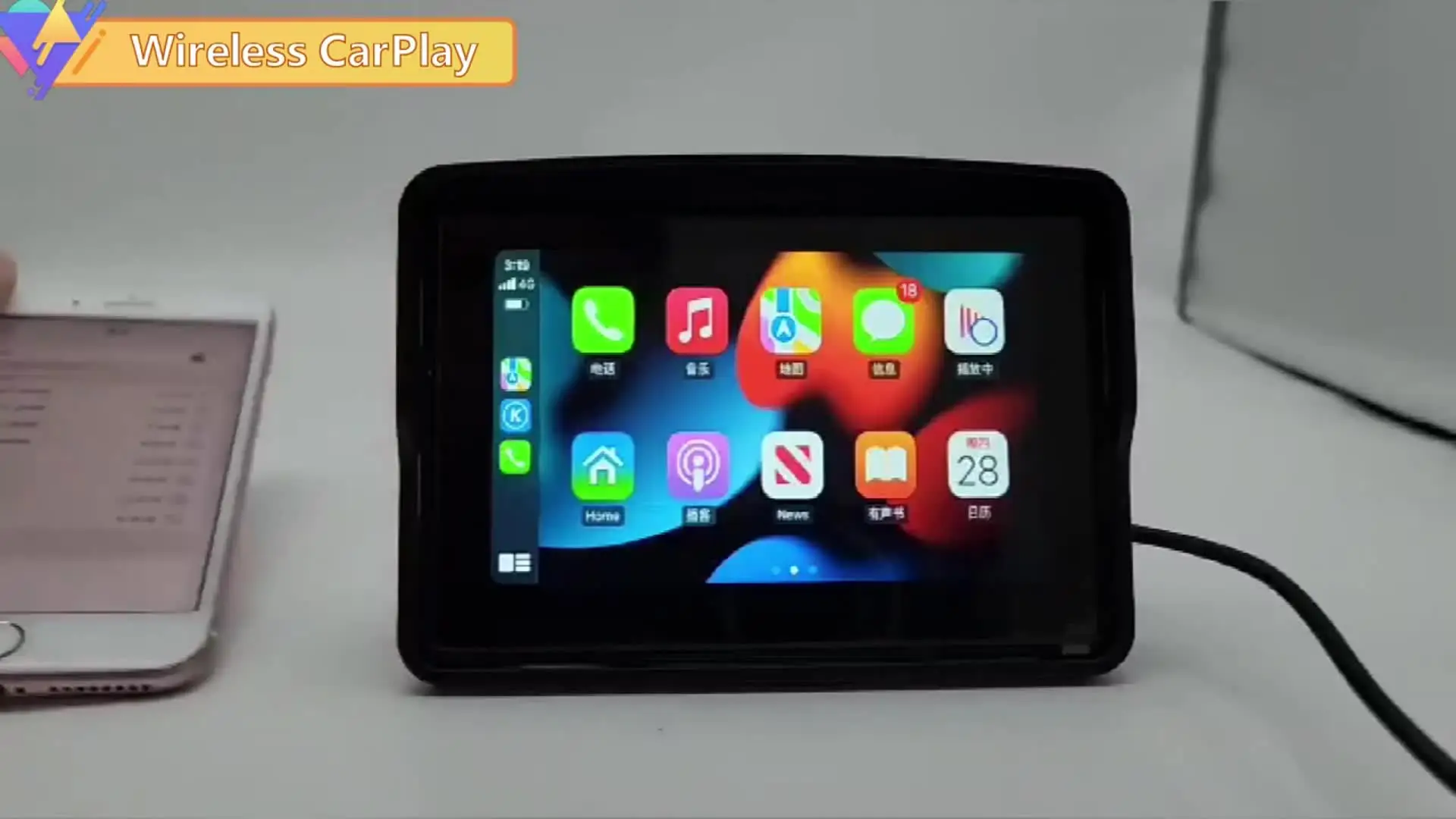
6.2. Wireless Android Auto Connection (for Android devices)
- Ensure Bluetooth is enabled on your Android phone.
- Access to Google services is required for Android Auto. Install the Android Auto app from the Google Play Store if not already present.
- On the C5000, tap the Android Auto icon on the screen.
- Follow the on-screen instructions to pair your Android phone via Bluetooth.
- Open the Android Auto app on your phone and follow any prompts to complete the setup.
6.3. GPS Navigation
Once connected to CarPlay or Android Auto, you can use your phone's GPS applications (e.g., Apple Maps, Google Maps) for navigation, displayed directly on the C5000 screen.

6.4. Bluetooth Mode
The C5000 supports dual Bluetooth connections, allowing simultaneous connection to your smartphone and a Bluetooth headset/helmet intercom.
- Pairing: In the Bluetooth menu, search for the C5000's Bluetooth name on your smartphone and connect.
- Telephone: Make hands-free calls using the on-screen keypad, access contacts, and view call history.
- Music Playback: Play music from your smartphone. You may need to initiate playback on your phone first.
- Bluetooth Headset Connection: After connecting your phone to the C5000 via CarPlay or Android Auto, the C5000 can then search for and connect to your Bluetooth headset.
6.5. MicroSD Memory Card
Insert a microSD card (up to 128GB) into the designated slot for media playback or DVR recording (if applicable).
- Supported Audio/Video Formats: AVI, MKV, QT, MPG, ASF, FLV, RMVB, MP3, WMA, ACC, WAVE, FLAC, APE, OGG.
- Supported Image Formats: BMP, GIF, JPG, PNG.
6.6. DVR Functionality (Optional)
For models equipped with DVR cameras, the C5000 offers advanced video recording features:
- WDR (Wide Dynamic Range) / HDR (High Dynamic Range): Improves video quality in varying light conditions.
- Loop Recording: Automatically overwrites the oldest footage when the memory card is full.
- Emergency Video (G-Sensor): Automatically locks and saves video footage upon detecting sudden impacts or collisions.

7. General Settings
Access the settings menu by tapping the gear icon on the screen.
- Basic Settings: Adjust screen illumination, perform touch calibration, or restore factory settings.
- Screen Tips: Configure display parameters such as brightness, contrast, hue, saturation, and reduction.
- Screen: Enable/disable screen saver and set screen timeout duration.
- Language: Select your preferred language for the device interface.
- Date and Time: The device typically calibrates date and time automatically. You can manually adjust the time zone and time format (12/24 hour).
8. Maintenance
- Cleaning: Use a soft, damp cloth to clean the screen and exterior. Avoid abrasive cleaners or solvents.
- Water Exposure: While the device is IP67 waterproof, avoid submerging it or exposing it to high-pressure water jets.
- Storage: When not in use for extended periods, store the device in a cool, dry place away from direct sunlight.
- Firmware Updates: Check the manufacturer's website periodically for firmware updates to ensure optimal performance and new features.
9. Troubleshooting
| Problem | Possible Solution |
|---|---|
| Device does not power on. | Check power cable connections to the battery. Ensure the motorcycle battery has sufficient charge. Verify correct voltage (DC 12V-24V). |
| Cannot connect to CarPlay/Android Auto. | Ensure Bluetooth is enabled on your smartphone. Restart both the C5000 and your smartphone. For Android Auto, ensure the app is installed and updated. |
| No sound from Bluetooth headset. | Ensure the headset is paired with the C5000. Check volume levels on both the C5000 and the headset. Confirm media audio is routed correctly. |
| DVR not recording or footage is corrupted. | Ensure a compatible microSD card (up to 128GB) is inserted. Format the microSD card through the device settings. Check camera connections. |
| Screen is unresponsive or frozen. | Perform a soft reset by disconnecting and reconnecting power. If persistent, try restoring factory settings (note: this will erase custom settings). |
10. User Tips
- Power Control: Since the device connects directly to the battery, consider installing an external power switch for easier on/off control without needing to disconnect the battery.
- Temperature Monitoring: During extended use, especially in hot weather, monitor the device's internal temperature. Ensure adequate airflow around the unit.
- Mounting Compatibility: Before final installation, verify that the mounting accessories are compatible with your specific motorcycle model and provide a stable, secure fit.
- Voltage Check: Confirm your motorcycle's electrical system provides the correct DC 12V-24V power to avoid damage to the unit.
11. Specifications
| Feature | Detail |
|---|---|
| Brand | FreedConn |
| Model | C5000 |
| Screen Size | 5 inches |
| Resolution | 800*480 (IPS, wide viewing angle) |
| Screen Brightness | 1000 nits |
| Waterproof Level | IP67 |
| Material | ABS |
| Max External Memory | 128GB (microSD) |
| Voltage | DC 12V-24V |
| Connectivity | Wireless CarPlay, Wireless Android Auto, Dual Bluetooth, Wi-Fi |
| Features | Anti-glare screen, Anti-theft, Shockproof, GPS Navigation, Multimedia Playback, Hands-free Calling, Siri Wake-up |
| Optional Features | Dual DVR (WDR, HDR, Loop Video, G-Sensor Emergency Video) |
12. Warranty and Support
The FreedConn C5000 comes with a 365-day free replacement warranty for quality problems. For detailed warranty terms and conditions, please refer to the official FreedConn website or contact your seller.
For technical support, troubleshooting assistance, or further inquiries, please contact FreedConn customer service or your authorized dealer.
A comprehensive user manual in PDF format is available for download: View User Manual (PDF)
13. Frequently Asked Questions (FAQ)
- Q: Is the FreedConn C5000 compatible with iOS devices?
- A: Yes, the C5000 supports wireless CarPlay for iOS devices.
- Q: Can I record video with this device?
- A: Yes, if you have purchased the version with two DVR cameras, you can record video. A microSD card is required for storage.
- Q: What is the waterproof rating of the C5000?
- A: The C5000 is rated IP67 waterproof and dustproof, making it suitable for various weather conditions.