
1. Introduction
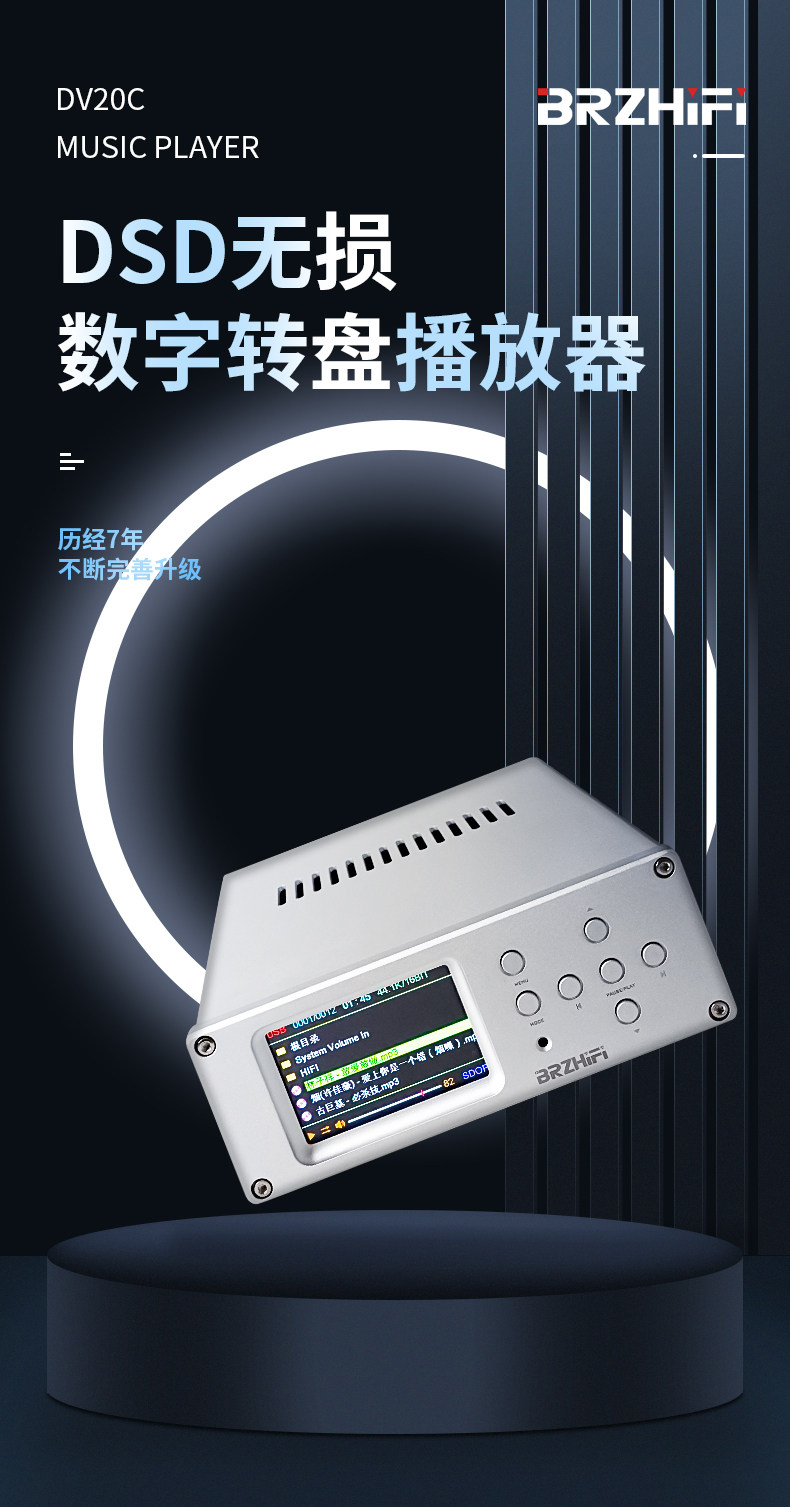
The BRZHIFI DV20C is a flagship digital audio player engineered to deliver an exceptional high-fidelity listening experience for your home audio system. It features advanced dual ES9038 decoding chips, supporting a wide array of lossless audio formats including DSD. The player offers versatile input options such as USB, SD card, and external hard disk, complemented by modern Bluetooth 5.3 connectivity. Encased in a robust all-aluminum chassis and powered by a high-level linear power supply, the DV20C is designed for pure, natural, and dynamic sound reproduction.
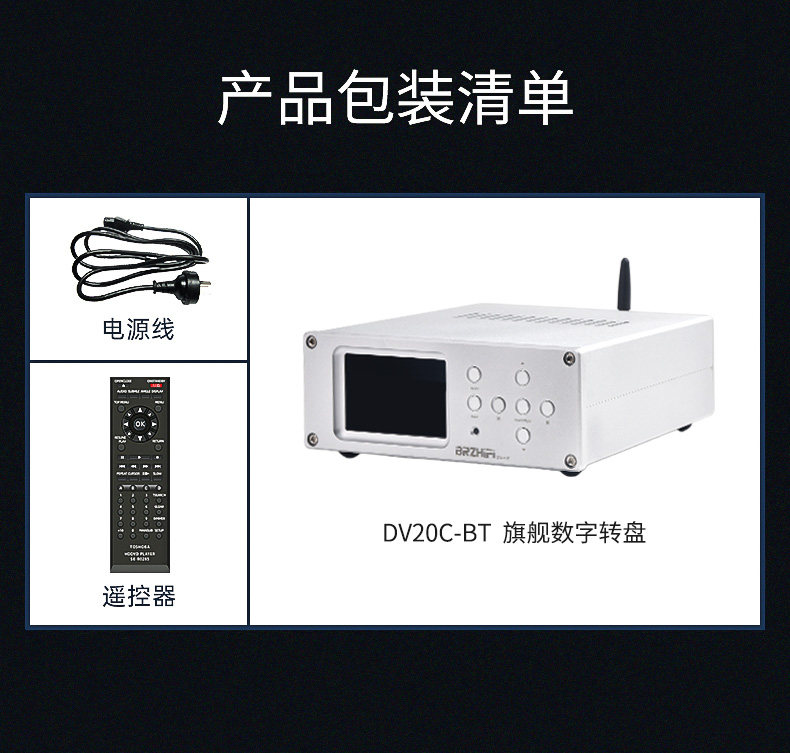
2. Package Contents
Please check the package carefully to ensure all items are present:
- BRZHIFI DV20C-BT Digital Turntable Unit
- Remote Control
- Power Cord
- RCA Cable

3. Product Overview
3.1 Front Panel Functions
The front panel features a 3.5-inch TFT LCD color display and several control buttons for intuitive operation:
- TFT LCD Screen: Displays track information, playback status, volume level, and menu options.
- MENU Button: Accesses the main menu for settings and navigation.
- MODE Button: Switches between different playback modes (e.g., single loop, random play, sequential play).
- PAUSE/PLAY Button: Toggles playback (start/pause).
- Up/Down Buttons: Navigates through menu items or scrolls lists.
- Left/Right Buttons: Short press for previous/next track; long press for volume down/up.
- Infrared Remote Control Receiver: For receiving signals from the included remote control.

3.2 Rear Panel Connections
The rear panel provides a comprehensive set of input and output interfaces for connecting to your audio system and storage devices:
- XLR Balanced Outputs (L/R): For connecting to professional audio equipment with balanced inputs.
- RCA Lotus Outputs (L/R): Standard analog audio output for connecting to amplifiers or active speakers.
- Coaxial Output: Digital audio output for connecting to external DACs or amplifiers with coaxial digital inputs.
- USB Input: For connecting USB flash drives or external hard disks.
- SD Card Input: For inserting SD memory cards containing music files.
- Bluetooth Antenna: For wireless Bluetooth audio reception.
- AC Power Socket: For connecting the main power cord.
- Power Switch: To turn the unit on or off.

4. Setup
4.1 Power Connection
- Ensure the power switch on the rear panel of the DV20C is in the OFF position.
- Connect the provided power cord securely to the AC Power Socket on the rear panel.
- Plug the other end of the power cord into a suitable AC power outlet (compatible with 110V or 220V, depending on your specific model and region).
4.2 Audio Output Connection
The DV20C can be connected to various audio systems:
- To an Amplifier (Analog): Use the provided RCA cables to connect the RCA outputs on the DV20C to the corresponding analog RCA inputs on your amplifier. For balanced connections, use XLR cables to connect the XLR outputs to your amplifier's XLR inputs.
- To Active Speakers: Connect the RCA outputs on the DV20C directly to the RCA inputs on your active (powered) speakers.
- To an External DAC or Digital Amplifier (Digital): Use a coaxial cable to connect the Coaxial output on the DV20C to the coaxial digital input on your external DAC or digital amplifier.

4.3 Storage Device Connection
The DV20C supports playback from various local storage devices:
- USB Drive: Insert your USB flash drive into the USB input port on the rear panel.
- SD Card: Insert your SD memory card into the SD card input slot on the rear panel.
- External Hard Disk: Connect an external hard disk (up to 2TB capacity, FAT32 format recommended) to the USB input port.
5. Operating Instructions
5.1 Basic Playback
- After all necessary power and audio output connections are made, turn on the DV20C using the power switch on the rear panel.
- Insert a USB drive or SD card containing your music files. Ensure the storage device is formatted to FAT32 for proper recognition.
- Use the front panel buttons (Up/Down, Left/Right, MENU, MODE) or the remote control to navigate through your music library displayed on the 3.5-inch TFT LCD screen.
- Press the PAUSE/PLAY button to start or pause playback of the selected track.
- Adjust the volume using the Left/Right buttons (long press) on the front panel or the dedicated volume controls on the remote control.
5.2 Remote Control Functions
The included remote control offers convenient access to all functions of the DV20C:

- ON/STANDBY: Toggles power on/off.
- MENU: Opens the main menu.
- SU/USB: Switches between different input sources (e.g., SD card, USB).
- Navigation Buttons (Up/Down/Left/Right/OK): Used for menu navigation and confirming selections.
- PLAY/PAUSE/STOP: Controls media playback.
- PREVIOUS/NEXT: Skips to the previous or next track.
- VOLUME +/-: Adjusts the output volume.
- INPUT SWITCH: Directly selects the input source.
- REPEAT CURSOR: Cycles through various repeat playback modes.
- Numeric Keypad: Allows for direct track selection (if supported by the media).
- DIMMER: Adjusts the brightness of the display screen.
- Other buttons are available for specific functions as labeled on the remote.
5.3 Bluetooth 5.3 Connectivity
The DV20C-BT model is equipped with advanced Bluetooth 5.3 technology for high-quality wireless audio streaming:
- Ensure the Bluetooth antenna is securely attached to its port on the rear panel.
- Select Bluetooth as the input source on the DV20C using the front panel controls or remote.
- On your mobile device or other Bluetooth-enabled source, search for available Bluetooth devices and select "DV20C-BT" to initiate pairing.
- Once successfully paired, you can stream audio wirelessly from your mobile device to the DV20C.
- A dedicated mobile application (if available) can enhance the experience by displaying song names from connected USB drives on your mobile screen, allowing for convenient selection and control.

5.4 Supported Audio Formats
The DV20C is designed to play a comprehensive range of audio formats, including high-resolution lossless files:
- DSD (Direct Stream Digital): Supports DSD64~DSD256, including DFF/DSF/DIFF SACD image formats.
- WAV (Waveform Audio File Format)
- FLAC (Free Lossless Audio Codec)
- APE (Monkey's Audio)
- MP3 (MPEG Audio Layer III)
- WMA (Windows Media Audio)

6. Specifications
| Feature | Specification (DV20C-BT) |
|---|---|
| Model Number | DV20C |
| Brand Name | BRZHIFI |
| Channels | 2 (2.0) |
| Maximum Power Per Channel | NO POWER (Player only) |
| Origin | Mainland China |
| Certification | CE |
| Input/Access | U disk, SD card, Mobile hard disk |
| Output Interface | XLR balanced, RCA, Coaxial |
| Screen Size | 3.5-inch TFT LCD color screen |
| Supported Audio Formats | DSD/DOP/WAV/FLAC/APE/MP3/WMA |
| Supported Capacity (U disk/SD card) | Up to 512GB each |
| Supported Capacity (External Hard Disk) | Up to 2TB (FAT32 format recommended) |
| Decoding Chip | Dual ES9038Q2M |
| Audio Specifications | PCM192K-24BIT + DSD256 |
| Power Supply Quality | High-level linear power supply (built-in R-type transformer) |
| Bluetooth Version | 5.3 |
| Usage | Home Audio |
| Dimensions (W x H x D) | 192mm x 70mm x 200mm |
| Net Weight | 1.7KG |
7. Maintenance
Proper care and maintenance will ensure the longevity and optimal performance of your BRZHIFI DV20C:
- Cleaning: Use a soft, dry, and lint-free cloth to gently clean the exterior surfaces of the unit. Avoid using liquid cleaners, solvents, or abrasive materials, as these can damage the finish.
- Ventilation: Ensure that the unit is placed in a location with adequate airflow to prevent overheating. Do not block the ventilation slots on the top or sides of the device.
- Environment: Keep the unit away from direct sunlight, high temperatures, excessive humidity, dust, and strong magnetic fields.
- Power Off: Always turn off the unit and unplug it from the power outlet before performing any cleaning or if the device will be unused for an extended period.
8. Troubleshooting
If you encounter any issues with your DV20C, please refer to the following troubleshooting guide:
| Problem | Possible Cause | Solution |
|---|---|---|
| No power | Power cord not connected properly; Power switch is off; Power outlet is faulty. | Check that the power cord is securely connected to both the unit and the wall outlet; Ensure the power switch on the rear panel is in the ON position; Try plugging the unit into a different, known-working power outlet. |
| No sound output | Audio cables not connected correctly; Incorrect input selected on your amplifier/speakers; Volume level is too low; Incorrect output selected on the DV20C. | Verify all audio cable connections (RCA, XLR, Coaxial); Ensure your amplifier or active speakers are set to the correct input source; Increase the volume on both the DV20C and your audio system; Check the DV20C's output settings if applicable. |
| Cannot read USB drive/SD card | Unsupported file format on the storage device; Incorrect file system (not FAT32); The drive/card may be faulty or damaged; The drive/card capacity exceeds the supported limit. | Ensure your music files are in supported formats (DSD, WAV, FLAC, APE, MP3, WMA); Format the drive/card to FAT32; Try using a different USB drive or SD card; Confirm the capacity is within the supported limits (max 512GB for U disk/SD, 2TB for external hard disk). |
| Bluetooth connection issues | Bluetooth not enabled on DV20C or mobile device; Source device is too far from the DV20C; Wireless interference. | Ensure Bluetooth is enabled on both the DV20C and your mobile device, and that Bluetooth is selected as the input source on the DV20C; Bring the devices closer together; Minimize potential sources of wireless interference (e.g., Wi-Fi routers, other Bluetooth devices). |
| Remote control not working | Batteries are depleted or incorrectly inserted; There is an obstruction between the remote and the unit; The infrared remote sensor on the DV20C is blocked. | Replace the remote control batteries with new ones, ensuring correct polarity; Remove any objects that may be blocking the line of sight between the remote and the DV20C; Ensure the remote is pointed directly at the unit's IR receiver. |
9. User Tips
- External Hard Drive Compatibility: The DV20C supports external hard drives up to 2TB. For optimal compatibility and performance, it is highly recommended to format your hard drive to FAT32.
- Bluetooth Range: While Bluetooth 5.3 offers an impressive theoretical effective working distance of up to 300 meters, actual range can vary significantly based on environmental factors. For the most stable connection, keep your source device within a reasonable range and minimize physical obstacles.
- Maximizing Sound Quality: To achieve the purest and most detailed sound reproduction, consider utilizing the XLR balanced outputs if your amplifier or audio receiver supports them. Always strive to play high-resolution lossless audio files for the best possible listening experience.
- Power Supply Advantage: The DV20C incorporates a high-level linear power supply with a built-in R-type transformer. This design choice ensures a stable and exceptionally clean power delivery, which is crucial for minimizing noise and achieving superior sound quality compared to devices using standard switching power supplies.
- Op-Amp Customization: The DV20C features replaceable op-amps, allowing advanced users to customize the sound signature to their personal preference by swapping out different operational amplifiers.
10. Warranty and Support
For detailed information regarding warranty coverage, terms, and conditions, please refer to the specific policies provided by your seller at the time of purchase. For technical assistance or product support, please contact BRZHIFI customer service directly through their official channels. Always retain your purchase receipt as proof of purchase for any warranty claims.