
Introduction
Thank you for choosing the K&F CONCEPT Beta Backpack 20L. This manual provides essential information for the proper setup, operation, and maintenance of your camera backpack. Designed for photographers, this backpack offers ample storage, ergonomic comfort, and robust protection for your valuable equipment during outdoor travel and photography sessions.

Package Contents
Upon opening your K&F CONCEPT Beta Backpack 20L, please ensure all the following items are included:
- 1x Beta Backpack 20L (in your selected color)
- 1x Waterproof Rain Cover
- 6x Compartment Dividers (for KF13.087AV1, KF13.087AV2, KF13.087AV5, KF13.087AV8) or 7x Compartment Dividers (for KF13.087AV6, KF13.087AV7)
- 2x Auxiliary Straps

Setup and Organization
The Beta Backpack 20L features a highly customizable interior to accommodate various camera setups and personal items.
1. Customizing the Interior Compartments
The backpack comes with removable and adjustable EPE foam dividers. These dividers allow you to create custom-sized compartments to securely fit your camera body, lenses, and other accessories.
- Open the main back access zipper to fully expose the interior.
- Arrange the dividers using the hook-and-loop fasteners to create snug compartments for your gear. Ensure each piece of equipment is well-cushioned and does not shift during transport.


2. Loading Your Gear
Place your camera body, lenses, flash, drone, and other accessories into the customized compartments. The bottom compartment is specifically designed for camera gear, while the upper compartment is suitable for personal items like clothing, wallets, or flashes.
- Camera Gear: Position your camera body with an attached lens in a central, easily accessible compartment. Arrange additional lenses and accessories around it.
- Laptop: A dedicated compartment can hold laptops up to 15.6 inches.
- Personal Items: Use the upper compartment for non-camera essentials.
3. Attaching External Items
The backpack includes features for external attachments:
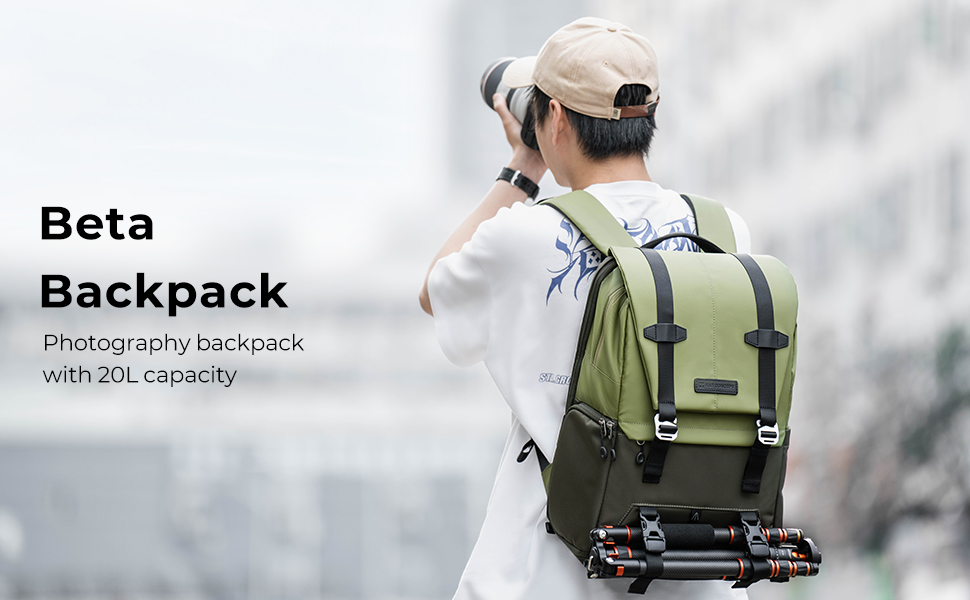
- Tripod: Use the front external straps and the bottom pocket to secure a tripod.
- Water Bottle/Umbrella: Side pockets are available for a water bottle or umbrella.

Operation
1. Accessing Your Gear
The Beta Backpack 20L offers multiple access points for convenience and security:
- Side Quick Access: A zippered side opening allows for quick retrieval of your camera without removing the backpack completely.
- Full Back Open Design: The main compartment opens fully from the back, providing clear visibility and easy organization of all your equipment. This design also enhances anti-theft security as the main opening is against your back when worn.
- Top Entry: The roll-top upper compartment provides quick access to personal items.


2. Carrying System
The backpack is designed for comfort during extended wear:
- Padded Shoulder Straps: Breathable air-mesh straps reduce strain on your shoulders.
- Ergonomic Back Panel: A well-padded, ergonomic back panel promotes airflow and heat dissipation, keeping you comfortable.
- Adjustable Chest Belt: Use the chest belt to keep the shoulder straps secure and distribute weight evenly, reducing pressure on your shoulders.

3. Using the Rain Cover
Your backpack includes a waterproof rain cover to protect your gear from adverse weather conditions.
- Locate the rain cover, typically stored in a dedicated pocket at the bottom or side of the backpack.
- Unfold the cover and stretch it over the entire backpack, ensuring all sides are covered and secured.

Maintenance
Proper care will extend the life of your K&F CONCEPT Beta Backpack 20L.
- Cleaning: For general cleaning, wipe the exterior with a damp cloth and mild soap. Do not machine wash or tumble dry. For stubborn dirt, use a soft brush.
- Drying: Allow the backpack to air dry completely in a well-ventilated area, away from direct sunlight or heat sources.
- Storage: When not in use, store the backpack in a cool, dry place. Ensure it is empty and clean to prevent mold or mildew.
- Zippers: Periodically check zippers for smooth operation. If they become stiff, apply a small amount of zipper lubricant.
Troubleshooting
Here are solutions to common issues you might encounter:
- Discomfort during wear: Adjust the shoulder straps and chest belt to ensure the backpack sits high on your back and the weight is evenly distributed. The ergonomic design is most effective when properly fitted.
- Difficulty organizing gear: Reconfigure the internal dividers. Experiment with different layouts to find the most efficient and secure arrangement for your specific equipment. Ensure no items are pressing against each other.
- Zippers sticking: Clean any debris from the zipper teeth. Apply a small amount of zipper lubricant or a graphite pencil to the teeth to improve smoothness.
- Backpack feels too heavy: Re-evaluate the items you are carrying. Utilize external attachment points for larger items like tripods to free up internal space and distribute weight.
Specifications
| Feature | Detail |
|---|---|
| Model Number | KF13.087 |
| Capacity | Approx. 20L |
| Dimensions (L x W x H) | 30cm x 18cm x 44cm (12" x 7.2" x 17.6" inch) |
| Product Weight | 1.7kg |
| Material | 900D High-density Nylon |
| Laptop Compartment | Fits up to 15.6-inch laptops |
| Load-bearing Capacity | Up to 21kg |
| Features | Water-repellant, Tear-resistant, Anti-theft Zippers, PE board + EPE foam divider, Ergonomic Carrying System |
| Compatibility | DSLR, SLR, Mirrorless cameras (e.g., Nikon D5600, Canon EOS Rebel series), lenses, drones (e.g., DJI) |

User Tips
- Maximize Quick Access: For frequently used items like your primary camera, position them in compartments accessible via the side opening. This saves time and effort during shoots.
- Balance Weight: When packing, try to distribute heavier items closer to your back and centered to maintain balance and reduce strain.
- Utilize External Straps: Don't hesitate to use the auxiliary straps and front attachment points for bulkier items like tripods or sleeping bags, freeing up internal space and improving comfort.
- Pre-configure Dividers: Before a trip, pre-configure your dividers for the specific gear you plan to carry. This ensures efficient packing and protection.
- Rain Cover Readiness: Always keep the rain cover easily accessible, especially when traveling in unpredictable weather conditions.
Warranty and Support
K&F CONCEPT products are manufactured to high-quality standards. For any issues or inquiries regarding your Beta Backpack 20L, please contact the authorized K&F CONCEPT dealer or customer support where you purchased the product. Please retain your proof of purchase for warranty claims.