
1. Introduction
Thank you for choosing the XIAOKOA N-80 2.4G Head-mounted Wireless Microphone. This device is designed for clear and stable voice transmission, ideal for teaching, tour guiding, public speaking, conferences, and other applications requiring hands-free amplification. Its 2.4G wireless technology ensures stable signal transmission with minimal interference.

2. Package Contents
Please check the package to ensure all items are present:
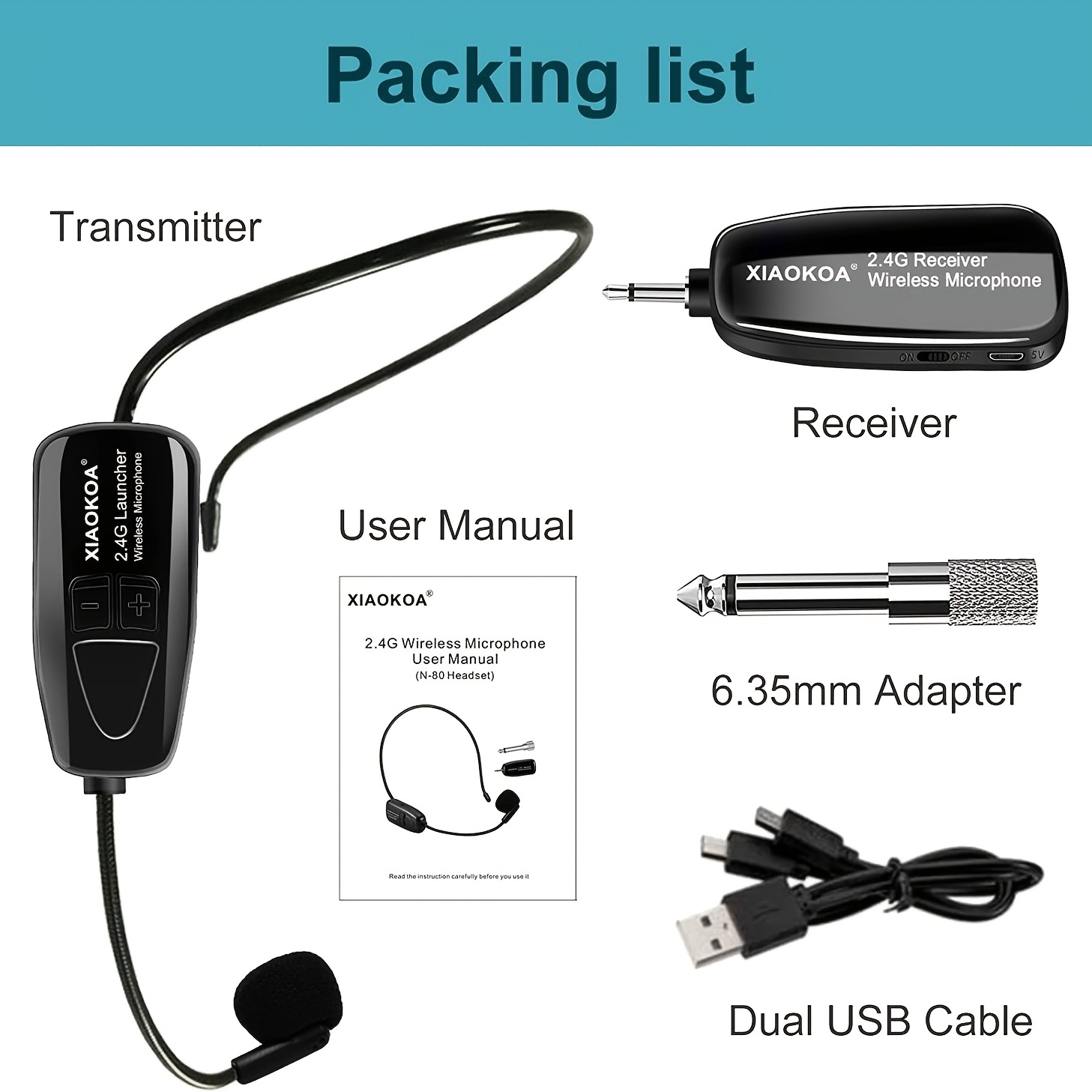
- 1 x Wireless Head-mounted Microphone (Transmitter)
- 1 x 2.4G Wireless Receiver
- 1 x 6.35mm Adapter (for receiver)
- 1 x Dual USB Charging Cable
- 1 x User Manual
3. Product Overview
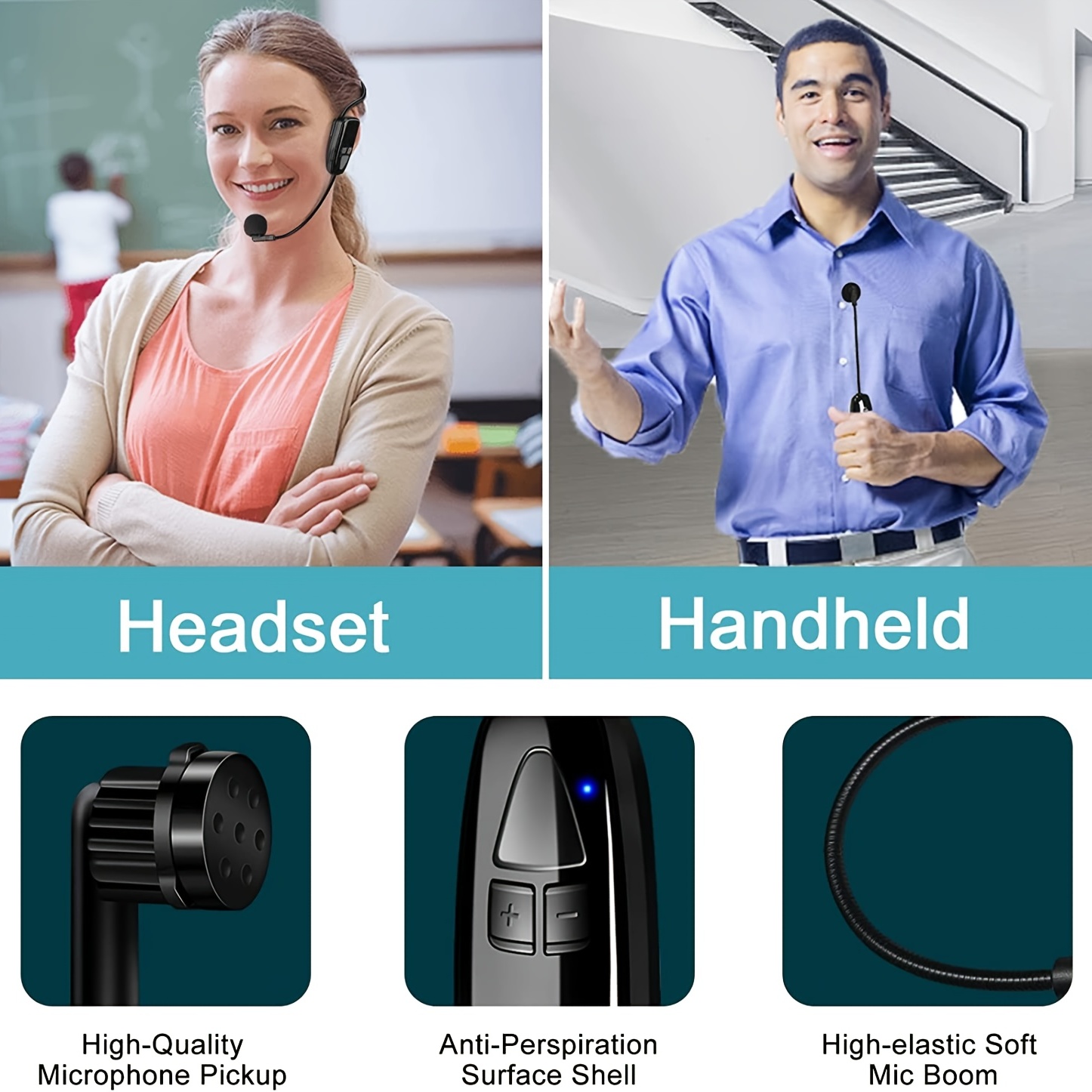
The XIAOKOA N-80 system consists of a head-mounted wireless microphone (transmitter) and a 2.4G wireless receiver. Key features include:
- High-Quality Microphone Pickup: Ensures clear and crisp audio capture.
- Anti-Perspiration Surface Shell: Designed for comfort and durability during extended use.
- Exquisite Button and Interface: User-friendly controls for easy operation.
- Adjustable Wearing Rod: Allows for a comfortable and secure fit for various head sizes.
- High-elastic Soft Mic Boom: Flexible microphone positioning for optimal sound.
4. Setup Instructions
4.1 Charging the Devices
- Connect the dual USB charging cable to both the transmitter (head-mounted microphone) and the receiver.
- Plug the USB end of the cable into a standard USB power adapter (not included) or a computer USB port.
- The indicator light on both devices will show charging status (e.g., red for charging, off or blue for fully charged).
- Charging time is approximately 1.5 hours.
- A full charge provides approximately 5 hours of working time.
4.2 Connecting the Receiver
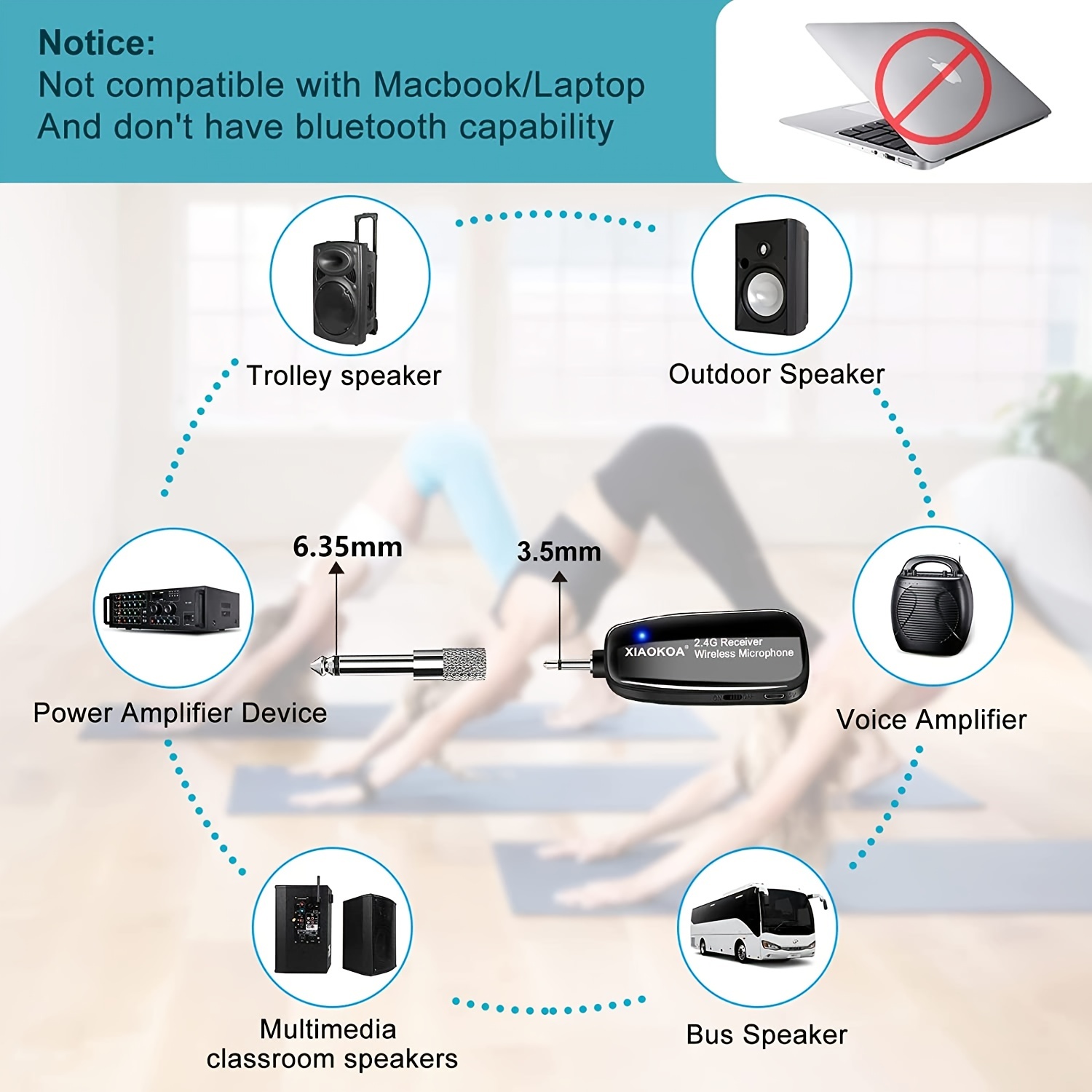
- Identify the audio input port on your voice amplifier, speaker, or other audio equipment. This is typically a 3.5mm or 6.35mm jack.
- If your device has a 3.5mm input, plug the 2.4G receiver directly into it.
- If your device has a 6.35mm input, attach the provided 6.35mm adapter to the receiver, then plug the assembly into the 6.35mm jack.
- Ensure the receiver is securely plugged in.
4.3 Wearing the Microphone
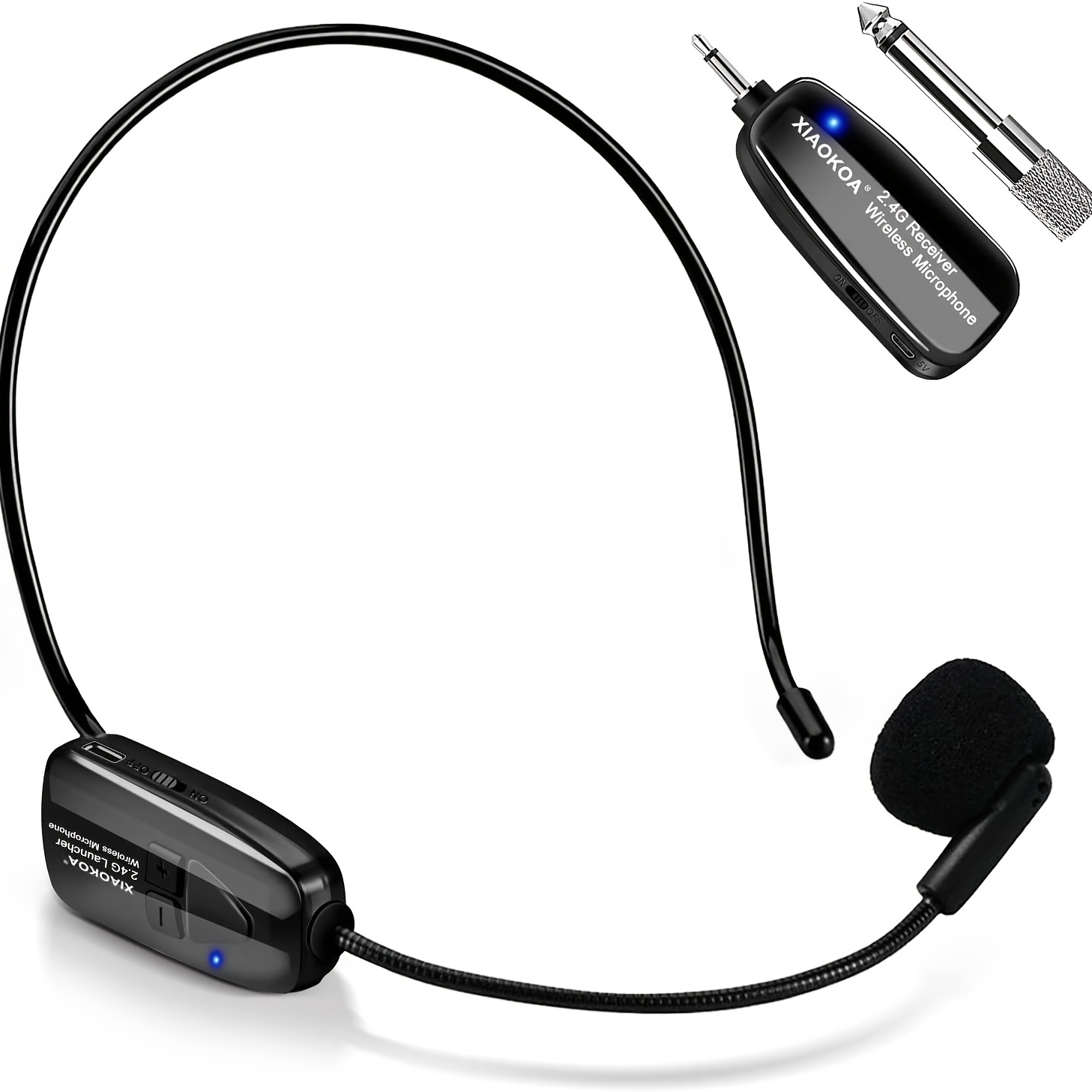
- Adjust the head-mounted rod to fit comfortably on your head. The rod is designed to be adjustable.
- Position the microphone boom so that the microphone pickup is close to your mouth, typically 2-3 cm away, for optimal sound clarity.
4.4 Compatibility Notes
- This microphone system is not compatible with Macbook/Laptop computers.
- The system does not have Bluetooth capability. It uses dedicated 2.4G wireless technology.
5. Operating Instructions
5.1 Powering On/Off
- To power on the transmitter (head-mounted microphone) and receiver, slide their respective power switches to the 'ON' position.
- To power off, slide the switches to the 'OFF' position.
5.2 Pairing (Plug and Play)
The XIAOKOA N-80 system is designed for 'Plug and Play' operation. Once both the transmitter and receiver are powered on and the receiver is correctly connected to an audio input, they should automatically pair. A blue indicator light on both devices typically signifies a successful connection.
5.3 Usage
Once connected, speak into the microphone. Your voice will be transmitted wirelessly to the connected amplifier/speaker. Adjust the volume on your amplifier/speaker as needed.

5.4 Wireless Transmission Range
The system offers long-distance transmission. In an open area, the stable wireless transmission range can reach up to 40-50 meters (approximately 165 feet).

6. Maintenance
- Cleaning: Wipe the microphone and receiver with a soft, dry cloth. Avoid using harsh chemicals or abrasive cleaners. The anti-perspiration surface shell can be gently cleaned.
- Storage: Store the device in a cool, dry place away from direct sunlight and extreme temperatures.
- Battery Care: To prolong battery life, avoid fully discharging the devices frequently. Charge them regularly, especially if not used for a long period.
7. Troubleshooting
- No Sound:
- Ensure both the transmitter and receiver are powered on and fully charged.
- Verify the receiver is correctly plugged into the audio input of your amplifier/speaker.
- Check the volume level on your amplifier/speaker.
- Confirm the devices are paired (blue indicator light).
- Interference/Poor Sound Quality:
- Ensure there are no obstructions between the transmitter and receiver.
- Move away from other 2.4G wireless devices (e.g., Wi-Fi routers) that might cause interference.
- Stay within the recommended operating range (40-50m / 165 feet).
- Device Not Charging:
- Check the charging cable for damage.
- Ensure the USB power source is functional.
- Verify the charging cable is securely connected to both devices.
- Not Compatible with Laptop/Macbook:
- This system is not designed for direct connection to laptops or Macbooks. It is intended for use with voice amplifiers, speakers, and similar audio equipment.
8. Specifications
| Feature | Specification |
|---|---|
| Brand Name | XIAOKOA |
| Model | N-80 Headset Wireless Microphone |
| Communication | Wireless (2.4G) |
| Transducer | Electret Microphone |
| Style | Headset Microphone |
| Use | Conference Microphone (also Teaching, Tour Guide, Public Speaking) |
| Diaphragm | S-Mall |
| Working Time | Approx. 5 hours |
| Charge Time | Approx. 1.5 hours |
| Wireless Range | 40-50 meters (165 feet) in open area |
| Certification | CE |
| Origin | Mainland China |
9. User Tips
- For best sound quality, ensure the microphone is positioned consistently close to your mouth.
- Always fully charge both the transmitter and receiver before important events to ensure uninterrupted operation.
- When not in use, power off both devices to conserve battery life.
- Keep the receiver and transmitter in line of sight if possible, especially in environments with potential interference, to maximize range and stability.
10. Frequently Asked Questions (FAQ)
- Q: Can I use this microphone with my smartphone or tablet?
- A: This system is primarily designed for voice amplifiers and speakers. It does not have Bluetooth and is not compatible with laptops/Macbooks. For smartphones/tablets, you would typically need a specific adapter or a microphone designed for mobile devices.
- Q: What is the difference between 3.5mm and 6.35mm adapters?
- A: These refer to the size of the audio jack. Many smaller devices use 3.5mm (like headphone jacks), while larger audio equipment often uses 6.35mm (1/4 inch) jacks. The provided adapter allows the receiver to connect to either type.
- Q: How do I know if the microphone and receiver are connected?
- A: Both the transmitter and receiver should display a steady blue indicator light once they are successfully paired and communicating.
11. Warranty and Support
For any product inquiries, technical support, or warranty claims, please contact the seller or retailer from whom you purchased the product. Please retain your proof of purchase for warranty purposes.