
1. Introduction
Thank you for choosing the Inphic PG1 Wired Gaming Mouse. This manual provides essential information for safe and effective use of your new gaming mouse. Please read it carefully before use and keep it for future reference.

2. Safety Information
2.1 General Safety Guidelines
- **Normal Working Environment:** 0°C - 40°C, 40%-85% RH.
- **Danger:** Do not immerse the product in any liquid.
- If the product is exposed to an environment outside the specified temperature range, immediately turn off the power (unplug the USB cable) until the temperature stabilizes within the designated operating range.
- Avoid charging rechargeable devices in hot or humid environments. Ensure the charging cable, keyboard, mouse, and USB port are dry and free of debris during charging.
- If the product's connection or charging cable is damaged, stop using it immediately.
2.2 User Safety
- This product is not recommended for use by children alone. Children must be supervised by an adult during use to ensure safe operation and to understand the associated hazards. Do not allow children to charge or clean this product without supervision.
- Prolonged repetitive use of single action with improper computer peripheral arrangement, incorrect body posture, or other poor habits may lead to injuries of nerves, tendons, or muscles in the upper limbs, neck, or back. If symptoms such as pain, numbness, soreness, weakness, swelling, burning pain, cramps, or stiffness occur, consult a qualified professional physician.
3. Product Features
- **Hyper-Fast Response:** Adjustable DPI from 200 to 12800, ready for all games.
- **Esports Gaming Sensor:** Built-in professional gaming chip utilizing high-precision image recognition algorithm technology for accurate locking and ultra-low latency (0.001s response).
- **High Polling Rate:** 1000Hz polling rate for stable connection and quick response.
- **Customizable Macro Control:** Define your own 6 mouse buttons on demand.
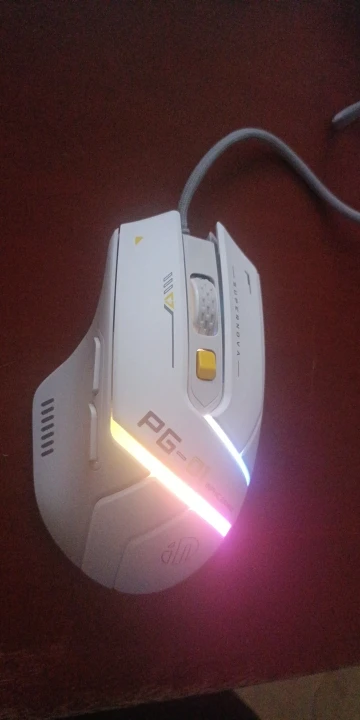
- **RGB Lighting Effects:** 16.8M color customization with 14 RGB backlit effects (PG1) or 12 RGB lighting effects (PG9). Features RGB breathing light, customizable effects, fixed monochrome, or gradient loop.
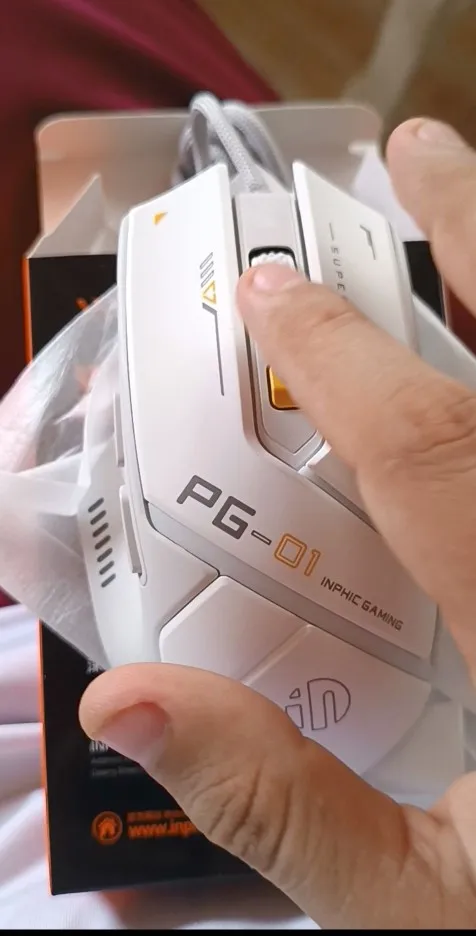
- **Ergonomic Design:** Asymmetric ergonomic grip with solid widened thumb support for a satisfying and comfortable gaming experience with less fatigue.
- **Durable:** Sweatproof and durable construction.
4. Specifications
| Attribute | Value |
|---|---|
| Model | PG1 |
| Brand Name | inphic |
| Type | Wired |
| Interface Type | USB |
| DPI | 200-12800 (Software Adjustable) |
| Number of Buttons | 6 |
| Number of Rollers | 1 |
| Hand Orientation | Right |
| Operation Mode | Opto-electronic |
| Product Size | 127mm (L) x 75mm (W) x 42mm (H) |
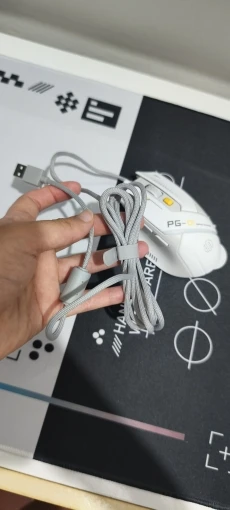
| Wire Length | 1.8m Parachute Line with Magnetic Ring |
| Voltage/Current | 5V/100mA |
| Operating System Support | Windows XP/7/8/10 and other systems |
| Certification | CE |
| Battery Included | No |
| Package | Yes |
5. Setup
The Inphic PG1 mouse is a plug-and-play device. Simply connect the USB plug to an available USB port on your computer. The operating system will automatically detect and install the necessary drivers.
For advanced customization and full functionality, it is recommended to download and install the official Inphic driver software from the manufacturer's website. This software allows for DPI adjustment, macro programming, and RGB lighting control.
6. Operating Instructions
6.1 Button Functions
The Inphic PG1 mouse features 6 programmable buttons:
- **Left Button:** Standard left-click function.
- **Right Button:** Standard right-click function.
- **Scroll Wheel / Middle Click:** Scroll up/down, and middle-click function.
- **Forward Button:** Navigates forward in web browsers or file explorers.
- **Backward Button:** Navigates backward in web browsers or file explorers.
- **DPI Button:** Adjusts DPI settings.

6.2 DPI Adjustment
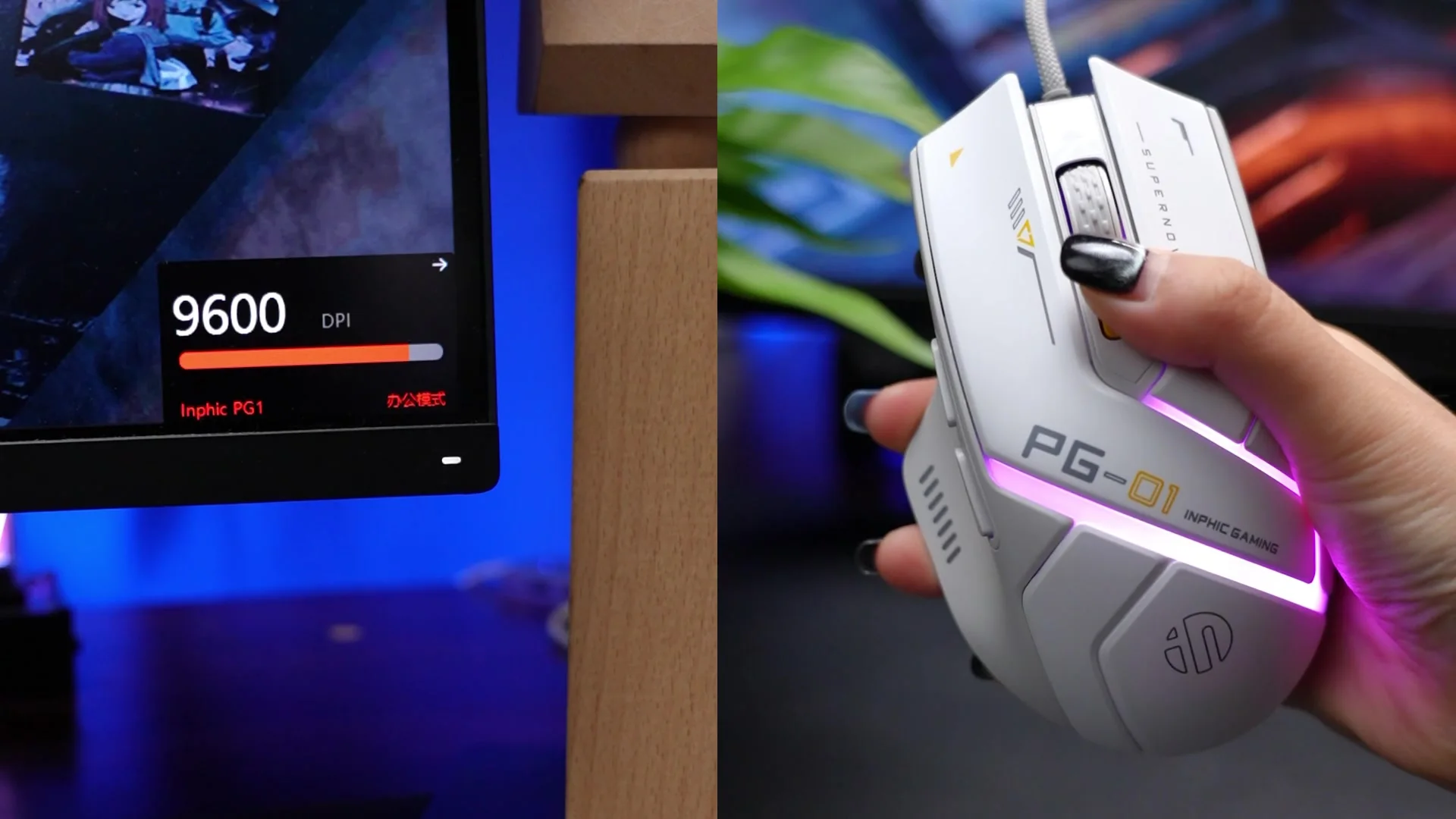
The mouse supports 6 levels of DPI adjustment, ranging from 200 to 12800 DPI. The default settings are typically 1000/1600/3200/6400/9600/12800 DPI. Press the dedicated DPI button (usually located below the scroll wheel) to cycle through the preset DPI levels. For fine-tuning and custom DPI settings, use the Inphic driver software.

6.3 RGB Lighting Control
The mouse features dynamic RGB lighting. To control the RGB lights:
- **Turn ON/OFF:** Press and hold the DPI button to toggle the RGB lights on or off.
- **Change Effects:** Use the Inphic driver software to customize 14 (PG1) or 12 (PG9) RGB backlit effects, including breathing light, fixed monochrome, or gradient loops.
- **Adjust Brightness & Speed:** The software also allows for adjustment of the lighting brightness and speed of effects.

6.4 Macro Programming
Utilize the Inphic driver software to program macros and assign custom functions to the 6 buttons. This allows for personalized control and enhanced gaming performance.
7. Maintenance
- Keep the mouse clean by wiping it with a soft, dry cloth.
- Ensure the USB cable and port are free of dust and debris.
- Avoid exposing the mouse to extreme temperatures or humidity.
- Do not attempt to disassemble or repair the mouse yourself, as this will void the warranty.
8. Troubleshooting
- **Mouse not responding:** Ensure the USB cable is securely connected to the computer. Try a different USB port.
- **DPI not changing:** Press the DPI button firmly. If using custom settings, ensure the Inphic driver software is running and configured correctly.
- **RGB lights not working:** Check if the lights are turned off by long-pressing the DPI button. Verify settings in the Inphic driver software.
- **Lag or erratic movement:** Ensure the mouse sensor is clean. Check for software conflicts or outdated drivers.
- **General malfunction:** If the product malfunctions, please contact customer service. For any service or repair, please return the product to the relevant Inphic department.
9. User Tips
- **DPI for Monitor Resolution:** For optimal performance, especially in competitive gaming, consider setting the mouse's DPI to match your monitor's resolution.
- **Software Customization:** Download the official Inphic driver software to unlock the full potential of your mouse, including advanced DPI settings, macro programming, and extensive RGB lighting options.
- **RGB Control:** If you find the RGB lighting distracting, remember you can easily turn it off by long-pressing the DPI button.
- **Lightweight Feel:** The mouse is designed to be lightweight, which can be beneficial for fast-paced gaming. If you prefer a heavier mouse, this might take some getting used to.
10. Environmental Information
10.1 Hazardous Substances
This product complies with environmental regulations regarding hazardous substances. The table below indicates the presence of certain hazardous materials:
| Component Name | Lead (Pb) | Mercury (Hg) | Cadmium (Cd) | Hexavalent Chromium (CrVI) | Polybrominated Biphenyls (PBB) | Polybrominated Diphenyl Ethers (PBDE) |
|---|---|---|---|---|---|---|
| Printed circuit assembly | O | O | O | O | O | O |
| Shell and accessories | X | O | O | O | O | O |
| Cell | O | O | O | O | O | O |
| Metal parts | O | O | O | O | O | O |
Note: O indicates that the content of the hazardous substance in all homogeneous materials of the component is below the limit specified in GB/T 26572. X indicates that the content of the hazardous substance exceeds the limit specified in GB/T 26572 in at least one homogeneous material of the component. Currently, there are mature alternative technologies or components available. Inphic will continue to strive to reduce the use of these substances through technological improvements. Excessive levels of harmful substances in the table do not affect the safety of use or product quality. These substances are contained within the product, and there is no risk of toxic or harmful substance leakage during normal use, thus posing no harm to users. Within the environmental protection service life of this product, the harmful substances will not leak externally, and will not cause severe environmental pollution.
10.2 Environmental Service Life
The environmental service life for this product is 10 years, based on SJ/T 11364 'Requirements for Labeling of Restricted Use of Hazardous Substances in Electrical and Electronic Products'. This refers to the period during which harmful substances will not leak externally under normal operating conditions (temperature, humidity). This is different from the 'safety life' which is limited by electrical performance, electromagnetic safety, and other factors.
When the product is discarded after proper use, it should be disposed of in accordance with the relevant laws or regulations on the recycling or reuse of electronic and electrical products.
11. Warranty and Support
Inphic Company guarantees that during the three-warranty period, consumers may exercise their rights to return, exchange, or repair Inphic products in accordance with applicable regulations. The service details are as follows:
- **30-day Free Return/Exchange Policy:** If the main unit of the product develops a performance failure due to non-human factors within 30 days from the purchase date, the buyer may choose to either receive a full refund at the original price or exchange for a product of identical model and specifications.
- **One-year Warranty for Replacement:** If your purchased device develops performance issues due to non-human factors within one year, you may either exchange it for a matching model or get free repairs.
11.1 Warranty Exclusions
The warranty does not cover:
- Products not manufactured by Inphic.
- Damage caused by unauthorized repair, misuse, collision, negligence, abuse, accident, modification, incorrect accessories, or tampering with labels or anti-counterfeiting marks.
- Damage caused by force majeure.
- Improper storage: Damage caused by prolonged exposure to abnormal humidity and temperature conditions.
- Malfunctions due to human factors.
Any modification, alteration, or repair of this product without explicit approval from Inphic will result in the user losing the right to operate the product and voiding the warranty.
Inphic products gifted during business activities are not eligible for the three guarantees (return, exchange, and warranty) policy, but may be eligible for replacement or warranty services if the product malfunctions.
Inphic Company reserves the final right to interpret the above terms. For any policy changes, please refer to the product-specific information or contact customer service.
For a detailed user manual in PDF format, please refer to the official document: Inphic PG1 User Manual (PDF)