
1. Safety Information
WARNING: This product contains Di(2-ethylhexyl)phthalate (DEHP), a chemical known to the State of California to cause developmental toxicity and cancer and male reproductive toxicity. For more information go to www.P65Warnings.ca.gov
WARNING: Not suitable for children under 36 months due to small parts and potential choking hazards.
- Always operate the drone in open, clear areas, away from people, animals, and obstacles.
- Do not fly near airports, power lines, or other restricted areas.
- Ensure the battery is fully charged before each flight.
- Inspect the drone for any damage before and after each flight.
- Keep fingers and hair away from rotating propellers.
- Adult supervision is recommended for users under 14 years of age.
2. Package Contents
Please check the package contents upon unboxing to ensure all items are present:
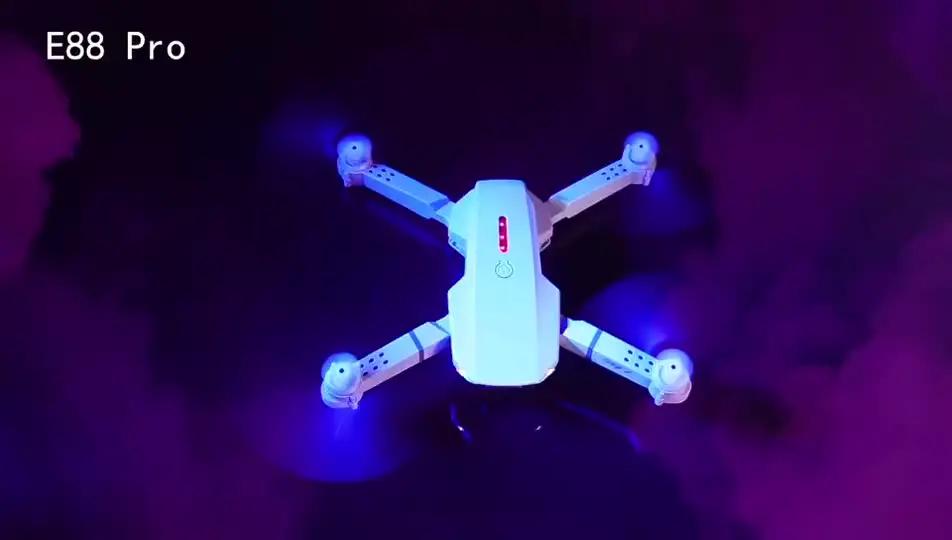
- DWI D19/E88 Pro Drone x 1
- Remote Control x 1
- Body Battery (1800mAh 3.7V Lithium) x 1
- Protection Frame x 4
- Spare Blades x 4
- Screwdriver x 1
- USB Charging Cable x 1
- User Manual x 1
- APP Manual x 1

3. Specifications
| Feature | Specification |
|---|---|
| Brand Name | DWI |
| Model Number | D19/E88PRO |
| Drone Weight | 89g |
| Takeoff Weight | 89g |
| Video Capture Resolution | 4K UHD |
| Indoor/Outdoor Use | Indoor-Outdoor |
| Camera Mount Type | Fixed Camera Mount |
| Controller Mode | MODE2 |
| Flight Time | 10~20 minutes |
| Controller Battery | 3AA |
| Control Channels | 4 channels |
| Motor Type | Brush Motor |
| Batteries Included | Yes |
| Charging Voltage | 3.7V |
| Power Source | Electric |
| Charging Time | Approx. 50-60 minutes |
| Remote Distance | 100m |
| Remote Control | Yes |
| Type | HELICOPTER |
| Aerial Photography | Yes |
| Material | Plastic, Metal |
| State of Assembly | Ready-to-Go |
| Features | App-Controlled, Fixed Height, Dual Camera, Gesture Photo/Video, Trajectory Flight, 360° Rollover, Headless Mode, One-Key Takeoff/Landing |
| Recommended Age | 14+ years |
| Anti-wind Ability | LEVEL 4 |
| Folded Dimensions | 12.5 x 8 x 5.5 cm |
| Unfolded Dimensions | 29 x 23 x 5.5 cm |


4. Setup Guide
4.1 Charging the Battery
- Remove the modular battery from the drone.
- Connect the battery to the USB charging cable.
- Plug the USB cable into a suitable USB power source (e.g., computer, USB wall adapter).
- The charging indicator light on the battery will show its status. Charging time is approximately 50-60 minutes.
- Once fully charged, disconnect the battery and reinsert it into the drone.

4.2 Installing Propeller Guards and Blades
- Attach the protection frames (propeller guards) to the drone's arms.
- If replacing blades, use the provided screwdriver to remove the old blades and install new ones, ensuring correct orientation (A and B blades).
4.3 Remote Control Setup
- Insert 3 AA batteries into the remote control.
- Mount your smartphone onto the mobile phone holder on the remote control (if using app control).

4.4 App Installation (Optional)
Download and install the dedicated drone control app on your smartphone. Refer to the included APP Manual for detailed instructions on app installation and connection.
5. Operating Instructions
5.1 Power On and Pairing
- Place the drone on a flat, level surface.
- Press and hold the power button on the drone until the LED lights illuminate.
- Turn on the remote control.
- The drone and remote control will automatically pair. The drone's lights will stop flashing and become solid once paired.
5.2 Takeoff and Landing
- One-Key Takeoff: Press the one-key takeoff button on the remote control (refer to Figure 4.2) to automatically launch the drone to a stable hovering height.
- Manual Takeoff: Push both joysticks on the remote control outwards and downwards simultaneously to start the propellers. Then, gently push the left joystick (throttle) upwards to lift off.
- One-Key Landing: Press the one-key landing button to automatically land the drone.
- Manual Landing: Gently pull the left joystick (throttle) downwards until the drone lands.
5.3 Flight Controls (MODE2)
- Left Joystick (Throttle): Up/Down for altitude (rise and fall). Left/Right for rotation (rotate left and right).
- Right Joystick (Direction): Up/Down for forward/backward movement. Left/Right for sideways movement (fly left and right).
5.4 Special Features
- Air Pressure Fixed Height: The drone can maintain a stable altitude without constant throttle input, making it easier to capture steady photos and videos.
- Dual Camera System: The drone features both a front 4K camera and a bottom 4K depression camera. You can switch between these cameras for different perspectives during flight.
- 90° Adjustable Front Camera: The front camera can be manually adjusted by 90 degrees to capture various angles.
- Headless Mode: In headless mode, the drone's orientation is relative to the pilot, eliminating the need to adjust its position before flying. This simplifies control, especially for beginners.
- 360° Rollover: Perform impressive aerial stunts with a single button press.
- Gesture Photo/Video: Use specific hand gestures to trigger photo or video recording. Refer to the APP Manual for gesture details.
- Trajectory Flight: Draw a flight path on the mobile app, and the drone will automatically follow the defined waypoints.
- Gravity Sensing Flight: Control the drone's movement by tilting your smartphone using the gravity sensor feature in the app.
- Real-time Image Transmission: View live footage from the drone's camera directly on your smartphone via Wi-Fi.
- LED Lights: Equipped with high-brightness LED lights for improved visibility during night flights and direction identification.


6. Maintenance
- Cleaning: Use a soft, dry cloth to clean the drone and remote control. Do not use harsh chemicals or solvents.
- Propeller Inspection: Regularly check propellers for cracks, bends, or damage. Replace damaged propellers immediately using the provided screwdriver and spare blades.
- Battery Care: Store batteries in a cool, dry place. Do not overcharge or over-discharge the battery. If not used for an extended period, charge the battery to about 50% before storage.
- Storage: When not in use, fold the drone and store it in its designated storage box to protect it from dust and damage.


7. Troubleshooting
| Problem | Possible Cause | Solution |
|---|---|---|
| Drone does not respond to remote control. | Not paired, low battery, out of range. | Ensure drone and remote are paired. Charge drone and remote batteries. Fly within 100m range. |
| Drone drifts during flight. | Not calibrated, windy conditions. | Perform gyroscope calibration (refer to manual). Fly in calm conditions. Use fine-tuning buttons on remote. |
| Poor image/video quality or no real-time feed. | Weak Wi-Fi signal, app not connected, camera lens dirty. | Ensure strong Wi-Fi connection. Reconnect app. Clean camera lens. |
| Drone crashes frequently. | Damaged propellers, inexperienced pilot, flying in obstacles. | Replace damaged propellers. Practice in open areas. Avoid obstacles. |
| Short flight time. | Battery not fully charged, old battery. | Ensure battery is fully charged. Consider replacing old batteries. |
8. User Tips
- Practice Makes Perfect: Start by practicing basic maneuvers in a safe, open environment before attempting more complex flights or features.
- Check Propellers: Always double-check that propellers are securely attached and undamaged before each flight. Loose or damaged propellers can affect flight stability.
- Calibrate Regularly: Calibrate the drone's gyroscope before each flight, especially if you notice any drifting. This ensures stable flight.
- Understand Headless Mode: Headless mode can be very helpful for beginners, as it simplifies directional control. Experiment with it to see if it suits your flying style.
- Monitor Battery Life: Keep an eye on the drone's battery level and plan your flights accordingly to avoid unexpected landings or crashes.
- Use Propeller Guards: Especially when flying indoors or in confined spaces, attach the propeller guards to prevent damage to the drone and surroundings.
- Explore App Features: The mobile app offers advanced features like trajectory flight and gravity control. Take time to explore these to enhance your flying experience.
9. Warranty & Support
For warranty information, technical support, or service inquiries, please refer to the contact information provided by your retailer or the official DWI website. Keep your purchase receipt as proof of purchase for any warranty claims.