
1. Introduction
This manual provides detailed instructions for replacing the bottom loudspeaker (buzzer ringer sound module board) in various Samsung Galaxy M series mobile phones. This replacement part is designed to restore original sound functionality to your device. Please read all instructions and precautions carefully before proceeding with the replacement.
2. Safety Information & Precautions
- Power Off Device: Always power off your mobile phone completely before attempting any repair or replacement to avoid electric shock hazards and prevent equipment damage.
- Professional Installation: Non-professionals should not attempt to disassemble the device themselves, as this may void the warranty and cause further damage. If you are uncertain about the procedure, contact official after-sales service.
- Avoid Excessive Force: When handling components, avoid applying excessive force to prevent damage to the motherboard or other delicate parts.
- Dedicated Tools: Use appropriate dedicated tools for removing the back cover and other components to prevent damage to the phone's casing or internal parts.
3. Product Specifications
| Feature | Description |
|---|---|
| Product Type | Replacement Loudspeaker (Buzzer Ringer Sound Module Board) |
| Brand Name | SHXI |
| Quality | 100% Original, OEM-grade |
| Compatibility | Samsung Galaxy M01, M10, M11, M12, M13, M13 5G, M14, M20, M21, M22, M23 5G |
| Dimensions (approx.) | 7 CM (Length) x 2 CM (Width) |
| Package Dimensions | Length: 15 cm, Width: 10 cm, Height: 5 cm |
| Package Weight | 0.03 kg |
| Certifications | CE certified, RoHS compliant, UL and CCC marks |
| Sound Quality | High-fidelity, restoring original factory performance |
| Durability | Impact and compression resistance |
3.1. Visual Overview of Loudspeaker Modules
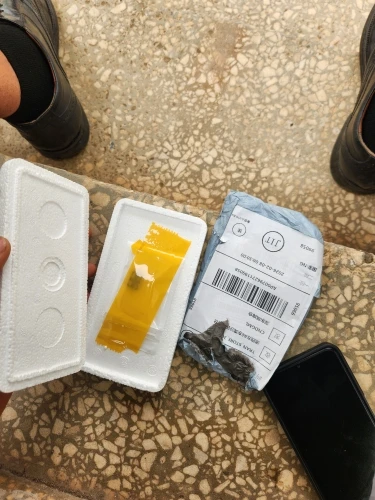
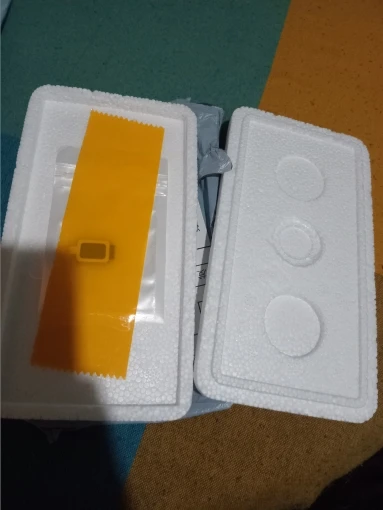
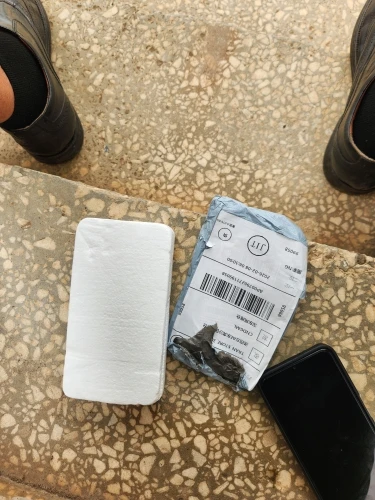
Below are images illustrating various loudspeaker modules compatible with the Samsung Galaxy M series, including a detailed diagram with approximate dimensions.

4. Setup and Installation
Follow these steps carefully to replace the loudspeaker module:
- Power Off: Ensure your mobile phone is completely powered off to prevent any electrical hazards or damage during the process.
- Remove Back Cover: Using appropriate dedicated tools (e.g., plastic spudger, heat gun if adhesive is strong), carefully remove the back cover of your Samsung Galaxy M series phone. Proceed slowly to avoid damaging the cover or internal components.
- Locate and Remove Old Speaker: Identify the old loudspeaker module. It is typically located at the bottom of the phone. Carefully disconnect any flex cables and unscrew any retaining screws. Gently pry out the old speaker.
- Install New Speaker: Position the new replacement loudspeaker module securely into its designated slot. Ensure all connections are properly aligned and seated. Re-fasten any screws that were removed.
- Reassemble Device: Carefully reattach the back cover, ensuring all clips and adhesive (if applicable) are properly secured.
5. Operating and Testing
After installation, it is crucial to test the functionality of the new loudspeaker:
- Power On: Power on your mobile phone.
- Test Sound: Play audio (e.g., music, video, ringtone) to verify that the new loudspeaker is functioning correctly and producing sound.
- Check Volume: Adjust the volume to ensure it operates within expected levels.
6. Maintenance
To ensure the longevity and optimal performance of your loudspeaker:
- Keep Clean: Regularly clean the speaker grille to prevent dust and debris buildup, which can affect sound quality. Use a soft, dry brush or compressed air.
- Avoid Water Exposure: Protect your phone from water and moisture, as this can severely damage the loudspeaker and other internal components.
- Handle with Care: Avoid dropping your phone or subjecting it to strong impacts, which can dislodge or damage the speaker module.
7. Troubleshooting (FAQs)
- Q: What should I do if there is no sound after replacement?
- A: First, ensure the phone is powered on and volume is not muted. Then, check whether the connection of the loudspeaker module is secure and properly seated. Verify that the part is correctly installed and not misaligned. If the issue persists, consider re-opening the device to inspect the connection points.
- Q: Will this replacement affect other phone functions?
- A: Proper installation of the loudspeaker module will not affect other phone functions. Ensure all other components are reconnected correctly during reassembly.
8. User Tips
- Verify Compatibility: Double-check that the specific loudspeaker model is compatible with your exact Samsung Galaxy M series phone model before purchase and installation.
- Gentle Handling: Many users report excellent results when handling the component carefully during installation. Avoid forcing parts into place.
- Sound Quality Expectations: While designed for high-fidelity, some users note that replacement speakers might not always match the exact loudness of the original part. Ensure your phone's volume settings are maximized if you experience lower volume.
9. Warranty and Support
- Warranty Period: This product comes with a 90-day warranty from the date of purchase.
- Return & Exchange Policy: The product is eligible for return or exchange if the damage is not user-induced.
- Contact Methods: For any warranty claims, technical assistance, or questions regarding the product, please consult our customer service.
- Additional Documentation: A detailed user manual in PDF format is available for further reference. You can access it via this link: User Manual (PDF).