

Introduction
The Vgate iCar Pro 2S is a Bluetooth 5.2 enabled OBD-II adapter designed to transform your iPhone, Android device, or Windows PC into a professional-grade diagnostic scan tool. It allows access to all legal OBD-II protocols, enabling you to diagnose car faults by reading non-specific and manufacturer-specific fault codes, and real-time ECU sensor data such as engine speed, fuel system status, fuel pressure, and oxygen sensor voltage.
This device features BatterySaver technology for low power consumption and supports automatic sleep and wake-up functions, including for hybrid and pure electric vehicles.
Key Features
- Over-voltage, over-temperature, and over-current protection.
- Fast Bluetooth OBD-II adapter with a baud rate of 3Mbps.
- Free firmware updates.
- BatterySaver technology for low power mode (operates at 34mA, sleeps at 3mA).
- Automatic sleep & wake-up wirelessly, including support for Hybrid / Pure Electric Vehicles.
- Supports up to 208 groups of pass, block, and flow control filters.
- Superior compatibility with more 3rd party apps & software.
- Fully compatible with all OBD2 protocols and commands.

The iCar Pro 2S is compatible with electric and hybrid vehicle auto wake-ups, featuring BatterySaver technology for low power consumption.
Specifications
| Attribute | Value |
|---|---|
| Communication Interface | OBD-II |
| Wireless Support | Bluetooth 5.2 |
| Automotive Fit Type | Universal fit |
| Battery Included | No |
| Software Update | No (Free firmware updates are available) |
| Language | English |
| Software Version | Latest Version |
| Hardware Version | V2.3 |
| Origin | Mainland China |
| Item Type | Code Readers & Scan Tools |
| Certification | CE |
| Operating System BT5.2 | for Android/IOS/PC |
| Software Compatibility | For BimmerCode/Auto Doctor/Torque etc. |
| Special Function | Read real time data, Read/Clear DTC etc. |
| Upgraded Version 1 | Supporting new energy vehicles |
| Upgraded Version 2 | Improved reading speed |
| Dimensions (approx.) | 4.1 cm (length) x 4 cm (width) x 2 cm (height) |

Detailed comparison of iCar Pro 2S and iCar Pro, highlighting improved communication rate and data handling for the 2S model.
The compact size of the iCar Pro 2S makes it simple to use and easy to carry.
Setup
1. Physical Installation
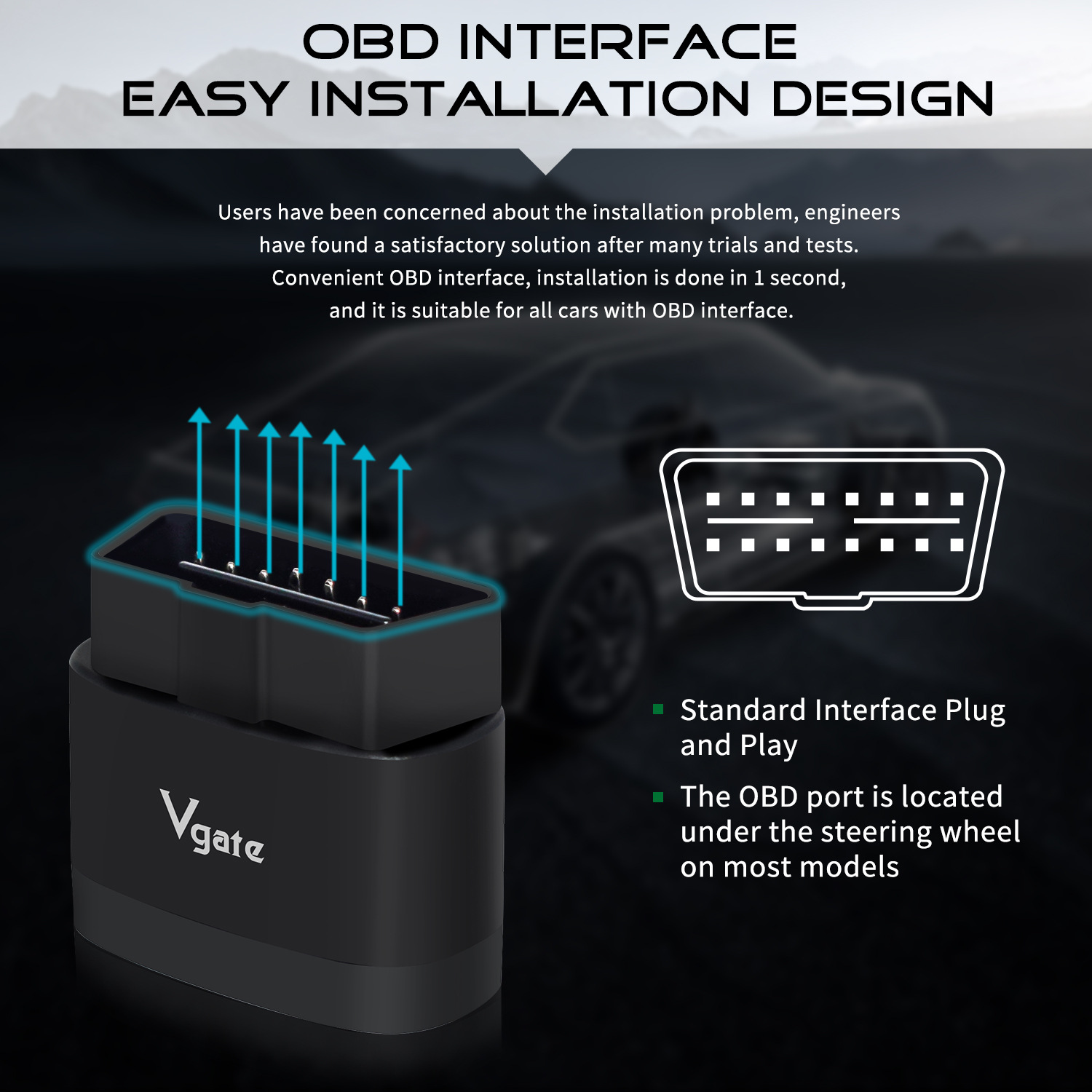
- Locate your vehicle's OBD connector. This port is typically found under the steering wheel on most models.
- Ensure the vehicle engine is off.
- Plug the Vgate iCar Pro 2S adapter firmly into the OBD port.
- Start the vehicle engine.

Diagram illustrating the easy installation of the iCar Pro 2S into the standard OBD interface, typically located under the steering wheel.
2. App Download & Bluetooth Connection
The connection procedures may vary slightly depending on the diagnostic application you choose. Refer to the application's manual for specific instructions, or follow the general steps below using 'Car Scanner APP' as an example.
- Download a compatible OBD-II diagnostic application (e.g., Car Scanner, Auto Doctor, Torque) from your device's app store.
-
For Android System:
- Turn on Bluetooth on your mobile device.
- Search for the product Bluetooth device name 'Android-Vlink'.
- Enter the pairing code '1234' to pair successfully.
- Open the diagnostic app and proceed to set up the connection within the app.
-
For iOS System:
- Turn on Bluetooth on your iPhone.
- There is no need to manually pair the device in your phone's Bluetooth settings.
- Open the diagnostic app and set up the connection directly within the app.
-
For Windows System:
- Turn on Bluetooth on your PC.
- In Bluetooth settings, search for the device name 'Android-Vlink'.
- Enter the pairing code '1234' to pair successfully.
- Open the diagnostic app and proceed to set up the connection within the app.

Visual guide for connecting the iCar Pro 2S using the Car Scanner app on an Android system.
Operating Instructions
Basic Functions
Once connected, the Vgate iCar Pro 2S allows your diagnostic application to perform various functions:
- Check Engine: Read and clear diagnostic trouble codes (DTCs).
- Data Logging: Record vehicle sensor data over time.
- Display Current Sensor Data: View real-time parameters such as engine RPM, coolant temperature, fuel system status, vehicle speed, short term fuel trim, long term fuel trim, intake manifold pressure, timing advance, intake air temperature, air flow rate, absolute throttle position, oxygen sensor voltages, and more.
- Real-time Connected: Maintain a live connection to your vehicle's ECU.
- Detect/Clear Fault Code: Identify and erase diagnostic trouble codes.
- Vehicle Information: Access information like VIN (Vehicle Identification Number), CID (Calibration ID), and CVN (Calibration Verification Number).

Overview of the main functions supported by the iCar Pro 2S.
Automatic Wake-up and Sleep
The iCar Pro 2S features an automatic sleep and wake-up function to conserve your car's battery. It operates at 34mA and automatically enters a low-power sleep state (as low as 3mA) when the vehicle is idle for 30 minutes after the engine stalls.
- Wake-up: The device automatically wakes up when the vehicle engine starts.
- Sleep: The device automatically sleeps 30 minutes after the car stalls.
This function is also supported on electric and hybrid vehicles.
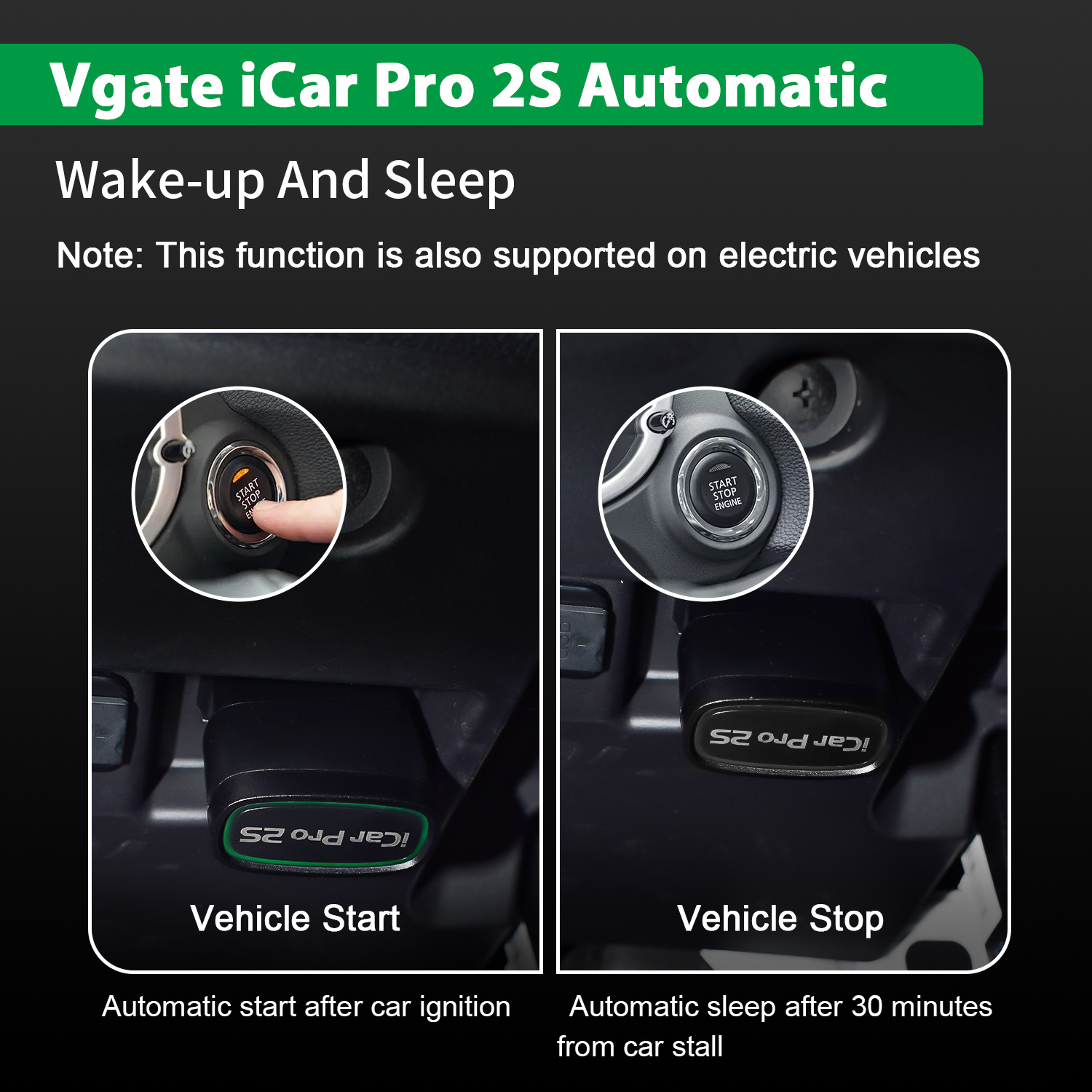
Diagram illustrating the automatic wake-up upon vehicle start and automatic sleep after 30 minutes of car stall.
Vehicle Compatibility
The Vgate iCar Pro 2S is compatible with:
- All OBD2/EOBD compliant vehicles.
- All OBD2 communication protocols.
- EOBD vehicles (Petrol from 2001 and diesel from 2003/2004 in Europe).
- OBD2 vehicles (1996 onwards in USA, 1998 in Canada).
- 12V petrol vehicles compatible with standard OBD2 protocols.
- 12V small diesel vehicles with a load of 6.5T or less supporting the OBD2 protocols.

Timeline and examples of vehicle types compatible with the Vgate iCar Pro 2S.
Maintenance
- Keep the device clean and dry. Avoid exposure to extreme temperatures or moisture.
- Ensure the OBD-II port in your vehicle is free from dust or debris before plugging in the device.
- Firmware updates are available and can be performed through compatible applications. Check the Vgate official website or your diagnostic app for update notifications.
- Do not attempt to disassemble or modify the device, as this will void the warranty.
Troubleshooting
Common Issues and Solutions
- Device not powering on:
- Ensure the device is fully inserted into the OBD-II port and the vehicle's ignition is on (or engine running). Check for any vehicle-specific issues with the OBD-II port.
- Bluetooth connection failure:
-
- For Android/Windows: Confirm Bluetooth is enabled on your device. Search for 'Android-Vlink' and use pairing code '1234'.
- For iOS: Ensure Bluetooth is enabled. Do not attempt to pair via iOS Bluetooth settings; connect directly through your diagnostic app.
- Restart both the diagnostic device and your mobile/PC device.
- Try a different diagnostic application to rule out app-specific issues.
- No data or incorrect data displayed:
-
- Verify that your vehicle is OBD2/EOBD compliant and within the supported model years.
- Ensure the diagnostic app is correctly configured for the iCar Pro 2S and your vehicle's protocol.
- Check for any pending firmware updates for the iCar Pro 2S.
A short video demonstrating the changing light status of the iCar Pro 2S device, indicating its operational state.
User Tips
- Many users have reported good performance with diagnostic applications such as 'Car Scanner'. Consider trying this app if you encounter issues with others.
- The iCar Pro 2S is designed to work with new energy vehicles, including electric and hybrid models, thanks to its automatic wake-up function.
- Always ensure your diagnostic app is up-to-date for the best compatibility and feature set.
Warranty and Support
The Vgate iCar Pro 2S comes with a 2-year official store warranty.
For technical support or warranty claims, please contact the Vgate Official Store. Messages are typically answered within 24 hours.
A detailed user manual in PDF format is available for download. You can find it by searching for "Vgate iCar Pro 2S User Manual PDF" online or by referring to the QR code provided in the physical product packaging for the application manual.

The product package includes the Vgate iCar Pro 2S device and a start guide.